
Ro-ràdh
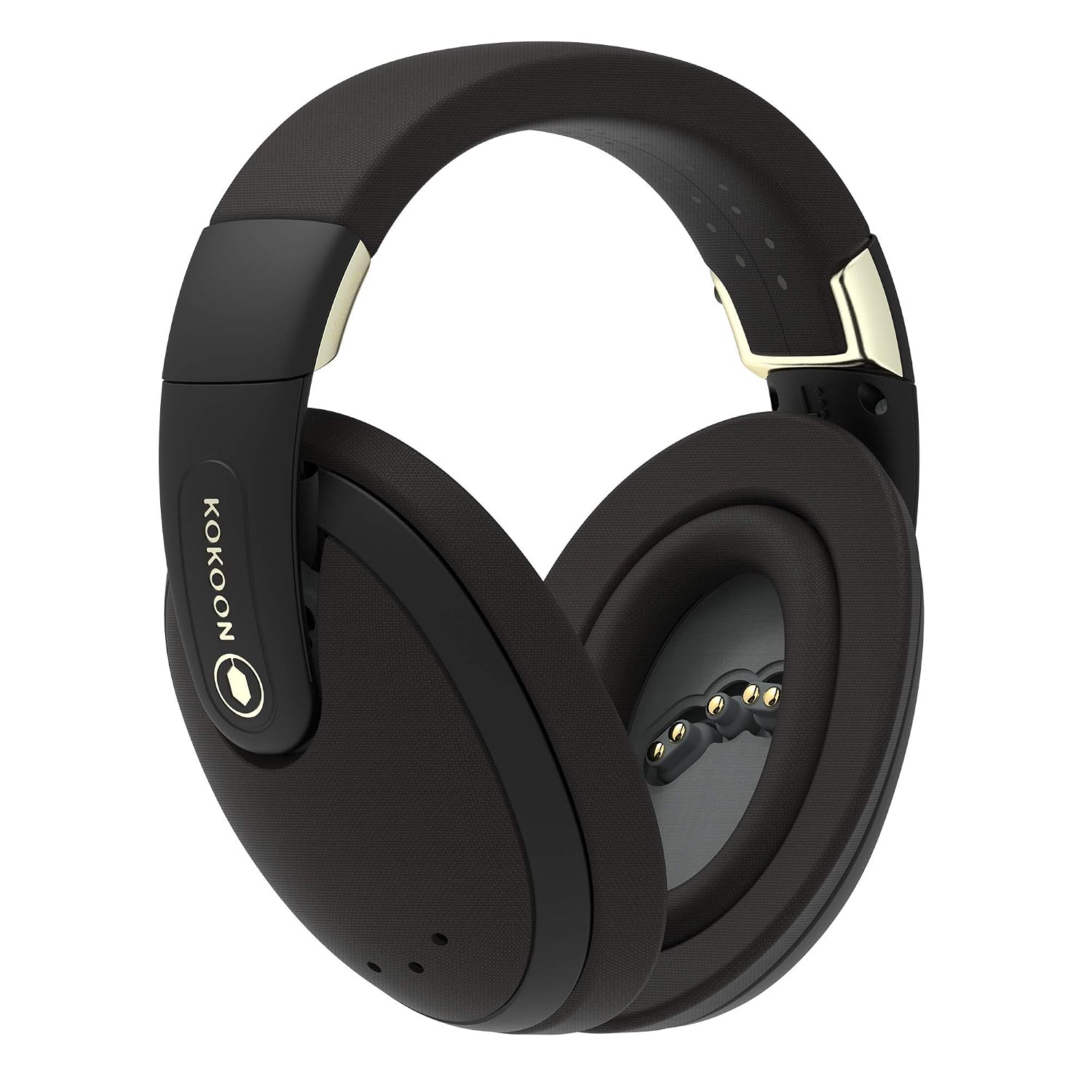
Welcome to your Kokoon Wireless Headphones. These headphones are designed to provide a sanctuary for relaxation and mindfulness, featuring sensor-enabled technology, active noise cancellation, and an intelligent audio library.
This manual provides essential information for setting up, operating, maintaining, and troubleshooting your Kokoon headphones.
Bathar seachadview
The Kokoon Wireless Headphones integrate advanced features for an immersive audio experience tailored for relaxation and sleep.
Prìomh fheartan
- Sensor-enabled biofeedback (EEG) brainwave tracking
- Active Noise Cancelling (ANC) technology
- Intelligent audio library with adaptive audio
- Enhanced acoustics with 40mm electro-dynamic sound drivers
- Suas ri 20 uair de bheatha bataraidh
- Washable, detachable, and foldable triple-layer noise protection ear pads
Susbaint pacaid
Your Kokoon Wireless Headphones package should include:
- Kokoon Wireless Headphones
- Càball cosgais USB
- Càball claisneachd 3.5mm
- Cùis Giùlain
- Cluasagan cluas
- Stiùireadh tòiseachaidh luath
Suidhich
Fòn-cluaise a luchdadh a-nuas
Before first use, fully charge your Kokoon headphones.
- Ceangail an càball cosgais USB a tha air a thoirt seachad ris a’ phort cosgais air na fònaichean-cluaise.
- Ceangail ceann eile a’ chàball USB ri stòr cumhachd USB co-chòrdail (me, port USB coimpiutair, inneal-atharrachaidh balla).
- Lasaidh an solas comharra cosgais. Cho luath ‘s a bhios e làn-chosgais (timcheall air 2 uair a thìde), atharraichidh an solas no cuiridh e dheth e.
- Bheir làn chosgais suas ri 20 uair de bheatha bataraidh.
Pairing with Your Device (Bluetooth)
The Kokoon headphones connect wirelessly via Bluetooth.
- Dèan cinnteach gu bheil na fònaichean-cluaise air an cuir dheth.
- Brùth is cum sìos am putan Cumhachd air na fònaichean-cluaise gus an las an solas comharrachaidh, a’ comharrachadh modh càraideachaidh.
- Air an inneal agad (fòn cliste, tablet, coimpiutair), rach gu roghainnean Bluetooth agus cuir Bluetooth an gnìomh.
- Select "Kokoon Headphones" from the list of available devices.
- Once connected, the indicator light on the headphones will stop flashing and remain solid.
Installing the Kokoon App
To unlock the full potential of your Kokoon headphones, download the companion app.
- Lorg airson "Kokoon" in your device's app store (Apple App Store for iOS, Google Play Store for Android).
- Download and install the official Kokoon app.
- Open the app and follow the on-screen instructions to connect your headphones. The app will guide you through initial setup and calibration.

Operating Your Kokoon Headphones
Smachdan bunaiteach
The headphones feature intuitive controls for power, volume, and playback.
| Smachd | Gnìomh |
|---|---|
| Putan Cumhachd | Press and hold to power on/off. Press and hold for pairing mode. |
| Tomhas Suas/Sìos | Atharraich meud an fhuaim. |
| Putan ioma-ghnìomh | Play/Pause audio, Answer/End calls (if supported by device). |
Sguir dheth Fuaim Gnìomhach (ANC)
The Kokoon headphones feature active noise cancellation to reduce ambient sounds.
- ANC is automatically engaged when the headphones are powered on.
- The ANC technology works in conjunction with the physical noise isolation of the ear pads to create a quiet environment.
Using the Kokoon App
The Kokoon app is central to the headphone's advanced features.
- Leabharlann Fuaim: Access a curated library of meditation exercises, soundscapes, and relaxing music developed with sleep scientists.
- Fuaim freagarrach: The app uses the headphone's built-in sensors to detect when you fall asleep and automatically fades out audio, introducing masking white noise to protect your sleep.
- Biofeedback Tracking: Monitor your brainwave activity (EEG) to understand your relaxation and sleep patterns. The app provides insights and personalized recommendations over time.
- Prògraman Pearsanta: Engage with guided sessions for relaxation, mindfulness, and sleep improvement.

Cùram agus cumail suas
Proper care will extend the life of your Kokoon headphones.
Glanadh
- Pads cluaise: The ear pads are washable and detachable. Gently remove them and hand wash with mild soap and water. Allow them to air dry completely before reattaching.
- Headphones Body: Wipe the exterior surfaces with a soft, dry, lint-free cloth. Do not use abrasive cleaners, solvents, or spray directly onto the headphones.
Stòradh
- Store the headphones in their provided carrying case when not in use to protect them from dust and damage.
- Seachain stòradh ann an teòthachd anabarrach no àrd taiseachd.
Cùram Bataraidh
- To maintain battery health, avoid fully discharging the battery frequently.
- If storing for an extended period, charge the headphones to about 50% before storage.
Fuasgladh thrioblaidean
If you encounter issues with your Kokoon headphones, refer to the following common solutions.
| Trioblaid | Adhbhar a dh’fhaodadh a bhith ann | Fuasgladh |
|---|---|---|
| Fòn-cluaise nach eil a’ tionndadh air | Bataraidh ìosal | Luchdaich a-nuas an làn chluasan. |
| Chan urrainnear paidhreachadh tro Bluetooth | Fònaichean-cluaise gun a bhith ann am modh càraideachaidh; Bluetooth an inneil dheth; Bacadh | Ensure headphones are in pairing mode. Turn device Bluetooth off/on. Move closer to device. Forget device and re-pair. |
| Gun fhuaim no tomhas-lìonaidh ìosal | Volume too low; Incorrect audio source; App settings | Increase volume on headphones and device. Check audio output settings on device. Verify app audio settings. |
| Chan eil Cur às do Fhuaim Gnìomhach èifeachdach | Improper fit; Extreme noise levels | Ensure ear pads form a good seal around your ears. ANC is designed to reduce consistent low-frequency noise, not eliminate all sounds. |
| App not connecting to headphones | Bluetooth issue; App permissions; Outdated app | Ensure Bluetooth is enabled and headphones are connected. Check app permissions (e.g., location access). Update the app to the latest version. |
For further assistance, please contact Kokoon customer support.
Sònrachaidhean
Detailed technical specifications for the Kokoon Wireless Headphones.
- Ainm a' mhodail: Kokoon
- Àireamh Modail: K1V0W-B-DR2
- Ceangal: Bluetooth
- Cluas-cinn Jack: Jack 3.5 mm (airson ceangal uèirleas)
- Smachd fuaim: Cur às do fhuaim gnìomhach
- Draibhear Fuaime: 40 mm Electro-Dynamic Sound Driver
- Beatha bataraidh: Suas ri 20 uairean a thìde (timcheall air)
- Seòrsa bataraidh: 1 bataraidh lithium-ion (air a ghabhail a-steach)
- Cuideam: 340 g (0.34 cileagram)
- Stuth: Plastic (main body), Natural Fibre & Flexmould Comfort Silicone (ear pads)
- Modh smachd: App, Volume Control
- Micreofon: Air a thogail a-steach
- Factor foirm: Thar Cluas
- Feartan sònraichte: Collapsible, Over-ear, Sensor-enabled (EEG)
Barantas agus Taic
Kokoon provides support for its products.
Fiosrachadh Barantais
For detailed warranty terms and conditions, please refer to the warranty card included with your product or visit the official Kokoon weblàrach. Cùm dearbhadh ceannach airson tagraidhean barantais.
Taic Luchd-cleachdaidh
If you require further assistance or have questions not covered in this manual, please contact Kokoon customer support through their official weblàrach-lìn no am fiosrachadh conaltraidh a tha air a thoirt seachad ann am pasgan an toraidh.
Weblàrach: www.kokoon.io