
Ro-ràdh
This manual provides detailed instructions for the operation and maintenance of your GTMEDIA Z3 Portable DAB+/FM RDS Radio. Please read this manual thoroughly before using the device to ensure proper functionality and to maximize your listening experience.
Fiosrachadh Sàbhailteachd Cudromach
- Na cuir an inneal fosgailte do uisge, taiseachd no teòthachd anabarrach.
- Seachain a bhith a’ leigeil às no fo smachd an inneal gu buaidhean làidir.
- Na feuch ri an aonad a thoirt às a chèile no a chàradh thu fhèin. Thoir aire do luchd-obrach teisteanasach airson a h-uile seirbheis.
- Cleachd an càball cosgais agus an inneal-atharrachaidh cumhachd a tha sònraichte a-mhàin.
- Cùm a-mach à ruigsinn chloinne.
Susbaint pacaid
Dèan cinnteach gu bheil a h-uile nì anns a’ phacaid:
- 1 x GTMEDIA Z3 DAB+/FM Radio
- 1 x càball cosgais USB
- 1 x Leabhar-làimhe Cleachdaiche

Image: The GTMEDIA Z3 radio, its retail box, USB charging cable, and user manual.
Bathar seachadview
The GTMEDIA Z3 is a portable DAB+/FM RDS radio featuring a 2.4-inch TFT-LCD screen. It supports 60 preset stations for both DAB+ and FM, and includes functions such as clock, alarm, and sleep timer. The device is powered by a rechargeable 18650 lithium battery.
Smachdan pannal aghaidh agus taisbeanadh
- Putan Cumhachd/Fuireach: Turns the radio on/off or puts it in standby mode.
- Putan Scan: Initiates station scanning.
- Putan DAB/FM: Bidh e ag atharrachadh eadar modhan DAB+ agus FM.
- Putan Clàr-taice: A ’faighinn cothrom air a’ phrìomh chlàr.
- Putan EQ: A’ gleusadh roghainnean an co-ionannachaidh.
- Putan Preset: A’ faighinn cothrom air stèiseanan ro-shuidhichte.
- Volume/Select Knob: Adjusts volume and navigates/selects menu options.
- 2.4-inch TFT-LCD Display: A’ sealltainn fiosrachadh mu stèiseanan, an t-àm, agus roghainnean clàr-taice.
Pannal Cùil agus Puirt
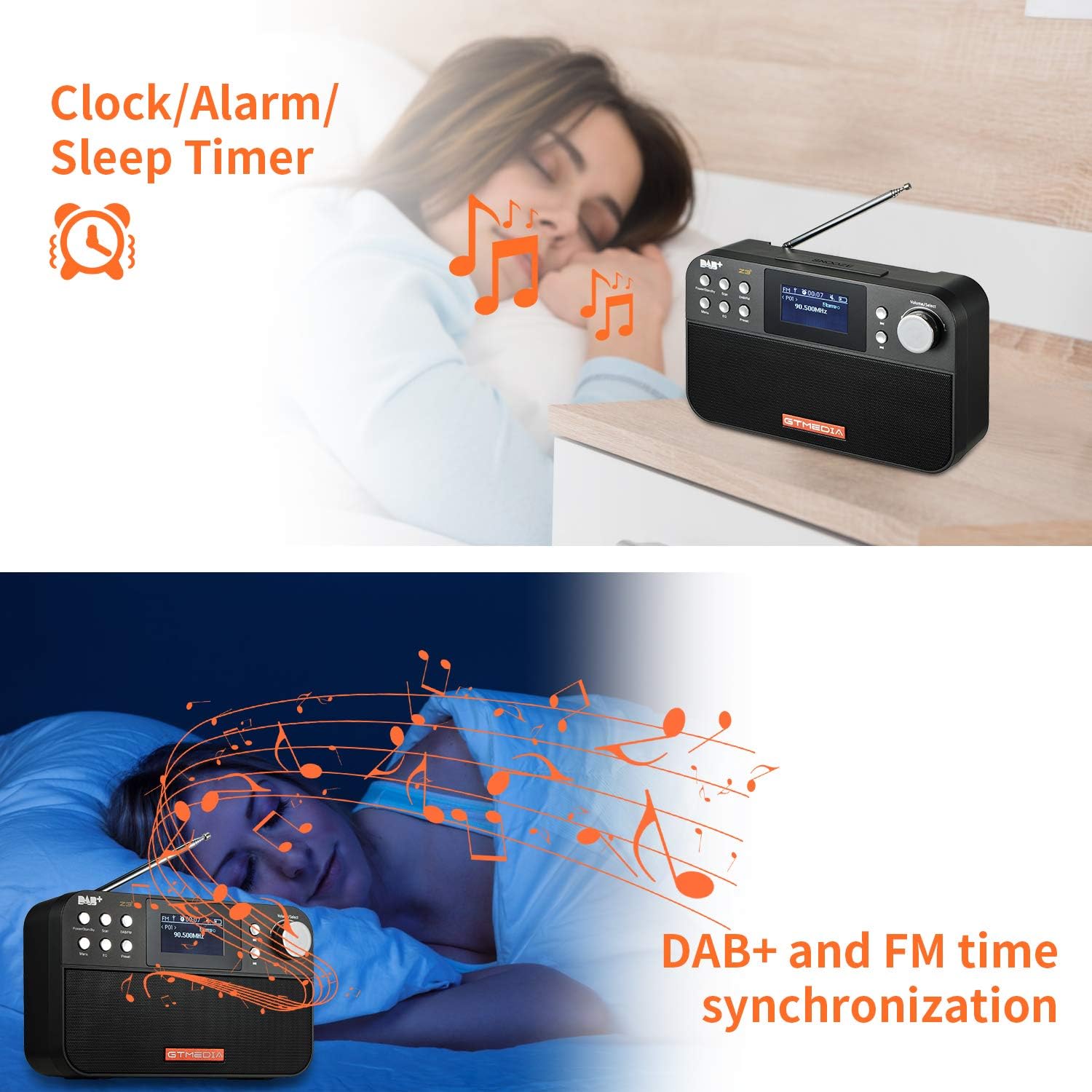
Image: The back of the GTMEDIA Z3 radio, highlighting the 18650 lithium battery compartment and the DC 5V USB charging port.
- 18650 Lithium Battery Compartment: A’ cumail a’ bhataraidh ath-luchdaichte.
- DC 5V USB Charging Port: Airson an inneal a luchdadh a-nuas.
Stiùireadh rèiteachaidh
1. A 'cur cosgais air a' Bhataraidh
- Locate the USB charging port on the rear of the radio.
- Connect the provided USB charging cable to the radio and to a compatible USB power adapter (DC 5V, ≥1500mA) or a computer USB port.
- The battery indicator on the display will show charging status. A full charge typically provides 4-7 hours of operation.
Image: The GTMEDIA Z3 radio's rear panel, illustrating the USB charging port and battery specifications.
2. A’ chiad chumhachd air agus taghadh cànain
- Brùth agus cùm an Cumhachd / cùl-taic putan gus an rèidio a chuir air.
- Upon first use, you may be prompted to select a language. Use the Volume/Select knob to navigate and press to confirm your choice. English is the default language.
3. Synchronization ùine
The clock can be set manually or synchronized automatically with DAB+ or FM signals.
- Sioncronadh fèin-ghluasadach: When tuned to a DAB+ or FM station that broadcasts time information, the radio will automatically update its clock.
- Atharrachadh làimhe: Faigh cothrom air roghainnean an t-siostaim tron Clàr-taice button to manually set the time and date.
Stiùireadh Obrachaidh
1. Radio Modes (DAB+/FM)
Modhan tionndaidh:
Brùth an DAB / FM putan gus atharrachadh eadar modhan rèidio DAB+ agus FM.
A’ sganadh airson stèiseanan:
- Auto Scan (FM): Ann am modh FM, brùth air an iuchair Sgan putan gus stèiseanan a tha rim faighinn a lorg agus a stòradh gu fèin-ghluasadach.
- Local Scan (DAB+): Ann am modh DAB+, brùth air an iuchair Sgan button to perform a local scan for DAB+ stations. Manual tuning is also supported.
Stèiseanan ro-shuidhichte:
The radio supports 60 preset stations for both FM and DAB+ (10 quick access presets). To save a station:
- Èist ris an stèisean a tha thu ag iarraidh.
- Brùth agus cùm an Ro-shuidhichte putan.
- Cleachd an Volume/Select knob to choose a preset number and press to confirm.
Gus stèisean ro-shuidhichte a thoirt air ais, brùth goirid air a’ phutan Ro-shuidhichte putan agus cleachd am faidhle Volume/Select cnap ri taghadh.
FM RDS Station Name Display:
When tuned to an FM station broadcasting RDS (Radio Data System) information, the 2.4-inch TFT-LCD screen will display the station name and other relevant data.
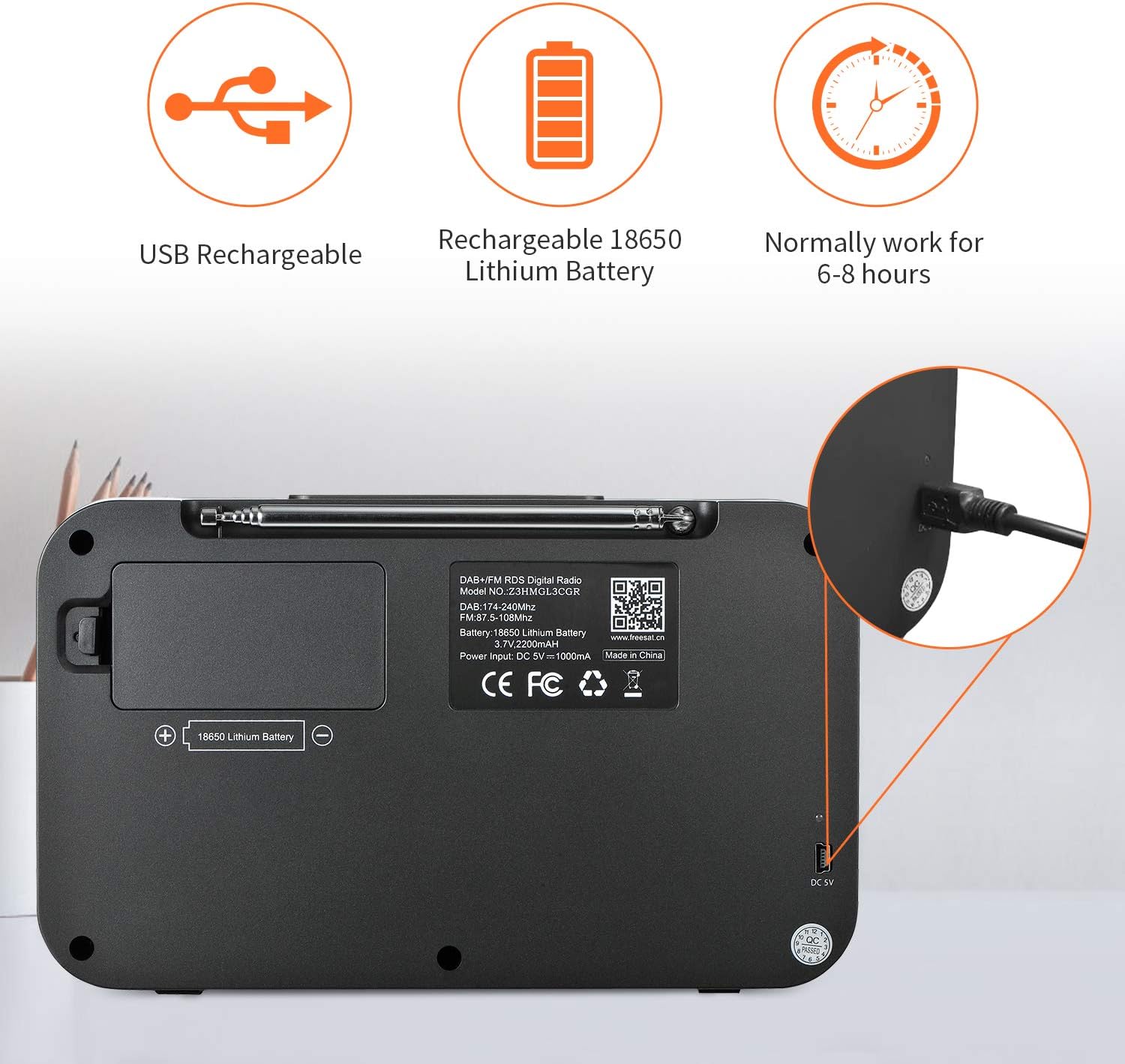
Image: The GTMEDIA Z3 radio's display showing "FM" and "90.500MHz" along with a station name, demonstrating the RDS feature.
2. Clock, Alarm, and Sleep Timer
The GTMEDIA Z3 radio includes integrated clock, alarm, and sleep timer functions for enhanced convenience.

Image: The GTMEDIA Z3 radio with icons representing clock, alarm, and sleep timer functions, depicted in a bedroom setting.
A' suidheachadh an Alarm:
- Brùth an Clàr-taice button and navigate to the "Alarm" settings.
- Cleachd an Volume/Select knob to set the alarm time, duration, and alarm source (e.g., buzzer, DAB+, FM).
- Dearbhaich na roghainnean agad.
A ’suidheachadh an timer cadail:
- Brùth an Clàr-taice button and navigate to the "Sleep Timer" settings.
- Cleachd an Volume/Select knob to choose the desired sleep duration (e.g., 15, 30, 60 minutes).
- Tionndaidhidh an rèidio dheth gu fèin-ghluasadach às deidh an ùine shuidhichte.
3. Cluich Ciùil
The GTMEDIA Z3 supports playback of various music formats including MP3, FLAC, and WAV. Playback modes include single play, repeat, and shuffle. Specific instructions for accessing and controlling music playback are typically found within the device's menu system.
Cumail suas
Glanadh:
- Sguab an rèidio le clò bog, tioram.
- Na cleachd innealan-glanaidh leaghaidh no stuthan sgrìobach.
Cùram Bataraidh:
- Gus beatha bataraidh a leudachadh, seachain a bhith ga leigeil ma sgaoil gu tur gu tric.
- Charge the battery regularly, even if the radio is not in frequent use.
- Stòraich an rèidio ann an àite fionnar, tioram nuair nach eilear ga chleachdadh airson ùine mhòr.
Fuasgladh thrioblaidean
| Trioblaid | Adhbhar a dh’fhaodadh a bhith ann | Fuasgladh |
|---|---|---|
| Gun chumhachd | Tha bataraidh air a leigeil ma sgaoil. | Cuir cosgais air a’ bhataraidh a’ cleachdadh a’ chàball USB a chaidh a thoirt seachad. |
| Fàilteachas rèidio truagh | Comharra lag; antenna gun a bhith air a shìneadh a-mach. | Extend the telescopic antenna fully. Try repositioning the radio. Perform a new scan for stations. |
| Gun fhuaim | Volume too low; Mute activated. | Meudaich an tomhas-lìonaidh a 'cleachdadh an Volume/Select knob. Check if mute is active in settings. |
| Chan eil an taisbeanadh soilleir | Tha an suidheachadh soilleireachd ro ìosal. | Adjust LCD brightness in the system settings. |
Sònrachaidhean
| Feart | Mion-fhiosrachadh |
|---|---|
| Brand | GTMEDIA |
| Modail | Z3 |
| Teicneòlas Tuner | DAB Plus, FM RDS |
| Còmhlain Rèidio a tha a’ faighinn taic | DAB+ (174.92-239.20 MHz), FM (87.5-108 MHz) |
| Taisbeanadh | 2.4-inch TFT-LCD (240 x 320 pixels) |
| Stèiseanan ro-shuidhichte | 60 FM, 60 DAB+ |
| Stòr cumhachd | Cumhachd bataraidh |
| Seòrsa bataraidh | Bataraidh Lithium 18650 (3.7V 2200mAh) |
| Uairean Obrachaidh | 4-7 hours (typical) |
| Cur a-steach cosgais | DC 5V, ≥1500mA (via USB) |
| Teicneòlas ceangail | USB |
| Feart sònraichte | Portable, Clock, Alarm, Sleep Timer, USB Upgradeable |
| Cuideam nì | 620 g |
| Meudan toraidh | 20 x 5 x 12 cm |
| Teòthachd Obrachaidh | 0 ~ + 45 ° C. |
| Teòthachd stòraidh | -10~+60°C |
| Cruthan ciùil | MP3, FLAC, WAV |

Image: Dimensions of the GTMEDIA Z3 radio, showing approximate measurements of 200mm x 120mm x 50mm.
Ùrachadh Firmware
The GTMEDIA Z3 radio supports firmware upgrades via a USB connection to a PC. For the latest firmware and detailed instructions, please visit the official support weblàrach.

Image: The GTMEDIA Z3 radio connected to a laptop via a USB cable, indicating its upgradeable feature.
Barantas agus Taic
For technical support, warranty information, or any questions regarding your GTMEDIA Z3 radio, please visit the official GTMEDIA support weblàrach: