
1. Ro-ràdh
The Plugable USB-C Hub 7-in-1 is a versatile multiport adapter designed to expand the connectivity of your USB-C or Thunderbolt 3/4 enabled laptop, tablet, or smartphone. This compact and driverless hub provides essential ports for enhanced productivity and convenience.
It features a 4K HDMI display output, three USB 3.0 ports for high-speed data transfer, dedicated SD and microSD card readers, and a USB-C Power Delivery charging port, allowing you to charge your host device while using the hub.

Image: The Plugable USB-C 7-in-1 Hub showcasing its various connectivity options with connected peripherals.
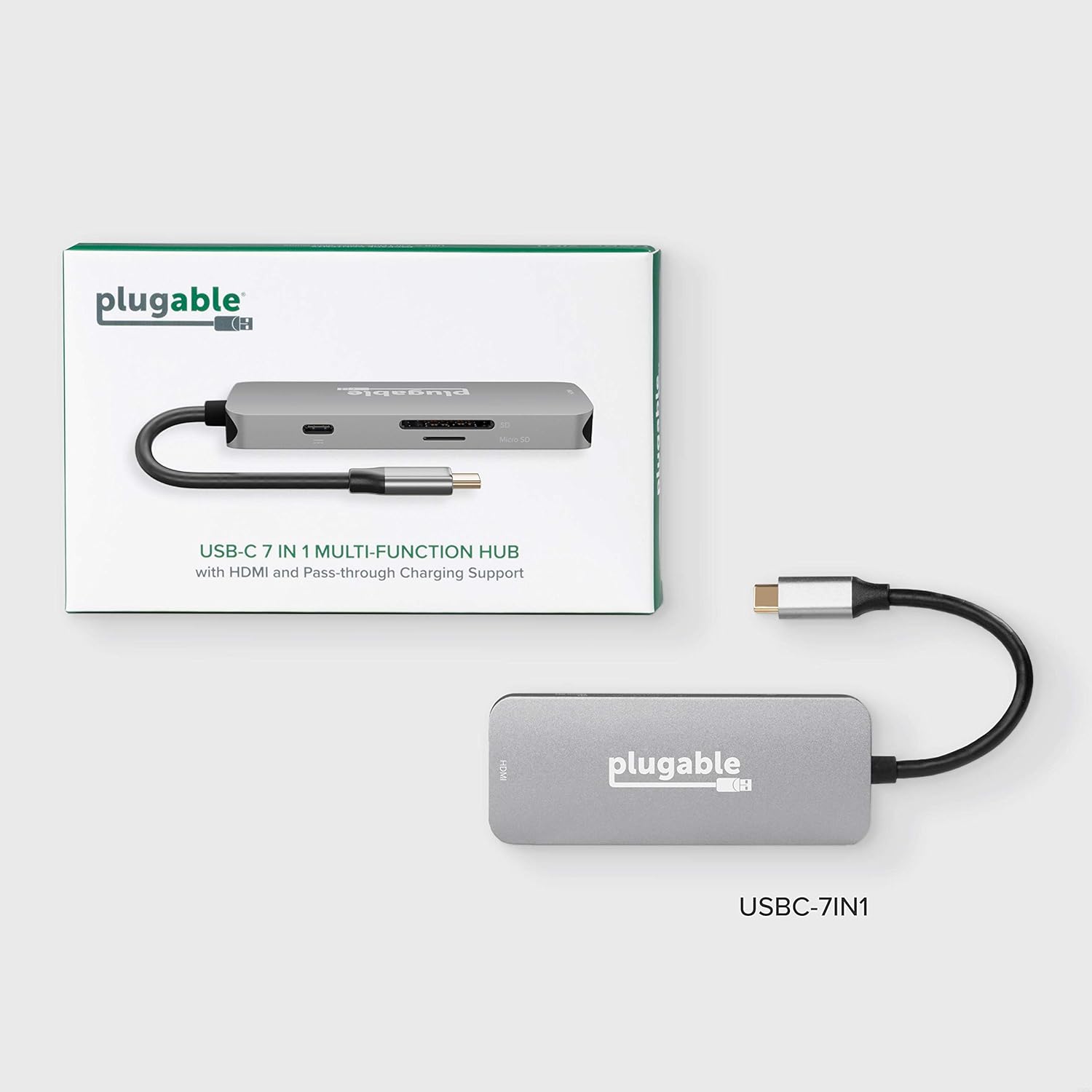
Image: The compact design of the Plugable USB-C Hub, highlighting its portability for on-the-go use.
2. Setup agus Ceangal
Follow these steps to set up your Plugable USB-C Hub:
- Ceangail ris an inneal aoigheachd: Plug the integrated USB-C cable from the hub into an available USB-C or Thunderbolt 3/4 port on your laptop, tablet, or smartphone. The hub is driverless and should be recognized automatically by your operating system (Windows, macOS, ChromeOS, etc.).
- Ceangail Cumhachd (Roghainneil): If your host device requires charging or if you are connecting power-intensive peripherals, connect your original USB-C power adapter to the USB-C Power Delivery (PD) port on the hub. The hub supports up to 100W pass-through charging.
- Ceangail taisbeanadh HDMI: Connect an HDMI cable from your monitor or TV to the HDMI port on the hub. Ensure your display is set to the correct input source. The hub supports resolutions up to 4K at 30Hz. For 4K 60Hz, your host device must support DisplayPort 1.4.
- Ceangail innealan USB: Plug your USB peripherals (e.g., mouse, keyboard, external hard drive, USB flash drives) into the three USB 3.0 ports on the hub. These ports offer data transfer speeds up to 5Gbps.
- Cuir a-steach Cairtean Cuimhne: Insert your SD or microSD cards into the corresponding slots on the hub for data access.

Image: A detailed diagram illustrating the various ports available on the Plugable USB-C 7-in-1 Hub.

Image: Illustration of the pass-through USB-C charging feature, allowing your laptop to charge while connected to the hub.
3. Stiùireadh Obrachaidh
Once connected, the Plugable USB-C Hub operates seamlessly with your device. Here are key functionalities:
- HDMI Display Output: Use the HDMI port to extend or mirror your desktop to an external display. This is ideal for presentations, multitasking, or enjoying media on a larger screen. Ensure your display settings are configured correctly in your operating system.
- Gluasad dàta USB 3.0: The three USB 3.0 ports provide high-speed data transfer for external storage devices, ensuring quick file transfers. They are also suitable for connecting standard USB peripherals like keyboards, mice, and webcaman.
- SD and MicroSD Card Readers: Access photos, videos, and other files directly from your camera's memory cards. The hub supports simultaneous reading of both SD and microSD cards.
- Lìbhrigeadh cumhachd: The USB-C PD port allows your laptop to receive power through the hub, eliminating the need for a separate power connection to your laptop's dedicated charging port.
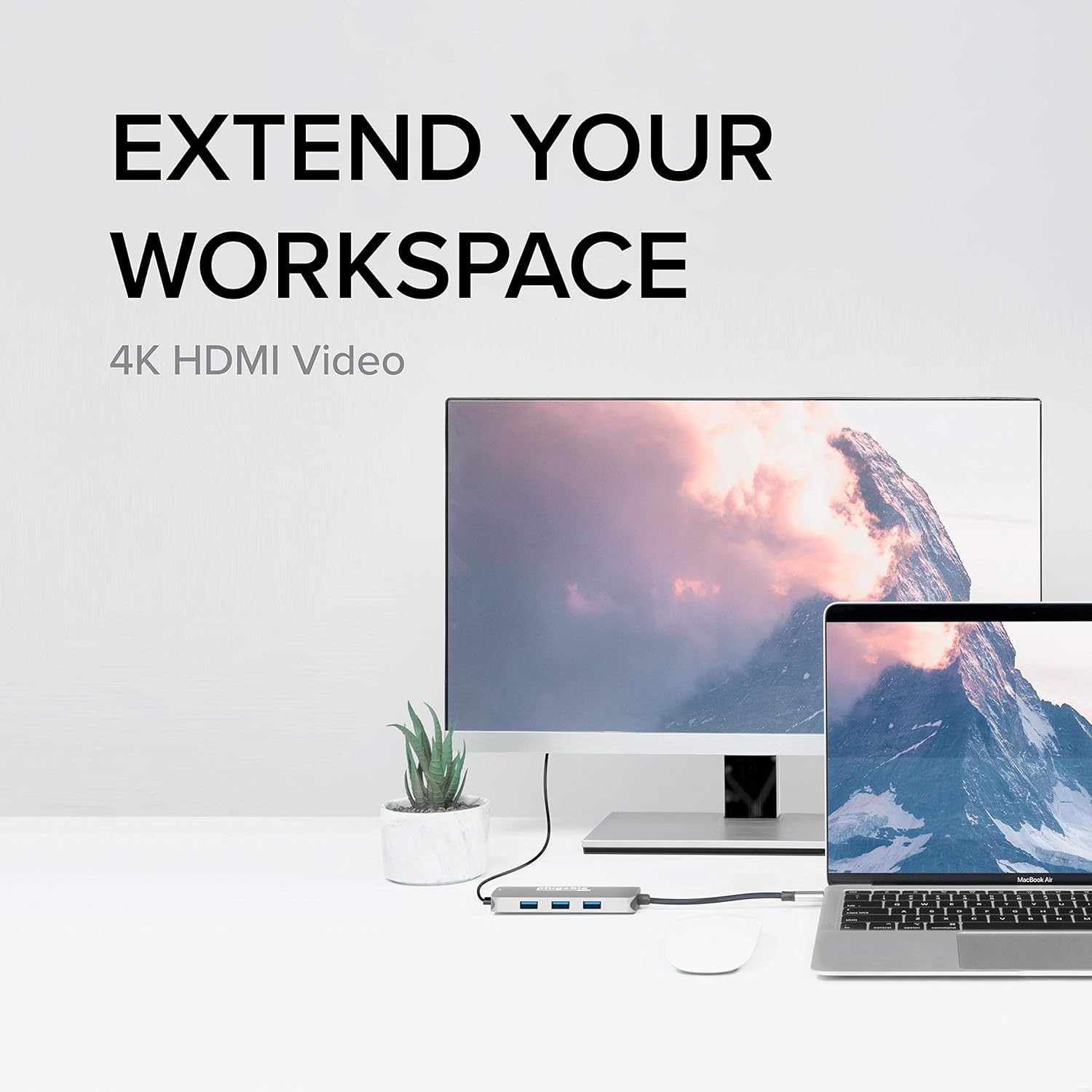
Image: The hub enabling an extended workspace by connecting a laptop to an external 4K HDMI monitor.
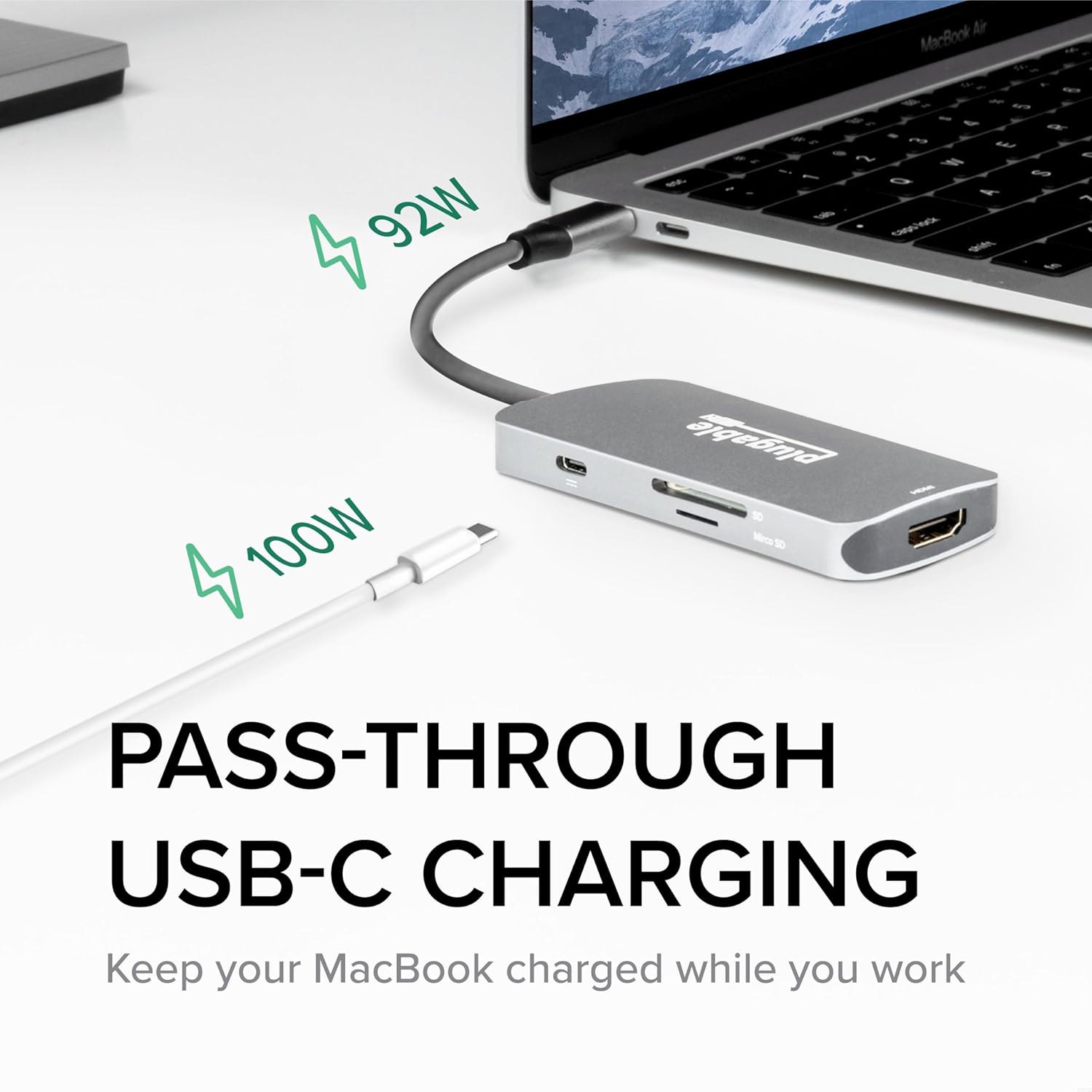
Image: The three USB 3.0 ports on the hub, capable of 5Gbps data transfer speeds, shown with USB drives connected.
4. Cumail suas
To ensure the longevity and optimal performance of your Plugable USB-C Hub, follow these simple maintenance guidelines:
- Glanadh: Use a soft, dry, lint-free cloth to gently wipe the surface of the hub. Avoid using liquid cleaners, aerosols, or abrasive materials, as these can damage the device.
- Stòradh: Nuair nach eilear ga chleachdadh, stòraich am mòr-ionad ann an àite fionnar, tioram air falbh bho sholas dìreach na grèine agus teòthachd anabarrach.
- Làimhseachadh: Avoid dropping the hub or subjecting it to strong impacts. Do not bend or excessively pull the integrated USB-C cable.
- Fionnarachadh: Dèan cinnteach gu bheil fionnarachadh iomchaidh aig an ionad, gu h-àraidh nuair a bhios e air a chleachdadh airson ùine mhòr, gus casg a chur air cus teasachadh.
5. A ’dèanamh trioblaid
If you encounter issues with your Plugable USB-C Hub, refer to the following common troubleshooting tips:
- Gun toradh taisbeanaidh tro HDMI:
- Dèan cinnteach gu bheil an càball HDMI ceangailte gu tèarainte ris an ionad agus ris an monitor.
- Verify that your monitor is set to the correct HDMI input source.
- Check your computer's display settings to ensure the external display is detected and configured (e.g., extended, mirrored).
- If attempting 4K 60Hz, confirm your host device supports DisplayPort 1.4 over USB-C. The hub supports 4K 30Hz universally.
- Try a different HDMI cable or monitor to rule out external component issues.
- Innealan USB nach deach aithneachadh:
- Dèan cinnteach gu bheil an inneal USB air a chur a-steach gu tur do phort an ionaid.
- Try connecting the USB device to a different port on the hub or directly to your computer to confirm functionality.
- For some older USB-A 2.0 devices, if connectivity is intermittent, try flipping the USB-A plug's orientation. This is a known characteristic of some USB-A/USB-C connections.
- If using power-intensive USB devices (e.g., external hard drives), ensure your host device is connected to power via the hub's PD port.
- Cùisean Cìsean:
- Verify that your USB-C power adapter is connected to the hub's PD port and is functioning correctly.
- Dèan cinnteach gu bheil an inneal-atharrachaidh cumhachd agad a’ toirt seachad uisge gu leòrtage for your laptop and connected devices.
- Ceangal eadar-amail:
- Ensure the hub's integrated USB-C cable is firmly seated in your host device's port.
- Try disconnecting and reconnecting the hub.
- Ath-thòisich an inneal aoigheachd agad.
Mura rèitich na ceumannan seo an duilgheadas agad, thoir sùil air an earrann “Barantas is Taic” airson tuilleadh cuideachaidh.
6. Sònrachaidhean
| Feart | Mion-fhiosrachadh |
|---|---|
| Modail Àireamh | USBC-7IN1 |
| Meudan toraidh | 6.3 x 3.94 x 0.71 òirleach |
| Cuideam nì | 3.52 unnsa |
| Toradh HDMI | Up to 4K 30Hz (4K 60Hz with DisplayPort 1.4 host) |
| Puirt USB | 3 x USB 3.0 (5Gbps data transfer) |
| Luchd-leughaidh chairtean | SD and microSD |
| Lìbhrigeadh cumhachd USB-C | Cosgais pas-troimhe suas ri 100W |
| Eadar-aghaidh bathar-cruaidh | Seòrsa C USB |
| Innealan co-fhreagarrach | USB-C Chromebooks, Thunderbolt 3/4 MacBooks (M1/M2/M3 and Intel-based), USB-C Microsoft Surface line, HP Spectre x360, Dell XPS, Lenovo Thinkpad T series, Huawei Matebook Pro, LG Gram, Samsung Galaxy TabPro S, iPhone 15 Pro/Plus/Max |
| Dèanadair | Plugable |
| Dùthaich Tùs | Sìona |
7. Barantas agus Taic
Plugable stands behind the quality of its products. The Plugable USB-C Hub 7-in-1 is backed by a Barantas 2-bliadhna.
For technical assistance, troubleshooting, or warranty claims, please contact Plugable's NA-Based Technical Support team. You can find contact information and additional resources on the official Plugable weblàrach:
Visit Plugable Support Weblàrach
Plugable is committed to providing excellent customer service and support, as evidenced by positive customer feedback regarding their responsiveness and willingness to assist with product issues.