
Ro-ràdh
The Atomi Smart Portable Orb LED Light 3-Pack provides versatile lighting for both indoor and outdoor environments. These rechargeable orbs offer a wide range of colors, tunable white light, and dimmable options, all controllable via the Atomi Smart app or voice commands through Amazon Alexa and Google Assistant. This manual provides detailed instructions for setup, operation, maintenance, and troubleshooting to ensure optimal use of your smart orb lights.
Susbaint pacaid
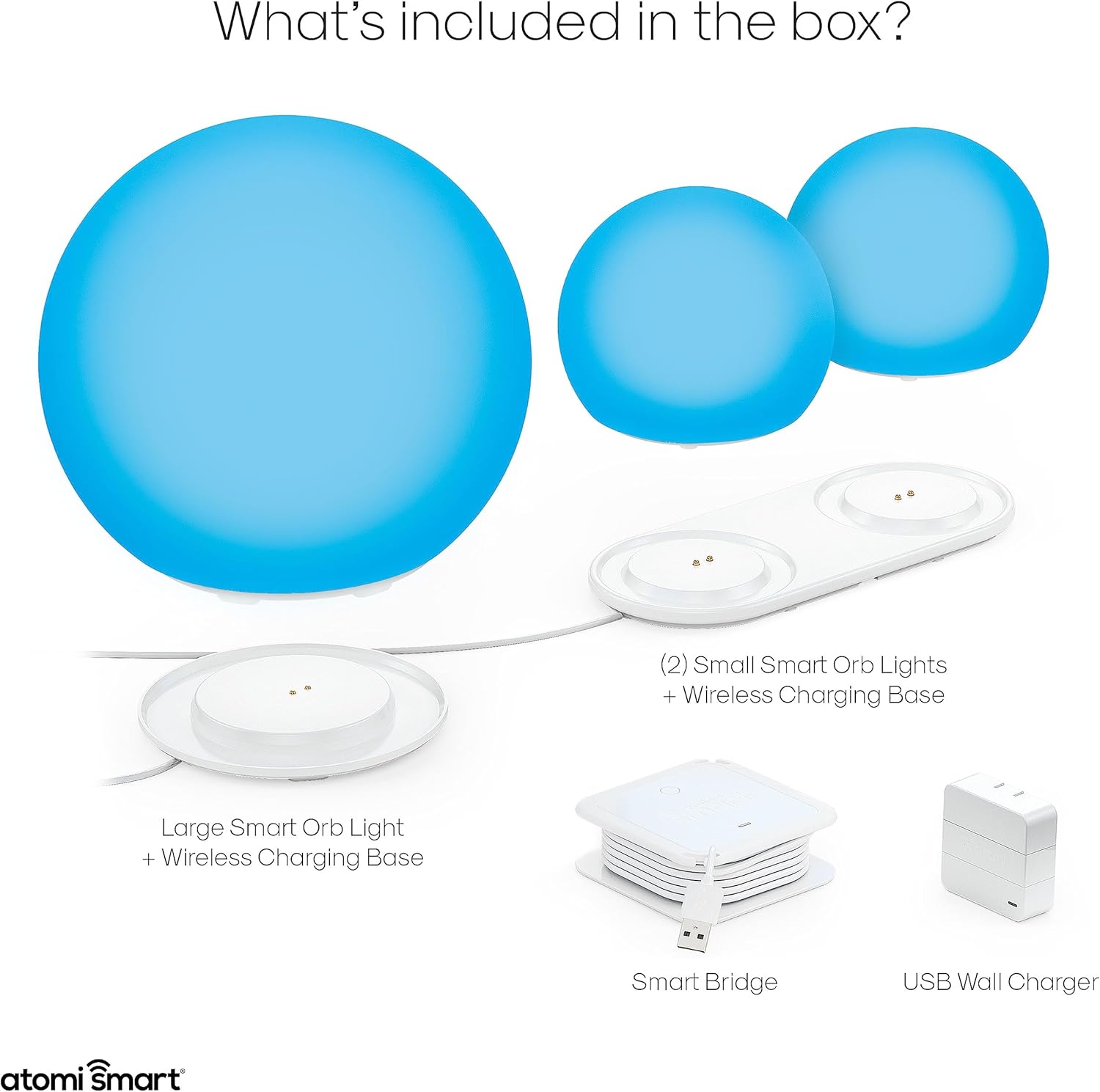
Before beginning setup, please verify that all items listed below are present in your package:
- 1 x Large Smart Orb Light
- 2 x Small Smart Orb Lights
- 2 x Wireless Charging Bases
- 1 x Smart Bridge
- 1 x charger balla USB
Stiùiridhean rèiteachaidh
1. Cosgais Tùsail
Before first use, fully charge your Atomi Smart Orb Lights. Place each orb on its respective wireless charging base. Connect the USB wall charger to a power outlet and then to the charging base. A full charge provides up to 6 hours of illumination.
2. Download the Atomi Smart App
Download the free Atomi Smart app from the App Store (iOS) or Google Play Store (Android). Create an account or log in if you already have one.
3. Pair Your Orb Lights
- Dèan cinnteach gu bheil am fòn cliste agad ceangailte ri lìonra Wi-Fi 2.4GHz.
- Open the Atomi Smart app and tap the '+' icon to add a new device.
- Follow the on-screen instructions to connect your Smart Bridge and then your Orb Lights. The app will guide you through the pairing process.
- Once paired, you can control individual or grouped orb lights from the app.

Stiùireadh Obrachaidh
Smachd app
The Atomi Smart app allows for full customization and control of your orb lights:
- Tionndaidh air / dheth: Toggle power for individual or grouped lights.
- Atharraich soilleireachd: Dim or brighten the lights to your desired level.
- Atharraich dath: Select from over 16 million colors using the color wheel.
- Geal Tunable: Adjust white light from warm (2500K) to cool (9000K).
- Cruthaich seallaidhean: Design custom lighting effects and save them as scenes.
- Suidhich clàran: Prògramaich solais gus an tionndadh air/ dheth aig amannan sònraichte.
- Group Orbs: Link multiple orb lights to control them simultaneously.

Smachd guth
The Atomi Smart Orb Lights are compatible with Amazon Alexa and Google Assistant. Once integrated, you can use voice commands to control your lights. Refer to the Atomi Smart app for detailed instructions on connecting to these voice assistants.

Smachd làimhe
Each orb light features a manual control button located at the bottom. This button can be used to power the orb on or off directly.
Outdoor and Waterproof Use
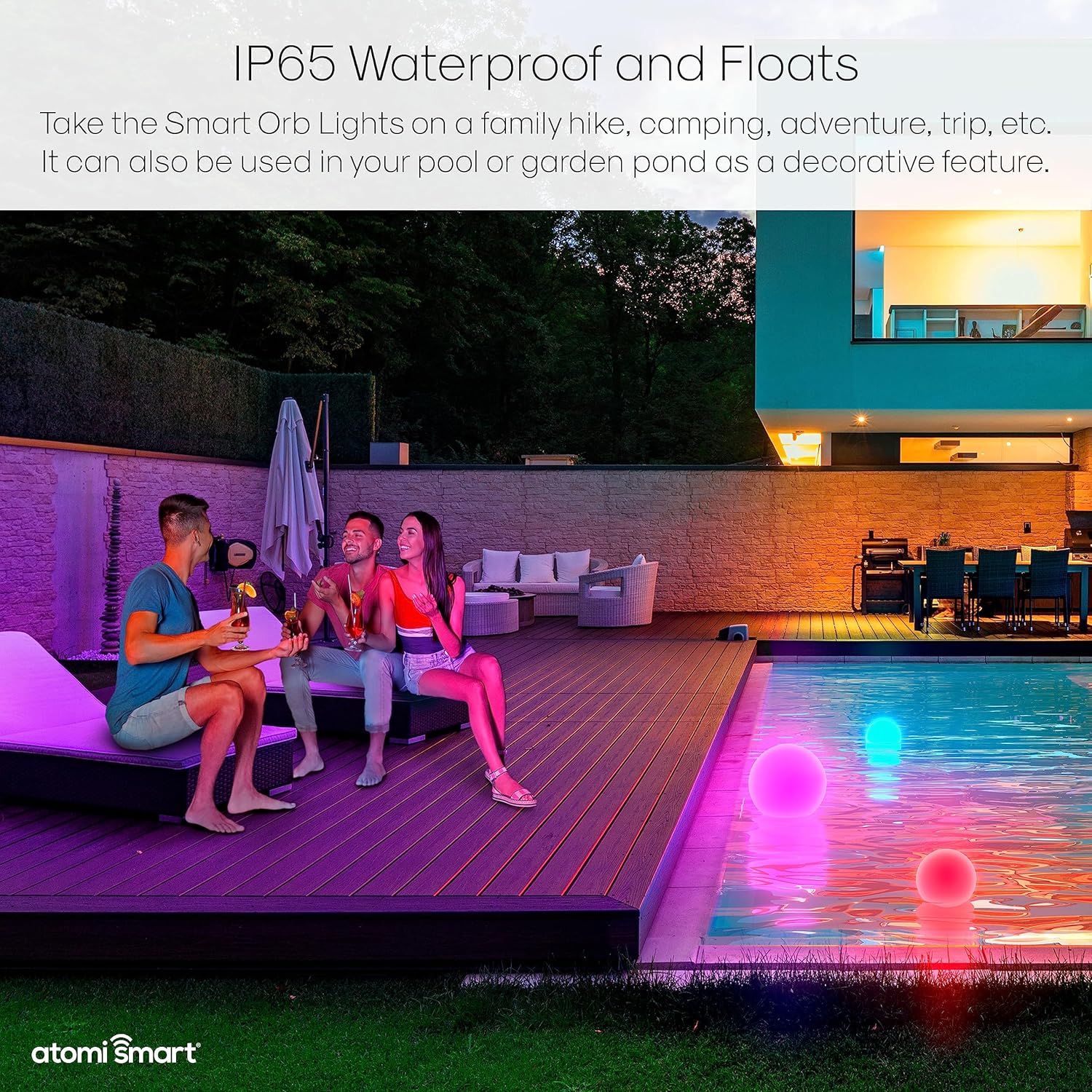
The Atomi Smart Orb Lights are engineered with an IP65 waterproof rating, making them suitable for outdoor use and resistant to rain, sun, wind, or snow. They can also float in water, making them ideal for pools or ponds.
Cumail suas
Glanadh
To clean your Atomi Smart Orb Lights, wipe them with a soft, damp cloth. Do not use abrasive cleaners or solvents, as these may damage the surface. Ensure the charging contacts are clean and dry before placing the orbs on their charging bases.
A 'cur cosgais
Regularly charge the orb lights to maintain optimal battery performance. The built-in 1800mAh Li-ion rechargeable battery provides up to 6 hours of illumination on a full charge. Always use the provided wireless charging bases and USB wall charger.
Stòradh
When storing the orb lights for extended periods, ensure they are fully charged and stored in a cool, dry place. Recharge them periodically (e.g., every 3-6 months) to prevent battery degradation.
Fuasgladh thrioblaidean
- Orb Light Not Turning On: Ensure the orb is fully charged. Check if the manual power button at the bottom of the orb is pressed.
- Chan urrainn ceangal ris an aplacaid: Verify your smartphone is connected to a 2.4GHz Wi-Fi network. Ensure the Smart Bridge is powered on and within range. Try restarting the orb light and the Atomi Smart app.
- Smachd Gutha gun a bhith ag obair: Confirm that your orb lights are successfully linked to Amazon Alexa or Google Assistant within the Atomi Smart app. Check your internet connection and the status of your voice assistant device.
- Beatha bataraidh goirid: Ensure the orb is fully charged before use. Battery life can vary based on brightness and color settings. Extreme temperatures can also affect battery performance.
- Water Inside Orb (Despite IP65 Rating): While rated IP65, ensure the orb is not submerged for extended periods or subjected to high-pressure water jets. Always ensure the charging port area is dry before charging.
Sònrachaidhean
| Brand | Atomi Smart |
| Modail Àireamh | AT1454 |
| Seòrsa Stòr Solais | LED |
| Gile | 90 Lumens (Large Orb), 70 Lumens (Small Orb) |
| Teòthachd dath | 2500K-9000K (Geal a ghabhas atharrachadh) |
| Roghainnean dath | Over 16 Million RGB Colors |
| Stòr cumhachd | Bataraidh le cumhachd (ath-phàigheadh) |
| Comas Bataraidh | 1800mAh Li-ion |
| Beatha bataraidh | Suas gu 6 uairean |
| Frith-aghaidh uisge | IP65 uisge-dhìonach |
| Modh smachd | Aplacaid, Guth (Alexa, Neach-cuideachaidh Google) |
| Cleachdadh a-staigh / a-muigh | A-staigh, a-muigh |
| Stuth | Plastaig |
| Àireamh de nithean | 3 (Orb Lights) |
| Meud pacaid | 14.02 x 10.63 x 9.92 òirleach |
| Cuideam nì | 5.92 not |


Barantas agus Taic
Fiosrachadh Barantais
Atomi Smart provides a 5-year limited warranty on all its smart products. This warranty covers defects in materials and workmanship under normal use. Please retain your proof of purchase for warranty claims.
Taic Luchd-cleachdaidh
For any questions, technical assistance, or warranty inquiries, please contact Atomi Smart customer service. Our professional service team is available to provide support and ensure your satisfaction.
For the most up-to-date contact information, please visit the official Atomi Smart weblàrach-lìn no thoir sùil air am fiosrachadh conaltraidh a tha air a thoirt seachad air pasgan an toraidh agad.