
Ro-ràdh
This manual provides detailed instructions for the installation, operation, and maintenance of your BINIZE Double Din Car Stereo. Please read this manual thoroughly before using the product to ensure proper functionality and to prevent damage. Keep this manual for future reference.
Bathar seachadview
The BINIZE Double Din Car Stereo is a 10.1-inch multimedia player running on an Android 13 system. It offers a range of features designed to enhance your in-car entertainment and navigation experience.
Prìomh fheartan:
- 10.1-inch capacitive touch screen with 1024x600 resolution.
- Android 13 Operating System with Quad-core Coretex-A7 processor (up to 1.3GHz).
- 2GB RAM + 32GB internal storage.
- Taic gun uèir do CarPlay agus Android Auto.
- Wired MirrorLink for Android and iOS devices.
- Bluetooth togte a-steach airson gairmean gun làmhan agus sruthadh claisneachd.
- Integrated GPS receiver for online and offline navigation.
- FM Radio tuner.
- Support for AUX, front, and rear camera inputs.
- Steering Wheel Control compatibility (manual learning required).
- Built-in Wi-Fi receiver and support for 4G communication (via external dongle, not included).
- Expandable options for OBD and tire pressure monitoring (accessories sold separately).

Figure 1: BINIZE Double Din Car Stereo Front View le prìomh fheartan air an comharrachadh.
Stàladh agus stàladh
Proper installation is crucial for the optimal performance of your car stereo. If you are unfamiliar with car audio wiring and installation, professional assistance is recommended.
Meudan corporra:
The unit measures approximately 251mm (width) x 146mm (height) x 56mm (depth). Ensure your vehicle's dashboard opening is compatible with these dimensions.
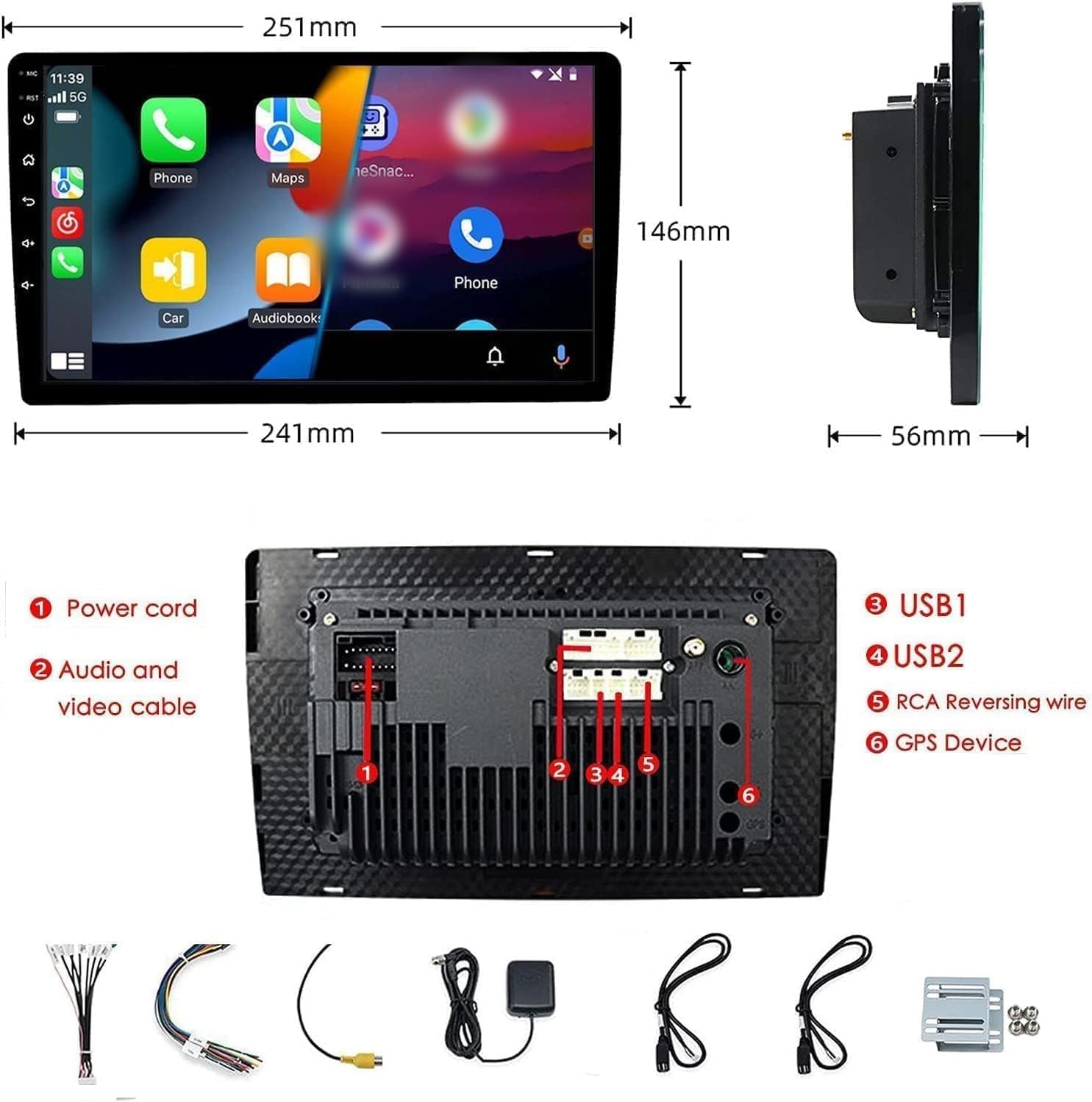
Figure 2: Unit dimensions and rear panel connection points.
Ceanglaichean uèiridh:
Thoir sùil air an diagram uèiridh a tha air a ghabhail a-steach airson ceanglaichean sònraichte. Tha na prìomh cheanglaichean a’ gabhail a-steach:
- Corda cumhachd: Ceangail ri solar cumhachd a’ charbaid (12V seasmhach, 12V mar ghoireas, talamh).
- Audio and Video Cable: Airson innealan claisneachd/bhidio taobh a-muigh.
- Puirt USB (USB1, USB2): For media playback, phone charging, and wired CarPlay/Android Auto.
- RCA Reversing Wire: Connect to the backup camera trigger wire.
- GPS Device: Connect the external GPS antenna for navigation functionality.
- Steering Wheel Control Wires (Key/SW): For integrating with vehicle's steering wheel controls.
Dèan cinnteach gu bheil a h-uile ceangal tèarainte agus air a insaladh gu ceart gus casg a chur air cuairtean goirid.
Stiùireadh Obrachaidh
Cumhachd air / dheth:
The unit will power on automatically when the vehicle's ignition is turned on. To manually power off or restart, use the power button on the front panel.
Gnìomh Sgrion Touch:
Navigate the interface by tapping, swiping, and pinching on the 10.1-inch capacitive touch screen, similar to a smartphone or tablet.
Rèidio FM:
Access the FM Radio application from the main menu. You can scan for stations, save presets, and adjust volume. The unit supports standard FM frequencies.

Figear 3: Eadar-aghaidh rèidio FM.
Càraid Bluetooth:
- Dèan cinnteach gu bheil Bluetooth air a chomasachadh air an fhòn-làimhe agad.
- On the car stereo, open the Bluetooth application.
- Lorg airson available devices on your phone and select "BINIZE" or a similar device name.
- Dearbhaich an còd paidhreachaidh air an dà inneal ma thèid iarraidh ort.
- Aon uair ‘s gu bheil iad paidhir, faodaidh tu gairmean gun làmhan a dhèanamh agus claisneachd a shruthadh.
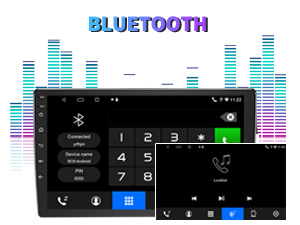
Figure 4: Bluetooth pairing screen.
Smachd cuibhle stiùiridh:
To use your vehicle's steering wheel controls, manual learning is required. Access the Steering Wheel Control settings in the system menu and follow the on-screen instructions to map your vehicle's buttons to the stereo functions.
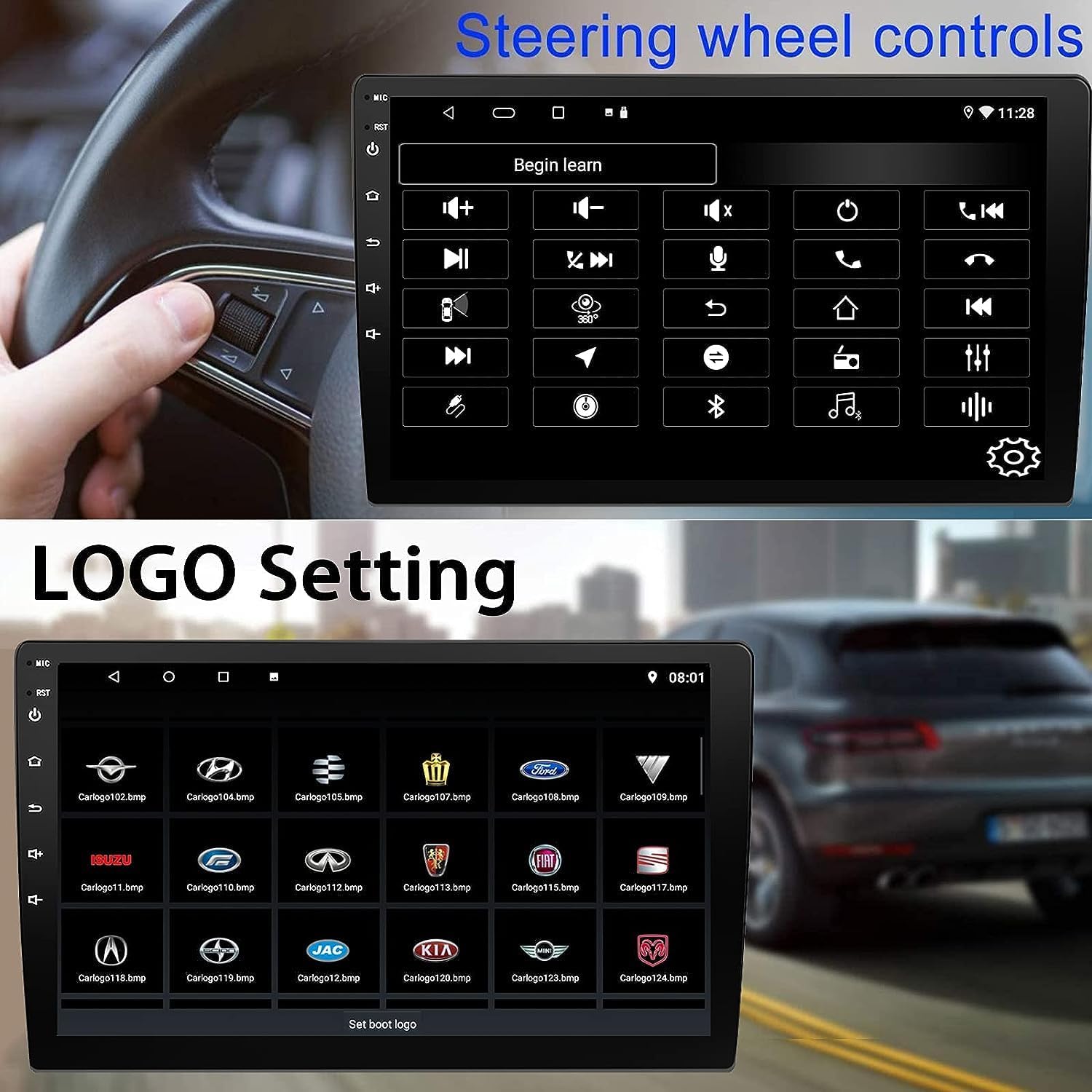
Figure 5: Steering Wheel Control setup screen.
Connectivity: CarPlay, Android Auto, and MirrorLink
Wireless CarPlay:
Connect your iPhone wirelessly to access CarPlay features such as navigation, music, messages, and calls directly on the stereo display. Ensure Wi-Fi and Bluetooth are enabled on your iPhone.
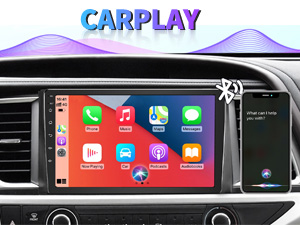
Figure 6: Wireless CarPlay interface.
Android Auto gun uèir:
Connect your Android phone wirelessly to use Android Auto for navigation, communication, and entertainment apps. Ensure Wi-Fi and Bluetooth are enabled on your Android device.

Figure 7: Wireless Android Auto interface.
Ceangal-sgàthan:
MirrorLink allows you to display your smartphone's screen directly onto the car stereo. This feature works with both Android and iOS devices via a wired connection. Note that CarPlay/Android Auto and MirrorLink cannot be used simultaneously.

Figure 8: MirrorLink feature displaying a phone screen on the stereo.
Seòladh
The car stereo features an integrated GPS receiver, supporting both online and offline navigation. Connect to Wi-Fi or a mobile hotspot to use online navigation apps. For offline navigation, you may need to download map data.

Figure 9: GPS navigation map display.
Cuir a-steach camara
Camara cùl-taic:
The unit supports backup camera input. When properly connected, the display will automatically switch to the rear view when the vehicle is put into reverse, providing parking assistance with guidelines.
Aghaidh View Camara:
The stereo also supports front view camera input, allowing for enhanced visibility when maneuvering in tight spaces.

Figure 10: Backup camera and front view taisbeanaidhean camara.
Cumail suas
To ensure the longevity and optimal performance of your BINIZE car stereo, follow these maintenance guidelines:
- Glanadh an sgrion: Cleachd clò bog, gun lint gus an scrion-suathaidh a sguabadh gu socair. Airson smugaid stòlda, beagan dampNigh an clò le uisge no le inneal-glanaidh a tha sàbhailte airson sgrionaichean. Seachain ceimigean cruaidh no stuthan sgrìobach.
- Glanadh coitcheann: Keep the unit and surrounding areas free from dust and debris. Use a soft brush or compressed air to clean vents and button areas.
- Ùrachaidhean bathar-bog: Periodically check for available software updates through the system settings to ensure you have the latest features and performance improvements.
- Seachain Teòthachd Anabarrach: Na cuir an aonad fo theas no fuachd anabarrach airson ùine mhòr, oir faodaidh seo buaidh a thoirt air na pàirtean dealain aige.
Fuasgladh thrioblaidean
Ma thachras tu ri duilgheadasan le stereo a’ chàir agad, thoir sùil air na duilgheadasan agus na fuasglaidhean cumanta a leanas:
| Trioblaid | Adhbhar a dh’fhaodadh a bhith ann | Fuasgladh |
|---|---|---|
| Chan eil cumhachd aig an aonad. | Uèirleadh ceàrr; Fiùs sèidte; Cùis cumhachd a’ charbaid. | Check power connections and vehicle fuses. Ensure constant 12V and accessory 12V are correctly wired. |
| Gun fhuaim. | Fuaim ro ìosal; Mothachadh air a ghnìomhachadh; Cùis uèirleadh luchd-labhairt. | Meudaich an tomhas-lìonaidh. Thoir sùil a bheil am fuaim balbh gnìomhach. Dearbhaich ceanglaichean luchd-labhairt. |
| Chan eil CarPlay/Android Auto a’ ceangal gun uèir. | Bluetooth/Wi-Fi off on phone; Pairing issue; Software glitch. | Ensure phone's Bluetooth and Wi-Fi are on. Try re-pairing the device. Restart both phone and stereo. Some users reported needing to open phone's Bluetooth settings each time. |
| Screen too bright/dim at night. | Display settings not optimized. | Adjust brightness settings in the display menu. Consider using a screen dimming app if available. |
| Cha nochd camara cùil. | Camera not connected; RCA reversing wire not connected or faulty. | Check camera and RCA reversing wire connections. Ensure the camera is powered. |
Sònrachaidhean
| Feart | Mion-fhiosrachadh |
|---|---|
| Brand | BINIZE |
| Modail Àireamh | Binize |
| Siostam-obrachaidh | Android 13 |
| Meud sgrion | 10.1 òirlich (26 cm de thrast-thomhas faicsinneach) |
| Fuasgladh | 1024x600 |
| Pròiseasar | Quad-core Coretex-A7, 1.3GHz |
| Cuimhne (RAM) | 2 GB |
| Stòradh (ROM) | 32 GB |
| Ceangalachd | Bluetooth, Wi-Fi, USB, Auxiliary |
| Feartan sònraichte | Wireless CarPlay, Wireless Android Auto, MirrorLink, GPS Navigation, Touchscreen, Built-In Bluetooth |
| Modh Toraidh Fuaim | Stereo (Rèiteachadh Seanail Fuaim Timcheall 2.0) |
| Cuideam nì | 2.94 not |
| Dath | Dubh |
Barantas agus Taic
Fiosrachadh Barantais:
The BINIZE Double Din Car Stereo comes with a Barantas 1-bliadhna an-asgaidh bho cheann-latha a’ cheannaich. Tha am barantas seo a’ còmhdach lochdan saothrachaidh agus mì-ghnìomhachd fo chleachdadh àbhaisteach. Cùm do dhearbhadh ceannach airson tagraidhean barantais.
Taic Teicnigeach:
For any technical assistance, questions, or issues not covered in this manual, please contact our professional technical support team. You can reach us via Amazon email for 24/7 online technical support. Our team is available to assist with system upgrades and parts replacement.
We are committed to providing enthusiastic customer service and ensuring your satisfaction with the BINIZE product.