
Ro-ràdh
Thank you for choosing the SLuB Bone Conduction Headphones F806. These open-ear wireless earphones utilize advanced bone conduction technology and Bluetooth 5.0 connectivity to provide a unique audio experience while keeping you aware of your surroundings. This manual provides detailed instructions for setup, operation, maintenance, and troubleshooting to ensure optimal performance and longevity of your device.
Bathar seachadview
Prìomh fheartan
- Teicneòlas giùlan cnàimh: Delivers audio through your cheekbones, leaving your ears open to ambient sounds.
- Dealbhadh cluais fhosgailte: Enhances situational awareness, ideal for outdoor activities.
- Bluetooth 5.0: A’ toirt seachad ceangal gun uèir seasmhach agus èifeachdach.
- Ultra-aotrom: Weighs approximately 35 grams for comfortable extended wear.
- Uisge-dìon IPX5: Resistant to sweat and light rain, suitable for sports.
- Beatha bataraidh fada: Up to 8 hours of continuous playback.
Co-phàirtean toraidh

Figear 1: Thairisview of SLuB Bone Conduction Headphones F806, highlighting features such as 180 mAh battery, 9h talk time, 8h play time, 180h standby time, and 25g weight, suitable for cycling, climbing, working, gym, and running.

Figear 2: Illustration of the open-ear design, allowing users to hear surroundings and avoid potential dangers while enjoying music.

Figear 3: Explanation of bone conduction technology, which delivers audio to the auditory nerve via the cheekbone, keeping both ears open.

Figear 4: Demonstration of the headphones' resilient and durable titanium wire skeleton, capable of 360° bending without deformation.

Figear 5: Visual representation of the IPX5 waterproof rating, indicating nano-coating protection against sweat and water.
Stiùiridhean rèiteachaidh
1. A 'cur cosgais air na fònaichean-làimhe
- Locate the USB charging interface on the headphones.
- Connect the provided USB charging cable to the headphones and a compatible USB power source (e.g., computer USB port, wall adapter).
- The indicator light will illuminate during charging. Once fully charged, the light will change color or turn off, depending on the model. A full charge typically takes approximately 2 hours.
Figear 6: Location of the USB Charging Interface, Indicator Light, and Volume controls.
2. Càraid Bluetooth
- Cumhachd air: Press and hold the multifunction button (Power Button) for 2 seconds until the indicator light flashes, indicating pairing mode.
- Cuir an gnìomh Bluetooth: Air an inneal agad (fòn cliste, tablet, msaa.), cuir Bluetooth an gnìomh.
- Tagh inneal: Lorg airson "SLuB F806" or a similar name in the list of available Bluetooth devices and select it to connect.
- Dearbhadh: Once successfully paired, the indicator light will stop flashing or show a steady light, and you may hear an audio prompt.

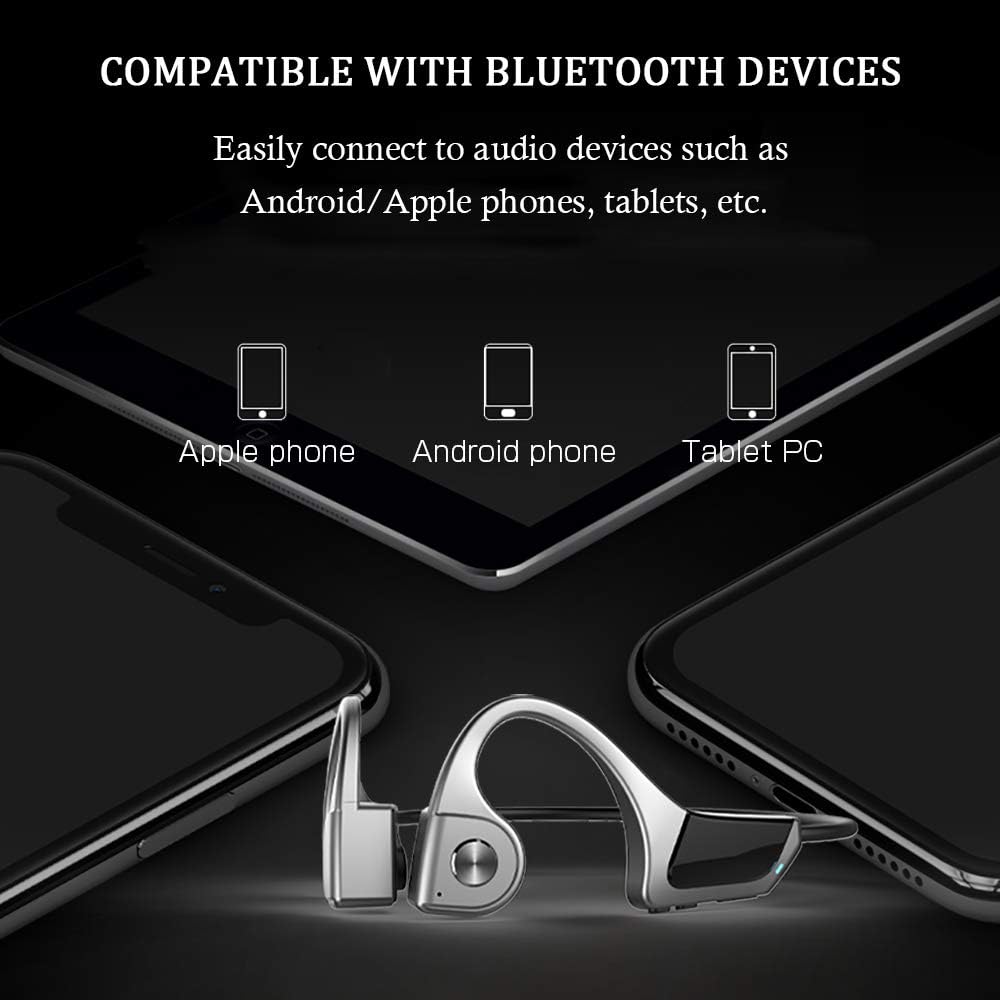
Figear 7: Compatibility with various Bluetooth devices, including Apple phones, Android phones, and Tablet PCs.
Stiùireadh Obrachaidh
Gnìomhan Putan

Figear 8: Detailed functions of the micro raised buttons for easy control.
| Gnìomh | Gnìomh |
|---|---|
| Cumhachd air / dheth | Brùth agus cum sìos am putan ioma-ghnìomhach airson 2 dhiog. |
| Còmhradh guth | Press and hold the multifunction button for 2 seconds (when powered on). |
| Meud suas (+) / Meud sìos (-) | Click the +/- key. |
| Freagairt / Hang Up Call | Click the multifunction button. |
| Cluich / Pause Music | Click the multifunction button. |
| Rian roimhe / An ath cheum | Long press the +/- key. |
Cumail suas
- Glanadh: Sguab na fònaichean-cluaise le bog, damp aodach. Na cleachd ceimigean cruaidh no stuthan sgrìobach.
- Stòradh: Stòraich na fònaichean-cluaise ann an àite fionnar, tioram air falbh bho sholas dìreach na grèine agus teòthachd anabarrach.
- A' cur cosgais: Dèan cinnteach gu bheil am port cosgais tioram mus ceangail thu an càball cosgais.
- Taisbeanadh uisge: While IPX5 rated, avoid submerging the headphones in water. Dry thoroughly if exposed to sweat or rain.
Fuasgladh thrioblaidean
| Trioblaid | Fuasgladh comasach |
|---|---|
| Chan eil fònaichean-cluaise a’ dol air. | Ensure the headphones are fully charged. Press and hold the multifunction button for 2 seconds. |
| Chan urrainnear paidhir a dhèanamh leis an inneal. |
|
| Gun fhuaim no meud ìosal. |
|
| Droch chàileachd gairm. |
|
Sònrachaidhean
| Feart | Mion-fhiosrachadh |
|---|---|
| Modail Àireamh | F806 |
| Brand | SLuB |
| Teicneòlas ceangail | Bluetooth 5.0, Gun Uèir |
| Suidheachadh cluais | Cluas Fosgailte |
| Ìre an aghaidh uisge | IPX5 uisge-dhìonach |
| Cuideam nì | 35 gram |
| Stuth | Plastaig |
| Seòrsa smachd | Smachd nam Meadhanan |
| Modh smachd | Suathadh (a’ toirt iomradh air brùthadh phutanan) |
| Cleachdaidhean sònraichte | Spòrs agus Eacarsaich |
Barantas agus Taic
For warranty information and customer support, please refer to the documentation included with your purchase or contact the retailer. Keep your proof of purchase for any warranty claims.