
Ro-ràdh
Tapadh leibh airson ceannachasing the eKids Harry Potter Bluetooth Speaker. This portable wireless speaker is designed to provide clear audio from your Bluetooth-enabled devices. This manual provides essential information for setting up, operating, and maintaining your speaker.

Ìomhaigh: Aghaidh view of the eKids Harry Potter Bluetooth Speaker, featuring the Harry Potter character design.
Fiosrachadh Sàbhailteachd
Please read and follow all safety instructions before using this product to prevent injury or damage.
- Na cuir an aonad fo theodhachd anabarrach, solas dìreach na grèine no taiseachd.
- Do not immerse the unit in water. This product is not waterproof.
- Cleachd dìreach an càball cosgais a chaidh a thoirt seachad.
- Na feuch ris an aonad a thoirt às a chèile no atharrachadh.
- Cùm a-mach à ruigsinn clann beaga.
- Cuir às do bataraidhean gu ceart a rèir riaghailtean ionadail.
Susbaint pacaid
Dèan cinnteach gu bheil a h-uile nì anns a’ phacaid:
- Harry Potter Bluetooth Speaker
- Càball cosgais meanbh-USB
- Strap caol-dùirn
Bathar seachadview
Familiarize yourself with the components of your speaker:

Image: Diagram showing the speaker's dimensions (2.2 inches / 56mm height, 1.8 inches / 46mm width) and labeled parts including the speaker grille, slot to attach wrist strap, port for charging (Micro USB), and Power/Pairing Button.
- Grille neach-labhairt: Suidhichte aig a’ mhullach airson toradh claisneachd.
- Putan Cumhachd / Paidhir: Controls power and initiates Bluetooth pairing.
- Port cosgais: Micro USB port for connecting the charging cable.
- Wrist Strap Slot: Airson an strap dùirn a tha air a ghabhail a-steach a cheangal.
A luchdadh a-nuas an neach-labhairt
The speaker is powered by a built-in rechargeable Lithium-Ion battery. Before first use, fully charge the speaker.
- Connect the small end of the Micro USB charging cable to the Charging Port on the speaker.
- Connect the large end of the Micro USB charging cable to a powered USB port (e.g., computer, USB wall adapter).
- The charging indicator light (if present, refer to product for exact location) will illuminate during charging and turn off when fully charged.
- Charging time may vary. Disconnect the cable once charging is complete.
Paidhir Bluetooth
Lean na ceumannan seo gus an neach-labhairt agad a cheangal ri inneal le comas Bluetooth:
- Dèan cinnteach gu bheil an neach-labhairt làn chosgais.
- Brùth agus cùm an Putan Cumhachd / Paidhir on the speaker until you hear an audible prompt or see an indicator light flashing, indicating it is in pairing mode.
- On your Bluetooth-enabled device (smartphone, tablet, computer, etc.), go to the Bluetooth settings menu.
- Dèan comas air Bluetooth agus lorg innealan a tha rim faighinn.
- Select "Harry Potter Speaker" (or similar name) from the list of devices.
- Once paired, you will hear a confirmation tone, and the indicator light will stop flashing.
- The speaker can wirelessly stream audio up to 30 feet from your device.
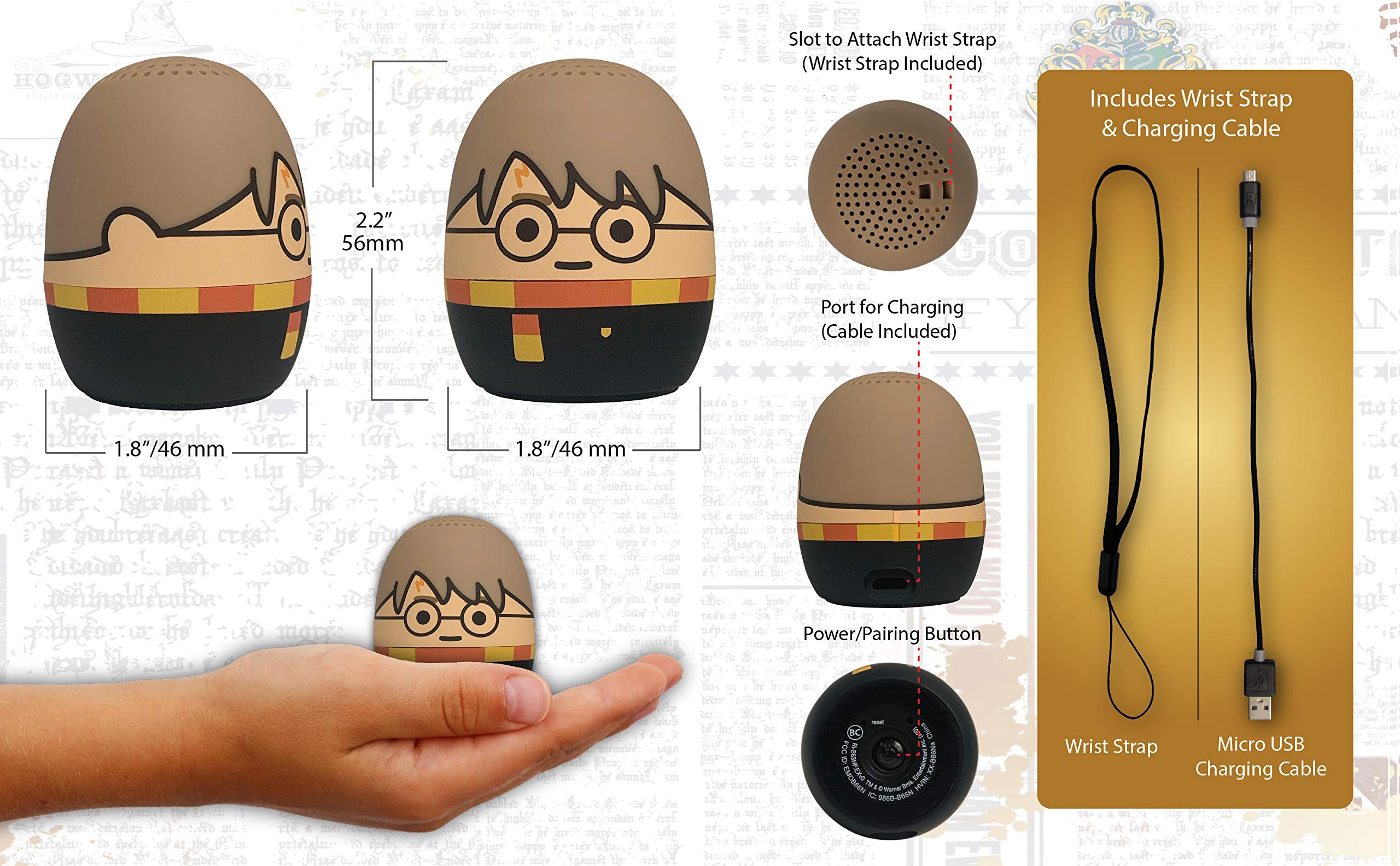
Image: The Harry Potter Bluetooth Speaker shown with icons representing compatible devices: mobile phone, tablet, notebook, PC, smart watch, and game device.
Obrachaidh
After successful pairing, you can begin playing audio:
- A' cluich claisneachd: Start playing music or other audio content on your paired device. The sound will be transmitted to the speaker.
- Smachd tomhas-lìonaidh: Adjust the volume directly from your paired device.
- Cumhachd air / dheth: Brùth agus cùm an Putan Cumhachd / Paidhir to turn the speaker on or off.
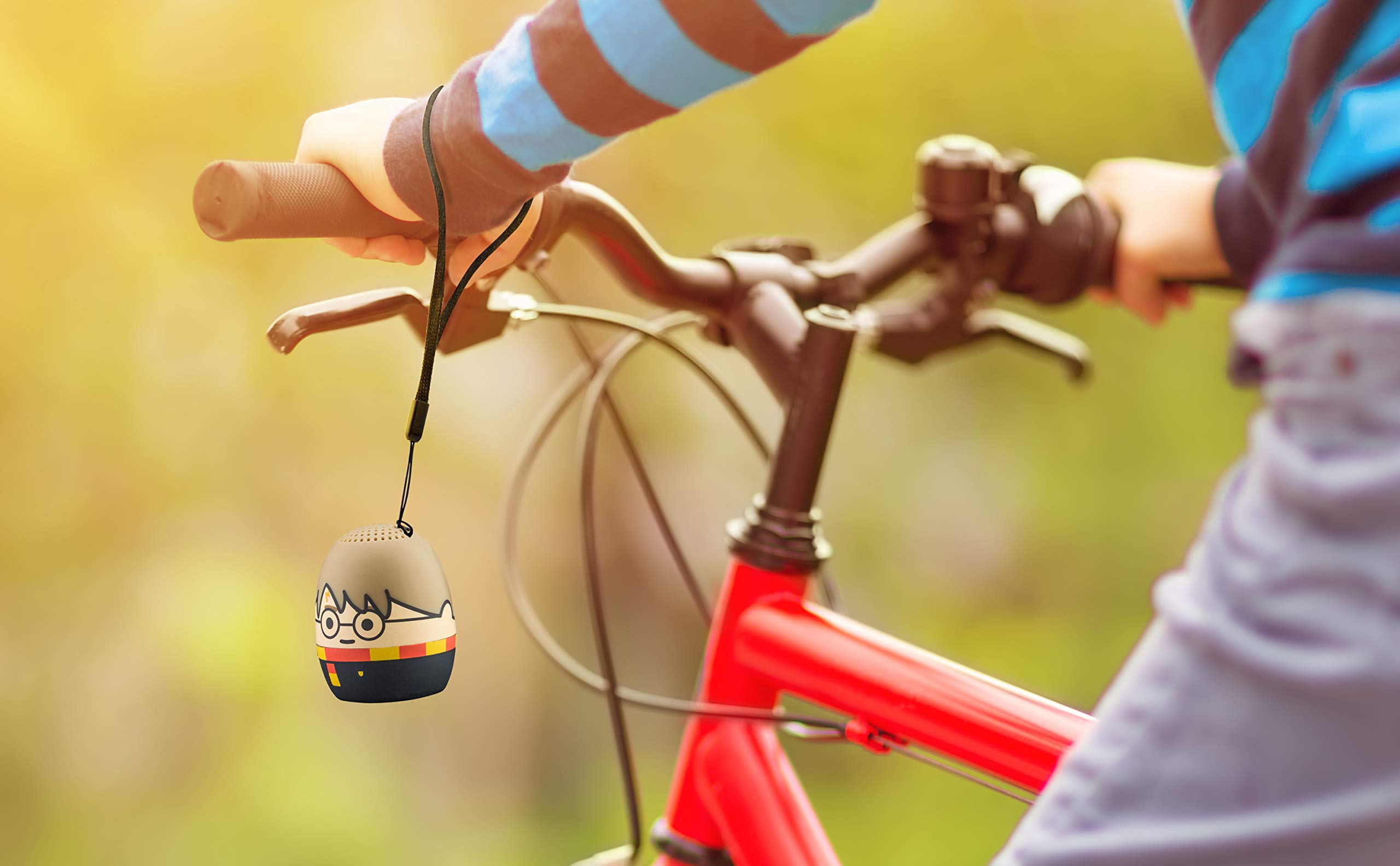
Image: The Harry Potter Bluetooth Speaker, with its wrist strap, attached to the handlebar of a bicycle, demonstrating its portability for outdoor use.
Cumail suas
Gus dèanamh cinnteach gum mair an neach-labhairt agad fad-beatha, lean na stiùiridhean cumail suas seo:
- Glanadh: Wipe the speaker with a soft, dry cloth. Do not use liquid cleaners or abrasive materials.
- Stòradh: Stòraich an neach-labhairt ann an àite fionnar, tioram air falbh bho sholas dìreach na grèine agus teòthachd anabarrach nuair nach eilear ga chleachdadh airson ùine mhòr.
- Cùram Bataraidh: For optimal battery life, avoid fully discharging the battery frequently. Charge it regularly, even if not used often.
Fuasgladh thrioblaidean
If you encounter issues with your speaker, refer to the following table:
| Trioblaid | Fuasgladh |
|---|---|
| Chan eil an neach-labhairt a’ tionndadh air. | Dèan cinnteach gu bheil am bataraidh air a luchdadh. Ceangail an neach-labhairt ri stòr cumhachd a’ cleachdadh a’ chàball Micro USB. |
| Chan urrainnear paidhir a dhèanamh le inneal Bluetooth. |
|
| Gun fhuaim no meud ìosal. |
|
| Tha càileachd claisneachd dona. |
|
Sònrachaidhean
| Feart | Mion-fhiosrachadh |
|---|---|
| Brand | ekids |
| Ainm Modail | Harry Potter |
| Teicneòlas ceangail | Bluetooth, USB |
| Neach-labhairt cumhachd toraidh as àirde | 10 watt |
| Modh Toraidh Fuaim | Stereo |
| Seòrsa neach-labhairt | So-ghiùlain |
| Modh smachd | Putan |
| Meud neach-labhairt | 40 millimeters |
| Stòr cumhachd | Bataraidh le cumhachd (bataraidh 1 Lithium Ion air a thoirt a-steach) |
| Innealan co-fhreagarrach | Personal Computer, Smartphone, Tablet, Television |
| A bheil uisge-dhìonach | FAILTE |
| UPC | 092298948775 |
| ASIN | B087NFC293 |
Barantas agus Taic
This product comes with a Limited Warranty. For specific warranty details, please refer to the documentation included with your purchase or contact eKids customer support.
For technical support or further assistance, please visit the eKids official weblàrach-lìn no cuir fios chun roinn seirbheis teachdaiche aca. Cùm do chuidhteas ceannach airson tagraidhean barantais.