
1. Ro-ràdh
This manual provides detailed instructions for the installation, operation, maintenance, and troubleshooting of the Akozon MPT-7210A MPPT Solar Controller. This device is designed to efficiently charge lithium batteries using solar panels, featuring advanced Maximum Power Point Tracking (MPPT) technology.
2. Fiosrachadh Sàbhailteachd
Leugh na stiùiridhean sàbhailteachd gu lèir gu faiceallach mus tèid an stàladh agus an cleachdadh. Dh’ fhaodadh fàilligeadh ann a bhith a’ leantainn nan stiùiridhean seo clisgeadh dealain, teine no dochann dona adhbhrachadh.
- Dèan cinnteach gu bheil a h-uile ceangal tèarainte agus ceart mus cuir thu cumhachd an sàs.
- Na cuir às a chèile an rianadair agus na feuch ri a chàradh thu fhèin. Cuir fios gu luchd-obrach teisteanasach airson seirbheis.
- Stàlaich an rianadair ann an àite le deagh fhionnarachadh, air falbh bho stuthan lasanta agus taiseachd.
- Cuir ort uidheam dìon pearsanta (PPE) iomchaidh rè an stàlaidh, a’ gabhail a-steach miotagan inslithe agus dìon-sùla.
- Dearbhaich bataraidh voltage and polarity before connecting to the controller.
3. Toradh thallview
The Akozon MPT-7210A is a high-performance MPPT solar charge controller designed for various battery types, including lithium batteries. It features an LCD display for real-time monitoring and user-friendly controls.
Prìomh fheartan:
- Teicneòlas MPPT: Innovative Maximum Power Point Tracking for improved energy generation efficiency.
- Co-fhreagarrachd farsaing: Supports 24V, 36V, 48V, 60V, and 72V battery pack systems.
- Toradh a ghabhas atharrachadh: Toradh voltage (DC15-90V) and current (0-10A) are adjustable.
- Taisbeanadh LCD: 160*128 TFT color LCD displays current, voltage, power, and charging time.
- Modhan Obrach Dùbailte: Selectable MPPT for photovoltaic panels and DC-DC for boost power supply.
- Feartan dìon: Overload protection and MOS reverse connection protection for both input and output.
- Fuarachadh èifeachdach: Advanced fan temperature control and aluminum alloy casing for excellent heat dissipation.
- Stòradh dàta: Built-in 20 groups of data for user settings and storage.
Com-pàirtean toraidh:
The controller unit includes the main body, an LCD display, control buttons, input/output terminals, and a cooling fan.
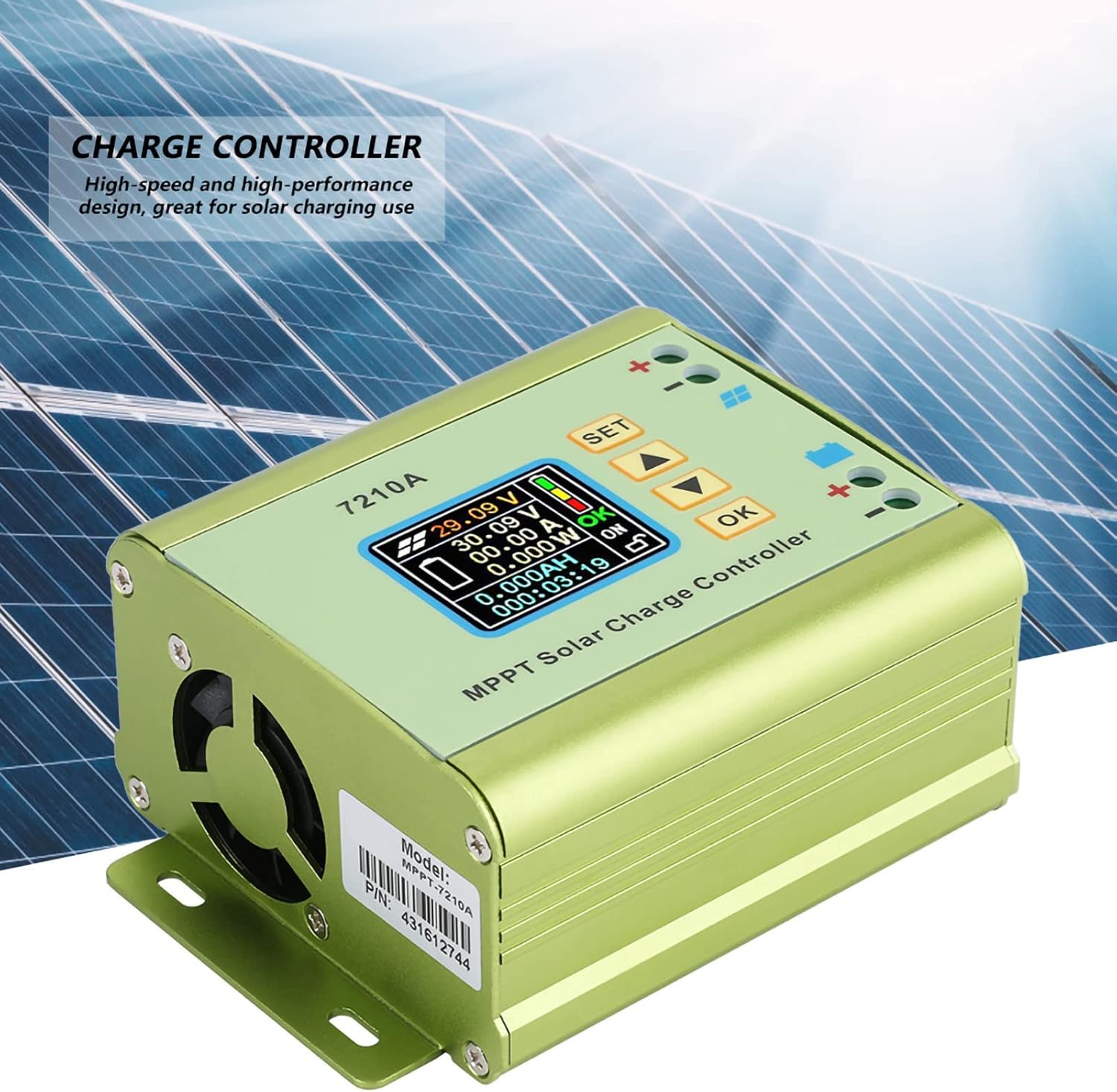
Figear 1: Aghaidh view of the Akozon MPT-7210A Solar Controller, showing the LCD display and control interface.
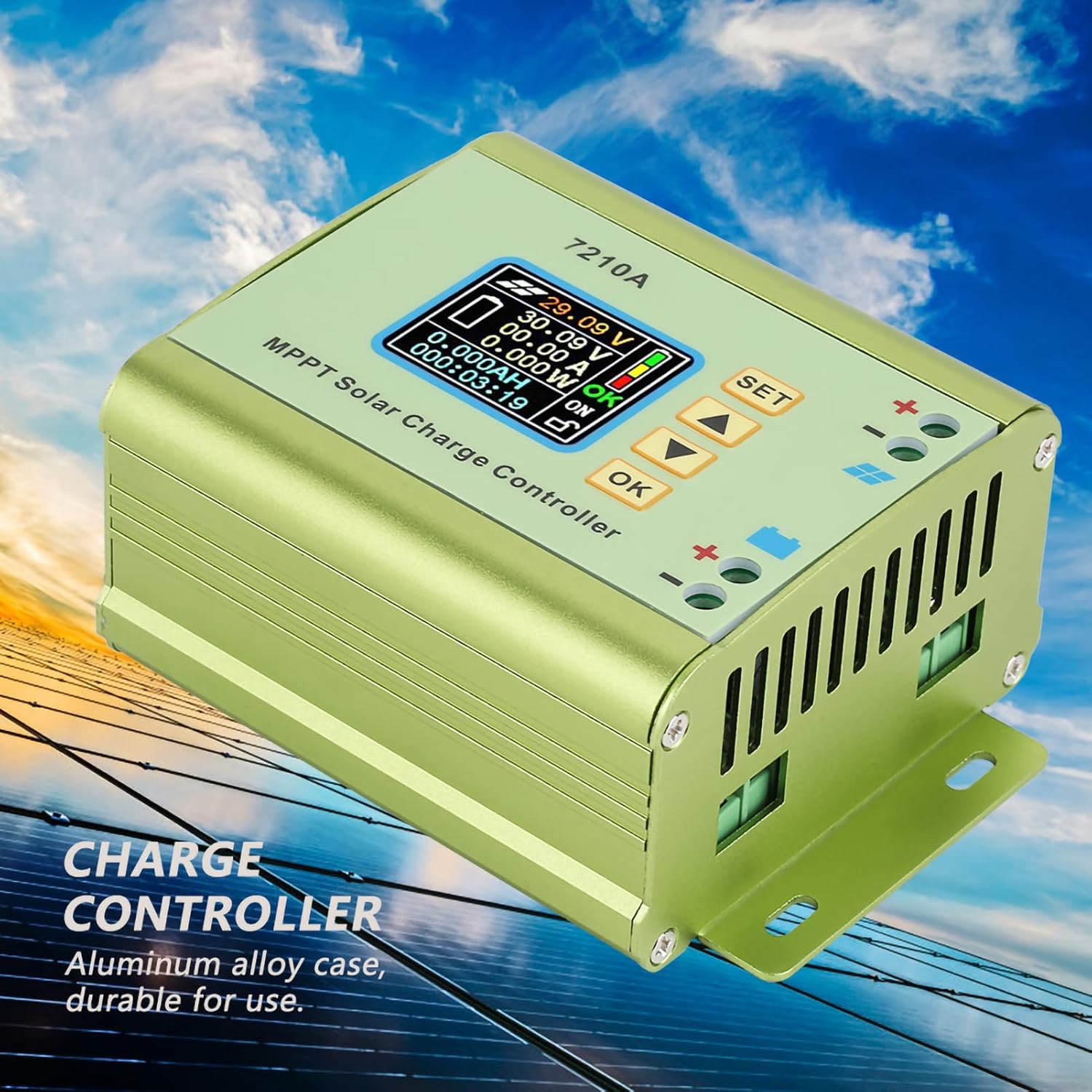
Figear 2: Taobh view of the Akozon MPT-7210A Solar Controller, emphasizing its durable aluminum alloy casing and heat dissipation design.

Figure 3: Physical dimensions of the Akozon MPT-7210A Solar Controller, measuring approximately 13.1cm x 9.6cm x 5.5cm.
4. Sònrachaidhean
| Paramadair | Luach |
|---|---|
| Modail | MPT-7210A |
| Stuth | Alloy Aluminium |
| Taisbeanadh | 160*128 TFT Color LCD |
| Input Voltage | DC 12-60V |
| Toradh gnàthach | 0-10A (Atharrachail) |
| Cumhachd Toraidh | 20-600W |
| Modh obrach | MPPT, DC-DC |
| Toradh Voltage | DC 15-90V (Adjustable for 24V/36V/48V/60V/72V battery systems) |
| Meudan (L*W*H) | 131*96*55mm (5.2*3.8*2.2in) |
| Cuideam | Mu thuairmse. 440g (15.5oz) |
5. Setup agus Stàladh
Follow these steps for proper installation of your Akozon MPT-7210A Solar Controller.
- Stàladh: Choose a suitable location for mounting the controller. Ensure it is dry, well-ventilated, and protected from direct sunlight and extreme temperatures. The controller has mounting brackets for secure installation.
- Ceangal Bataraidh:
- Connect the positive (+) terminal of the battery to the positive (+) battery terminal on the controller.
- Connect the negative (-) terminal of the battery to the negative (-) battery terminal on the controller.
- Ensure correct polarity. Reverse connection protection is built-in, but proper connection is always recommended.
- Ceangal Pannal Solar:
- Connect the positive (+) terminal of the solar panel to the positive (+) solar input terminal on the controller.
- Connect the negative (-) terminal of the solar panel to the negative (-) solar input terminal on the controller.
- Ensure correct polarity. The controller supports solar panels with an output power of 100W to 600W.

Figure 4: Wiring diagram for connecting the solar panel and battery to the MPT-7210A controller. Connect battery first, then solar panel.
Cudromach: Always connect the battery to the controller first, and disconnect the solar panel before disconnecting the battery.
6. Stiùireadh Obrachaidh
The MPT-7210A features an intuitive LCD display and control buttons for easy operation.
6.1. Taisbeanadh LCD Tharview
The 160*128 TFT color LCD displays real-time operational data, including input voltage, toradh voltage, current, power, and charging time. The display also indicates the selected working mode and battery status.
Figear 5: Mionaideach view of the LCD display on the MPT-7210A, showing various operational parameters.
6.2. Putanan smachd
The controller features several buttons for navigation and setting adjustments:
- SET: Enters the settings menu or confirms a selection.
- Saigheadan SUAS/SÌOS: Navigates through menu options or adjusts parameter values.
- Ceart gu leòr: Confirms a setting or exits a menu.
6.3. A 'suidheachadh Toraidh Voltage agus an-dràsta
The controller allows you to set the desired output voltage and current to match your battery pack requirements.
- Brùth an SET putan gus faighinn a-steach don phrìomh chlàr-taice roghainnean.
- Cleachd an UP/Sìos arrows to navigate to the "Output Voltage" or "Output Current" setting.
- Brùth OK gus am paramadair a thaghadh.
- Cleachd an UP/Sìos arrows to adjust the value.
- Brùth OK gus an luach ùr a dhearbhadh.
- Brùth SET again to exit the settings menu.
The controller supports output voltages adjustable from DC15-90V, suitable for 24V, 36V, 48V, 60V, and 72V battery systems. Output current is adjustable from 0-10A.
6.4. Selecting Working Mode
The MPT-7210A offers two working modes:
- Modh MPPT: Optimized for photovoltaic panel applications to maximize power extraction.
- DC-DC Mode: Functions as a boost power supply.
To change the working mode:
- Brùth an SET putan gus faighinn a-steach don phrìomh chlàr-taice roghainnean.
- Navigate to the "Working Mode" option using the UP/Sìos saighdean.
- Brùth OK a thaghadh.
- Cleachd an UP/Sìos arrows to toggle between MPPT and DC-DC modes.
- Brùth OK gus do thaghadh a dhearbhadh.
- Brùth SET again to exit the settings menu.
6.5. Stòradh Dàta
The controller can store up to 20 groups of user-defined settings. Refer to the on-screen menu for instructions on saving and recalling these settings.
7. Cumail suas
Regular maintenance ensures optimal performance and longevity of your solar controller.
- Glanadh: Periodically clean the exterior of the controller with a dry, soft cloth. Do not use harsh chemicals or abrasive cleaners.
- Fionnarachadh: Ensure the cooling fan and ventilation openings are free from dust and debris to maintain proper heat dissipation.
- Ceanglaichean: Regularly check all wiring connections for tightness and corrosion. Loose connections can lead to power loss or overheating.
- Àrainneachd: Verify that the installation environment remains dry and within the recommended temperature range.
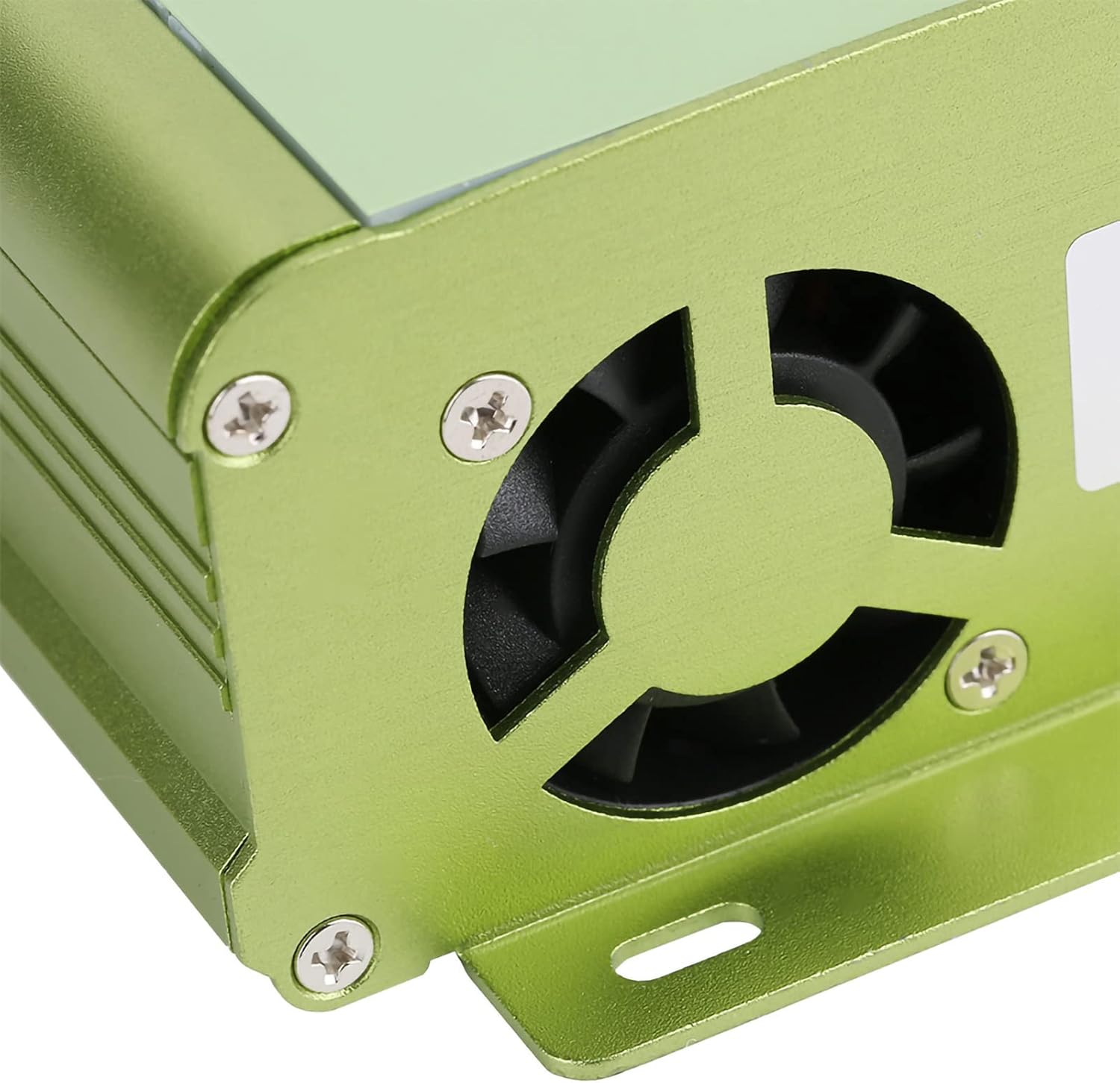
Figear 6: View of the cooling fan on the MPT-7210A, essential for maintaining optimal operating temperature.

Figear 7: Bun view of the MPT-7210A, illustrating the heat sink fins that aid in passive heat dissipation.
8. A ’dèanamh trioblaid
This section addresses common issues you might encounter with your solar controller.
| Trioblaid | Adhbhar a dh’fhaodadh a bhith ann | Fuasgladh |
|---|---|---|
| Tha taisbeanadh an rianadair dheth. | No power from battery or solar panel; incorrect wiring. | Check battery and solar panel connections. Ensure battery is charged sufficiently to power the display. Verify polarity. |
| Bataraidh gun a bhith a ’togail cosgais. | Solar panel not connected or insufficient sunlight; incorrect output settings; faulty wiring. | Ensure solar panel is connected and receiving adequate sunlight. Check output voltage and current settings to match battery requirements. Inspect all wiring for damage or loose connections. |
| Dìon overload air a ghnìomhachadh. | Output current exceeds the controller's maximum limit (10A). | Reduce the load connected to the battery or adjust the output current setting if applicable. The controller will automatically cut off if overloaded. |
| mì-cheart voltage/current readings. | Sensor issue; calibration needed (unlikely for user); external interference. | Ensure connections are clean and secure. If problem persists, contact customer support. |
9. Barantas agus Taic
For warranty information and technical support, please refer to the seller's policy or contact Akozon customer service directly. Keep your purchase receipt for warranty claims.
Dèanadair: Akozon
Modail: MPT-7210A
ASIN: B087C24Z2P
Airson tuilleadh cuideachaidh, faodaidh tu tadhal air an Bùth Akozon air Amazon.