
Ro-ràdh
This manual provides essential instructions for the safe and efficient use of your Redmi 10000mAh Power Bank (Model PB100LZm). Please read this manual thoroughly before using the product and retain it for future reference.
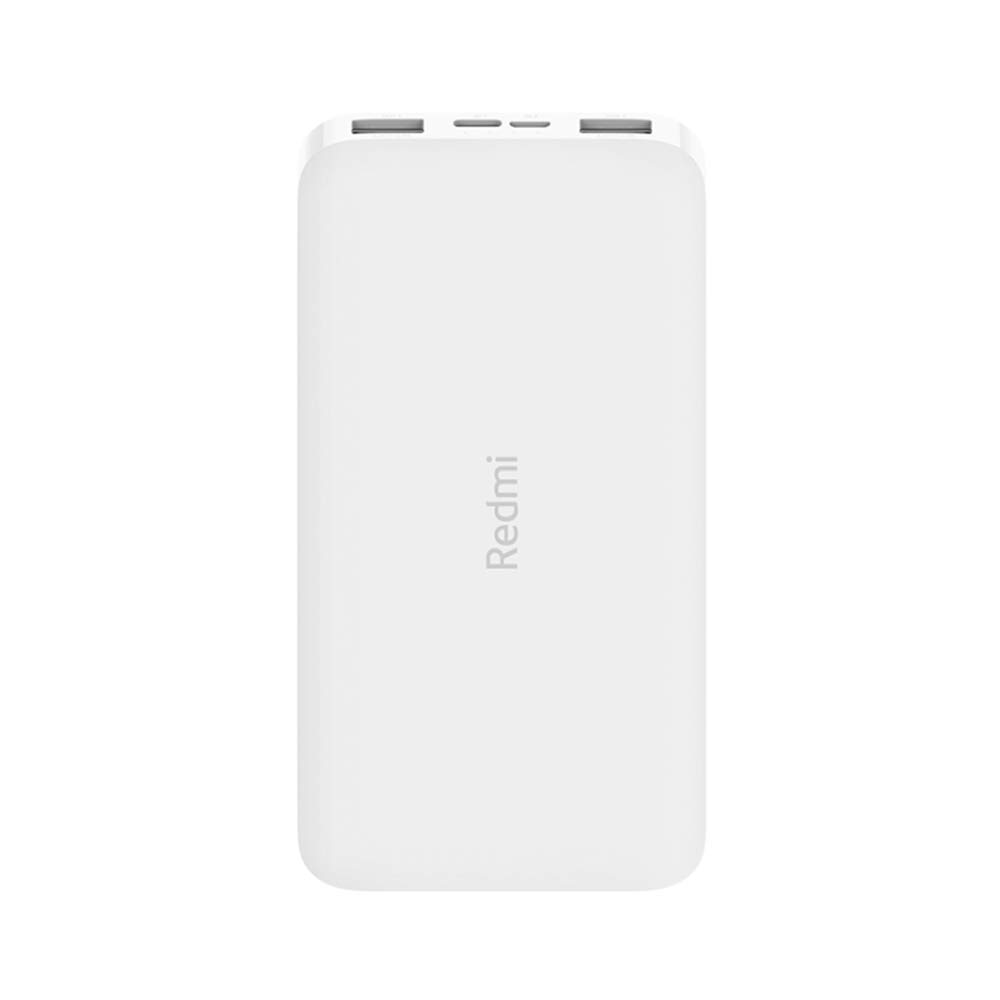
Ìomhaigh: Ceàrnach view of the white Redmi 10000mAh Power Bank.
Fiosrachadh Sàbhailteachd
To prevent injury, damage to the product, or damage to property, observe the following safety precautions:
- Na dèan dì-chruinneachadh, càradh agus atharrachadh air a’ bhanca cumhachd.
- Na cuir am banca cumhachd fo theine, teòthachd àrd, no solas dìreach na grèine.
- Seachain conaltradh le uisge no lioftaichean eile.
- Na leig leis a’ bhanca cumhachd a leigeil sìos, na buail i, agus na cuir i crith làidir oirre.
- Cùm a-mach à ruigsinn chloinne.
- Cleachd dìreach càbaill cosgais agus innealan-atharrachaidh co-fhreagarrach.
- Cuir às don bhanca cumhachd a rèir riaghailtean ionadail.
Bathar seachadview
Familiarize yourself with the components of your Redmi 10000mAh Power Bank.

Image: Close-up of the power bank's top edge showing two USB-A output ports (OUT1, OUT2), one Micro-USB input port (IN1), one USB-C input port (IN2), and four LED battery level indicators.
- USB-A Output Ports (OUT1, OUT2): Air a chleachdadh gus innealan taobh a-muigh a ghearradh.
- Micro-USB Input Port (IN1): Air a chleachdadh gus am banca cumhachd a ghearradh.
- USB-C Input Port (IN2): Air a chleachdadh gus am banca cumhachd a ghearradh.
- Comharran LED: Four small lights indicating the remaining battery level.
- Putan Cumhachd: Located on the side, used to check battery level or activate charging.

Ìomhaigh: Taobh view of the power bank highlighting the power button.
Suidhich
Cosgais Tùsail a’ Bhanca Cumhachd
Before first use, fully charge your Redmi 10000mAh Power Bank.
- Connect a compatible USB cable to either the Micro-USB (IN1) or USB-C (IN2) input port on the power bank.
- Ceangail ceann eile a’ chàball ri inneal-atharrachaidh cumhachd USB (nach eil air a ghabhail a-steach) no ri port USB coimpiutair.
- The LED indicators will light up, showing the charging progress. All four LEDs will be solid when fully charged.
Innealan ceangail
The power bank is compatible with mobile phones and other USB-powered devices.
- Use the appropriate charging cable for your device.
- Connect one end of the cable to one of the USB-A output ports (OUT1 or OUT2) on the power bank.
- Ceangail ceann eile a’ chàball ri port cosgais an uidheim agad.
Stiùireadh Obrachaidh
A 'cur cosgais air innealan taobh a-muigh
Once a device is connected, the power bank should automatically begin charging. If not, press the power button once to initiate charging.

Image: The power bank connected via a USB cable to charge a mobile phone, resting on a wooden table.
- The LED indicators will show the power bank's remaining battery level during charging.
- You can charge two devices simultaneously using both USB-A output ports.
A’ sgrùdadh ìre bataraidh
Press the power button once to check the remaining battery level. The LED indicators will light up for a few seconds:
- 1 LED: 0-25% bataraidh air fhàgail
- 2 LED: 25-50% bataraidh air fhàgail
- 3 LED: 50-75% bataraidh air fhàgail
- 4 LED: 75-100% bataraidh air fhàgail
Cumail suas
- Glanadh: Sguab am banca cumhachd le clò bog, tioram. Na cleachd ceimigean cruaidh no stuthan sgrìobach.
- Stòradh: Stòraich am banca cumhachd ann an àite fionnar, tioram air falbh bho sholas dìreach na grèine agus teòthachd anabarrach.
- Cùram Bataraidh: For optimal battery life, avoid fully discharging the power bank frequently. Recharge it when the battery level is low. If not used for extended periods, charge it to about 50% every three months.
Fuasgladh thrioblaidean
| Trioblaid | Fuasgladh comasach |
|---|---|
| Banca cumhachd gun a bhith a’ cur cosgais. |
|
| Chan eil an inneal a’ cur cosgais bhon bhanca cumhachd. |
|
| Cìs slaodach. |
|
Sònrachaidhean
| Brand | Xiaomi |
| Modail Àireamh | PB100LZm |
| Comas | 10000 mAh |
| Dath | Geal |
| Seòrsa bataraidh | Polymer lithium |
| Puirt a-steach | 1x Micro-USB, 1x USB-C |
| Puirt Toraidh | 2x USB-A (5.1V=2.4A each) |
| Innealan co-fhreagarrach | Mobile Phones and other USB-powered devices |
| Meudan | 15.8 x 8 x 2 cm |
| Cuideam | 276 gram |
Barantas agus Taic
Based on the provided product information, this product is indicated as having chan eil barantas. For any product-related inquiries or technical support, please refer to the official Xiaomi support channels or your point of purchase.