
1. Ro-ràdh
Thank you for choosing the Awei A831BL Bluetooth In-Ear Headset. This manual provides essential information for the safe and efficient use of your device. Please read it carefully before use and retain it for future reference.
The Awei A831BL is a wireless in-ear headset designed for mobile phone use, offering up to 8 hours of continuous talk and music playback. It features pure, high-quality bass sound and is suitable for various activities.
2. Pasgan-susbaint
Thoir sùil air a’ phacaid airson nan nithean a leanas:
- Awei A831BL Bluetooth In-Ear Headset
- Càball cosgais USB
- Molaidhean cluas (diofar mheudan)
- Leabhar-làimhe cleachdaiche
3. Toradh thallview
Familiarize yourself with the components of your Awei A831BL headset.
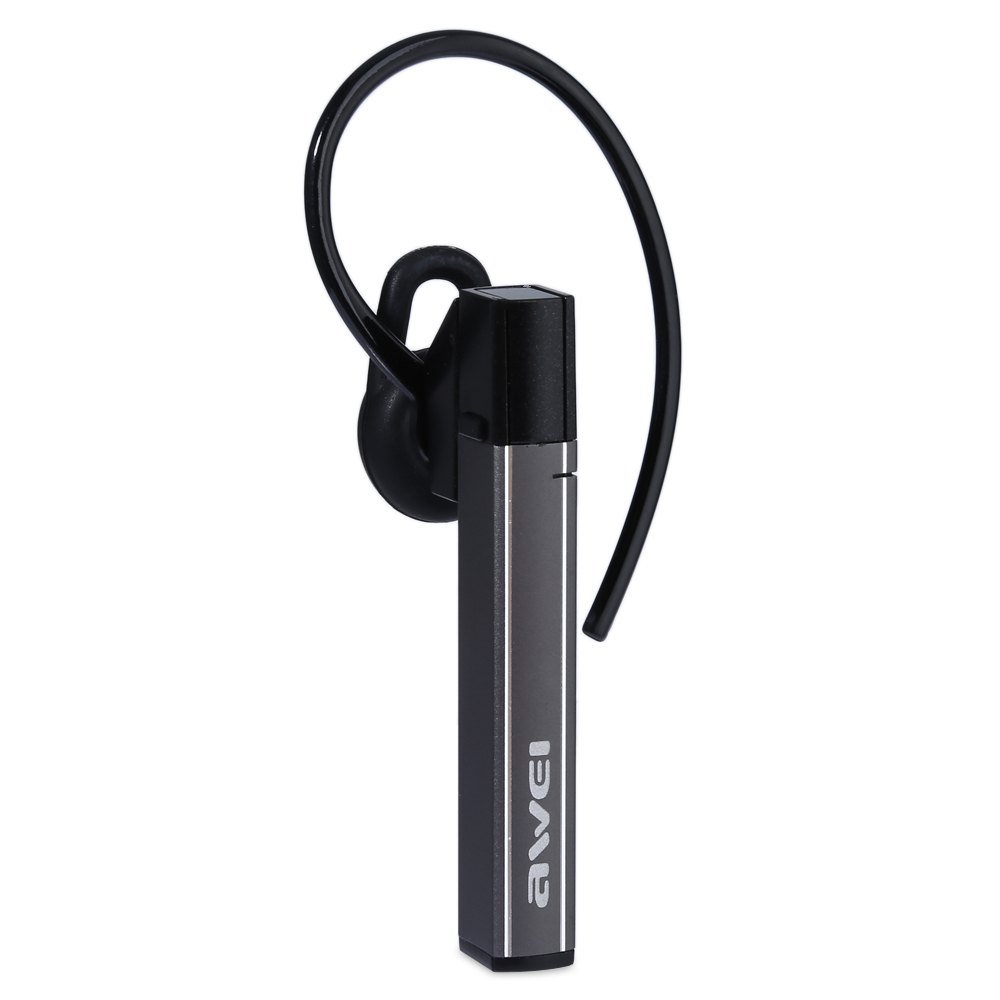
Image: The Awei A831BL Bluetooth In-Ear Headset in grey, showing the earbud design and inline controls.
The headset features an ergonomic in-ear design for comfortable wear, especially during activities. It includes an integrated microphone for hands-free calls and inline controls for managing audio and calls.
4. Suidhich
4.1 A’ cur cosgais air na fònaichean-cluaise
- Connect the USB charging cable to the charging port on the headset.
- Ceangail ceann eile a’ chàball USB ri inneal-atharrachaidh cumhachd USB (nach eil air a ghabhail a-steach) no ri port USB coimpiutair.
- The indicator light will illuminate (e.g., red) during charging.
- Once fully charged, the indicator light will change (e.g., turn blue or turn off).
A full charge provides up to 8 hours of talk or music playback time.
4.2 Pairing Bluetooth
- Dèan cinnteach gu bheil an headset làn-luchdaichte agus dheth.
- Press and hold the Multi-function button (usually the center button on the inline control) for approximately 5-7 seconds until the indicator light flashes red and blue alternately, indicating pairing mode.
- Air an fhòn-làimhe no an inneal agad le comas Bluetooth, cuir Bluetooth an gnìomh agus rannsaich airson innealan a tha rim faighinn.
- Tagh "Awei A831BL" bhon liosta de dh'innealan a chaidh a lorg.
- Ma thèid iarraidh ort facal-faire a thoirt seachad, cuir a-steach "0000" (ceithir neoni).
- Once successfully paired, the indicator light will flash blue slowly, and you may hear a confirmation tone.
Feuchaidh an headset gu fèin-ghluasadach ri ath-cheangal ris an inneal mu dheireadh a chaidh a chàradh nuair a thèid a thionndadh air.
5. Stiùireadh Obrachaidh
5.1 Cumhachd air / dheth
- Cumhachd air: Press and hold the Multi-function button for about 3 seconds until the blue indicator light flashes.
- Cumhachd dheth: Press and hold the Multi-function button for about 3-4 seconds until the red indicator light flashes briefly and then turns off.
5.2 Dealbh-chluich Ciùil
- Cluich / Stad: Brùth air a ’phutan Ioma-ghnìomh aon uair.
- Meud suas: Brùth am putan ‘+’.
- Meud sìos: Brùth am putan '-'.
- An ath cheum: Brùth is cum sìos am putan ‘+’.
- Rian roimhe: Brùth is cum sìos am putan '-'.
5.3 Riaghladh Ghairmean
- Call Freagairt: Brùth am putan ioma-ghnìomhach aon uair nuair a thig gairm a-steach.
- Call crìochnachaidh: Brùth am putan ioma-ghnìomhach aon uair rè gairm.
- Call a dhiùltadh: Brùth agus cum sìos am putan ioma-ghnìomhach airson timcheall air 2 dhiog nuair a thig gairm a-steach.
- Deasaich an àireamh mu dheireadh: Dèan briogadh dùbailte air a’ phutan Ioma-ghnìomh.
The integrated microphone allows for clear hands-free communication.
6. Cumail suas
- Glan na fònaichean-cluaise gu cunbhalach le clò bog, tioram.
- Avoid exposing the headset to extreme temperatures, humidity, or corrosive substances.
- Do not attempt to disassemble or modify the headset, as this will void the warranty and may cause damage.
- Cùm an headset ann an àite fionnar, tioram nuair nach eilear ga chleachdadh.
7. A ’dèanamh trioblaid
| Trioblaid | Fuasgladh |
|---|---|
| Chan eil an headset a’ dol air. | Dèan cinnteach gu bheil an headset làn-luchdaichte. Ceangail e ri stòr cumhachd agus feuch ris a-rithist. |
| Chan urrainnear paidhir a dhèanamh le inneal. | Ensure the headset is in pairing mode (flashing red and blue). Turn off and on your device's Bluetooth. Move closer to the device. Clear previous Bluetooth connections on your device. |
| Gun fhuaim no meud ìosal. | Check the volume levels on both the headset and your connected device. Ensure the headset is properly connected. |
| Droch chàileachd gairm. | Ensure the microphone is not obstructed. Move to an area with less interference. Check your phone's signal strength. |
8. Sònrachaidhean
| Feart | Mion-fhiosrachadh |
|---|---|
| Brand | Awei |
| Modail Àireamh | A831BL |
| Dath | Glas |
| Teicneòlas ceangail | Wireless (Bluetooth) |
| Seòrsa Headset | In-Earrach |
| Micreofon | Tha |
| Cur dheth fuaim | Chan eil |
| Beatha bataraidh | Up to 8 hours (talk/music) |
| Feartan fuaim | Pure, high-quality bass sound |
| Stuth | Plastaig |
| Innealan co-fhreagarrach | Fònaichean-làimhe |
9. Barantas agus Taic
Awei products are designed and manufactured to the highest quality standards. For warranty information and customer support, please refer to the warranty card included in your package or contact your local retailer. Keep your purchase receipt as proof of purchase.
Airson tuilleadh cuideachaidh, tadhail air làrach-lìn oifigeil Awei weblàrach-lìn no cuir fios chun roinn seirbheis teachdaiche aca.