Welcome to your XClear Wireless Earbuds user manual. This guide provides essential information for setting up, operating, and maintaining your earbuds to ensure optimal performance and longevity. Please read this manual thoroughly before using your device.
Dè th' anns a' Bhocsa
Cùis cosgais gun uèir
Cluais-mheudan (diofar mheudan)
Leabhar-làimhe cleachdaiche
2. Toradh thallview
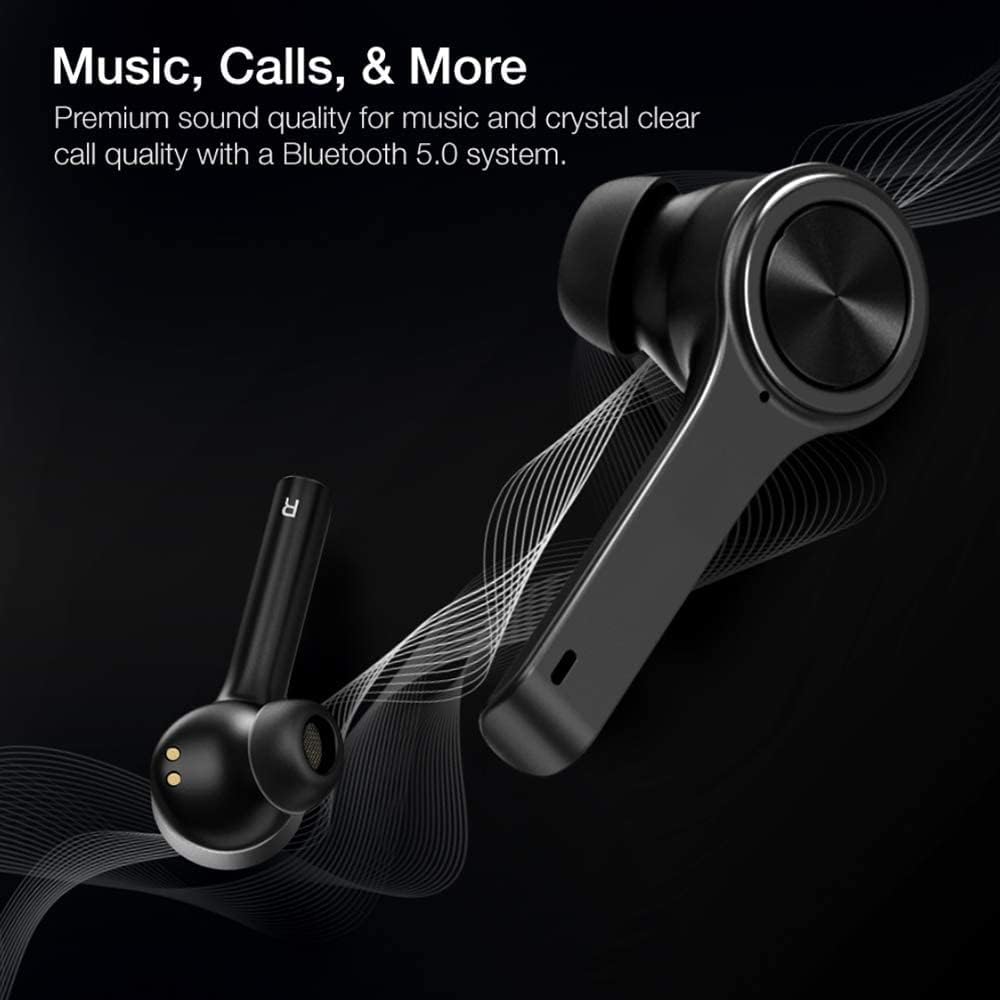
The XClear Wireless Earbuds (Model TT000082) are designed for an immersive audio experience with advanced features for convenience and durability. They feature Bluetooth 5.0 technology for stable connections and clear audio.
Prìomh fheartan
Càileachd fuaim àrd: Enjoy clear music and calls via Bluetooth 5.0.
Càradh luath: Quick and easy connection by opening the charging case.
Cùis cosgais teann: Portable case with a digital LED battery indicator.
Fit cofhurtail: Ergonomic design for a secure fit during daily use and sports.
IPX5 dìon-fallas: Designed to withstand sweat and light splashes.
Image: XClear Wireless Earbuds and Charging Case. The earbuds are shown alongside their compact charging case, highlighting their sleek design.
Image: A person running while wearing XClear Wireless Earbuds, demonstrating a secure and comfortable fit during physical activity. A close-up inset shows an earbud in an ear.
3. Suidhich
Cìs tòiseachaidh
Before first use, fully charge the earbuds and the charging case. Place the earbuds into the charging case. Connect the charging case to a power source using a compatible USB-C cable. The digital LED battery indicator on the case will show the charging progress. A full charge provides up to 5 hours of playtime for the earbuds and an additional 14 hours with the charging case.
Image: The XClear Wireless Earbuds charging case displaying battery life. Graphics indicate 5 hours of playtime for earbuds and 14 hours with the case.
Paidhir leis an inneal agad
Dèan cinnteach gu bheilear a’ cur cosgais air na earbuds.
Open the charging case. The earbuds will automatically enter pairing mode, indicated by bright LED lights.
Air an fhòn-smart no an inneal le comas Bluetooth agad, rach gu roghainnean Bluetooth.
Select "XClear Earbuds" from the list of available devices to connect.
Once connected, the LED lights on the earbuds will indicate a successful pairing.
Selecting the Right Eartips
For optimal sound quality and comfort, select the eartips that best fit your ear canals. An improper fit may result in reduced sound quality or call performance. Experiment with the different sizes provided to find the most snug and secure fit.
4. Stiùireadh Obrachaidh
Smachdan suathaidh
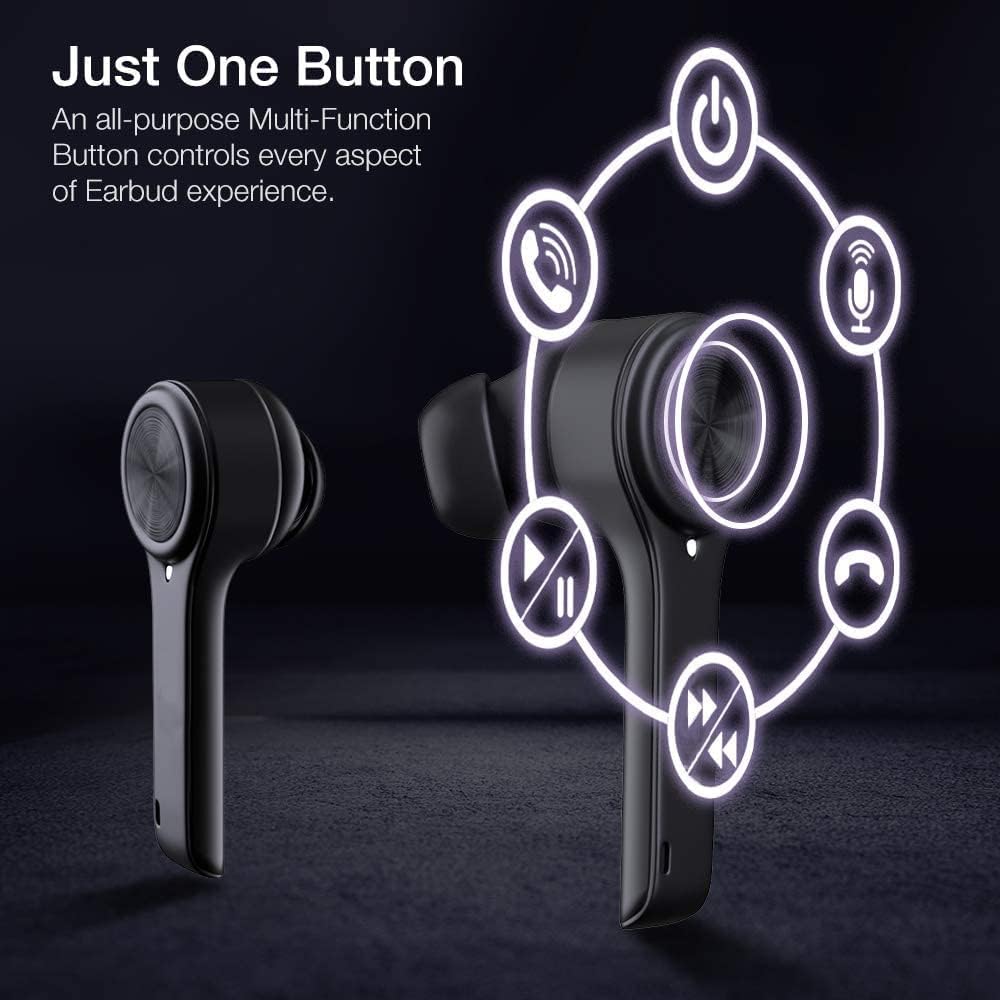
The XClear Wireless Earbuds feature intuitive touch controls for managing your audio and calls:
Cluich / Stad: Tap singilte air gach earbud.
An ath cheum: Tap dùbailte air an earbud cheart.
Rian roimhe: Tap dùbailte air an earbud chlì.
Freagairt/Cuireadh Call: Tap singilte air gach cluais-fòn nuair a tha gairm a’ tighinn a-steach.
Call a dhiùltadh: Brùth is cum sìos aon seach aon de na cluais-fònaichean airson 2 dhiog rè gairm a tha a’ tighinn a-steach.
Cuir an gnìomh neach-taic guth: Tap trì tursan air gach cluais-fòn.
Image: A diagram illustrating the multi-function touch controls on the XClear Earbuds, showing icons for power, calls, microphone, play/pause, and track skipping.
Dual Mode Listening
You can use the XClear Wireless Earbuds in either Stereo Mode (both earbuds) or Single Ear Mode (one earbud). To properly use Single Ear Mode, ensure the unused earbud is placed in the charging case and the lid is closed.
Image: A man wearing a single XClear earbud, demonstrating the dual mode listening feature. The text indicates the ability to switch between stereo and single ear mode.
5. Cumail suas
Glanadh agus stòradh
Glan na fònaichean-cluaise agus a’ chùis cosgais gu cunbhalach le clò bog, tioram.
Seachain a bhith a 'cleachdadh cheimigean cruaidh no stuthan sgrìobach.
Stòraich na fònaichean-cluaise anns a’ chùis cosgais aca nuair nach eilear gan cleachdadh gus an dìon bho dhuslach is milleadh.
Cùram Bataraidh
Gus beatha bataraidh a leudachadh, seachain na fònaichean-cluaise agus a’ chùis cosgais a dhì-luchdachadh gu tur gu tric.
Charge the device using only the provided cable or a certified USB-C charger.
Na nochd an inneal gu teòthachd anabarrach.
Image: A close-up of an XClear earbud with water droplets, illustrating its sweatproof and water-resistant design.
6. A ’dèanamh trioblaid
Cùisean Coitcheann agus Fuasglaidhean
Chan eil na cluasan-cluaise a’ cur cosgais: Ensure the charging cable is securely connected to both the case and the power source. Verify that the earbuds are correctly seated in the charging case. Check the charging case's battery level.
Fònaichean-cluaise gun a bhith a’ paidhreachadh: Make sure Bluetooth is enabled on your device. Place the earbuds back in the case, close the lid, then open it again to re-enter pairing mode. If issues persist, try forgetting the device in your Bluetooth settings and re-pairing.
Càileachd fuaim truagh: Ensure the eartips provide a snug fit in your ear canals. Clean any debris from the earbud speakers. Check the audio source for quality issues.
Aon chluas-cinn nach eil ag obair: Place both earbuds back into the charging case, close the lid, and then open it again. This often re-syncs them. If the issue continues, try resetting the earbuds (refer to the full manual for specific reset instructions if available).
XClear offers a 1-Year Warranty on this product. Please retain your proof of purchase for warranty claims. For detailed terms and conditions, refer to the official XClear weblàrach-lìn no cuir fios gu taic teachdaiche.
Taic Luchd-cleachdaidh
For further assistance, technical support, or warranty inquiries, please visit the XClear official website or contact their customer service department. Contact details can typically be found on the product packaging or the brand's weblàrach.