
Ro-ràdh
Welcome to the instruction manual for your Incipio DualPro Case, designed specifically for the Apple iPhone 11 Pro. This case provides robust protection for your device through its innovative dual-layer design, safeguarding against impacts and daily wear.
Key features of the Incipio DualPro Case include:
- Innovative hybrid design for comprehensive protection.
- Coated camera ring to protect the lens.
- Soft touch finish for comfortable handling.
- Enhanced protection without compromising style.
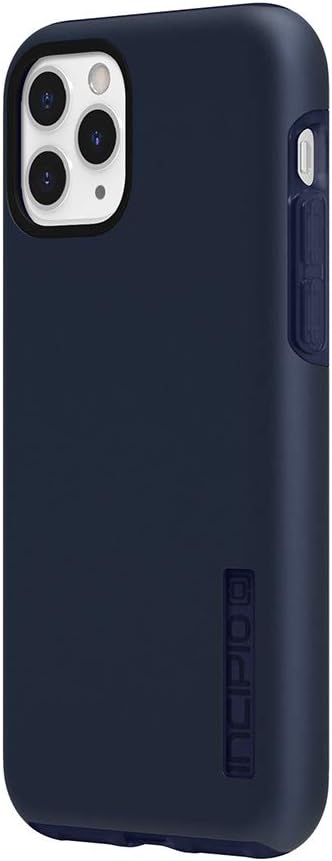
Incipio DualPro Case for iPhone 11 Pro in Iridescent Midnight Blue, showing the back and side profile of the case installed on a phone.

Image illustrating the shock-proof technology of the Incipio DualPro case, highlighting its protective design around an iPhone 11 Pro.
Stàladh agus stàladh
Follow these steps to properly install your Incipio DualPro Case on your Apple iPhone 11 Pro:
- Dèan cinnteach gu bheil an iPhone 11 Pro agad glan agus saor bho dhuslach no sprùilleach.
- Separate the two layers of the DualPro case: the soft, shock-absorbing inner core and the rigid polycarbonate outer shell.
- Carefully place your iPhone 11 Pro into the soft inner core, ensuring all edges and corners are securely seated.
- Align the rigid outer shell with the inner core and snap it into place, starting from one side and working your way around until it is fully secured.
- Verify that all buttons are accessible and functional, and that port openings are clear.

Image showing the two distinct layers of the Incipio DualPro case: a soft inner core and a rigid outer shell, with an iPhone 11 Pro being placed into the inner core.
Obrachadh agus Cleachdadh
The Incipio DualPro Case is designed for seamless integration with your iPhone 11 Pro, allowing full access to all functions while providing protection.
- Ruigsinneachd Putan: The case features responsive, raised button covers for the volume and power buttons, ensuring easy detection and adjustment without compromising functionality.
- Ruigsinneachd a' Phuirt: Oversized port openings provide maximum accessibility for charging cables, headphones, and other accessories.
- Dìon Camara is Sgrion: A coated camera ring and raised bezel protect the iPhone's screen and camera from scratches when placed on flat surfaces.
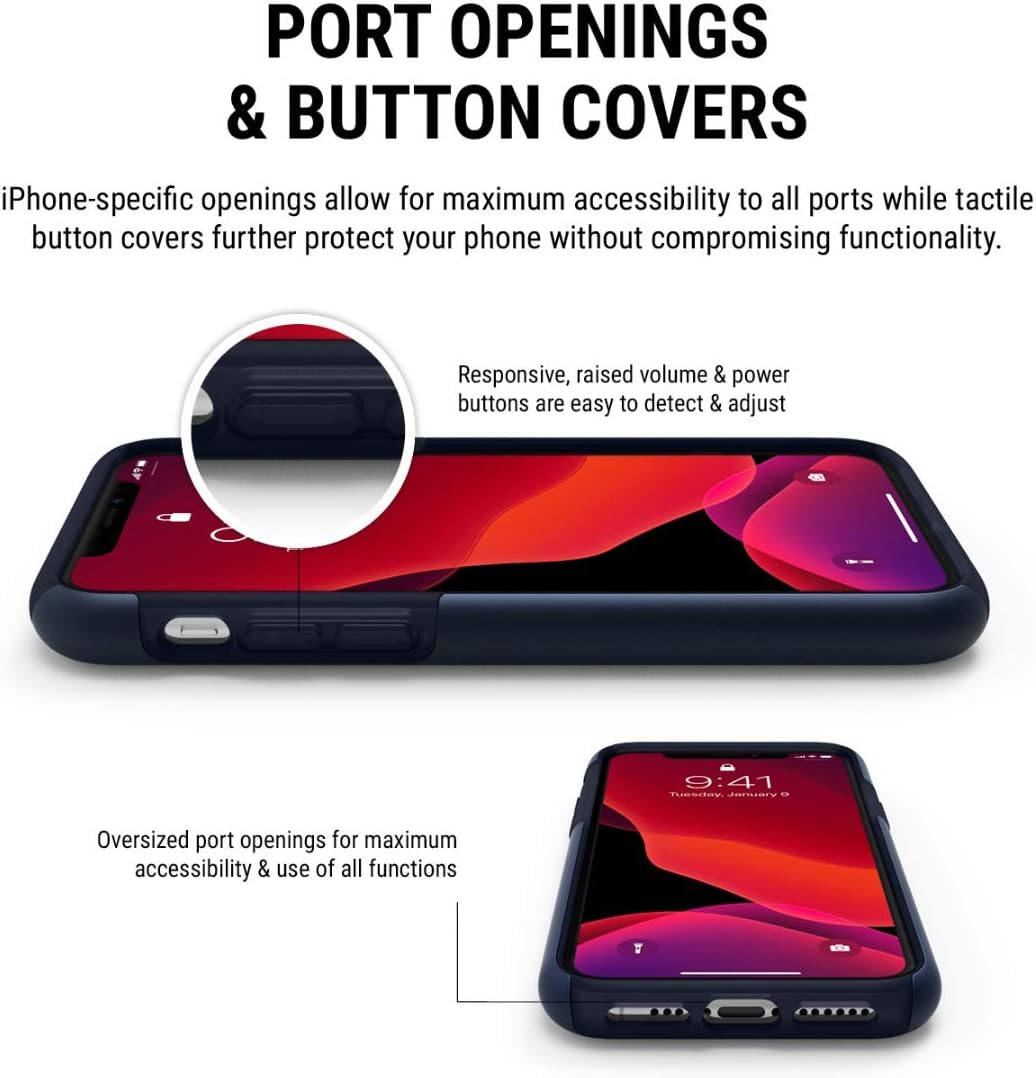
Image detailing the precise cutouts for ports and responsive button covers on the Incipio DualPro case, shown on an iPhone 11 Pro.

Image demonstrating the all-around protection provided by the Incipio DualPro case, including the raised bezel protecting the screen and camera.

Taisbeanadh ìomhaighasing the ultra-slim profile of the Incipio DualPro case, emphasizing its lightweight design while installed on an iPhone 11 Pro.
Cumail suas
To keep your Incipio DualPro Case clean and in optimal condition:
- Remove the case from your iPhone 11 Pro.
- Sguab an cùis le clò bog, damp clò. Airson salachar stòlda, faodar fuasgladh siabann tlàth a chleachdadh.
- Avoid using harsh chemicals, abrasive cleaners, or solvents, as these may damage the case's finish.
- Ensure the case is completely dry before re-installing it on your device.
Fuasgladh thrioblaidean
If you encounter any issues with your Incipio DualPro Case, consider the following:
- Cùis nach eil a’ freagairt gu ceart: Ensure your iPhone model is the 11 Pro. Remove the case and re-install, making sure both layers are properly aligned and snapped into place.
- Putanan nach eil a’ freagairt: Check for any debris obstructing the buttons. Re-seat the phone in the case to ensure proper alignment.
- Ports obstructed: Verify that the port openings are clear and that your charging cable or accessory is fully inserted.
Sònrachaidhean
| Feart | Mion-fhiosrachadh |
|---|---|
| Brand | Incipio |
| Modalan fòn co-fhreagarrach | iPhone 11 Pro |
| Dath | Blue (Iridescent Midnight Blue) |
| Innealan co-fhreagarrach | Apple, iPhone |
| Stuth | Polycarbonate (Outer Shell), Shock-absorbing inner core |
| Dìon | Dual-layer, Shock-proof, Drop protection, Raised bezel |
| Crìochnaich | Soft touch |
Fiosrachadh Barantais
Incipio products are designed for durability and protection. For specific warranty details regarding your DualPro Case, please refer to the official Incipio website or contact Incipio customer support. It is recommended to keep your proof of purchase for any warranty claims.
Taic
For further assistance, product inquiries, or technical support related to your Incipio DualPro Case, please visit the official Incipio weblàrach-lìn no cuir fios chun roinn seirbheis teachdaiche aca.


