
Ro-ràdh
This manual provides detailed instructions for the proper use and maintenance of your Awei T10C True Waterproof Bluetooth Wireless Earbuds. Please read this manual thoroughly before using the product to ensure optimal performance and longevity.
The Awei T10C earbuds feature Bluetooth 5.0 connectivity, a 6mm metal cavity speaker unit, smart touch controls, and a wireless charging case. They are designed for comfortable and stable wear, providing clear audio for calls and music.
Susbaint pacaid
- Awei T10C True Wireless Earbuds (Left and Right)
- Cùis cosgais gun uèir
- Càball cosgais USB
- Leabhar-làimhe cleachdaiche
Suidhich
1. Cosgais Tùsail
Before first use, fully charge the earbuds and the charging case. Place the earbuds into the charging case. Connect the charging case to a power source using the provided USB cable, or place the case on a compatible wireless charging pad.
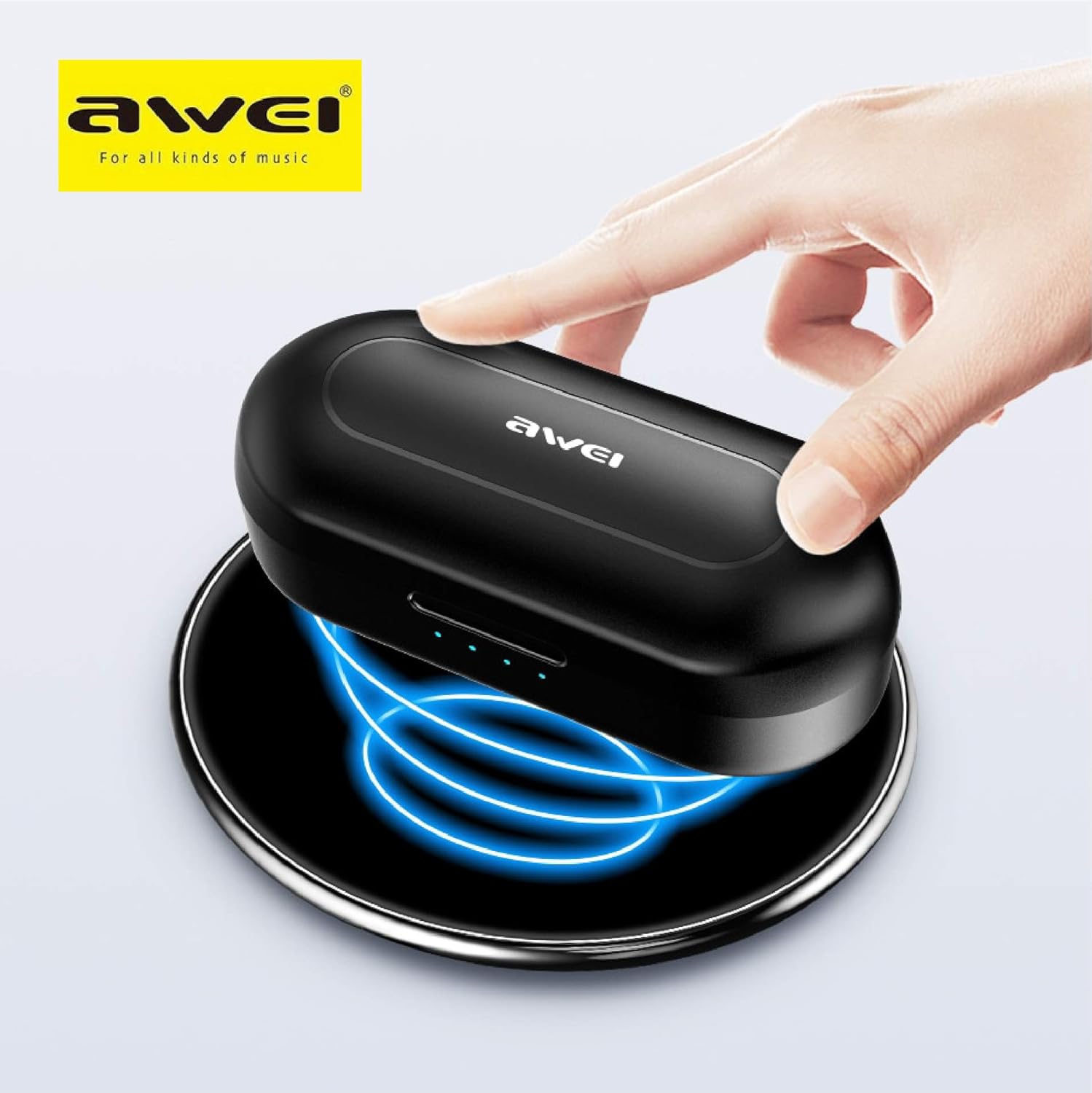
The Awei T10C charging case placed on a wireless charging pad, with blue light effects indicating active wireless charging.
The LED indicators on the charging case will show the charging status. Once fully charged, the indicators will behave according to the case's design (e.g., turn solid or off).
2. A’ cur cumhachd air agus a’ paidhreachadh gu fèin-ghluasadach
The earbuds are designed for automatic pairing. Simply open the charging case, and the earbuds will power on and enter pairing mode. Remove them from the case.
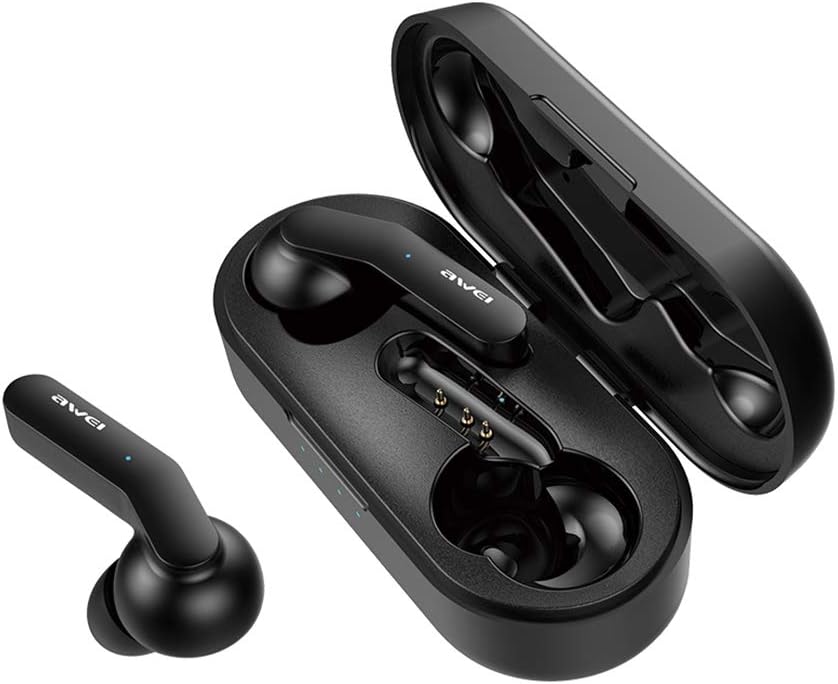
Awei T10C True Wireless Earbuds and open charging case, showcasing the earbuds nestled within the charging contacts.
3. Ceangal Bluetooth
- Dèan cinnteach gu bheil Bluetooth air a chomasachadh air an inneal agad (fòn cliste, tablet, msaa.).
- Lorg airson innealan Bluetooth rim faighinn.
- Select "Awei T10C" from the list to connect.
- Once connected, you will hear an audible confirmation, and the earbud indicator lights will change.
The earbuds will automatically reconnect to the last paired device when removed from the case, if the device's Bluetooth is active and within range.
Stiùireadh Obrachaidh
1. A’ caitheamh nan cluasan-cluaise
Gently insert the earbuds into your ears, ensuring a snug and comfortable fit. Adjust them until they feel secure. The ergonomic design is intended to provide stability during use.

Two Awei T10C True Wireless Earbuds, viewed from the side, highlighting their ergonomic design and the Awei logo.
2. Smachdan suathaidh snasail
The Awei T10C earbuds feature touch-sensitive areas for controlling various functions:
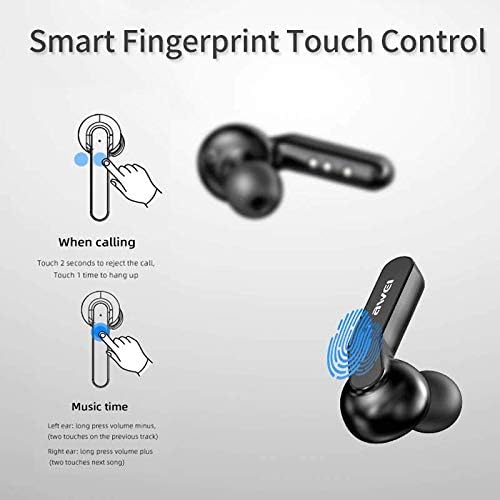
Diagram illustrating the 'Smart Fingerprint Touch Control' functions for calls and music playback on the Awei T10C earbuds.
- A ’freagairt / a’ crìochnachadh gairmean: Bean air aon seach aon de na cluais-fònaichean aon uair.
- A ’diùltadh gairmean: Dèan suathadh air an dàrna cuid earbud airson 2 diogan.
- Cluich/Cuir stad air ceòl: Bean air aon seach aon de na cluais-fònaichean aon uair.
- An ath cheum: Double-touch the right earbud.
- Rian roimhe: Double-touch the left earbud.
- Meud suas: Brùth fada air a’ chluas-cinn dheas.
- Meud sìos: Brùth fada air a’ chluas-cinn chlì.
- Neach-taic Guth: Triple-touch either earbud (functionality may vary by device).
3. Cumhachd dheth
To power off the earbuds, place them back into the charging case. They will automatically disconnect and begin charging. Alternatively, if disconnected from a device and left idle for a period, they may power off automatically.
Cumail suas
1. Glanadh
Regularly clean the earbuds and charging case with a soft, dry, lint-free cloth. Do not use abrasive cleaners, alcohol, or chemical solvents. Ensure charging contacts are free of dust and debris.
2. Dìon-uisge
The Awei T10C earbuds are designed to be waterproof. However, this does not mean they are suitable for prolonged submersion or use in extreme water conditions. Avoid exposing the charging case to water.
3. Stòradh
Nuair nach eilear gan cleachdadh, stòraich na fònaichean-cluaise anns a’ chùis cosgais aca gus an dìon agus an cumail fo chasaid. Stòraich ann an àite fionnar, tioram air falbh bho sholas dìreach na grèine agus teòthachd anabarrach.
Fuasgladh thrioblaidean
- Fònaichean-cluaise gun a bhith a’ paidhreachadh leis an inneal:
- Ensure earbuds are charged and removed from the case.
- Cuir dheth agus air Bluetooth an uidheim agad.
- Forget/delete "Awei T10C" from your device's Bluetooth list and try pairing again.
- Ath-thòisich an inneal agad.
- Aon chluas-cinn a-mhàin ag obair:
- Dèan cinnteach gu bheilear a’ cur cosgais air an dà earbuds.
- Place both earbuds back into the charging case, close the lid, wait a few seconds, then open and remove them again.
- Check if the earbuds are properly seated in the charging case to ensure connection.
- Gun fhuaim no meud ìosal:
- Thoir sùil air an ìre fuaime air an inneal agad agus air na fònaichean-cluaise (a’ cleachdadh smachdan suathaidh).
- Dèan cinnteach gu bheil na fònaichean-cluaise ceangailte gu ceart ris an inneal agad.
- Glan sprùilleach sam bith bho mhogal neach-labhairt a’ chluas-cinn.
- Cùis cosgais gun a bhith a’ cur cosgais:
- Dèan cinnteach gu bheil an càball USB ceangailte gu tèarainte ris a’ chùis agus ris an stòr cumhachd.
- Feuch càball USB eadar-dhealaichte no inneal-atharrachaidh cumhachd.
- Ma tha thu a’ cleachdadh cosgais gun uèir, dèan cinnteach gu bheil a’ chùis air a cur gu ceart air a’ phloc cosgais.
Sònrachaidhean
| Ainm Modail | T10C |
| Àireamh Modail Nì | EM-JH133-CP |
| Brand | Awei |
| Teicneòlas ceangail | Gun Uèir (Bluetooth 5.0) |
| Factor foirm headphone | Anns an Ear |
| Smachd fuaim | Cur às do fhuaim gnìomhach |
| Fòn-cluaise Jack | USB |
| Co-phàirtean air an toirt a-steach | Cùis cosgais gun uèir |
| Bataraidhean | 1 Bataraidh Lithium Ion a dhìth (air a ghabhail a-steach) |
| Meudan toraidh | 4.5 x 2.4 x 1.8 cm |
| Cuideam toraidh | 200 g |
| Dath | Dubh |
| Dèanadair | Awei |
| Ceann-latha Ri fhaighinn an-toiseach | 13 Dùbhlachd 2019 |
Barantas agus Taic
Awei products are manufactured to high quality standards. For warranty information, technical support, or customer service inquiries, please refer to the official Awei weblàrach no cuir fios chun neach-sgaoilidh ionadail agad.
You may also find additional support and product information via the Awei WeChat channel: http://weixin.qq.com/r/7XQ0O7vEfoUBh6pYnyHJ