
1. Ro-ràdh
This manual provides essential information for the safe and efficient use of your TCL 32B400 32-inch HD LCD TV. Please read it thoroughly before operating the television and retain it for future reference.
The TCL 32B400 features a direct-lit LED backlight for uniform high brightness and image quality. Its VA panel technology delivers superior contrast, allowing for natural expression of subtle light and dark details. Equipped with a dual tuner, this TV supports terrestrial digital, BS digital, and 110-degree CS digital broadcasts, enabling simultaneous recording of one program while watching another. It supports various recording functions including instant, scheduled, daily/weekly repeat, and event recording. Connectivity options include two HDMI Ver1.4a input terminals (Port 1 supports ARC) and one USB2.0 input/output terminal, allowing connection to Blu-ray/DVD players/recorders and external speakers via ARC.

Figear 1: Aghaidh view of the TCL 32B400 TV.
2. Suidhich
2.1 Fosgladh a’ bhogsa agus sgrùdadh phàirtean
Thoir a h-uile pàirt a-mach às a’ phacaid gu faiceallach. Dèan cinnteach gu bheil na nithean gu h-ìosal an làthair:
- Smachd iomallach x1
- Bataraidh AAA x2
- miniB-CAS card x1
- Corda cumhachd x1
- Tip-over prevention parts set x1
- Seas x2
- Screws (ST4, 20mm) x4 (for 32-inch model)
- Leabhar-làimhe stiùiridh
- Stiùireadh luath
- Cairt barantais

Figear 2: Goireasan a tha air an toirt a-steach.
2.2 Stàladh Seas
- Cuir scrion an telebhisean leis an sgrion sìos air uachdar bog, còmhnard gus casg a chur air milleadh.
- Align the stands with the corresponding slots on the bottom of the TV.
- Secure each stand using the provided screws (ST4, 20mm).
2.3 càball ceangail
Connect the necessary cables to the appropriate ports on the TV. Refer to the connection diagram below.
- Corda cumhachd: Ceangail an càball cumhachd ri cuir a-steach cumhachd an telebhisean agus an uairsin ri socaid balla.
- Antena: Connect your terrestrial digital antenna cable to the 'Antenna Input' port. For BS/CS broadcasts, connect the satellite antenna cable to the 'BS/CS 110°' port.
- Innealan HDMI: Connect external devices like Blu-ray players or game consoles to the HDMI input ports. HDMI Port 1 supports Audio Return Channel (ARC).
- Innealan USB: Connect external USB storage devices for recording to the USB port.
- miniB-CAS Card: Insert the miniB-CAS card into its dedicated slot.

Figure 3: Connection terminals overview.
2.4 Suidheachadh tùsail
After connecting all cables and powering on the TV, follow the on-screen instructions to complete the initial setup, including channel tuning and network configuration (if applicable).
3. Stiùireadh Obrachaidh
3.1 Gnìomh Bunaiteach
- Cumhachd air / dheth: Brùth am putan cumhachd air an smachd iomallach no an telebhisean.
- Taghadh seanail: Use the 'CH +/-' buttons or number buttons on the remote control.
- Atharrachadh tomhas-lìonaidh: Use the 'VOL +/-' buttons on the remote control.
- Tobar a-steach: Press the 'Input' button on the remote to select between HDMI, TV, and other connected sources.
3.2 Prògraman Clàraidh
Your TCL 32B400 TV supports recording to an external USB Hard Disk Drive (HDD) thanks to its dual tuner. This allows you to record one program while watching another.
- Connect a compatible external USB HDD to the TV's USB port.
- Format the HDD if prompted by the TV.
- To record, select the desired program and use the recording options in the TV menu (e.g., instant recording, scheduled recording via EPG).

Figure 4: Dual tuner allows watching one program while recording another.
3.3 Roghainnean Dealbh is Fuaime
Access the TV's menu to adjust picture (brightness, contrast, color, sharpness) and sound (bass, treble, balance, sound mode) settings to your preference.
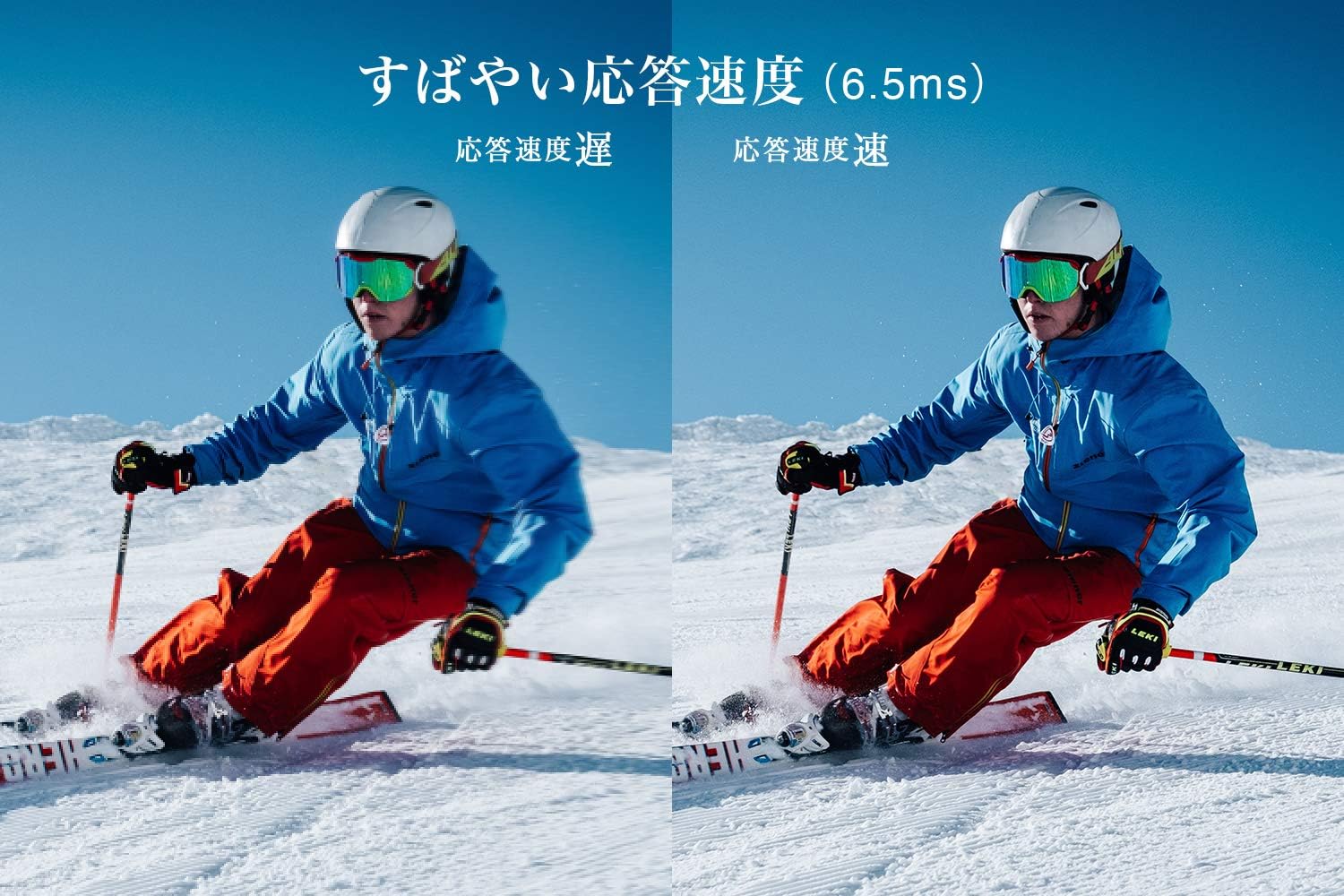
Figure 5: The TV features a fast response speed of 6.5ms for clear motion.
4. Cumail suas
4.1 Glanadh na Sgrion
Sguab an sgrion gu socair le clò bog, tioram, gun lint. Airson comharran stòlda, suath gu socair e.ampen the cloth with water or a specialized screen cleaner (ensure it's suitable for LCD screens) and wipe carefully. Avoid applying excessive pressure.
4.2 Glanadh Bodhaig an Tbh
Wipe the TV body with a soft, dry cloth. Do not use abrasive cleaners, waxes, or solvents as they can damage the finish.
4.3 Cùram Coitcheann
- Seachain an telebhisean a nochdadh do sholas dìreach na grèine no teòthachd anabarrach.
- Dèan cinnteach gu bheil fionnarachadh iomchaidh ann timcheall air an telebhisean gus casg a chur air cus teasachadh.
- Tarraing am pluga den telebhisean a-mach às a’ chumhachd rè stoirmean dealanaich no nuair nach tèid a chleachdadh airson ùine mhòr.
5. A ’dèanamh trioblaid
If you encounter issues with your TV, refer to the following common troubleshooting steps. If the problem persists, contact customer support.
5.1 Gun chumhachd
- Check if the power cord is securely connected to both the TV and the wall outlet.
- Dearbhaich gu bheil an socaid balla ag obair le bhith a’ cur inneal eile a-steach.
- Brùth am putan cumhachd air an telebhisean fhèin, chan ann a-mhàin air an smachd iomallach.
5.2 No Picture/No Signal
- Dèan cinnteach gu bheil an stòr cuir-a-steach ceart air a thaghadh (m.e., HDMI 1, Tbh).
- Thoir sùil air a h-uile ceangal càball (HDMI, antenna) airson sgaoilteachd no milleadh.
- Ma tha thu a’ cleachdadh inneal taobh a-muigh, dèan cinnteach gu bheil e air agus ag obair ceart.
- Perform a channel scan if you are watching broadcast TV.
5.3 Gun fhuaim
- Thoir sùil air an ìre fuaime agus dèan cinnteach nach eil an telebhisean air a mhùchadh.
- Ma tha thu a’ cleachdadh luchd-labhairt taobh a-muigh, dèan cinnteach gu bheil iad ceangailte gu ceart agus air an cumhachdachadh.
- Thoir sùil air roghainnean claisneachd ann an clàr-taice an telebhisean.
5.4 Smachd Iomallach Gun Obrachadh
- Cuir feadhainn ùra an àite na bataraidhean.
- Dèan cinnteach nach eil bacadh sam bith eadar an smachd iomallach agus mothachaire IR an Tbh.
6. Sònrachaidhean
| Feart | Sònrachadh |
|---|---|
| Meud taisbeanaidh | 32 òirlich |
| Teicneòlas taisbeanadh | LCD |
| Fuasgladh | HD (1366 x 768) |
| Ìre Ath-nuadhachaidh | 60 Hz |
| Co-mheas taobh | 16:9 |
| Co-mheas coimeas | 3000:1 |
| Viewann an Ceàrn | 178/178 degrees (JEITA standard, CR>=10) |
| Seòrsa backlight | LED le solas dìreach |
| Astar freagairt | 6.5mh |
| Meudan (le seasamh) | W731 x H491 x D186 mm |
| Meudan (gun seasamh) | W731 x H436 x D76 mm |
| Cuideam (le seasamh) | 4.4 kg |
| Cuideam (gun seasamh) | 4.3 kg |
| Wall Mount (VESA) | 100x100mm |
| Cleachdadh Cumhachd Bliadhnail | 45 kWh / bliadhna |
| puirt HDMI | 2 (HDMI Ver1.4a, Port 1 supports ARC) |
| Puirt USB | 1 (USB2.0) |
| Seòrsa tuner | Terrestrial Digital, BS Digital, 110-degree CS Digital (Dual Tuner) |
| Modail Bliadhna | 2019 |

Figure 6: TV dimensions and recommended viewastar ing.

Figure 7: VA panel technology provides superior contrast and depth.
7. Barantas agus Taic
7.1 Barantas an Neach-dèanamh
This product comes with a 1-year manufacturer's warranty from the date of purchase. Please retain your proof of purchase for warranty claims.
7.2 Taic teachdaiche
For any inquiries, technical assistance, or repair requests, please contact TCL customer support. Our dedicated Japanese staff are available to assist you.
- Fòn: 0120-955-517
- Uairean obrach: 9:00 - 18:00 (Weekdays and Holidays, excluding year-end and New Year holidays)
- Weblàrach: https://www.tcl.com/jp/ja/services.html
Nationwide repair service is available.
Figure 8: TCL Customer Support details.