
Karlsson KA5753GY
Karlsson Gummy Digital Alarm Clock KA5753GY User Manual
Brand: Karlsson | Modail: KA5753GY
1. Ro-ràdh
Thank you for choosing the Karlsson Gummy Digital Alarm Clock. This manual provides essential information for the safe and efficient operation of your new alarm clock. Please read it thoroughly before use and retain it for future reference.
This digital alarm clock features a soft silicone exterior, a clear digital display, and essential functions like alarm and snooze, designed for ease of use and integration into any bedroom environment.
2. Fiosrachadh Sàbhailteachd
- Cùm an inneal air falbh bho uisge agus àrd taiseachd.
- Na nochd an inneal gu solas dìreach no fìor theodhachd.
- Cleachd an seòrsa bataraidh ainmichte a-mhàin (3 x bataraidh AAA).
- Dèan cinnteach gu bheil na bataraidhean air an cur a-steach leis a’ phòlarachd cheart (+/-).
- Thoir air falbh bataraidhean mura tèid an inneal a chleachdadh airson ùine mhòr gus casg a chur air aodion.
- Cuir às do bataraidhean cleachdte gu ciallach a rèir riaghailtean ionadail.
- Na feuch ri an inneal a thoirt às a chèile no a chàradh thu fhèin. Cuir fios gu luchd-obrach seirbheis teisteanasach.
3. Pasgan-susbaint
Thoir sùil air a’ phacaid airson nan nithean a leanas:
- 1 x Karlsson Gummy Digital Alarm Clock (Model KA5753GY)
Thoir an aire: Feumar 3 x bataraidhean AAA airson obrachadh agus chan eil iad air an toirt a-steach sa phacaid.
4. Feartan toraidh
- Stuth: Soft Silicone exterior for a comfortable touch.
- Taisbeanadh: Clear Digital display showing hours and minutes.
- Gnìomhan: Classic Alarm function and Snooze button.
- Leughadh: Large numbers for easy reading, even in low light conditions with the light function.
- Stòr cumhachd: Battery operated (3 x AAA batteries, not included).
- Meudan: Mu 7 cm (Àirde) x 14 cm (Leud) x 5 cm (Doimhneachd).
5. Suidhich
5.1 Stàladh bataraidh
- Lorg roinn a’ bhataraidh air cùl a’ chloc-rabhaidh.
- Open the battery compartment cover by sliding it off.
- Insert 3 x AAA batteries, ensuring correct polarity (+ and -) as indicated inside the compartment.
- Dùin an còmhdach roinn bataraidh gu tèarainte.

Ìomhaigh: Cùl view le roinn bataraidh.
5.2 Cumhachd Tòiseachaidh Air adhart
Once batteries are installed, the digital display should light up, and the clock will be ready for time setting.
6. Stiùireadh Obrachaidh
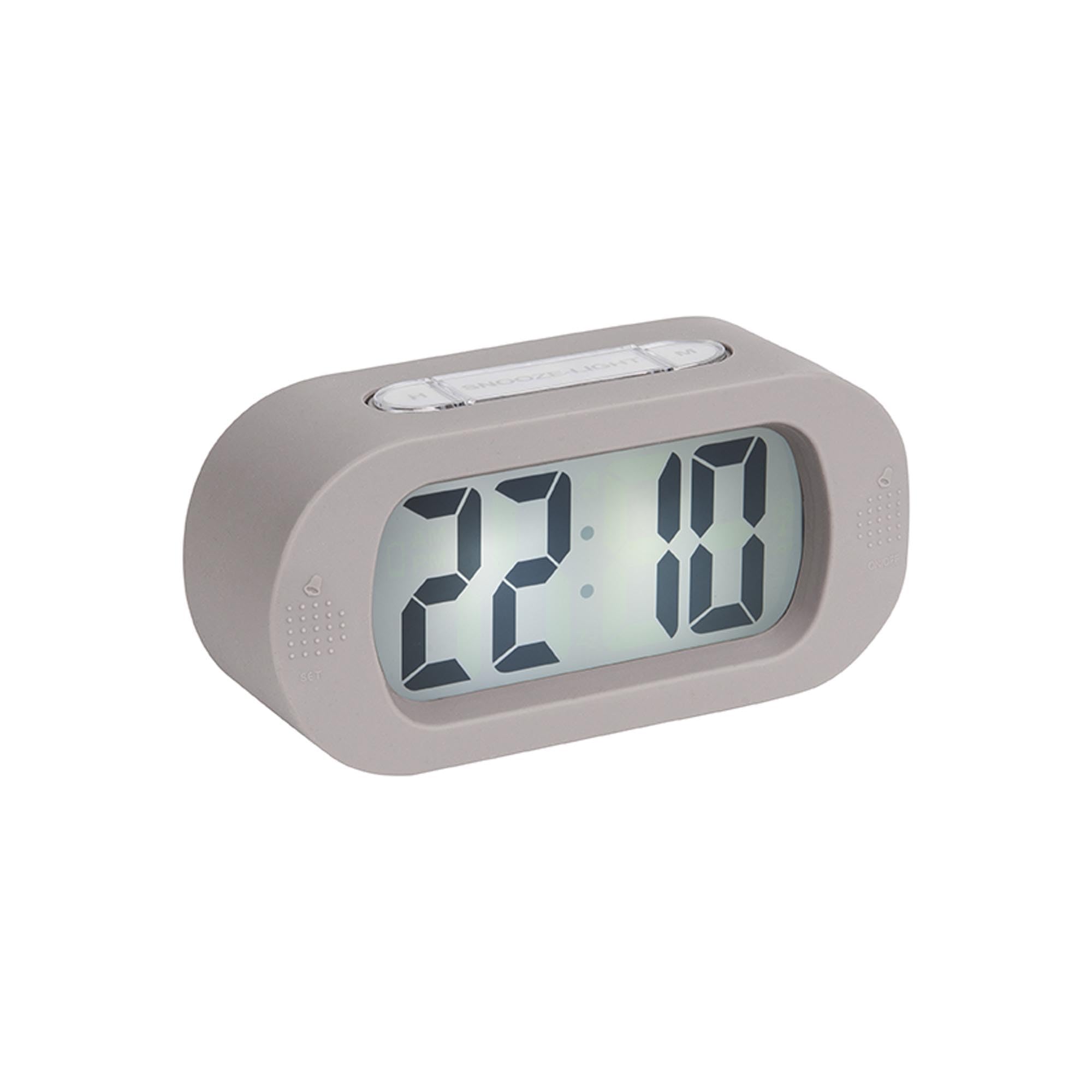
Ìomhaigh: Aghaidh view of the alarm clock.
6.1 A ’suidheachadh na h-ùine
- Brùth agus cùm an "TIME SET" button (located on the back) until the hour digits start flashing.
- Cleachd an "H" button (on top) to adjust the hour.
- Brùth an "TIME SET" putan a-rithist gus gluasad gu suidheachadh mionaidean.
- Cleachd an "M" button (on top) to adjust the minutes.
- Brùth "TIME SET" one last time to confirm and exit time setting mode.
6.2 A' suidheachadh an Alarm
- Brùth agus cùm an "SUIDHICH" button (on the front bottom left) until the alarm hour digits start flashing.
- Cleachd an "H" putan gus an uair rabhaidh atharrachadh.
- Brùth "SUIDHICH" again to switch to alarm minute setting.
- Cleachd an "M" putan gus mionaidean an rabhaidh atharrachadh.
- Brùth "SUIDHICH" aon uair mu dheireadh gus dearbhadh agus modh suidheachadh rabhaidh fhàgail.
6.3 A’ cur an inneal-rabhaidh an gnìomh/dì-ghnìomhachadh
To turn the alarm on or off, locate the alarm switch or button (often on the side or back, indicated by an alarm icon). Slide or press it to toggle the alarm status. A small alarm icon on the display usually indicates the alarm is active.
6.4 Gnìomh Snooze
Nuair a chluinneas tu an inneal-rabhaidh, brùth air a’ phutan mhòr "Cadail/Solas" button on top of the clock. The alarm will pause for a few minutes (typically 5-9 minutes) and then sound again. You can repeat this process.
6.5 Gnìomh Solais
Brùth an "Cadail/Solas" button briefly to illuminate the display for a few seconds, allowing you to read the time in the dark.
7. Cumail suas
7.1 Glanadh
Wipe the clock with a soft, dry cloth. Do not use abrasive cleaners or solvents, as these may damage the silicone surface or display.
7.2 Ath-nuadhachadh bataraidh
When the display dims or the alarm weakens, it's time to replace the batteries. Follow the battery installation steps in Section 5.1.
8. A ’dèanamh trioblaid
| Trioblaid | Adhbhar a dh’fhaodadh a bhith ann | Fuasgladh |
|---|---|---|
| Tha an taisbeanadh bàn no dorcha. | Tha bataraidhean ìosal no air an cur a-steach gu ceàrr. | Replace batteries with new 3 x AAA batteries, ensuring correct polarity. |
| Chan eil an inneal-rabhaidh a’ fuaimeachadh. | Alarm is not activated or batteries are low. | Ensure the alarm is switched ON. Replace batteries if needed. |
| Time/Alarm cannot be set. | Buttons are not being pressed correctly or device is unresponsive. | Ensure you are pressing and holding the correct buttons as per instructions. Remove and reinsert batteries to reset the device. |
9. Sònrachaidhean
- Àireamh Modail: KA5753GY
- Stuth: sileaconach
- Dath: Liath blàth
- Seòrsa taisbeanaidh: Didseatach
- Meudan (H x W x D): Mu 7 cm x 14 cm x 5 cm (2.76 x 5.51 x 1.97 òirleach)
- Cuideam: Mu 220 gram (0.49 lbs)
- Stòr cumhachd: 3 x Bataraidh AAA (gun a thoirt a-steach)
- Feartan sònraichte: Alarm, Snooze, Light
- Seòrsa seòmar: Seòmar-cadail
- Cleachdadh: A-staigh
10. Barantas agus Taic
For warranty information and customer support, please refer to the retailer where you purchased the Karlsson Gummy Digital Alarm Clock or visit the official Karlsson weblàrach. Cùm dearbhadh ceannach airson tagraidhean barantais sam bith.
Taic air-loidhne: www.karlssonclocks.com