
Ro-ràdh
The Philips Hue Econic Outdoor Wall Light is a smart LED lighting solution designed for outdoor use. It offers white and colored light, is dimmable, and can be connected to a Philips Hue Bridge for advanced control. This manual provides instructions for installation, operation, maintenance, and troubleshooting to ensure optimal performance and longevity of your product.
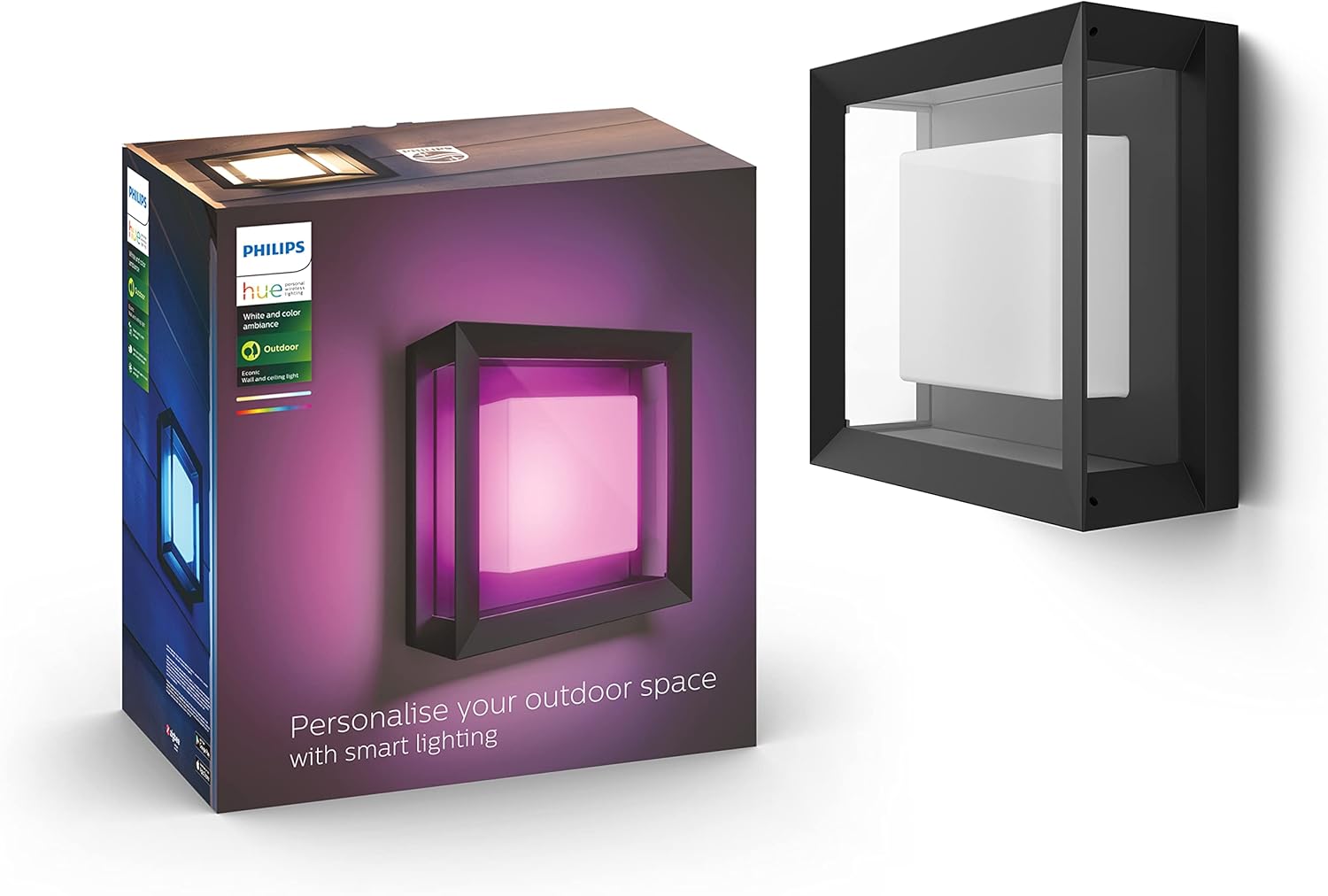
Image: The Philips Hue Econic Outdoor Wall Light in a square design, showcasing its ability to emit colored light.
Am measg nam prìomh fheartan tha:
- Cleachdadh a-muigh: Designed for gardens and patios, including necessary cables for installation.
- Solais fèin-ghluasadach: Configure lights to automatically illuminate your garden and driveway upon arrival.
- Feart tèarainteachd: Simulate presence by setting lighting routines to deter intruders when away.
- Smachd guth: Compatible with Amazon Alexa and Google Assistant for easy voice commands.
- Hue Bridge Connectivity: Connects to a separately available Hue Bridge for expanded functionalities, including adding accessories, setting timers, and creating routines.

Ìomhaigh: Tharview of the extensive capabilities of the Philips Hue Econic light, including dimming, geofencing, color options, and smart control.
Stàladh agus stàladh
Proper installation is crucial for the safe and effective operation of your Philips Hue Econic Outdoor Wall Light. Please follow these steps carefully.
Ceumannan Sàbhailteachd
- Always disconnect the main power supply before beginning any installation or maintenance work.
- Ensure all necessary tools and components are at hand before starting.
- Mura h-eil thu cinnteach mu cheum sam bith, bruidhinn ri dealanach teisteanasach.
Stàladh corporra
- Ceum 1: Dì-cheangail an cumhachd. Turn off the electricity at the main circuit breaker to the area where the light will be installed. Verify that the power is off before proceeding.
- Step 2: Mount the Fixture. Follow the specific mounting instructions provided in the packaging to securely attach the lamp to your wall or ceiling. Ensure the mounting surface is suitable and can support the weight of the fixture.
- Ceum 3: Ceangail Uèirleadh. Connect the electrical wires according to local electrical codes and the instructions in the product packaging. Ensure all connections are secure and properly insulated.
- Ceum 4: Ath-stèidhich an cumhachd. Aon uair 's gu bheil an lamp is securely installed and wired, restore power at the main circuit breaker.

Image: Visual guide illustrating the four main steps for installing the Philips Hue Econic light and connecting it to the Hue app.
Connecting to Philips Hue System
After physical installation, connect your light to the Philips Hue system for smart control.
- Using the Hue App: Download the Philips Hue app from your device's app store. Open the app and follow the on-screen instructions to search for and add your new Econic light.
- Hue Bridge (Recommended): For full functionality, connect your light to a Philips Hue Bridge (sold separately). The Bridge provides a stable connection, advanced control, and integration with other smart home products.
- Bluetooth (Limited Functionality): The light can also be controlled via Bluetooth directly from the Hue Bluetooth app for single-room control without a Bridge.

Image: A comparison of features when using the Philips Hue Bridge versus Bluetooth-only control, highlighting the expanded capabilities with the Bridge.
Stiùireadh Obrachaidh
Control your Philips Hue Econic light using various methods to suit your preferences.
Smachd bunaiteach
- App Philips Hue: Use the intuitive Hue app on your smartphone or tablet to turn lights on/off, adjust brightness, change colors, and select light scenes.
- Smachd guth: Integrate with Amazon Alexa or Google Assistant to control your lights with simple voice commands (e.g., "Alexa, turn on the garden lights").
- Hue Dimmer Switch (Sold Separately): A physical dimmer switch can be paired for convenient on/off, dimming, and scene selection without needing your phone.
- Hue Outdoor Sensor (Sold Separately): Automate your lights to turn on when motion is detected, providing both convenience and security.

Image: Different methods for controlling your Philips Hue lights, including sensors, switches, the mobile app, and voice commands.
Feartan adhartach
- Color and White Light Adjustment: Explore 16 million colors and various shades of white light (from warm to cool) to create the perfect ambiance for any occasion.
- Geofencing: Set your lights to react to your presence. They can automatically turn on when you arrive home and turn off when you leave.

Image: The geofencing feature in action, showing lights welcoming a user home and the corresponding app settings.
- Timers and Routines: Schedule your lights to turn on or off at specific times, or use pre-set routines like sunrise/sunset automation.

Image: Screenshot of the Philips Hue app displaying options for setting timers and automated routines like sunrise/sunset.
- Toradh solais àrd: The Econic light provides a high light intensity of 1150 Lumens, suitable for illuminating outdoor spaces effectively.
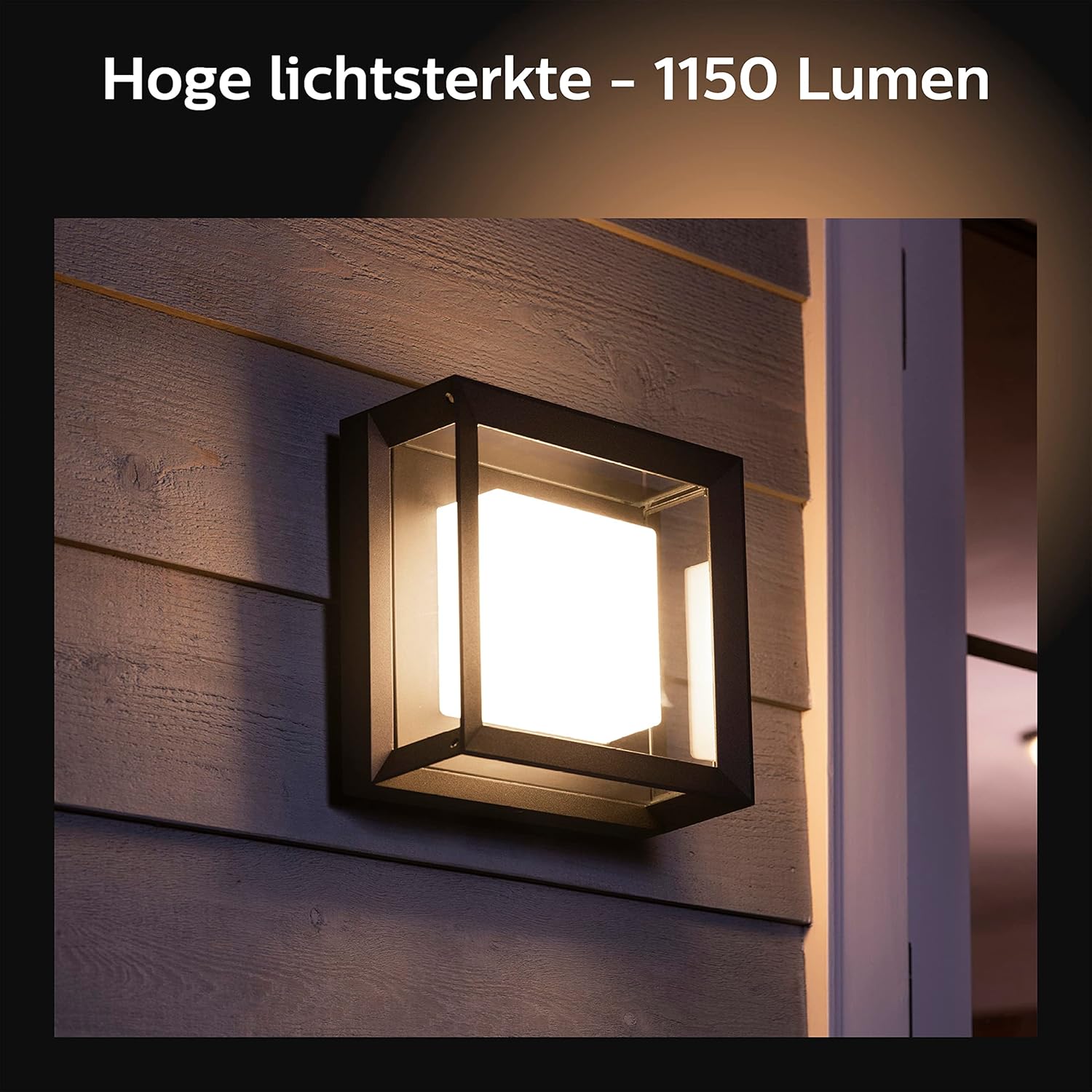
Image: The Philips Hue Econic light demonstrating its high light output of 1150 Lumens when installed on an outdoor wall.
Cumail suas
Regular maintenance helps ensure the longevity and optimal performance of your outdoor light.
Glanadh
- Dèan cinnteach gu bheil an cumhachd dheth mus glanadh thu.
- Sguab taobh a-muigh an inneil-uidheamachaidh le clò bog, damp clò. Seachain innealan-glanaidh sgrìobach no fuasglaidhean a chleachdadh, oir faodaidh iad sin milleadh a dhèanamh air a’ chrìochnachadh.
- Do not spray water directly onto the fixture.
Cur an aghaidh na h-aimsire
The Philips Hue Econic Outdoor Wall Light is designed to be weather-resistant (IP44 rated), protecting it from splashing water and solid objects larger than 1mm. However, proper installation is key to maintaining its weather resistance.

Image: Depiction of rain, symbolizing the weather-resistant design of the Philips Hue Econic light.
Sgrùdaidhean Coitcheann
- Periodically check for any loose connections or signs of wear on the wiring.
- Ensure that the light fixture remains securely mounted.
Fuasgladh thrioblaidean
If you encounter issues with your Philips Hue Econic light, refer to the following common troubleshooting steps.
| Trioblaid | Adhbhar a dh’fhaodadh a bhith ann | Fuasgladh |
|---|---|---|
| Chan eil solas a 'tionndadh air | No power supply; Loose wiring; Bulb issue; Not connected to Hue system. | Check circuit breaker; Verify wiring connections; Ensure bulb is correctly seated; Re-pair with Hue app/Bridge. |
| Cannot connect to Hue Bridge/App | Light out of range; Bridge not powered/connected; App issues. | Move light closer to Bridge; Check Bridge power and network connection; Restart Hue app; Reset light (refer to Philips Hue support). |
| Bidh solas a’ priobadh no a’ dol sìos gun dùil | Unstable power supply; Loose connection; Software glitch. | Check power source stability; Inspect wiring; Update Hue app and Bridge firmware; Restart light by cycling power. |
| Colors are incorrect or inconsistent | Calibration issue; Software glitch. | Recalibrate colors in the Hue app; Ensure app and Bridge firmware are up to date. |
If these steps do not resolve the issue, please contact Philips Hue customer support for further assistance.
Sònrachaidhean
Detailed technical specifications for the Philips Hue Econic Outdoor Wall Light.
| Feart | Mion-fhiosrachadh |
|---|---|
| Modail Àireamh | 1743830P7 |
| ASIN | B07KMFHGSS |
| Brand | Philips Hue |
| Meudan toraidh (L x W x H) | 26 x 26 x 11.5 cm |
| Cuideam nì | 2.58 cileagram |
| Stuth | Aluminium |
| Dath | Dubh |
| Stoidhle | Ceàrnag |
| Crìochnaich | Matte or Satin |
| Cruth tàmh-àirneis | Balla |
| Seòrsa Seòmar | Outdoor (Garden/Patio) |
| Cleachdadh a-staigh / a-muigh | A-muigh |
| Stòr cumhachd | Electric Corded |
| Co-chruinneachadh a dhìth | Tha |
| Bataraidhean a dhìth | Chan eil |
| Co-phàirtean air an toirt a-steach | 1 lamp |
| Ceangalachd | Multi-device support (Hue Bridge or Bluetooth) |
| A’ chiad cheann-latha ri fhaighinn | 8 Faoilleach, 2019 |

Image: Technical diagram showing the dimensions of the Philips Hue Econic Outdoor Wall Light.
Barantas agus Taic
For warranty information and customer support, please refer to the official Philips Hue website or the documentation included with your product. Philips Hue products typically come with a manufacturer's warranty covering defects in materials and workmanship.
- Taic air-loidhne: Visit the Philips Hue support page for FAQs, troubleshooting guides, and contact options.
- Clàradh Bathar: Register your product on the Philips Hue weblàrach-lìn gus ùrachaidhean fhaighinn agus tagraidhean barantais a dhèanamh nas fhasa.