
1. Toradh thallview
The GREENCYCLE Smart Wireless Light Switch and Receiver system provides a convenient solution for controlling lights and appliances. This kit includes a wireless switch panel and a compact receiver module. It supports traditional manual control, remote control via a smartphone application, and voice control through Amazon Alexa and Google Home. The system is designed for easy installation without the need for new wiring to the switch location, offering flexibility in placement and control.

Figear 1: GREENCYCLE Smart Wireless Light Switch and Receiver. The image displays the white, rectangular wireless switch panel on the left and the smaller, white receiver module with an antenna on the right. The receiver has input/output labels and a warning sticker.
2. Pasgan-susbaint
Dèan cinnteach gu bheil a h-uile rud anns a’ phacaid agad:
- 1 x Wireless Switch Panel
- 1 x Modúl Glacadair
- 2 x Adhesive Rubbers
- 1 x Leabhar-làimhe Cleachdaiche
3. Sònrachaidhean
| Modail Àireamh | M-KS-WLSWH-1B-1PK+WLREV-WIFI-1PK-001 |
| Input Voltage (Receiver) | AC 80-270V, 50/60Hz |
| Max Load (Receiver) | 10A / 1000W (LED) |
| Tricead gun uèir | 433MHz (Switch to Receiver) |
| Inbhe Wi-Fi | 2.4GHz (Receiver to Router) |
| Outdoor Transmission Distance | >500m |
| Indoor Transmission Distance | >40m (through walls) |
| Bataraidh Suidse | Bataraidh lithium putan CR2032 |
| Switch Battery Lifetime | Up to 20 years (approx. 4-6 years with 10 operations/day) |
| Switch Button Life | 800,000 uair |
| Receiver Life | 400,000 uair |
| Switch Waterproof Rating | IP54 |
| Stuth | Polycarbonate |
| Teisteanasan | CE, CQC, FCC, RoHS |

Figear 2: Dimensions of the Wireless Switch (3.38 x 3.38 inches) and Receiver (2.95 x 1.10 x 1.12 inches).
4. Fiosrachadh Sàbhailteachd Cudromach
Leugh agus tuig a h-uile stiùireadh sàbhailteachd mus stàlaich thu agus mus cleachd thu e. Dh’ fhaodadh fàilligeadh ann a bhith a’ leantainn nan stiùiridhean seo clisgeadh dealain, teine no cunnartan eile adhbhrachadh.
- RABHADH: Always turn off power at the circuit breaker before installing or servicing the receiver module.
- Bu chòir an stàladh a dhèanamh le dealanach teisteanasach no a rèir còdan dealain ionadail.
- Na gabh thairis air an ìre luchd as àirde de 10A / 1000W.
- Ensure proper wiring connections (Live In, Neutral In, Live Out, Neutral Out) as indicated on the receiver.
- The wireless switch is IP54 water-resistant, suitable for damp environments like bathrooms, but should not be submerged in water.
- Cùm an toradh a-mach à ruigsinn chloinne.
5. Setup agus Stàladh
5.1 Uèirleadh Glacadair
- Cuir dheth an cumhachd: Lorg am briseadair cuairte a tha a’ cumail smachd air an inneal-solais agus cuir dheth an cumhachd. Dearbhaich gu bheil an cumhachd dheth le bhith a’ cleachdadh inneal-tomhais.tage deuchainniche.
- Ceangail an neach-gabhail: The receiver module should be wired between the power supply and the light fixture. Refer to the wiring diagram below.
- Ceangail an Beò a-staigh wire from the power supply to the 'L IN' terminal on the receiver.
- Ceangail an Neodrach a-staigh wire from the power supply to the 'N IN' terminal on the receiver.
- Ceangail an Beò a-mach wire to the light fixture to the 'L OUT' terminal on the receiver.
- Ceangail an Neodrach A-mach wire to the light fixture to the 'N OUT' terminal on the receiver.
- Secure the receiver: The compact receiver can be placed inside a wiring box, canopy, or electrical box.
- Ath-nuadhachadh cumhachd: Once all connections are secure, turn the power back on at the circuit breaker.

Figear 3: Wiring diagram showing the receiver connected between the power source (AC 80-270V) and the lamp. Live and Neutral input wires connect to 'IN', and Live and Neutral output wires connect to 'OUT'.
5.2 Wireless Switch Placement
The wireless switch requires no wiring and can be mounted anywhere using the provided adhesive rubbers or screws (not included).
- Clean the desired surface for mounting.
- Peel off the backing from the adhesive rubbers and firmly press the switch panel onto the surface.
- Alternatively, use screws to secure the switch panel to a wall or junction box.

Figear 4: Examples of the wireless switch installed in different rooms, demonstrating its flexible placement without wiring.
5.3 Pairing the Wireless Switch with the Receiver
The switch and receiver are typically pre-paired. If re-pairing is needed or for multi-way control setup:
- Dèan cinnteach gu bheil an glacadair air a chumhachdachadh.
- Press and hold the pairing button on the receiver (refer to receiver diagram for location, usually a small button or indicator). The indicator light on the receiver will start blinking.
- While the receiver indicator is blinking, press the desired button on the wireless switch panel.
- The receiver's indicator light will stop blinking or flash a confirmation, indicating successful pairing.
- To set up multi-way control, repeat steps 2-3 with additional wireless switch panels.
5.4 A’ ceangal ri Wi-Fi agus suidheachadh aplacaidean
To enable smart control features, connect the receiver to your home Wi-Fi network and set up the companion application.
- Luchdaich sìos an App: Lorg airson the "Wireless Smart" app on the Apple App Store (for iOS) or Google Play Store (for Android) and install it on your smartphone.
- Clàraich/Log a-steach: Fosgail an aplacaid agus lean an stiùireadh air-sgrion gus cunntas a chruthachadh no log a-steach.
- Cuir inneal ris: In the app, select the option to add a new device. Follow the app's instructions to put the receiver into Wi-Fi pairing mode (this usually involves a specific power cycle or button press on the receiver).
- Ceangail ri Wi-Fi: Enter your 2.4GHz Wi-Fi network name and password when prompted by the app. The receiver will connect to your home network.
- Name the Device: Assign a descriptive name to your smart switch (e.g., "Living Room Light") for easy identification and voice control.

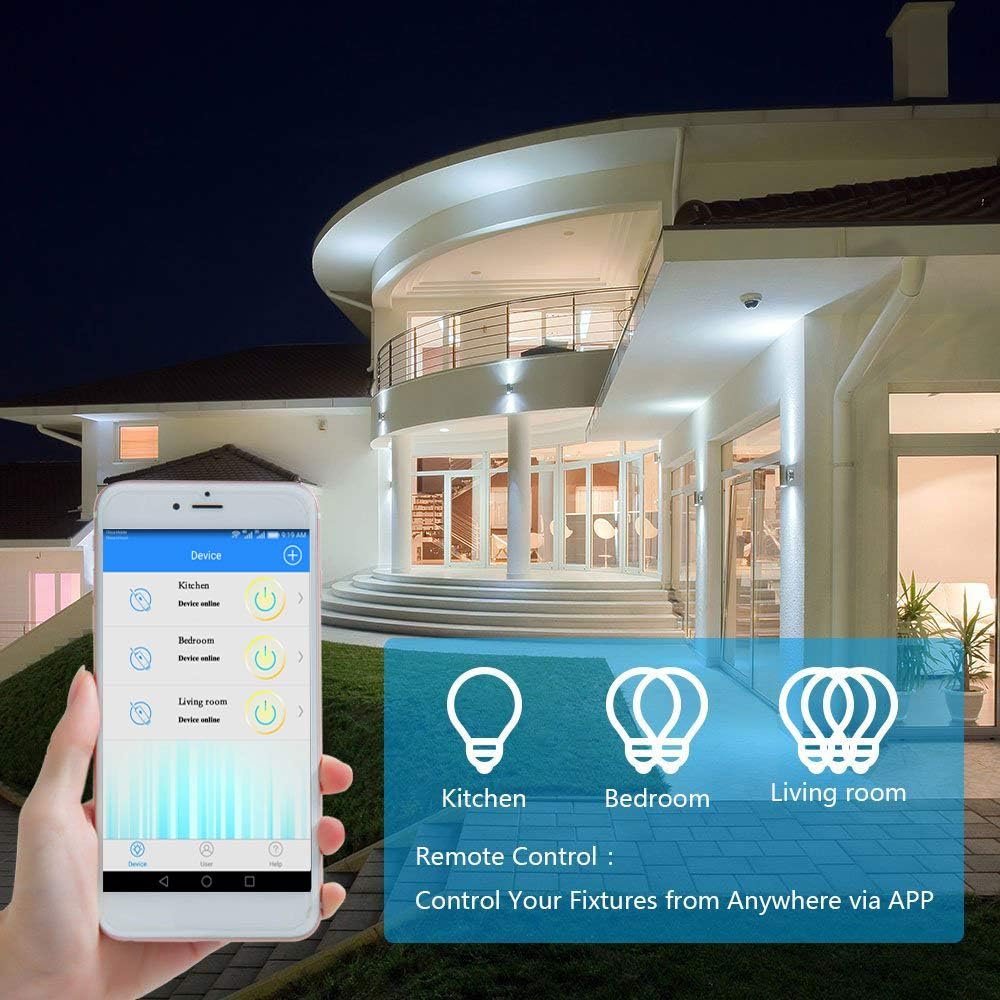
Figear 5: A smartphone displaying the "Wireless Smart" app interface, showing control over various light fixtures (Kitchen, Bedroom, Living Room).
6. Stiùireadh Obrachaidh
6.1 Smachd làimhe
Press the wireless switch panel to toggle the connected light or appliance on and off. The switch transmits a 433MHz signal to the receiver.
6.2 Smachd App
Use the "Wireless Smart" application on your smartphone to control your lights from anywhere with an internet connection.
- Open the "Wireless Smart" app.
- Tagh an suidse snasail a tha thu ag iarraidh bhon liosta innealan agad.
- Tap the on/off icon to toggle the light.
- If the connected light fixture supports dimming and the app provides the function, you can adjust brightness levels.
6.3 Voice Control (Amazon Alexa & Google Home)
Integrate your GREENCYCLE Smart Wireless Light Switch with Amazon Alexa or Google Home for convenient voice control.
- Cunntas Ceangail: In your Alexa or Google Home app, navigate to the 'Skills' or 'Works with Google' section. Lorg airson and enable the "Wireless Smart" skill/service. Link your "Wireless Smart" account.
- Faigh a-mach innealan: Ask your voice assistant to "Discover devices" or manually initiate device discovery in the app.
- Òrdughan gutha: Once discovered, you can use commands such as:
- "Alexa, tionndaidh air [Ainm an inneil]"
- "Hey Google, cuir dheth [Ainm an Inneil]"
- "Alexa, set [Device Name] to 50%" (if dimming is supported)
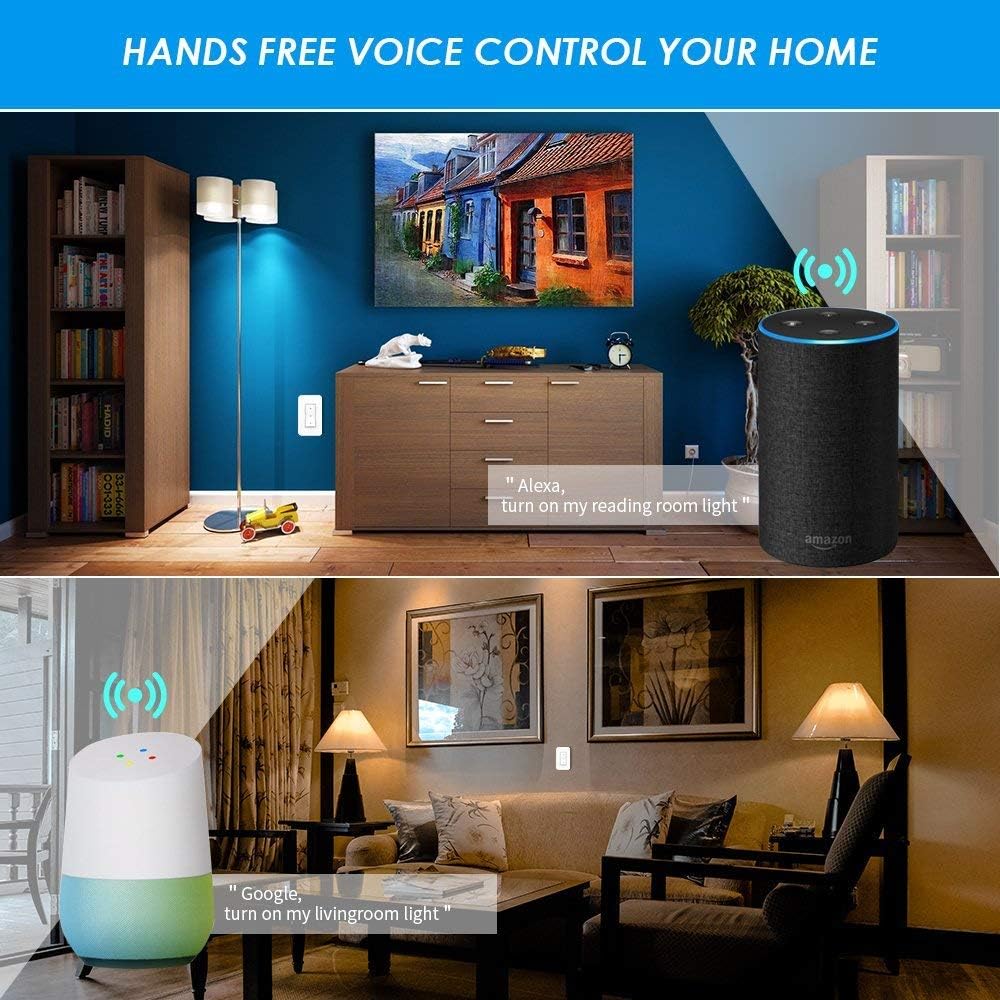
Figear 6: Examples of voice control in a home setting, showing an Amazon Echo and Google Home device responding to commands to control lights.
6.4 Gnìomh Tìm
Utilize the app's timing functions to automate your lights and appliances.
- Scheduled Timer: Set specific times for your lights to turn on or off daily.
- Timer Countdown: Suidhich timer airson an solas a chuir dheth às dèidh ùine shònraichte.
- Uaireadair Lùb: Cuir air dòigh cearcallan ath-aithriseach air/ dheth.
- Sunrise/Sunset Sync: Schedule lights to turn on or off based on local sunrise and sunset times.
Figear 7: Screenshots from the app demonstrating scheduled timers for lights, including daily on/off times and synchronization with sunrise/sunset.
7. Cumail suas
7.1 Glanadh
Wipe the wireless switch panel and receiver with a soft, dry cloth. Do not use abrasive cleaners or solvents, as these may damage the surface or internal components.
7.2 Wireless Switch Battery Replacement
The wireless switch is powered by a CR2032 button lithium battery, which has a long lifespan (up to 20 years, or 4-6 years with typical use). If the switch becomes unresponsive, the battery may need replacement.
- Carefully pry open the back cover of the wireless switch panel.
- Thoir air falbh an seann bataraidh CR2032.
- Cuir a-steach bataraidh CR2032 ùr leis an taobh adhartach (+) a’ coimhead suas.
- Snap the back cover securely into place.
8. A ’dèanamh trioblaid
8.1 Light Not Responding to Wireless Switch
- Check Receiver Power: Dèan cinnteach gu bheil an glacadair ceangailte gu ceart agus gu bheil e a’ faighinn cumhachd.
- Thoir sùil air paidhreachadh: Re-pair the wireless switch with the receiver (refer to Section 5.3).
- Sgrùdadh bataraidh: Replace the CR2032 battery in the wireless switch (refer to Section 7.2).
- Astar/Bacadh: Ensure the switch is within the effective range of the receiver (up to 40m indoors) and there are no excessive obstructions.
8.2 App/Voice Control Not Working
- Ceangal Wi-Fi: Verify that your receiver is connected to your 2.4GHz Wi-Fi network. Check your router and internet connection.
- Inbhe an aplacaid: Ensure the "Wireless Smart" app shows the device as "Online".
- Ceangal cunntais: Confirm that your "Wireless Smart" account is correctly linked to Amazon Alexa or Google Home.
- Ainm an inneal: Use the exact device name configured in the app for voice commands.
- Bacadh router: If you have a dual-band router, ensure the receiver is connected to the 2.4GHz band.
8.3 Light Flickers or Does Not Turn On/Off Correctly
- Co-fhreagarrachd luchdan: Ensure the connected light fixture's wattage does not exceed the receiver's maximum load (1000W).
- Sgrùdadh Uèirleachaidh: Double-check all wiring connections to the receiver (Live In, Neutral In, Live Out, Neutral Out) for looseness or incorrect placement.
- Gnìomh lasachaidh: If attempting to dim, ensure the light bulb itself is dimmable and the app supports dimming for this specific device.
9. Barantas agus Taic
For warranty information or technical support, please contact GREENCYCLE customer service. Refer to the product packaging or the GREENCYCLE official weblàrach-lìn airson am fiosrachadh conaltraidh as ùire.
Dèanadair: GREENCYCLE TECH INC.