
Ro-ràdh
This manual provides detailed instructions for the setup, operation, and maintenance of your VTech VT1301-3 Triple Cordless Phone system. Please read this guide thoroughly to ensure optimal performance and longevity of your device. This system features digital enhanced clarity for clear communication and includes three handsets for convenience.
1. Suidhich
1.1 Fo-phacadh agus Co-phàirtean
Thoir a h-uile nì a-mach às a’ bhogsa gu faiceallach. Dèan cinnteach gu bheil a h-uile pàirt an làthair:
- Prìomh aonad bunaiteach
- Three cordless handsets
- Three charging cradles
- Three power adapters
- Aon sreang loidhne fòn
- Rechargeable batteries (pre-installed or separate)

Image: The VTech VT1301-3 triple cordless phone system, showing the blue, red, and green handsets with their respective charging bases and power adapters.
1.2 A’ ceangal an Aonaid Bhunait
- Ceangail aon cheann de chorda loidhne a’ fòn ris an t-seacaid TEL LINE air cùl a’ phrìomh aonad bonn.
- Ceangail ceann eile càball na loidhne-fòn ri socaid balla fòn.
- Plug the power adapter into the POWER jack on the main base unit.
- Plug ceann eile an inneal-atharrachaidh cumhachd a-steach do inneal dealain.
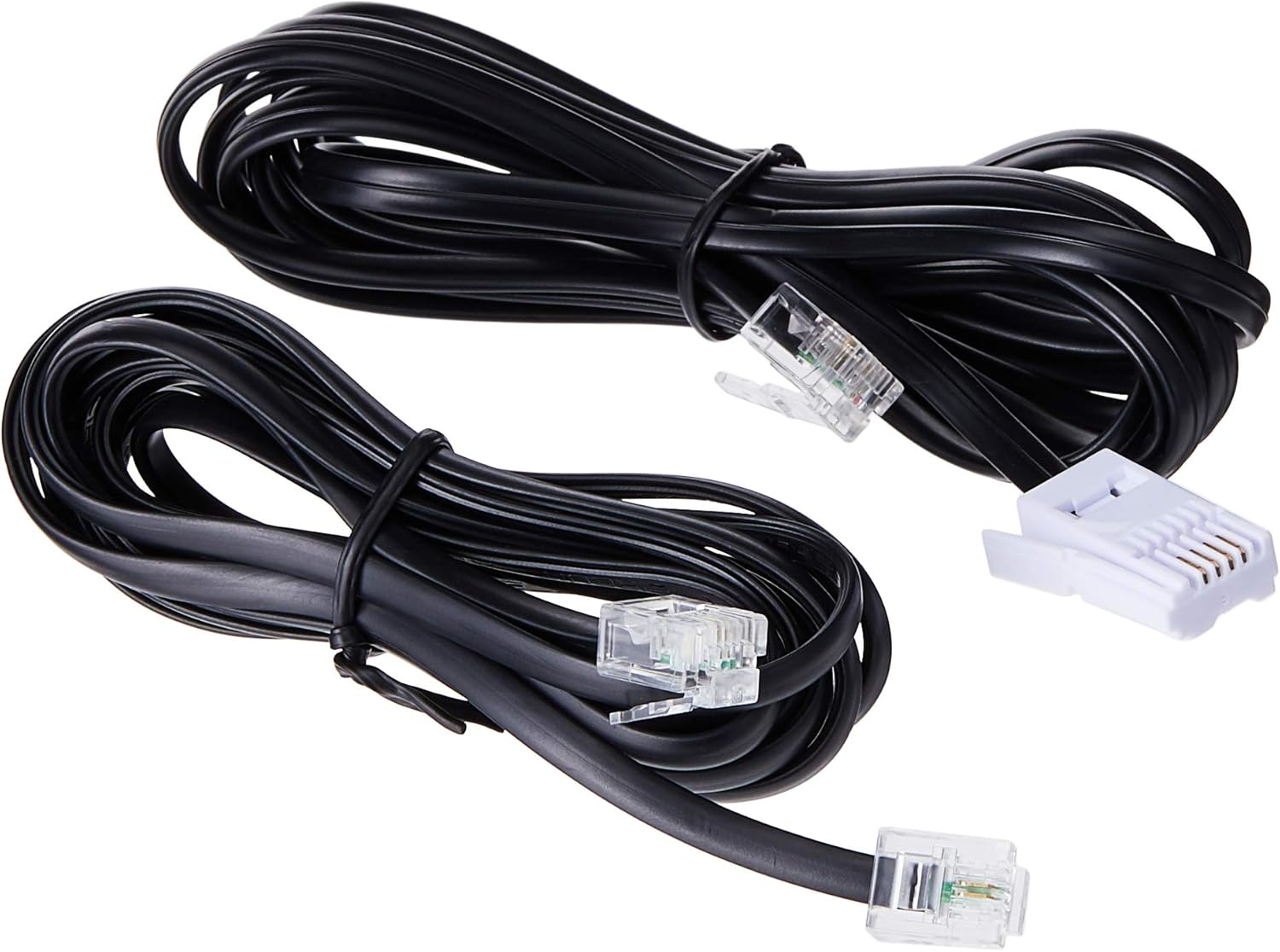
Image: Two black telephone line cords, essential for connecting the base unit to a telephone wall jack.
1.3 Charging the Handsets
Before initial use, charge each handset for at least 16 hours. Place each handset face forward in its respective charging cradle. The charge indicator on the handset or base will illuminate to confirm proper placement and charging.
- Ensure the power adapters for all charging cradles are plugged into electrical outlets.
- Place each handset securely in its cradle.
- A full charge ensures optimal battery performance.
2. Stiùireadh Obrachaidh
2.1 Gnìomhan bunaiteach gairm

Ìomhaigh: Mion-fhiosrachadh view of the VTech VT1301-3 handset, highlighting its large character blue backlit LCD display and functional keypad.
- A’ dèanamh gairm: Brùth TALAMH, an uairsin cuir fòn chun na h-àireimh. Air neo, cuir fòn chun na h-àireimh an toiseach agus an uairsin brùth TALAMH.
- A ’freagairt gairm: Nuair a bhuaileas am fòn, brùth TALAMH no iuchair dialing sam bith (0-9, #, *).
- Cuir crìoch air Call: Brùth AIRSON or place the handset back in its charging cradle.
- Fòn-làimhe inneal-labhairt: Rè gairm, brùth air an Fòn-labhairt button (often integrated with TALK or a separate icon) to activate or deactivate the speakerphone.
2.2 Feartan adhartach
- Leabhar Fòn: Store up to 20 names and numbers. Access via the MENU / Ceart gu leòr button and navigate to the Phonebook option.
- ID neach-fios: The phone displays the last 10 caller numbers. Press CID (Caller ID) to review an liosta.
- Ath-ghairm: Brùth RIAGHAILT gu view agus ath-dhèan na 5 àireamhan mu dheireadh a chaidh a ghairm.
- Gluasad fòn: Rè gairm bhon taobh a-muigh, brùth MENU / Ceart gu leòr, select 'Transfer', and choose the internal handset to transfer the call to.
- Glaodh a-staigh: Make calls between handsets by pressing the INT or MENU / Ceart gu leòr button and selecting the desired handset.
- Gairm Co-labhairt 3-Shligheach: Initiate a 3-way conference call involving two internal handsets and one external line.
- Page/Handset Locator: Brùth an DUILLEAG button on the main base unit to locate a misplaced handset.
- Fuinn-fhuaim: Choose from 10 ringer melodies (5 polyphonic and 5 standard) in the handset settings.
- Lock Keypad: Brùth agus cùm an # key to lock/unlock the keypad.
- Alarm: Suidhich inneal-rabhaidh tron chlàr-taice air an inneal-làimhe.
3. Cumail suas
3.1 Glanadh do fhòn
To keep your phone clean, wipe it with a soft, slightly damp cloth. Do not use cleaning sprays or harsh chemicals as they may damage the finish or electrical components. Ensure the phone is disconnected from power before cleaning.
3.2 Cùram Bataraidh
- Always use the VTech approved rechargeable batteries provided with your phone.
- For optimal battery life, avoid placing the phone in direct sunlight or in areas with extreme temperatures.
- Mura tèid am fòn a chleachdadh airson ùine mhòr, thoir air falbh na bataraidhean gus casg a chur air aodion.
4. A ’dèanamh trioblaid
If you experience any issues with your VTech VT1301-3 phone, please refer to the following common solutions:
- Gun tòna dial: Ensure the telephone line cord is securely connected to both the base unit and the wall jack. Check if the power adapter is properly connected to the base unit and an electrical outlet.
- Chan urrainnear gairmean a dhèanamh no fhaighinn: Verify that the handset batteries are charged. Check the telephone line connection. If you have a DSL service, ensure a DSL filter is installed.
- Càileachd fuaim truagh: Move closer to the base unit. Ensure there are no large metal objects or other electronic devices interfering with the signal. Check for any loose connections.
- Fòn-làimhe gun a bhith a’ cur cosgais: Ensure the handset is correctly seated in the charging cradle. Verify that the charging cradle's power adapter is plugged into a working electrical outlet. Clean the charging contacts on both the handset and cradle with a dry cloth.
- Handset displays "Out of Range" or "No Link": Move the handset closer to the main base unit. If the issue persists, try resetting the base unit by unplugging its power adapter for a few minutes, then plugging it back in.
5. Sònrachaidhean
| Feart | Tuairisgeul |
|---|---|
| Modail Àireamh | VT1301-3 |
| Seòrsa fòn | Gun uèir (DECT) |
| Raon Còmhraidh | Up to 300m (outdoor)* |
| Radiation Mode | Ultra-low Radiation Mode** |
| Taisbeanadh | Large character with blue backlit LCD display |
| Clàr-innse Leabhar-fòn | 20 Name and Number entries |
| Taisbeanadh ID neach-conaltraidh | 10 caller number display |
| Redial Àireamh mu dheireadh | 5 last number redial |
| Ringer Melodies | 10 (5 polyphonic and 5 standard) |
| Call Co-labhairt | 3-Way conference call capability |
| Stòr cumhachd | Electric Corded |
| UPC | 735078040251 |
* The actual talk range may vary depending on environmental conditions.
** Ultra-low Radiation Mode operates with the lowest radiation.
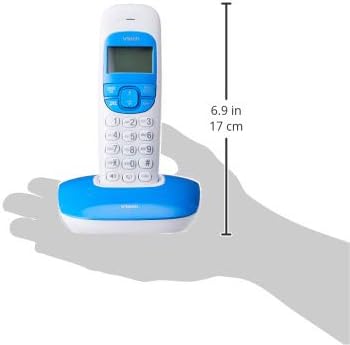
Image: Dimensions of a VTech cordless phone handset in its charging cradle, showing a height of 17 cm.
6. Barantas agus Taic
For specific warranty terms and conditions, please refer to the warranty card included in your product packaging. This document outlines the coverage period and conditions for service.
For technical support, frequently asked questions, or to download the latest version of this manual, please visit the official VTech weblàrach-lìn no cuir fios chun roinn seirbheis teachdaiche aca a’ cleachdadh am fiosrachadh conaltraidh a tha air a thoirt seachad ann an sgrìobhainnean an toraidh agad.