
Ro-ràdh
Tapadh leibh airson ceannachasing the MAJORITY Histon Portable DAB/DAB+ Digital Radio. This manual provides essential information for setting up, operating, and maintaining your radio. Please read it thoroughly before use to ensure optimal performance and longevity of your device.
Dè th' anns a' Bhocsa
- MAJORITY Histon Radio
- Càball cumhachd prìomh phìoban
- Leabhar-làimhe an t-Sealbhadair (an sgrìobhainn seo)

Image: The contents of the product packaging, including the Histon radio, its mains power cable, and the user manual.
Bathar seachadview
The MAJORITY Histon radio is designed for portable and mains-powered listening, offering both DAB/DAB+ and FM radio reception. It features a clear LED display, dual alarm functionality, and a sleep timer.
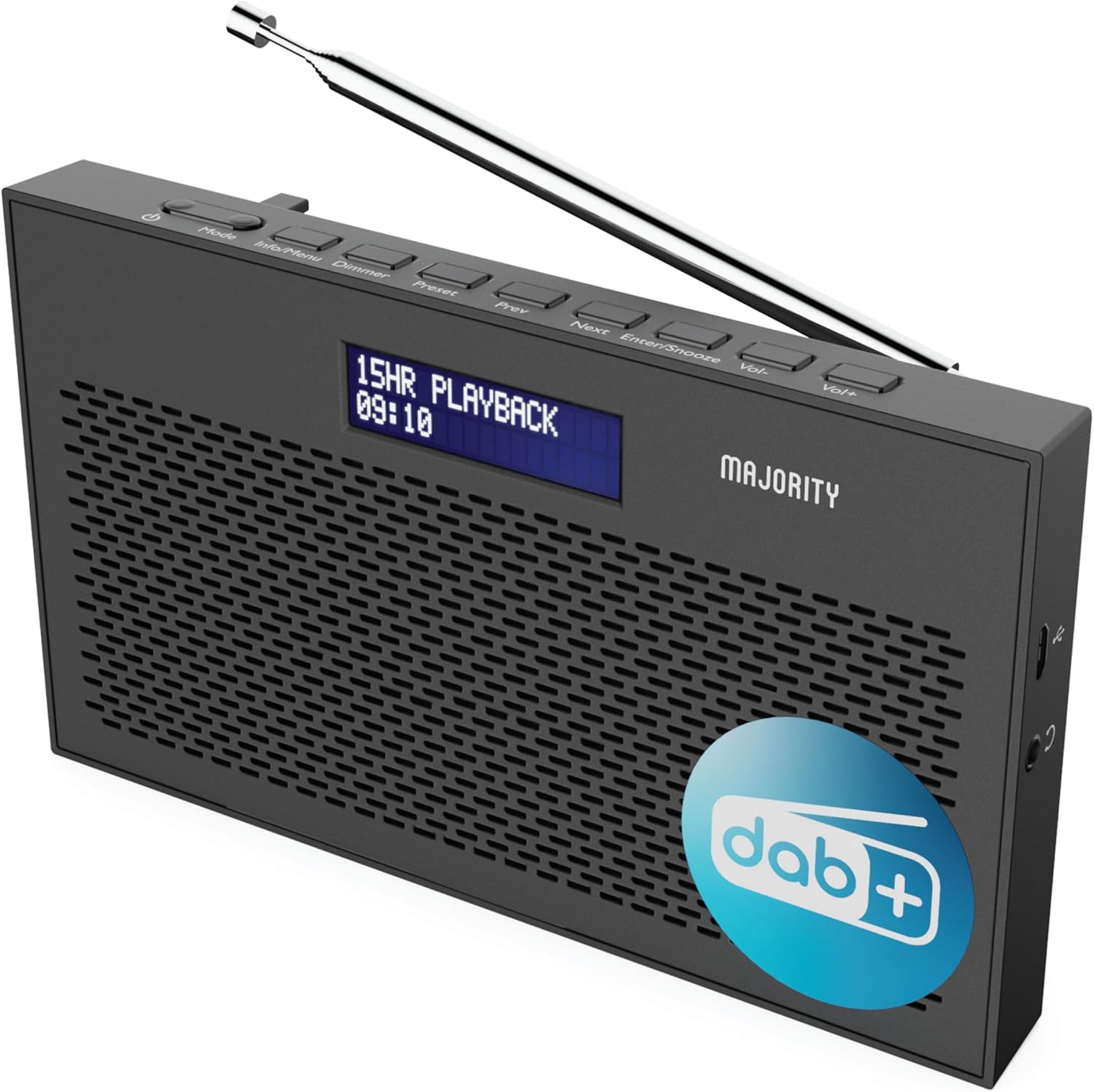
Ìomhaigh: Mion-fhiosrachadh view of the Majority Histon radio, highlighting its compact design and front speaker.
Smachdan agus Taisbeanadh
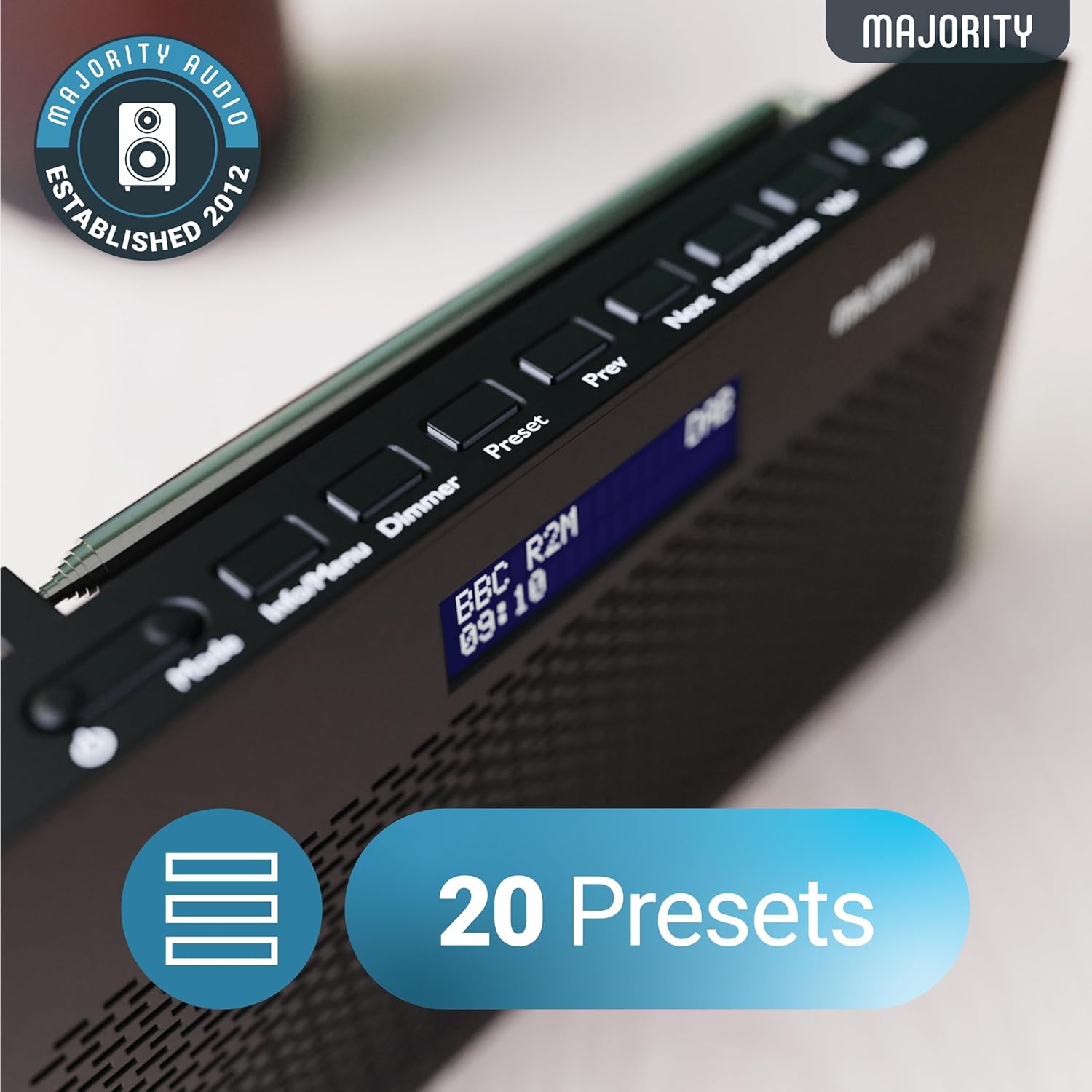
Image: A close-up of the radio's top panel, illustrating the various control buttons and the LED display showing station information.
- Modh: Switches between DAB, FM, and other modes.
- Fiosrachadh/Clàr-taice: Displays station information or accesses menu settings.
- Dimmer: Atharraich soilleireachd taisbeanaidh.
- Ro-shuidhichte: Accesses or saves preset stations.
- Roimhe/Air adhart: A’ seòladh tro stèiseanan no roghainnean clàr-taice.
- Enter/Snooze: Confirms selections or activates snooze during an alarm.
- Vol-/Vol+: Ag atharrachadh tomhas-lìonaidh.
Puirt is Ceanglaichean
- DC ANN AN Port: For connecting the mains power cable.
- Jack Headphone 3.5mm: Airson èisteachd prìobhaideach.
- Roinn Bataraidh: Located on the rear for 4 AA batteries (not included).
- Antenna teileasgopach: Extendable for optimal signal reception.
Suidhich
A’ cur cumhachd air adhart
The Histon radio can be powered by either the included mains power cable or 4 x AA batteries (not supplied).
- Prìomh chumhachd: Connect the mains power cable to the DC IN port on the radio and plug the adapter into a wall socket.
- Cumhachd Bataraidh: Open the battery compartment on the rear of the radio and insert 4 x AA batteries, ensuring correct polarity.

Image: The radio in a portable setting, emphasizing its 15-hour battery life capability.
Atharrachadh antenna
Extend the telescopic antenna fully for the best possible signal reception, especially for DAB/DAB+ and FM broadcasts.
Initial Scan (DAB/DAB+)
Upon first power-on, the radio will automatically perform a full scan for DAB/DAB+ stations. This process may take a few minutes. Once complete, the radio will tune to the first available station.
- If no stations are found, ensure the antenna is fully extended and reposition the radio, then perform a manual scan (see Operating Instructions).
Stiùireadh Obrachaidh
Obrachadh Rèidio DAB/DAB+
- Selecting DAB Mode: Brùth an Modh brùth air a’ phutan gus an nochd “DAB”.
- Taghadh an stèisein: Cleachd an Roimhe seo or Air adhart buttons to scroll through available DAB stations. Press Cuir a-steach gus stèisean a thaghadh.
- Scan Làn: To perform a full scan for new stations, press and hold the Fiosrachadh / Clàr button to enter the menu, then navigate to "Full Scan" and press Cuir a-steach.
- Stèiseanan Preset:
- Sàbhaladh ro-shuidhichte: Fhad ’s a tha thu ag èisteachd ri stèisean, brùth is cum sìos am putan Ro-shuidhichte putan. Cleachd Prev / Air adhart gus àireamh ro-shuidhichte (1-20) a thaghadh, an uairsin brùth Cuir a-steach a shàbhaladh.
- A’ toirt air ais ro-shuidheachadh: Brùth goirid air an Ro-shuidhichte putan. Cleachd Prev / Air adhart to scroll through saved presets, then press Cuir a-steach to tune.
Image: The radio's control panel, highlighting the capability to store up to 20 preset radio stations.
Gnìomh rèidio FM
- Selecting FM Mode: Brùth an Modh gus an nochd “FM”.
- Sgan Auto: Brùth agus cum Cuir a-steach to automatically scan for the next available FM station.
- Tuning Stiùireadh: Brùth goirid Roimhe seo or Air adhart to fine-tune the frequency in 0.05 MHz steps.
- Stèiseanan Preset: Saving and recalling FM presets follows the same procedure as DAB presets.
A 'suidheachadh Alarms
The Histon radio features a dual alarm function.

Image: The radio displaying "DUAL ALARM" on its screen, illustrating its dual alarm capability.
- Brùth agus cum Fiosrachadh / Clàr gus a dhol a-steach don chlàr.
- Cleachd Prev / Air adhart to navigate to "System Settings" and press Cuir a-steach.
- Seòl gu “Alarm” agus brùth Cuir a-steach.
- Select "Alarm 1" or "Alarm 2" and press Cuir a-steach.
- Configure the alarm time, duration, source (Buzzer, DAB, FM), frequency (Daily, Once, Weekends, Weekdays), and volume using Prev / Air adhart agus Cuir a-steach.
- To activate/deactivate an alarm, select "On" or "Off" for the chosen alarm.
- When an alarm sounds, press Cuir a-steach / cuir air falbh to snooze for 9 minutes, or press the Cumhachd putan gus an inneal-rabhaidh a chuir dheth.
Ùine cadail
Leigidh an timer cadail leis an rèidio tionndadh dheth gu fèin-ghluasadach às dèidh ùine shuidhichte.
- Brùth agus cum Fiosrachadh / Clàr gus a dhol a-steach don chlàr.
- Navigate to "System Settings" and press Cuir a-steach.
- Navigate to "Sleep" and press Cuir a-steach.
- Cleachd Prev / Air adhart to select the desired sleep duration (e.g., 15, 30, 45, 60, 90, 120 minutes) or "Off". Press Cuir a-steach a dhearbhadh.
Taisbeanadh soilleireachd
Adjust the brightness of the LED display.
- Brùth goirid air an Dimmer putan gus gluasad tro ìrean soilleireachd.
Cleachdadh Fòn-cluaise
For private listening, connect standard 3.5mm headphones to the headphone jack on the side of the radio. The internal speaker will automatically mute when headphones are connected.
Fuasgladh thrioblaidean
| Trioblaid | Adhbhar / Fuasgladh a dh’fhaodadh a bhith ann |
|---|---|
| Gun chumhachd / Chan eil an rèidio a’ tionndadh air. |
|
| Poor DAB/FM reception or no stations found. |
|
| Tha fuaim air a shaobhadh no eadar-amail. |
|
| Chan eil an inneal-rabhaidh a’ fuaimeachadh. |
|
| Tha an taisbeanadh bàn no do-leughaidh. |
|
Sònrachaidhean
- Modail: Histon 2
- Meudan toraidh: 18 x 4.5 x 11 cm (L x W x H)
- Cuideam: 249 gram
- Stòr cumhachd: Mains (via included adapter) or 4 x AA Batteries (not included)
- Còmhlan Rèidio le taic: DAB/DAB+, FM
- Presets: 20 (DAB) / 20 (FM)
- Ceangal: 3.5mm Headphone Jack, DC IN Port
- Feartan sònraichte: Portable, Lightweight, Automatic and Manual Tuning, Dual Alarm Clock, Sleep Timer, LED Display, Mono/Auto Switching in FM Mode

Image: A visual representation of the radio's dimensions for reference.
Cumail suas
- Glanadh: Cleachd clò bog, tioram gus uachdar an rèidio a ghlanadh. Na cleachd innealan-glanaidh sgrìobach no fuasglaidhean.
- Stòradh: Ma bhios tu a’ stòradh an rèidio airson ùine mhòr, thoir a-mach na bataraidhean gus casg a chur air aodion. Stòraich ann an àite fionnar, tioram.
- Taisbeanadh uisge: Chan eil an rèidio seo dìonach bho uisge. Seachain a bhith fosgailte do uisge no taiseachd àrd.
- Cùram Antenna: Làimhsich an antenna teileasgopach gu socair gus casg a chur air lùbadh no briseadh.
Barantas agus Taic
The MAJORITY Histon radio comes with a Barantas 3-bliadhna. To activate your warranty and for further support, please refer to the registration instructions provided with your purchase or visit the official MAJORITY weblàrach.
For technical assistance or warranty claims, please contact MAJORITY customer support through their official channels. Keep your proof of purchase for warranty validation.

Image: A graphic highlighting the 3-year warranty provided with Majority audio products.