
1. Ro-ràdh
This manual provides comprehensive instructions for the installation, operation, and maintenance of the FAAC E600 (D600) Electronic Board Remote Control. Please read this manual carefully before using the product to ensure safe and efficient operation. Keep this manual for future reference.
2. Fiosrachadh Sàbhailteachd
Cùm na ceumannan sàbhailteachd a leanas an-còmhnaidh gus casg a chur air dochann no milleadh air an toradh:
- Ensure the power supply is disconnected before any installation or maintenance procedures.
- Cha bu chòir ach do luchd-obrach teisteanasach an stàladh agus an càradh a dhèanamh.
- Na nochd an inneal gu fìor theodhachd, taiseachd no solas dìreach.
- Cùm an inneal air falbh bho chlann is peataichean.
- Use only original FAAC spare parts and accessories.
3. Pasgan-susbaint
Dèan cinnteach gu bheil a h-uile nì anns a’ phacaid:
- FAAC E600 (D600) Electronic Board Remote Control
- Leabhar-làimhe cleachdaiche (an sgrìobhainn seo)
- Stàladh bathar-cruaidh (ma tha sin iomchaidh)
4. Toradh thallview
The FAAC E600 (D600) is an electronic board remote control designed for reliable operation of compatible FAAC systems. It features a robust design and ergonomic handling.
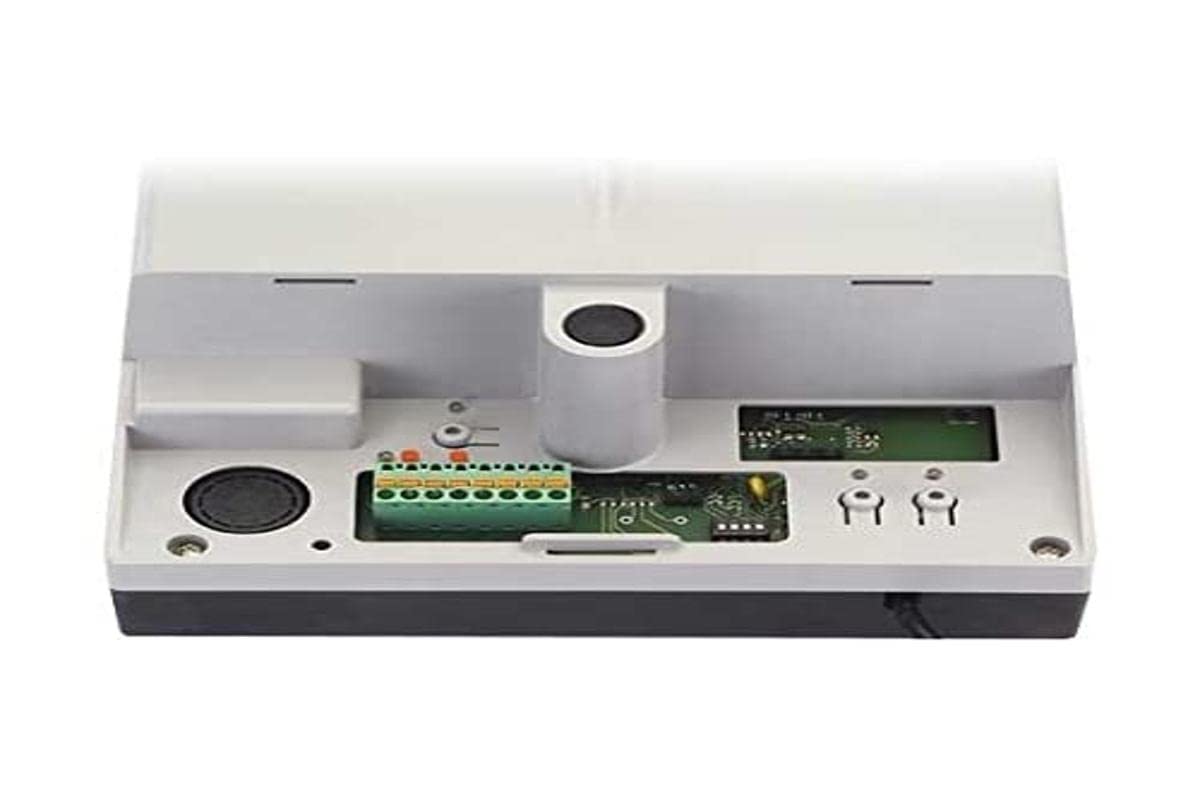
Image 1: FAAC E600 (D600) Electronic Board Remote Control. This image shows the compact design of the remote control unit.
Am measg nam prìomh fheartan tha:
- Dealbhadh ergonomic: Furasta a chumail agus a chleachdadh.
- Ceangal: Radio frequency and Infrared technology for versatile control.
- Àireamh de phutanan: 1 button for simple operation.
5. Setup agus Stàladh
Follow these steps to set up your FAAC E600 (D600) remote control:
- Stàladh bataraidh:
Open the battery compartment on the back of the remote control. Insert the required batteries, ensuring correct polarity (+/-). Close the compartment securely.
- A 'càradh le Receiver:
Refer to the manual of your FAAC receiver unit (e.g., gate opener, barrier system) for specific pairing instructions. Typically, this involves pressing a programming button on the receiver and then pressing the button on the E600 (D600) remote control within a short timeframe.
- Deuchainn:
After successful pairing, test the remote control's functionality by operating the connected device from a safe distance.
6. Stiùireadh Obrachaidh
The FAAC E600 (D600) remote control is designed for simple, single-button operation.
- Gus a ghnìomhachadh: Press and hold the single button on the remote control. The connected FAAC device will respond according to its programmed function (e.g., open/close gate, activate barrier).
- Raon: Ensure you are within the operational range of the receiver for reliable communication. Obstacles can reduce the effective range.
7. Cumail suas
Gus dèanamh cinnteach gum mair an smachd iomallach agad fad-beatha agus gum bi e ag obair gu h-iomchaidh, lean na stiùiridhean cumail suas seo:
- Glanadh: Sguab an smachd iomallach le clò bog, tioram. Na cleachd innealan-glanaidh sgrìobach no fuasglaidhean.
- Ath-nuadhachadh bataraidh: Replace batteries when the operational range decreases or the indicator light (if present) signals low power. Dispose of old batteries responsibly.
- Stòradh: Stòraich an smachd iomallach ann an àite tioram, air falbh bho sholas dìreach na grèine agus teòthachd anabarrach, nuair nach eilear ga chleachdadh airson ùine mhòr.
8. A ’dèanamh trioblaid
If you encounter issues with your FAAC E600 (D600) remote control, refer to the following table:
| Trioblaid | Adhbhar a dh’fhaodadh a bhith ann | Fuasgladh |
|---|---|---|
| Smachd iomallach gun a bhith ag obair. | Bataraidhean marbh. | Cuir bataraidhean an àite. |
| Remote control has short range. | Low batteries; Obstruction between remote and receiver. | Replace batteries; Ensure clear line of sight or reduce distance. |
| Device not responding after battery change. | Remote control lost pairing with receiver. | Re-pair the remote control with the receiver (refer to Section 5). |
If the problem persists, contact FAAC customer support or a qualified technician.
9. Sònrachaidhean
| Feart | Mion-fhiosrachadh |
|---|---|
| Brand | FAAC |
| Ainm Modail | E600 (D600) |
| Feart sònraichte | Ergonomic |
| Innealan co-fhreagarrach | FAAC Camera Systems (and other compatible FAAC devices) |
| Teicneòlas ceangail | Radio Frequency, Infrared |
| Àireamh de phutanan | 1 |
| Seòrsa Rianadair | Smachd putan |
| Cuideam nì | 100 gram |
| Còd Eadar-nàiseanta nan Artaigilean (EAN) | 08055195014853 |
10. Barantas agus Taic
For warranty information and technical support, please refer to the official FAAC website or contact your authorized FAAC dealer. Keep your proof of purchase for warranty claims.