
Ro-ràdh
This manual provides detailed instructions for the setup, programming, and operation of the GBS Jolly Open 2 universal fixed-code learning remote control. This device is designed to duplicate existing 433.92 MHz fixed-code gate and garage door remote controls.
The GBS Jolly Open 2 is a compact remote control capable of storing up to two different codes, even from various original remote controls. It features a sliding button cover to prevent accidental activation. Its user-friendly programming and ability to retain stored codes during battery replacement make it a convenient solution for remote control duplication.
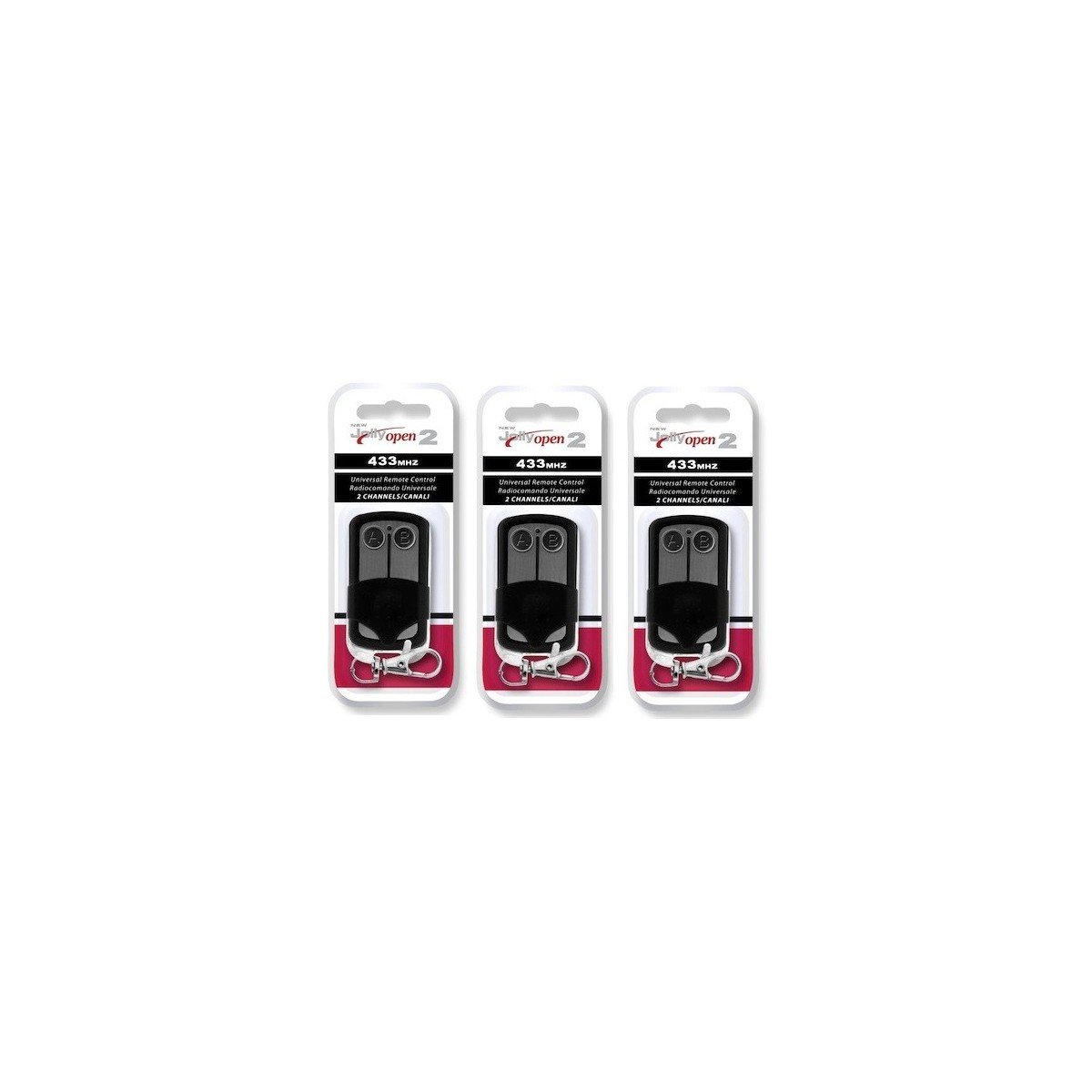
Image: Three GBS Jolly Open 2 universal remote controls. These remotes are designed for duplicating fixed-code signals.
Fiosrachadh Sàbhailteachd Cudromach
- Co-fhreagarrachd tricead: This remote control is designed to operate only within the 433.92 MHz frequency range. It is neo-fhreagarrach with other frequencies such as 27 MHz, 31 MHz, 33 MHz, 49 MHz, 224 MHz, etc. Attempting to duplicate remotes outside the specified frequency range will not be successful.
- Fixed Code Only: The GBS Jolly Open 2 is compatible only with fixed-code remote controls. It is neo-fhreagarrach with rolling code (also known as hopping code) systems. Rolling code remotes typically do not feature internal DIP switches (micro-switches). Please verify if your original remote has DIP switches with ON/OFF positions.
- Original Remote Required: An original, working remote control is absolutely necessary for the duplication process. This device cannot replace a lost or non-functional smachd iomallach.
Setup: Programming Instructions
Follow these steps carefully to program your GBS Jolly Open 2 remote control:
Step 1: Clear Existing Codes
- Brùth agus gleidh na putanan A agus B simultaneously on the GBS Jolly Open 2 remote.
- Continue holding until the LED indicator flashes three times rapidly.
- Fhad ’s a tha thu fhathast a’ cumail a’ phutan A, putan fuasglaidh B and then press button B tri uairean.
- The LED will then flash continuously.
- Release both buttons. The remote is now cleared and ready for duplication.
Step 2: Copy the Code from Your Original Remote
- Hold your original remote control in one hand and the GBS Jolly Open 2 remote in the other.
- Bring the two remote controls very close together, ideally touching or within a few millimeters.
- Simultaneously press and hold the desired button on your original remote (e.g., the button that opens your gate) and the corresponding button (e.g., button A) on the GBS Jolly Open 2 remote.
- Continue holding both buttons until the LED on the GBS Jolly Open 2 flashes continuously. This indicates successful code learning.
- Sgaoil an dà phutan.
- Repeat this process for any other buttons you wish to program (e.g., button B for a second function).
The entire code learning process typically takes only a few seconds per button.
Ag obrachadh an Remote Control
After successful programming, simply press the corresponding button on your GBS Jolly Open 2 remote control to activate the desired function (e.g., open/close your gate, activate lighting, etc.). The sliding cover helps prevent accidental button presses when the remote is in your pocket or bag.
Cumail suas
Ath-nuadhachadh bataraidh
The GBS Jolly Open 2 remote control is designed to retain all programmed codes even when the battery is replaced. To replace the battery:
- Fosgail an smachd iomallach gu faiceallach casing.
- Thoir air falbh an t-seann bataraidh.
- Insert a new battery of the same type, ensuring correct polarity.
- Dùin an smachd iomallach casing gu tèarainte.
Cùram agus Glanadh
Wipe the remote with a soft, dry cloth. Avoid using harsh chemicals or abrasive cleaners. Keep the remote away from extreme temperatures and moisture.
Fuasgladh thrioblaidean
- Remote not duplicating:
- Ensure your original remote is a fixed-code type and operates at 433.92 MHz. Check for internal DIP switches on your original remote.
- Verify that the original remote is functioning correctly.
- Ensure the remotes are held very close together during the programming process.
- Repeat the clearing and copying steps carefully, ensuring the LED flashes as described.
- Check the battery level of both the original and the GBS Jolly Open 2 remote.
- LED not flashing during programming:
- Ensure the buttons are pressed firmly and held for the required duration.
- Check the battery level of the GBS Jolly Open 2 remote.
- Programmed remote has short range:
- Dèan cinnteach gu bheil cosgais iomlan air a ’bhataraidh.
- Reprogram the remote, ensuring optimal proximity during the copying step.
- Faodaidh factaran àrainneachdail no bacadh buaidh a thoirt air an raon.
Sònrachaidhean
| Àireamh Modail: | X9-I51M-ZUD1 |
| Brand: | GBS |
| Tricead luchd-giùlan: | 433.92 MHz |
| Co-chòrdalachd: | Fixed-code remotes only (not rolling code). Compatible with approximately 400 models, including:
|
| Meudan: | 55 x 30 x 13 mm |
| Cuideam: | 15 gram |
Barantas agus Taic
For warranty information or technical support, please refer to the documentation provided with your purchase or contact your retailer. Keep your proof of purchase for any warranty claims.