
UDIRC U46
Leabhar-làimhe Cleachdaiche Drone Mini UDIRC U46
Modail: U46
1. Ro-ràdh
The UDIRC U46 Mini Drone is a compact quadcopter designed for beginners and recreational flying. It features user-friendly controls and safety mechanisms to ensure an enjoyable experience. This manual provides essential information for operating and maintaining your drone.

Image 1.1: The UDIRC U46 Mini Drone, its remote controller, and three included batteries.
2. Stiùireadh Sàbhailteachd
- Moladh aois: Tha an toradh seo air a mholadh do luchd-cleachdaidh 14 bliadhna a dh'aois agus nas sine.
- Cleachdadh a-staigh: The U46 drone is primarily designed for indoor use. Avoid flying in windy conditions outdoors, as this can lead to loss of control.
- Raon soilleir: Operate the drone in an open area free from obstacles, people, and pets.
- Sàbhailteachd Propeller: Keep fingers, hair, and loose clothing away from the spinning propellers. The drone features propeller guards for added safety.
- Sàbhailteachd bataraidh: Do not overcharge batteries. Use only the provided USB charger. Discontinue use if batteries show signs of damage or swelling.
- Taisbeanadh uisge: Avoid contact with water or moisture to prevent damage to electronic components.
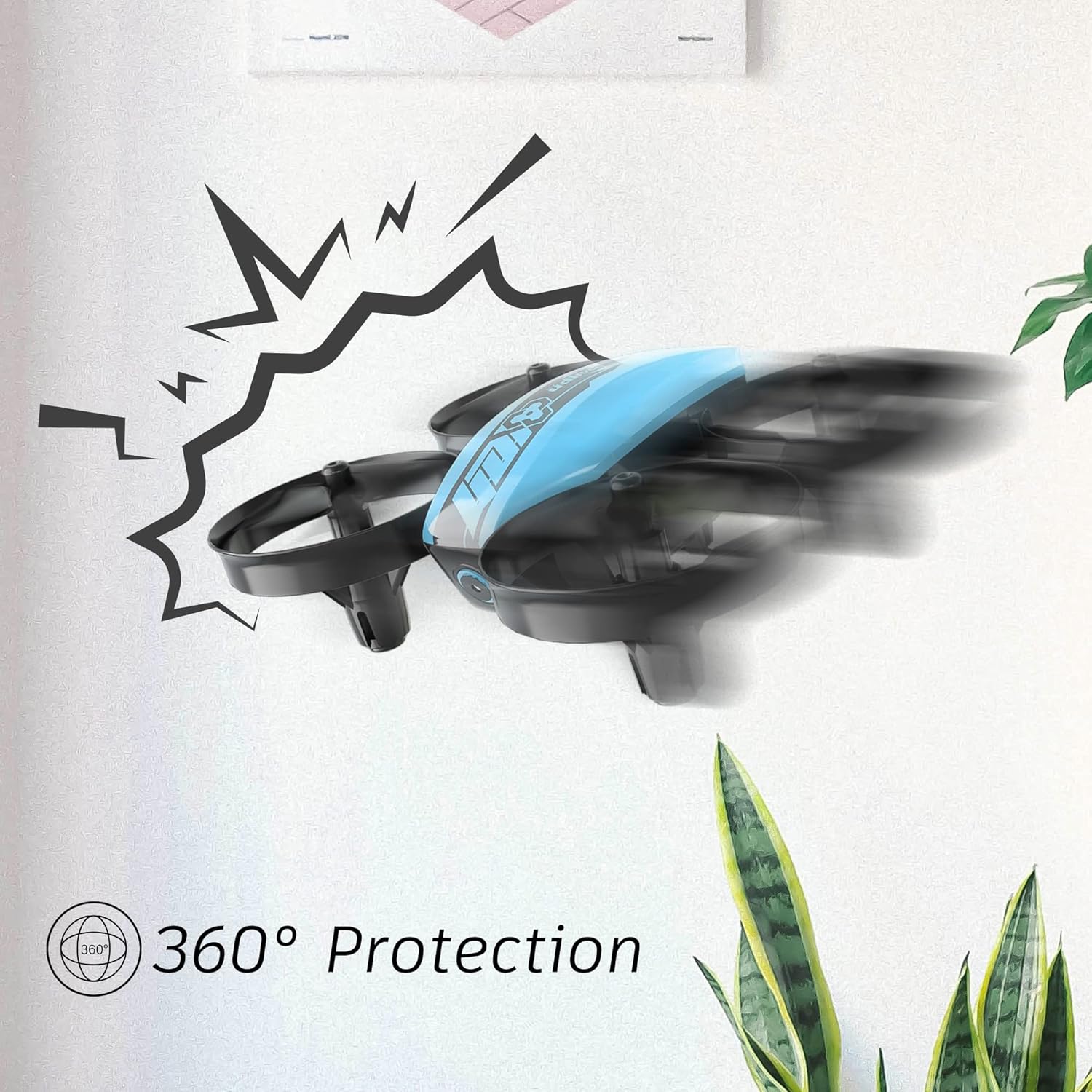
Image 2.1: The drone's 360-degree propeller protection guards help prevent damage during minor collisions.
3. Pasgan-susbaint
Dèan cinnteach gu bheil a h-uile nì anns a’ phacaid:
- 1 x U46 Mini Drone
- 1 x Riaghladair
- 3 x Bataraidhean Dròn
- 1 x USB charger
- 4 x Extra Propellers
- 1 x Leabhar-làimhe Cleachdaiche

Image 3.1: All components included in the UDIRC U46 Mini Drone package.
4. Co-phàirtean thairisview
Familiarize yourself with the drone and controller components.
4.1 Pàirtean an Dròin
- Luchd-molaidh: Four rotating blades for lift and movement.
- Geàrdan Propeller: Integrated protective rings around each propeller.
- Prìomh Bhuidheann: Houses the electronics and battery.
- Solais comharra: Provide status information (e.g., pairing, low battery).
4.2 Pàirtean an Smachdair
- Luing-stiùiridh Clì (Throttle/Yaw): A’ cumail smachd air àirde agus rothlachd.
- Luing-stiùiridh deas (Pitch/Roll): A’ cumail smachd air gluasad air adhart/air ais agus clì/deas.
- One Key Take-off/Landing Button: A’ tòiseachadh air togail no tighinn air tìr fèin-ghluasadach.
- Putan Modh Luas: Ag atharrachadh eadar diofar astaran itealaich.
- Putan Modh gun cheann: A’ cur itealaich gun cheann an gnìomh.
- Switch cumhachd: A’ tionndadh an rianadair air/dheth.
- Solas comharra: A’ sealltainn inbhe an rianadair.
5. Suidhich
5.1 A’ cur cosgais air bataraidh an dròin
- Connect the drone battery to the USB charger.
- Plug the USB charger into a USB power source (e.g., computer, USB wall adapter).
- The indicator light on the USB charger will illuminate during charging and turn off when fully charged.
- Charging time is approximately 30 minutes per battery.
5.2 Installing Controller Batteries
- Open the battery compartment on the back of the controller.
- Insert 3 x 1.5V AA batteries (not included), ensuring correct polarity.
- Dùin an roinn bataraidh gu tèarainte.
5.3 A’ paidhreachadh an dròin agus an rianadair
- Cuir an drone air uachdar còmhnard, còmhnard.
- Cuir suidse cumhachd an dròin air. Bidh solais-comharrachaidh an dròin a’ priobadh.
- Turn on the controller's power switch. The controller's indicator light will flash.
- Brùth an luing stiùiridh clì (throttle) fad na slighe suas, agus an uairsin fad na slighe sìos.
- The drone and controller indicator lights will become solid, indicating successful pairing.
Video 5.1: This video demonstrates the simple frequency pairing process, one-key take-off/landing, headless mode, altitude hold, and low battery alarm features of the UDI U46 Mini Drone.
6. A’ cleachdadh an dròin
6.1 Aon phrìomh thoirt air falbh agus tighinn air tìr
- After pairing, press the One Key Take-off/Landing button. The drone will automatically ascend to a stable hovering altitude.
- To land, press the One Key Take-off/Landing button again. The drone will slowly descend and land.
6.2 Smachdan Itealaich
- Luing-stiùiridh Clì (Throttle): Push up to increase altitude, pull down to decrease altitude.
- Left Joystick (Yaw): Push left or right to rotate the drone horizontally.
- Right Joystick (Pitch): Push up to fly forward, pull down to fly backward.
- Right Joystick (Roll): Push left to fly left, push right to fly right.
6.3 Modh gun cheann
- Press the Headless Mode button to activate. In this mode, the drone's orientation is irrelevant; it will always move relative to the pilot's position.
- Press the button again to exit Headless Mode.
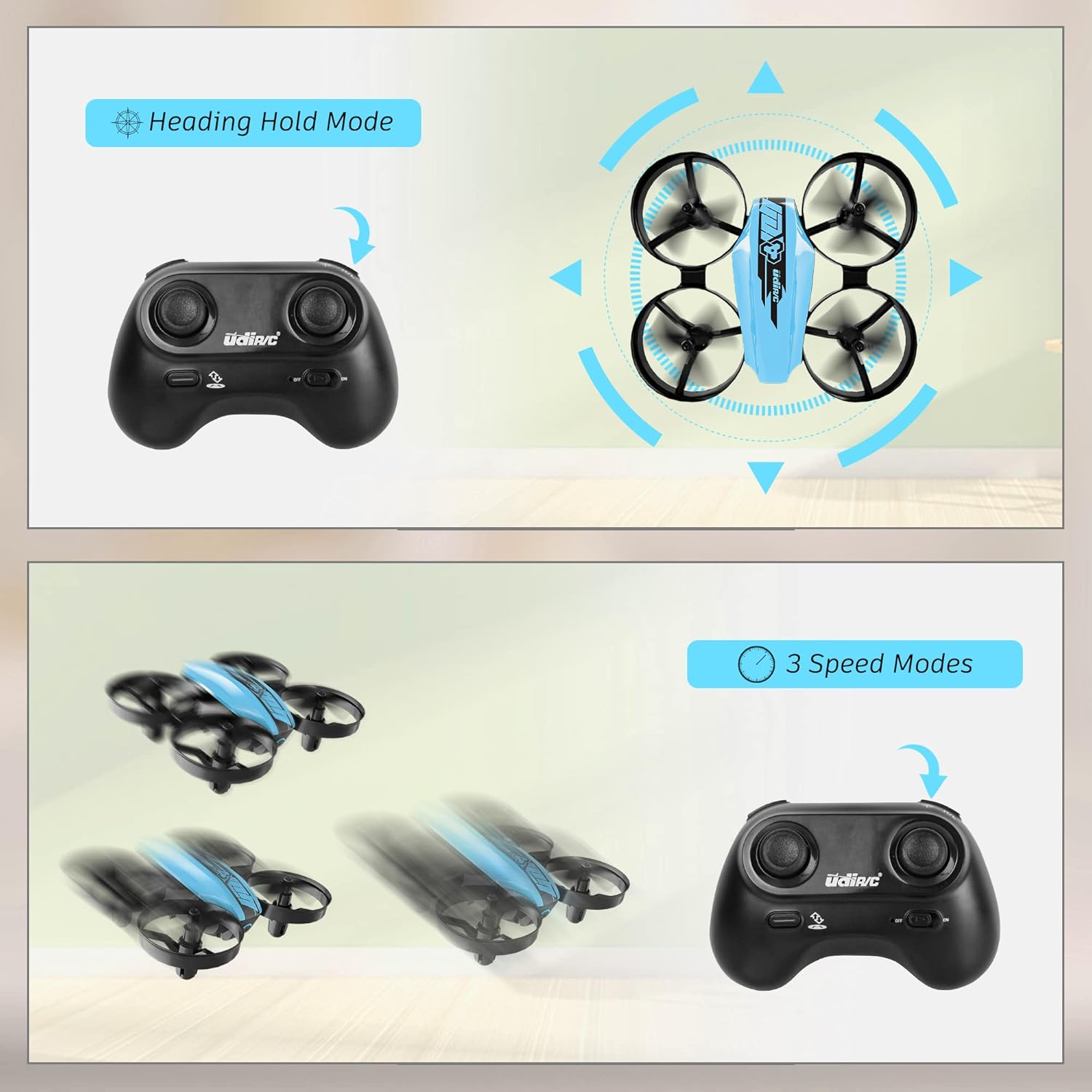
Image 6.1: Illustration of the Headless Mode feature and its activation on the controller.
6.4 Altitude Hold Function
- The U46 drone features an altitude hold function, allowing it to maintain a stable height automatically. This simplifies control, especially for beginners.

Image 6.2: Visual representation of Altitude Hold Mode, One Button Take Off/Landing, and Emergency Stop features.
6.5 Modhan Luas
- The drone has three speed modes (low, medium, high). Press the Speed Mode button to cycle through them.
- Start with low speed for learning and gradually increase as you gain proficiency.
6.6 Stad Èiginn
- In case of an emergency or loss of control, press and hold the One Key Take-off/Landing button for a few seconds to perform an emergency stop. The propellers will immediately cease rotation.
7. Cumail suas
7.1 Ath-àiteachadh propeller
- If a propeller is damaged, carefully remove it and replace it with a new one from the spare parts. Ensure the correct propeller (A or B) is installed on the corresponding motor.
7.2 Glanadh agus Stòradh
- Wipe the drone with a soft, dry cloth after use. Avoid using water or cleaning agents.
- Stòraich an dròn agus an rianadair ann an àite fionnar, tioram, air falbh bho sholas dìreach na grèine agus teòthachd anabarrach.
- Remove batteries from the controller if storing for extended periods.
8. A ’dèanamh trioblaid
- Drone gun fhreagairt: Ensure both drone and controller are powered on and successfully paired. Check controller batteries.
- Bidh an dròn a’ gluasad rè itealaich: Perform calibration on a flat surface. Use the trim buttons on the controller to adjust for minor drifts.
- Ùine itealaich goirid: Ensure batteries are fully charged. Flight time can vary based on flight style and environmental factors.
- Propellers gun a bhith a’ snìomh: Check for obstructions or damage to propellers. Ensure they are correctly installed.
- Alarm bataraidh ìosal: The controller will emit an alarm sound when the drone's battery is low, indicating it's time to land and recharge.
9. Sònrachaidhean
| Brand | UDIRC |
| Ainm Modail | U46S |
| Cuideam Drone | 0.05 notaichean (timcheall air 22.68 graman) |
| Meudan an Dròin | 3.54"F x 3.54"L x 1.25"À |
| Ùine itealaich | 6-7 minutes per battery (up to 21 minutes with 3 batteries) |
| Tricead Rianadair | 2.4 GHz |
| Bataraidh rianadair | 3 x Bataraidhean AA 1.5V (nach eil air an toirt a-steach) |
| Comas Bataraidh | 180 mìleamp Hours (Li-Po) |
| Ìre Sgilean | Neach-tòiseachaidh |
| Feartan sònraichte | Altitude Hold, Headless Mode, One Key Take-off/Landing, 3 Speed Modes, 360° Protection |

Image 9.1: Flight time illustration, showing extended flight with multiple batteries.

Image 9.2: Dimensions of the UDIRC U46 Mini Drone, shown next to a smartphone for size comparison.
10. Barantas agus Taic
For warranty information or technical support, please refer to the contact details provided with your purchase or visit the official UDIRC weblàrach. Cùm dearbhadh ceannach airson tagraidhean barantais.
Ask a question about this manual
Ask about setup, troubleshooting, compatibility, parts, safety, or missing instructions. Manuals+ will review the question and use this page’s manual context to help answer it.