
1. Ro-ràdh
Tapadh leibh airson ceannachasing the Coby CSB04 Bluetooth Soundbar Speaker. This manual provides important information regarding the setup, operation, and maintenance of your new soundbar. Please read this manual thoroughly before using the device and retain it for future reference.
The Coby CSB04 is a sleek and compact soundbar designed to enhance your audio experience. It features wireless Bluetooth connectivity, an RCA line input, and comes with a remote control for convenient operation.
2. Fiosrachadh Sàbhailteachd
Feuch an lean thu na ceumannan sàbhailteachd a leanas gus casg a chur air milleadh air an inneal no leòn ort fhèin:
- Na cuir am bàr-fuaime fosgailte do uisge, taiseachd no teòthachd anabarrach.
- Na fosgail an casing. Thoir aire do luchd-obrach teisteanasach airson a h-uile seirbheis.
- Dèan cinnteach gu bheil an inneal-atharrachaidh cumhachd co-chòrdail ris an t-solar cumhachd ionadail agad.
- Keep the soundbar away from heat sources and direct sunlight.
- Glan a-mhàin le clò tioram.
3. Pasgan-susbaint
Carefully unpack your Coby CSB04 Soundbar and check that all items are present and in good condition. If any items are missing or damaged, contact your retailer.
- Coby CSB04 Bluetooth Soundbar Speaker
- Adaptor Cumhachd AC
- Càball RCA
- Smachd Iomallach
- Leabhar-làimhe cleachdaiche (an sgrìobhainn seo)

Image 3.1: Coby CSB04 Soundbar packaging. The box displays the Coby logo and "Slim 2.0 Sound Bar" text.
4. Toradh thallview
Familiarize yourself with the components and controls of your Coby CSB04 Soundbar.
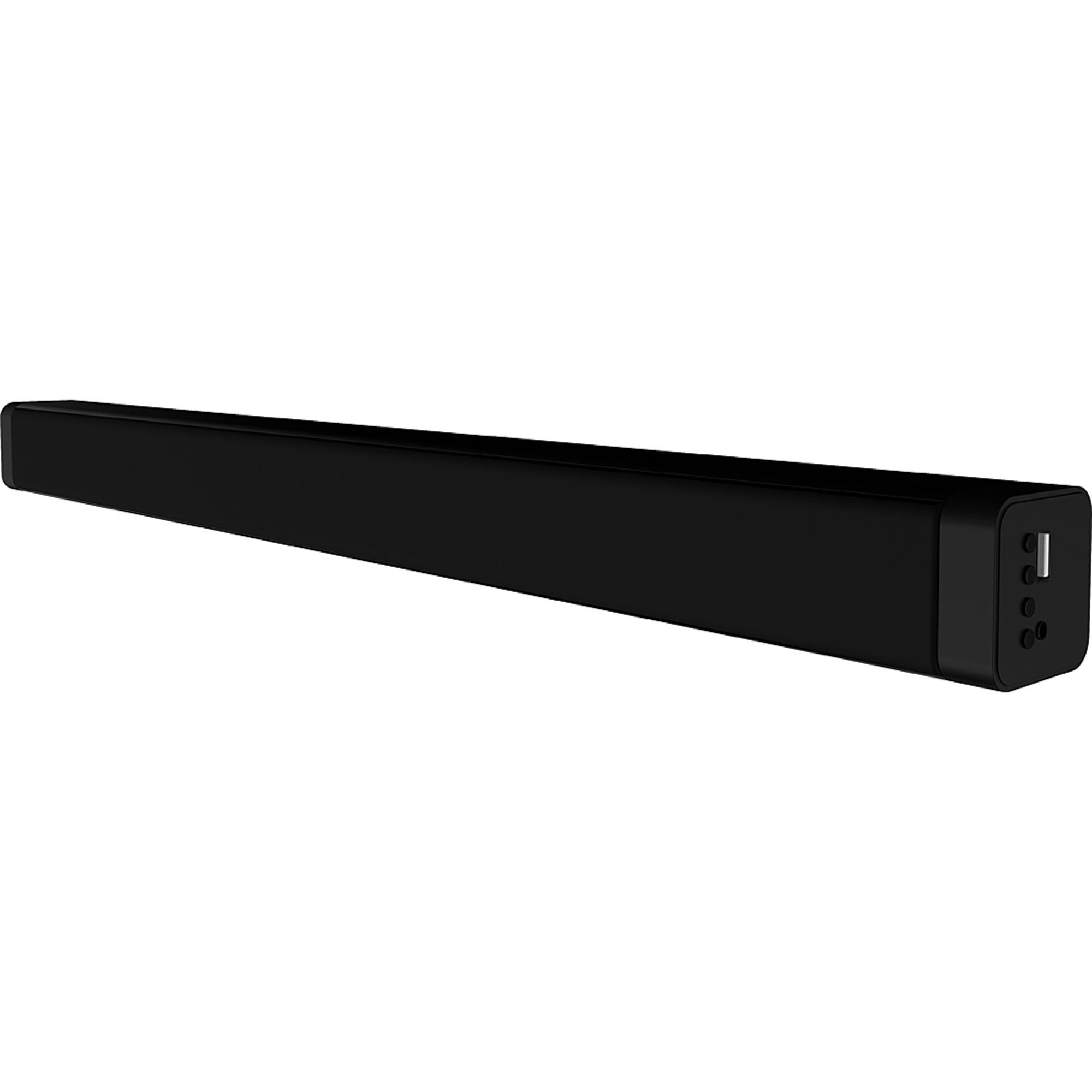
Dealbh 4.1: Aghaidh view of the Coby CSB04 Bluetooth Soundbar. The soundbar is black and rectangular.

Ìomhaigh 4.2: Taobh view of the Coby CSB04 Soundbar, showing a USB port and other connection points.
4.1. Front Panel / Top Panel Controls
- Putan Cumhachd: Tionndaidh am bàr-fuaim air no dheth.
- Meud suas/sìos: Atharraich an ìre fuaim.
- Putan Modh: Switches between input modes (Bluetooth, RCA).
- Comharra LED: Shows current status (e.g., Bluetooth pairing, input mode).
4.2. Ceanglaichean Pannal Cùil
- DC ANN: Ceangail an adapter cumhachd AC an seo.
- RCA L/R Input: Connect external audio devices using the RCA cable.
- Port USB: For potential firmware updates or specific media playback (functionality may vary).
4.3. Smachd Iomallach
The included remote control allows for convenient operation of the soundbar from a distance. Functions typically include Power, Volume Up/Down, Mode Selection, Mute, and Playback controls for Bluetooth mode.
5. Suidhich
5.1. Ceangal Cumhachd
- Ceangail an inneal-atharrachaidh cumhachd AC ris an DC IN port on the rear of the soundbar.
- Cuir ceann eile an inneal-atharrachaidh cumhachd AC a-steach do socaid balla.
- Thèid am bàr-fuaime a-steach don mhodh feitheimh.
5.2. Ceangal Fuaim
You can connect audio sources to the soundbar via Bluetooth or RCA cable.
5.2.1. Ceangal Bluetooth
- Power on the soundbar using the Power button on the unit or remote control.
- Brùth an Modh button repeatedly until the LED indicator shows Bluetooth mode (usually a blinking blue light).
- Air an fhòn-smart agad no inneal eile le comas Bluetooth, cuir Bluetooth an gnìomh agus rannsaich airson innealan a tha rim faighinn.
- Select "CSB04" (or similar name) from the list of devices.
- Aon uair ‘s gu bheil iad air an càradh, tionndaidhidh an comharra LED gu gorm, agus cluinnidh tu tòna dearbhaidh.
- You can now play audio from your device through the soundbar.
5.2.2. Ceangal RCA
- Connect one end of the RCA cable to the Cuir a-steach RCA L / R. puirt air a’ bhàr-fuaime.
- Connect the other end of the RCA cable to the audio output ports (usually "Audio Out" or "L/R Out") of your TV, DVD player, or other audio source.
- Cumhachd air a ’bhàr-fuaim.
- Brùth an Modh button repeatedly until the LED indicator shows RCA mode (e.g., a green light).
- Cluich claisneachd bhon inneal ceangailte agad.
6. Stiùireadh Obrachaidh
6.1. Cumhachd air / dheth
Brùth an Cumhachd putan air a’ bhàr-fuaime no an smachd iomallach gus an aonad a thionndadh air no dheth.
6.2. Atharrachadh Volume
Cleachd an Toirt suas (+) agus Toirt sìos (-) buttons on the soundbar or remote control to adjust the audio level.
6.3. Changing Input Mode
Brùth an Modh button on the soundbar or remote control to cycle through available input sources: Bluetooth, RCA.
6.4. Ath-chluich Bluetooth
Once paired, your Bluetooth device will automatically connect to the soundbar when both are powered on and within range. Use your device's controls or the soundbar's remote control (if applicable) for playback functions like Play/Pause, Next Track, and Previous Track.
7. Cumail suas
Nì cumail suas ceart cinnteach gum mair am bàr-fuaime agad fad-beatha agus gum bi e ag obair gu math.
- Glanadh: Use a soft, dry cloth to wipe the exterior of the soundbar. Do not use liquid cleaners or aerosols.
- Stòradh: Ma tha thu a’ stòradh a’ bhàr-fuaime airson ùine mhòr, dì-cheangail e bhon chumhachd agus stòraich e ann an àite fionnar, tioram.
- Fionnarachadh: Ensure the soundbar has adequate ventilation and is not covered, to prevent overheating.
8. A ’dèanamh trioblaid
If you encounter issues with your Coby CSB04 Soundbar, refer to the following common problems and solutions:
| Trioblaid | Adhbhar a dh’fhaodadh a bhith ann | Fuasgladh |
|---|---|---|
| Gun chumhachd | Chan eil an inneal-atharrachaidh cumhachd ceangailte no tha an socaid lochtach. | Ensure the power adapter is securely connected to the soundbar and a working power outlet. Try a different outlet. |
| Gun fhuaim | Incorrect input mode, low volume, or incorrect cable connection. |
|
| Dh'fhàillig am paidhir Bluetooth | Chan eil am bàr-fuaime ann am modh càraideachaidh, an inneal ro fhada air falbh, no tha bacadh ann. |
|
| Chan eil smachd iomallach ag obair | Bataraidhean marbh no bacadh. | Replace the batteries in the remote control. Ensure there is no obstruction between the remote and the soundbar's sensor. |
9. Sònrachaidhean
Here are the technical specifications for the Coby CSB04 Bluetooth Soundbar Speaker:
- Modail: CSB04
- Seòrsa neach-labhairt: Bàr-fuaim
- Teicneòlas ceangail: Bluetooth
- Cumhachd Toraidh Luchd-labhairt as Motha: 10 watt
- Innealan co-fhreagarrach: Smartphone (and other Bluetooth/RCA audio sources)
- Modh smachd: Smachd Iomallach
- Stòr cumhachd: Càball Dealain (Adaptair AC)
- Dath: Dubh
- Meudan: 85.09 x 14.22 x 38.35 cm (mu 33.5 x 5.6 x 15.1 òirleach)
- Cuideam: 1.54 kg (timcheall air 3.4 lbs)
- Seòrsa stàladh: Stàladh deasg
10. Barantas agus Taic
Airson fiosrachadh barantais agus taic theicnigeach, thoir sùil air a’ chairt barantais a tha air a ghabhail a-steach leis an toradh agad no tadhail air làrach-lìn oifigeil Coby weblàrach. Cùm do chuidhteas ceannach mar dhearbhadh ceannach.
For further assistance, you may contact Coby customer service through their official channels.