
1. Toradh thallview
The ADATA HD710 Pro is a ruggedized 1TB external hard drive designed for extreme mobile data protection. It features a durable, triple-layered construction that makes it waterproof, dustproof, and military-grade shockproof. This device is ideal for users requiring robust storage on the go, compatible with Mac, PC, and Linux systems.
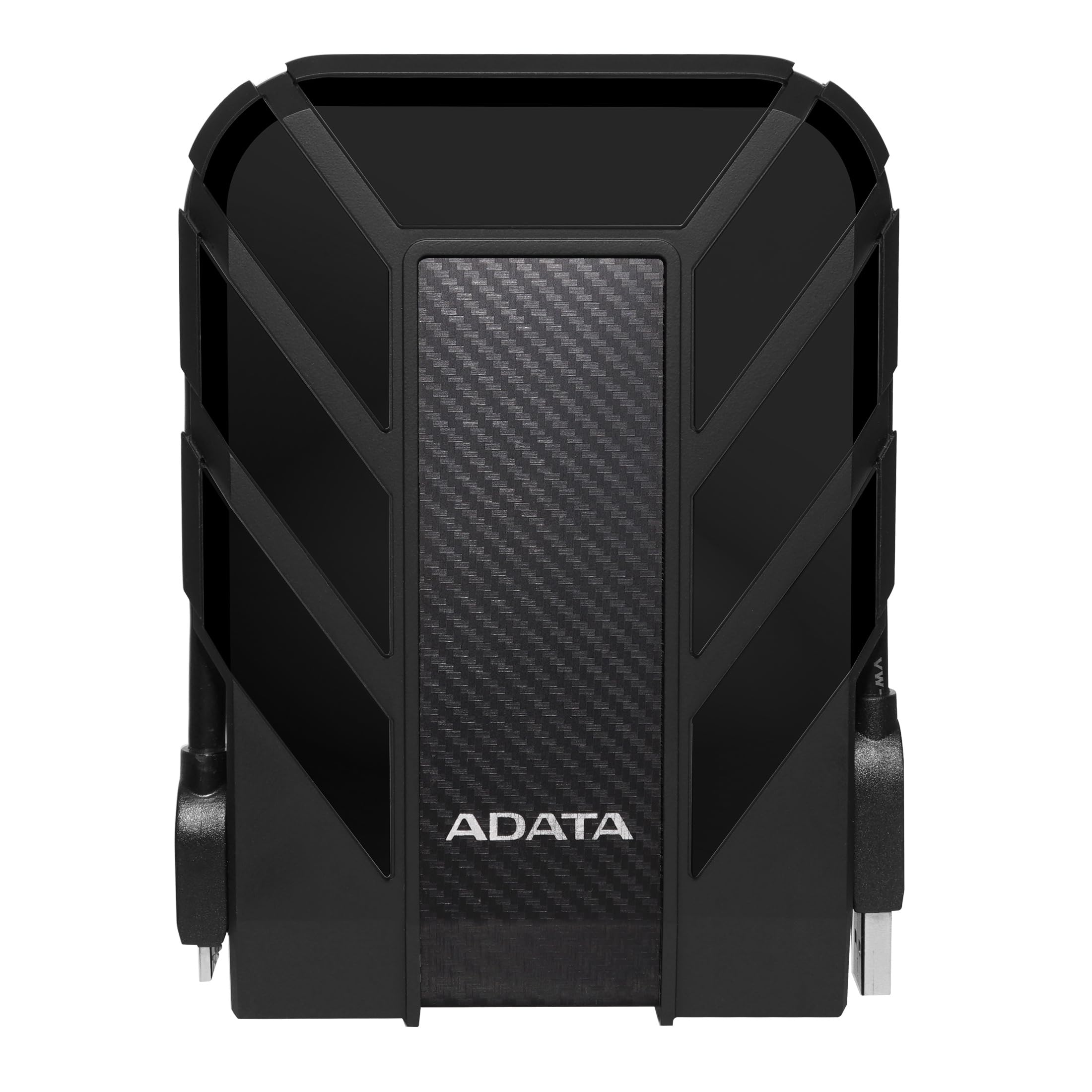
Figure 1: ADATA HD710 Pro 1TB External Hard Drive (Black)
2. Prìomh fheartan
- IP68 Waterproof and IP6X Dustproof: Certified to exceed stringent International Electrotechnical Commission (IEC) standards, offering protection against water immersion and total dust ingress.
- Military-Grade Shockproof (MIL-STD-810G 516.6): Designed to withstand drops from up to 1.5 meters, ensuring data safety even in challenging environments.
- Triple-Layered Protection: Features a tough silicone outer layer, a shock-absorbing buffer, and a robust plastic shell for enhanced durability.
- Eadar-aghaidh USB 3.1: Provides ultra-fast data transfer rates of up to 5 gigabits per second.
- Riaghladh càball aonaichte: A convenient groove around the drive allows for neat storage of the USB cable, preventing loss and tangles.
- Chan eil feum air cumhachd taobh a-muigh: Powered directly via the USB connection, enhancing portability.

Figure 2: Illustration of the HD710 Pro's triple-layered protective design.
3. Suidhich
- Unpack an inneal: Carefully remove the ADATA HD710 Pro from its packaging.
- Lorg an càball USB: The integrated USB 3.1 cable is wrapped around the drive's casing. Gently unwrap it.
- Ceangail ris a’ choimpiutair: Plug the USB connector into an available USB port on your computer (PC, Mac, or Linux). For optimal performance, use a USB 3.0/3.1 port.
- Aithneachadh Tùsail: Your operating system should automatically detect the drive. A blue LED indicator on the drive will illuminate, signifying power and activity.
- Cruthachadh (Ma tha feum air): The drive comes pre-formatted for general use. If you encounter issues or wish to change the file system (e.g., for specific operating system compatibility or larger file support), you may need to format the drive. Refer to your operating system's documentation for instructions on how to format an external drive. Warning: Formatting will erase all data on the drive. Back up any important files mus lean thu air adhart.

Figure 3: The HD710 Pro is compatible with PC, Mac, and Linux systems.
4. Obrachadh
- A’ faighinn cothrom air an Draibh: Once connected and recognized, the drive will appear as a removable storage device in your computer's file rannsachair (Windows), Finder (macOS), no file manager (Linux).
- A' gluasad Files: Faodaidh tu slaodadh is leigeil às files or folders to and from the HD710 Pro just like any other storage device.
- Tilgeadh Sàbhailte: To prevent data corruption, always safely eject the drive before disconnecting it.
- Windows: Briog deas air ìomhaigh an draibh anns an ‘PC seo’ no anns an treidhe siostaim agus tagh ‘Tilg a-mach’.
- macOS: Slaod ìomhaigh an draibh chun an Sgudal, no cliog air a’ phutan Tilg a-mach ri taobh ainm an draibh ann am Finder.
- Linux: Right-click the drive icon in your file manager and select 'Eject' or 'Unmount'.
- Comharra LED: The blue LED light indicates the drive's status:
- Gorm soladach: Tha an draibh air a chumhachdachadh agus neo-ghnìomhach.
- Gorm a' lasadh: Tha gluasad dàta a’ dol air adhart.
Bhidio 1: Thar-chrìochview of the ADATA External Hard Drive, demonstrating its features and usage.
5. Cumail suas
- Cùm na puirt dùinte: Ensure the rubber flap covering the USB port is securely closed when the drive is not in use to maintain its waterproof and dustproof integrity.
- Glan gu socair: Cleachd clò bog, tioram gus taobh a-muigh an draibh a ghlanadh. Seachain ceimigean cruaidh no stuthan sgrìobach.
- Seachain suidheachaidhean fìor: While rugged, prolonged exposure to extreme temperatures, direct sunlight, or corrosive substances should be avoided.
- Làimhseachadh le cùram: Despite its shockproof design, avoid intentionally dropping or subjecting the drive to excessive force.

Figure 4: The HD710 Pro offers IP68 waterproof, IP6X dustproof, and military-grade shock resistance.
6. A ’dèanamh trioblaid
- Draibh gun aithneachadh:
- Dèan cinnteach gu bheil an càball USB ceangailte gu tèarainte ris an draibh agus ris a’ choimpiutair.
- Feuch ri ceangal a dhèanamh ri port USB eile air a’ choimpiutair agad.
- Dèan deuchainn air an draibh air coimpiutair eile gus faighinn a-mach nach eil duilgheadas sònraichte don choimpiutair ann.
- Check your computer's Disk Management (Windows) or Disk Utility (macOS) to see if the drive is detected but unformatted or has a partition issue.
- Astaran Gluasaid Slaodach:
- Ensure you are using a USB 3.0/3.1 port on your computer for maximum speed. Connecting to a USB 2.0 port will result in slower speeds.
- Dèan cinnteach gu bheil draibhearan a’ choimpiutair agad ùraichte.
- Àireamhan mòra de bheaga files can transfer slower than fewer large files.
- Truailleadh Dàta:
- Always safely eject the drive before disconnecting to prevent data loss or corruption.
- If data corruption occurs, data recovery software may be an option, but success is not guaranteed.
7. Sònrachaidhean
| Feart | Mion-fhiosrachadh |
|---|---|
| Comas stòraidh didseatach | 1 TB |
| Eadar-aghaidh diosc cruaidh | USB 3.2 |
| Teicneòlas ceangail | USB |
| Brand | ADATA |
| Feart sònraichte | So-ghiùlain |
| Factar cruth diosc cruaidh | 2.5 òirlich |
| Tuairisgeul diosc cruaidh | Diosca cruaidh meacanaigeach |
| Innealan co-fhreagarrach | Laptop, PC |
| Seòrsa stàlaidh | Dràibhear cruaidh taobh a-muigh |
| Dath | BLACK PRO |
| Feartan a bharrachd | So-ghiùlain |
| Astar Rothlaidh Diosc Cruaidh | 5400 rpm |
| Cleachdaidhean sònraichte airson toradh | personal, gaming, business |
| Leugh Luas | 90 Megabytes gach diog |
| Luas nam meadhanan | 90 Megabytes gach diog |
| Cache Memory Installed Size | 1 |
| Ìre gluasad dàta | 5000 Megabits gach diog |
| Factor foirm | So-ghiùlain |
| Ceangal bathar-cruaidh | USB 3.0 |
| Stuth cuairteachaidh | Aluminium |
| Modail Àireamh | AHD710P-1TU31-CBK |
| Meadhanan togte | External HDD, Quick start guide |
| Ainm Modail | HD 710 Pro |
| Dèanadair | ADATA |
| Àireamh Aithneachaidh Malairt Cruinneil | 04713218460394 |
| Ainm Seòrsa nì | ADATA USB 3.1 IP68 Waterproof/Shockproof/Dustproof Ruggedized External Hard Drive, Black (AHD710P-1TU31-CBK) |
| Tuairisgeul Barantais | barantas 3 bhliadhna |
| Rang luchd-reic as fheàrr | #35 in External Hard Drives |
| ASIN | B0744NWZTM |
| Hard-Drive Size | 1000 GB |
| Cuideam nì | 9.6 unnsa |
| Item Dimensions L x W x Thickness | 5.2"F x 3.8"L x 0.8"À |
| Àireamh de nithean | 1 |
| Cunntas Aonad | 1.0 Cunnt |
| Seòrsa Pacaid Luchd-ceannach | Pacaidh àbhaisteach |
8. Barantas
The ADATA HD710 Pro comes with a Barantas cuibhrichte 3-bliadhna. This warranty covers defects in materials and workmanship under normal use. For specific terms and conditions, please refer to the official ADATA weblàrach-lìn no a’ chairt barantais a tha air a ghabhail a-steach leis an toradh agad.
9. Taic
For further assistance, technical support, or to download the latest drivers and software, please visit the official ADATA weblàrach:
You may also find helpful resources and FAQs on the ADATA support pages.