
1. Toradh thallview
The Knightsbridge SFRJ45MW is a screwless RJ45 network outlet designed for creating wired networking points within a home or office environment. This unit features a UTP CAT5e compliant RJ45 socket with IDC terminals, ensuring reliable network connectivity. Constructed from high-quality, ultra-slim, premium-grade material, it offers a sleek and modern aesthetic. The outlet is supplied with an integral gasket and is compliant with relevant British safety standards.
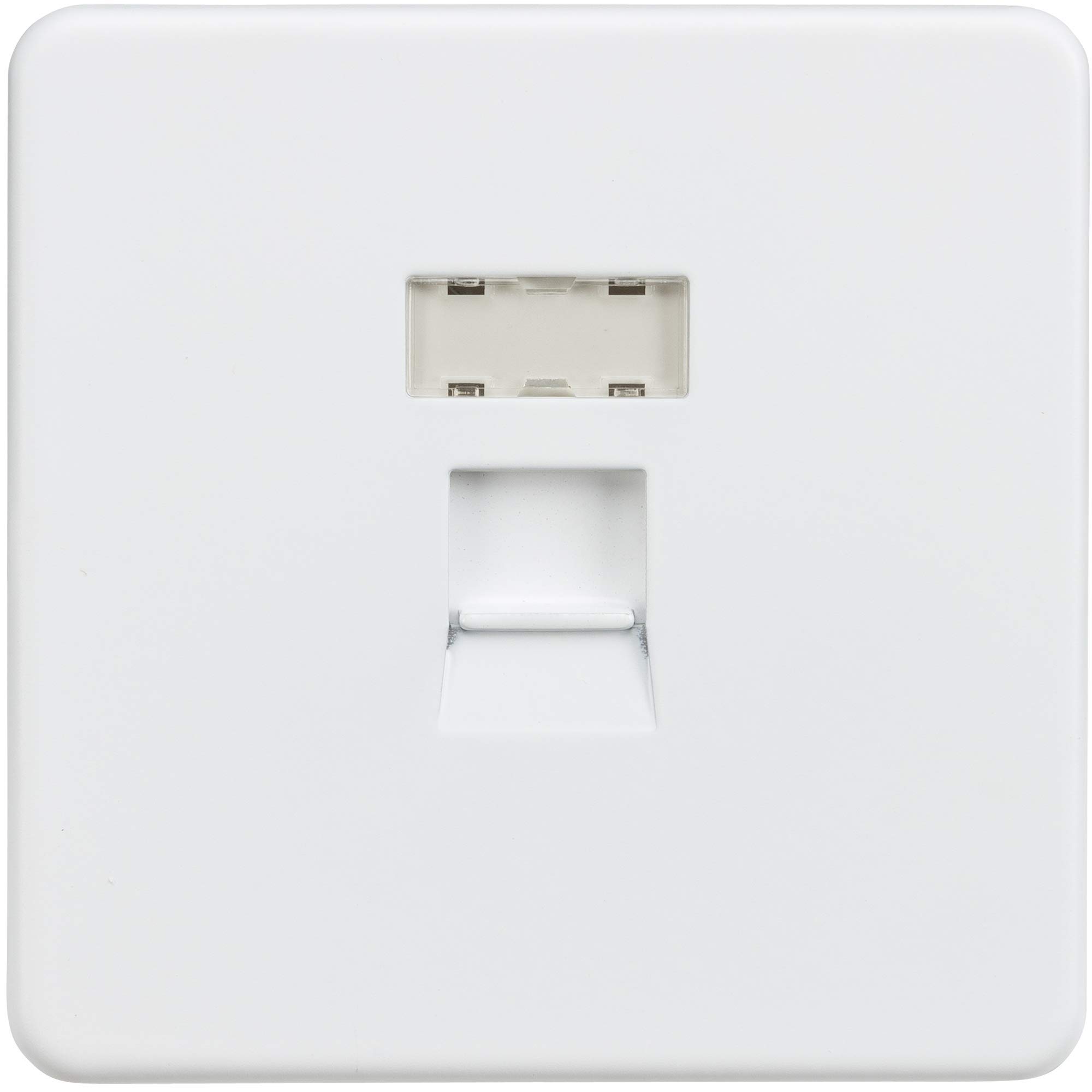
Figear 1: Knightsbridge SFRJ45MW Screwless RJ45 Network Outlet, Matt White.
2. Fiosrachadh Sàbhailteachd
RABHADH: Installation must be carried out by a qualified electrician in accordance with the latest wiring regulations. Always isolate the mains power supply before commencing any electrical work. Ensure all connections are secure and correctly terminated. This product is designed for indoor use only.
- Na stàlaich ann an damp no suidheachaidhean fliuch.
- Ensure the mounting box is securely fixed and provides adequate depth for wiring.
- Do not exceed the specified cable gauge for IDC terminals.
3. Pasgan-susbaint
Dèan cinnteach gu bheil na pàirtean uile an làthair mus tòisich an stàladh:
- 1 x Knightsbridge SFRJ45MW Screwless RJ45 Network Outlet
- 1 x IDC Tool (for terminating network cables)
- Stiùiridhean airson uidheamachadh
4. Stiùiridhean stàlaidh
Follow these steps for proper installation of your network outlet:
- Cumhachd Iomallach: Before starting, ensure the mains power supply to the installation area is completely isolated at the consumer unit/fuse box.
- Ullaich am bogsa stàlaidh: Ensure a suitable mounting box with a minimum depth of 35mm is installed and securely fixed in the desired location.
- Ullaich càball: Carefully strip the outer sheath of the UTP CAT5e network cable, exposing the twisted pairs. Do not strip too much, as this can compromise cable performance.
- Terminate Wires: Using the supplied IDC tool, terminate each individual wire from the network cable into the corresponding IDC terminals on the back of the RJ45 module. Follow the wiring diagram provided (T568A or T568B standard, typically indicated on the module itself). Ensure each wire is fully seated and trimmed.
- Slighe-reic Mount: Carefully position the wired outlet into the mounting box, ensuring no wires are pinched. Secure the outlet to the mounting box using the provided screws.
- Ceangail am Plàta Aghaidh: Align the screwless faceplate over the mounted outlet and gently push until it clicks securely into place.
- Thoir air ais cumhachd: Cho luath ‘s a bhios an stàladh deiseil agus na ceanglaichean uile air an sgrùdadh, ath-thòisich an cumhachd chun chuairt.

Figear 2: Dimensions and rear view with IDC terminals for wiring.
5. Obrachadh
Once installed, the Knightsbridge SFRJ45MW network outlet functions as a standard RJ45 port. Simply plug a compatible network cable (e.g., CAT5e, CAT6) from your device (computer, printer, smart TV, etc.) into the front RJ45 socket of the outlet. Ensure the other end of the network cable is connected to a network switch, router, or other network device to establish a wired network connection.
6. Cumail suas
This network outlet requires minimal maintenance. To clean the surface, gently wipe with a soft, dry cloth. Do not use abrasive cleaners, solvents, or harsh chemicals, as these can damage the finish. Ensure the faceplate remains securely attached. If the faceplate becomes loose, carefully re-attach it by pressing firmly until it clicks into place.
7. A ’dèanamh trioblaid
If you experience issues with your network connection through the outlet, consider the following:
- Gun cheangal lìonra:
- Verify that the network cable connecting your device to the outlet is fully inserted and undamaged.
- Check the network cable connecting the outlet to your router/switch for proper connection and integrity.
- Ensure your network equipment (router, switch) is powered on and functioning correctly.
- If you have access to the rear wiring, ensure all IDC terminations are secure and correctly wired according to the T568A/B standard.
- Ceangal eadar-amail:
- This can often be caused by loose or poorly terminated wires. Re-check all connections.
- Test with a different network cable to rule out cable fault.
8. Sònrachaidhean Teicnigeach
| Modail | SFRJ45MW |
| Brand | Drochaid a' Chnuic |
| Dath | Matt geal |
| Stuth | Premium Grade Material (Premium Grade Steel construction) |
| Seòrsa ceangail | RJ45 (IDC terminals) |
| Innealan co-fhreagarrach | All devices with RJ45 network ports |
| Doimhneachd sreap as ìsle | 35mm |
| Dimensions (H x W x P) | 87.5mm x 87.5mm x 4.3mm (Projection) |
| Seòrsa Terminal | IDC 24-26AWG |
| Rangachadh IP | IP20 |
| Dearbhadh Co-chòrdaidh | BS 5733 |
| Dèanadair | MLA |
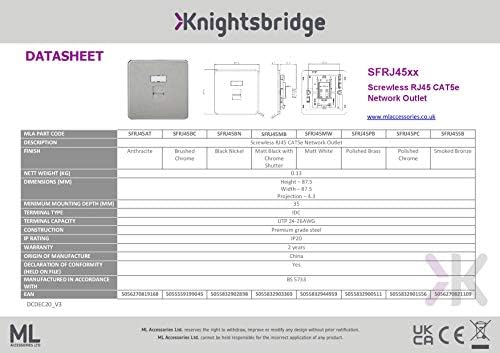
Figear 3: Product Datasheet for SFRJ45XX series, including SFRJ45MW.
9. Barantas agus Taic
This Knightsbridge SFRJ45MW network outlet comes with a Barantas 2-bliadhna bho cheann-latha a’ cheannaich, a’ còmhdach lochdan saothrachaidh. Cùm dearbhadh do cheannaich airson tagraidhean barantais.
For technical support or warranty inquiries, please contact the manufacturer, MLA, or your retailer. Contact details can typically be found on the product packaging or the manufacturer's official weblàrach.


