
Ro-ràdh
The Gear Pro HypeCam GDV485SL.01 is a compact and powerful 4K Ultra HD sports action camera designed to capture high-quality video and photos in various environments. Featuring Wi-Fi connectivity for smartphone control, a waterproof case, and a 2.0-inch LCD display, this camera is ideal for recording your adventures. This manual provides detailed instructions for setup, operation, maintenance, and troubleshooting to ensure optimal performance of your device.
Dè th' anns a' Bhocsa
Please verify that all items are present before proceeding with setup.
- Hype 4K Cam
- Cùis dìon-uisge
- Data Transfer/Charging Cable
- Sliabh-làimhe
- Uidheaman bunaiteach uile-choitcheann
- Strap ceangail
Bathar seachadview
Co-phàirtean agus smachdan
Dèan eòlas ort fhèin air prìomh phàirtean agus smachdan a’ chamara.
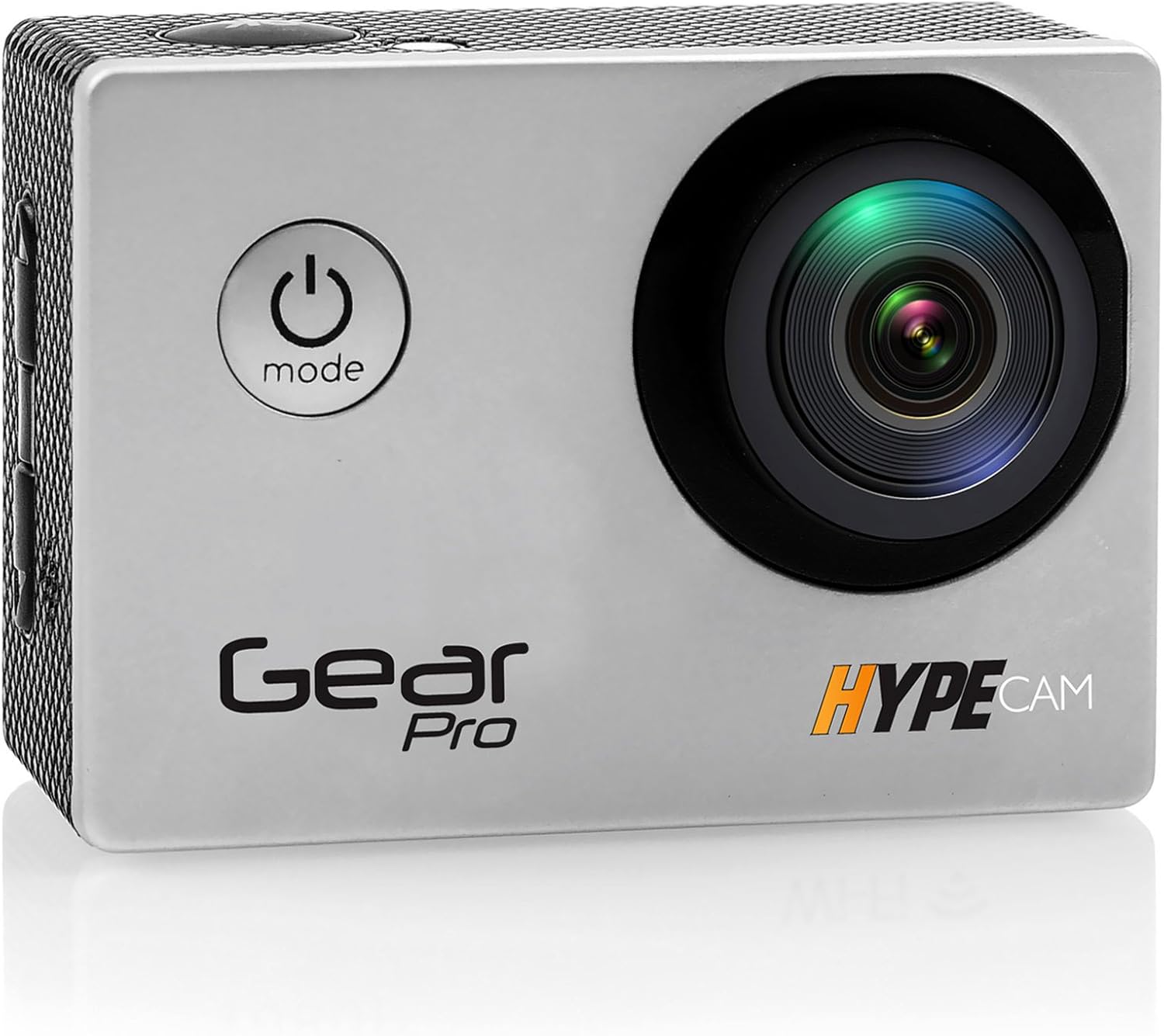
Ìomhaigh: Aghaidh view of the Gear Pro HypeCam GDV485SL.01, highlighting the lens and power/mode button.
| Component/Control | Tuairisgeul |
|---|---|
| Putan Cumhachd / Modh | Press and hold to power on/off. Press briefly to switch between video, photo, and playback modes. |
| Putan shutter / OK | Press to start/stop recording video or take a photo. In menu, confirms selection. |
| Putanan Suas / Sìos | Seòl roghainnean clàr-taice. |
| Slot cairt micro SD | Insert Micro SD card for storage. Supports up to 32GB (Class 10 or higher recommended). |
| Port USB Micro | For charging the battery and transferring data to a computer. |
| Port Micro HDMI | Connect to an HDTV for viewann an susbaint. |
| Taisbeanadh LCD 2.0" | View beò footage, playback, and navigate menus. |
| Lionsa | Captures video and photo input. |
| Micreofon | A ' clàradh fuaim. |
Suidhich
Stàladh bataraidh
- Fosgail còmhdach roinn a’ bhataraidh aig bonn a’ chamara.
- Insert the included rechargeable battery, ensuring the correct polarity.
- Dùin an còmhdach roinn bataraidh gu tèarainte.
- Connect the camera to a USB power source using the provided data transfer/charging cable to fully charge the battery before first use. The charging indicator light will turn off when charging is complete.
Stàladh cairt micro SD
- Lorg an t-sliotan cairt Micro SD air taobh a’ chamara.
- Insert a Class 10 or higher Micro SD card (up to 32GB) with the contacts facing the back of the camera until it clicks into place.
- Gus a thoirt a-mach, brùth a’ chairt a-steach gu socair gus an cliog i, an uairsin leig às i gus a cur a-mach.
Attaching the Waterproof Case
The included waterproof case allows the camera to be fully submerged, making it suitable for water sports and adverse weather conditions.
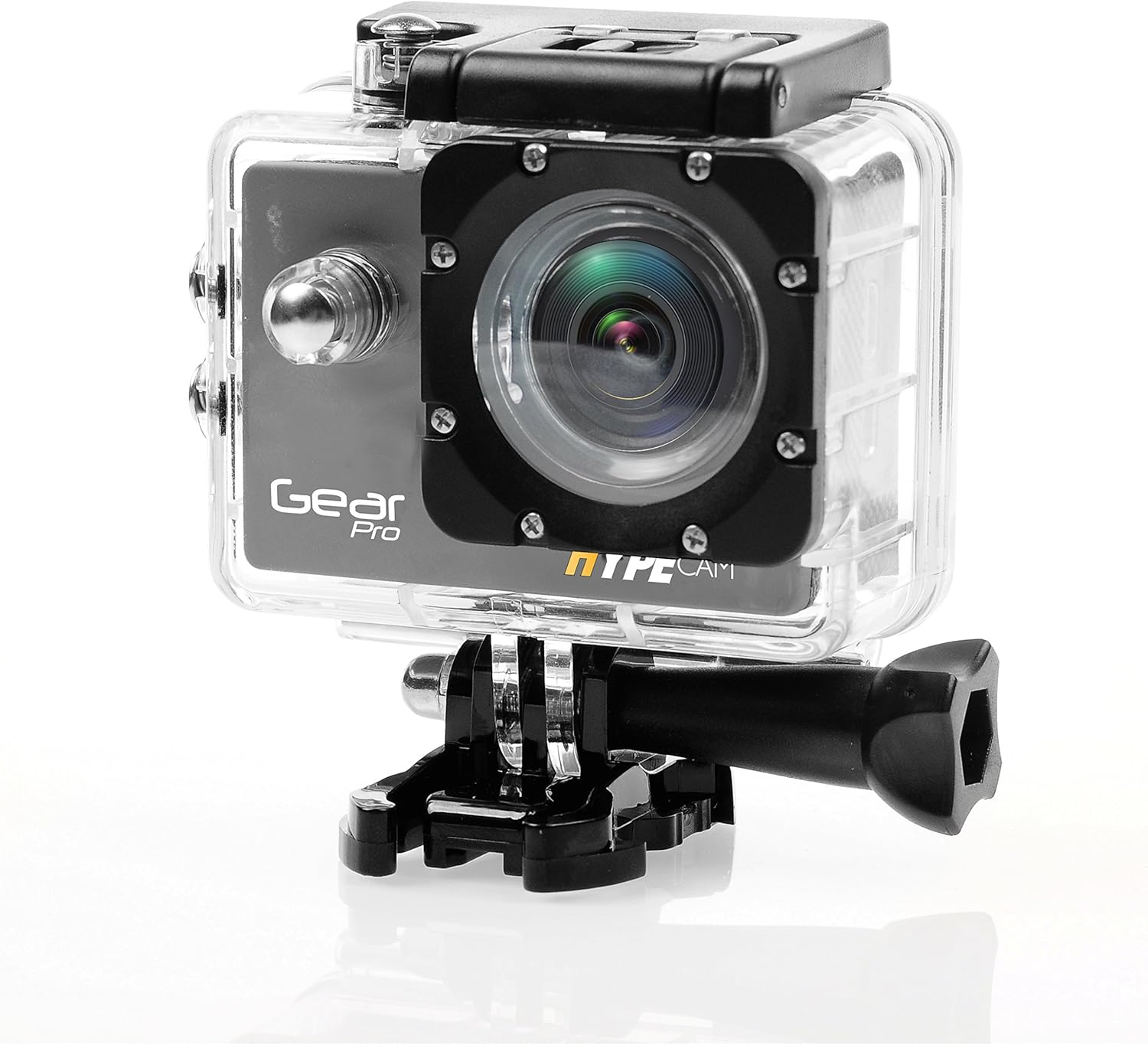
Image: The camera securely housed within its transparent waterproof case, ready for mounting.
- Fosgail an glaiste air mullach a’ chùis dìon-uisge.
- Cuir a’ chamara gu faiceallach a-staigh sa chùis, a’ dèanamh cinnteach gu bheil e a’ freagairt gu teann.
- Close the latch firmly until it clicks, ensuring a watertight seal.
- Before first use in water, perform a leak test by placing the empty case in water for 30 minutes.
Roghainnean stàladh
Utilize the various mounts provided to attach your camera to helmets, handlebars, or other surfaces.

Image: The camera being used in diverse outdoor activities, demonstrating its versatility with different mounting options.
- Attach the waterproof case to the desired mount (e.g., handlebar mount, base mount) using the provided screws and fastening strap.
- Ensure all connections are secure before engaging in activity.
Ag obrachadh
Cumhachd air / dheth
- To power on: Press and hold the Power/Mode button for 3 seconds. The LCD screen will light up.
- To power off: Press and hold the Power/Mode button for 3 seconds. The LCD screen will turn off.
Taghadh Modh
After powering on, press the Power/Mode button briefly to cycle through the main modes:
- Modh clàraidh bhidio: Air a chomharrachadh le ìomhaigh camara bhidio.
- Photo Capture Mode: Air a chomharrachadh le ìomhaigh camara.
- Modh ath-chluich: Air a chomharrachadh le ìomhaigh cluiche.
- Modh rèiteachaidh: Air a chomharrachadh le ìomhaigh gèar.
Clàradh bhidio
- Gluais gu Modh Clàraidh Bhidio.
- Brùth air a’ phutan Shutter/OK gus tòiseachadh air clàradh. Nochdaidh dot dearg no timer clàraidh air an sgrion.
- Press the Shutter/OK button again to stop recording. The recording timer will disappear.
Glac dhealbhan
- Switch to Photo Capture Mode.
- Frèamaich do dhealbh a’ cleachdadh an taisbeanaidh LCD.
- Brùth am putan Còmhla/Ceart gu leòr gus dealbh a thogail.
Ceangal Wi-Fi
The built-in Wi-Fi allows you to connect your HypeCam to a smartphone for remote control and file gluasad.
- Download the official Gear Pro HypeCam app from your smartphone's app store.
- On the camera, navigate to Settings Mode and enable Wi-Fi. The Wi-Fi indicator will appear on the screen.
- On your smartphone, go to Wi-Fi settings and connect to the HypeCam's Wi-Fi network (e.g., "HypeCam_XXXX"). The default password is usually "1234567890" or similar, check the camera screen for details.
- Open the HypeCam app on your smartphone. You can now view beò footage, control recording, and access camera settings remotely.
Slow-Motion Recording
The HypeCam supports slow-motion video capture at specific resolutions and frame rates.

Image: Visual representation of the camera's slow-motion feature, detailing supported resolutions and frame rates.
- Access the video settings menu on the camera.
- Select a resolution that supports higher frame rates for slow-motion, such as 1080p @ 60fps or 720p @ 120fps.
- Record as usual. The footage will play back in slow motion.
Cumail suas
- A 'glanadh an lens: Cleachd clò bog, gun lint a chaidh a dhealbhadh gu sònraichte airson lionsan camara. Seachain stuthan sgrìobach no ceimigean cruaidh.
- Glanadh Bodhaig a’ Chamara: Sguab le bog, damp aodach. Na cleachd solventan.
- Waterproof Case Care: After use in saltwater, rinse the case with fresh water and allow it to air dry. Inspect the O-ring seal regularly for debris or damage.
- Cùram Bataraidh: Store the battery in a cool, dry place. If not used for extended periods, charge and discharge the battery periodically to maintain its health.
- Stòradh: Store the camera and accessories in a dry, dust-free environment away from direct sunlight and extreme temperatures.
Fuasgladh thrioblaidean
| Trioblaid | Fuasgladh comasach |
|---|---|
| Chan eil an camara a’ dol air. | Ensure the battery is fully charged and correctly inserted. Try charging the camera for at least 2 hours. |
| Chan urrainnear bhidio a chlàradh/dealbhan a thogail. | Check if a Micro SD card is inserted and has sufficient free space. Ensure the card is Class 10 or higher. Format the SD card if necessary (this will erase all data). |
| Tha an ceangal Wi-Fi a’ fàiligeadh. | Ensure Wi-Fi is enabled on the camera. Restart both the camera and your smartphone. Verify the Wi-Fi password. |
| Droch chàileachd bhidio/dealbh. | Clean the camera lens. Ensure sufficient lighting. Check resolution settings; higher resolutions provide better quality. |
| Bidh an camara a’ reothadh no a’ fàs neo-fhreagairteach. | Thoir air falbh agus cuir a-steach am bataraidh a-rithist gus ath-shuidheachadh cruaidh a dhèanamh. |
| Uisge taobh a-staigh cùis dìon-uisge. | Immediately remove the camera. Inspect the O-ring seal for dirt, hair, or damage. Ensure the latch is fully closed. Do not use the case if the seal is compromised. |
Sònrachaidhean
| Feart | Mion-fhiosrachadh |
|---|---|
| Modail Àireamh | GDV485SL.01 |
| Meudan toraidh | 0.97 x 2.33 x 1.62 òirleach |
| Cuideam nì | 1.1 not |
| Teicneòlas sensor dhealbhan | CMOS |
| Fuasgladh glacadh bhidio | 4K Ultra HD, 2.7K, 1080p, 720p |
| Fad fòcas as àirde | 30 |
| Fosgladh as àirde | 2 millimeters |
| Seòrsa Cuimhne Flash | Micro SD (suas gu 32GB) |
| Cruth glacadh bhidio | MP4 |
| Cruth claisneachd le taic | MP3 |
| Meud sgrion | 2 òirlich |
| Teicneòlas ceangail | Built-in WiFi, Micro HDMI Port, USB Type 2.0 |
| Dèanadair | Fuaim timcheall |
Barantas agus Taic
For warranty information and technical support, please refer to the official ProGear weblàrach-lìn no cuir fios chun t-seirbheis teachdaiche aca. Cùm do chuidhteas ceannach mar dhearbhadh ceannach airson tagraidhean barantais sam bith.