
Bathar seachadview
The AAXA Technologies M6 is a Full HD Micro LED Projector designed for both business and home theater use. It features native 1920x1080p resolution, 1200 LED lumens of brightness, and a long-lasting 30,000-hour LED light source. The M6 includes an onboard media player and operates on both AC power and its built-in rechargeable battery, offering portability and versatility.

Figure 1: The AAXA M6 Full HD Micro LED Projector, showcasing an dealbhadh teann aige.
Suidhich
1. Fosgladh a’ bhogsa agus susbaint a’ phacaid
Fosgail na pàirtean uile gu faiceallach agus dèan cinnteach gu bheil na nithean a leanas an làthair:
- AAXA M6 Projector
- Smachd Iomallach
- Composite AV Cable
- Adapter cumhachd
- Leabhar-làimhe cleachdaiche (an sgrìobhainn seo)
2. Suidheachadh Corporra
Position the projector on a stable, flat surface. Ensure adequate ventilation around the unit. The M6 can project an image size of up to 200 inches diagonally, depending on the distance from the projection surface. For optimal image quality, project onto a flat, light-colored wall or a dedicated projector screen.
3. Ceangal Cumhachd
Connect the provided power adapter to the projector's DC input port and then to a standard electrical outlet. The projector can also operate on its internal battery for up to 90 minutes.
4. A’ chiad chumhachd air
Brùth am putan cumhachd air a’ phroiseactair no an smachd iomallach gus an inneal a thionndadh air. Lasaidh an solas comharra cumhachd.
5. Atharrachadh Fòcas
Rotate the focus wheel located on the side of the projector until the projected image appears sharp and clear. This adjustment is crucial for image clarity at varying projection distances.
6. Atharrachadh Cloiche
The M6 projector supports vertical and horizontal keystone correction to adjust the image shape if the projector is not perfectly perpendicular to the screen. Use the remote control or on-screen menu to access and adjust keystone settings. This feature helps correct trapezoidal distortion.

Figure 2: Keystone adjustment allows for correcting image distortion when the projector is not perfectly aligned with the screen.
Stiùireadh Obrachaidh
1. Innealan ceangail
The M6 projector offers multiple input options for connecting various devices:
- HDMI: Connect laptops, gaming consoles (Xbox, PS4), smartphones (with adapter), Amazon Fire TV, or other HDMI-compatible devices.
- USB: For direct media playback from USB flash drives.
- micro SD: For direct media playback from microSD cards.
- AV (Co-dhèanta): Connect older devices using the included Composite AV Cable.
- VGA: Connect computers or other devices with a VGA output.

Figure 3: The AAXA M6 features various input ports for broad device compatibility.
2. Ath-chluich nam Meadhanan
The M6 has an onboard media player. Insert a USB drive or microSD card containing compatible video, audio, or image files into the respective port. Use the remote control to navigate the on-screen menu and select your desired media for playback.
3. Cleachdadh Remote Control
The included remote control provides full functionality for navigating menus, adjusting settings, and controlling media playback. Ensure the remote has working batteries and is pointed towards the projector's IR receiver.
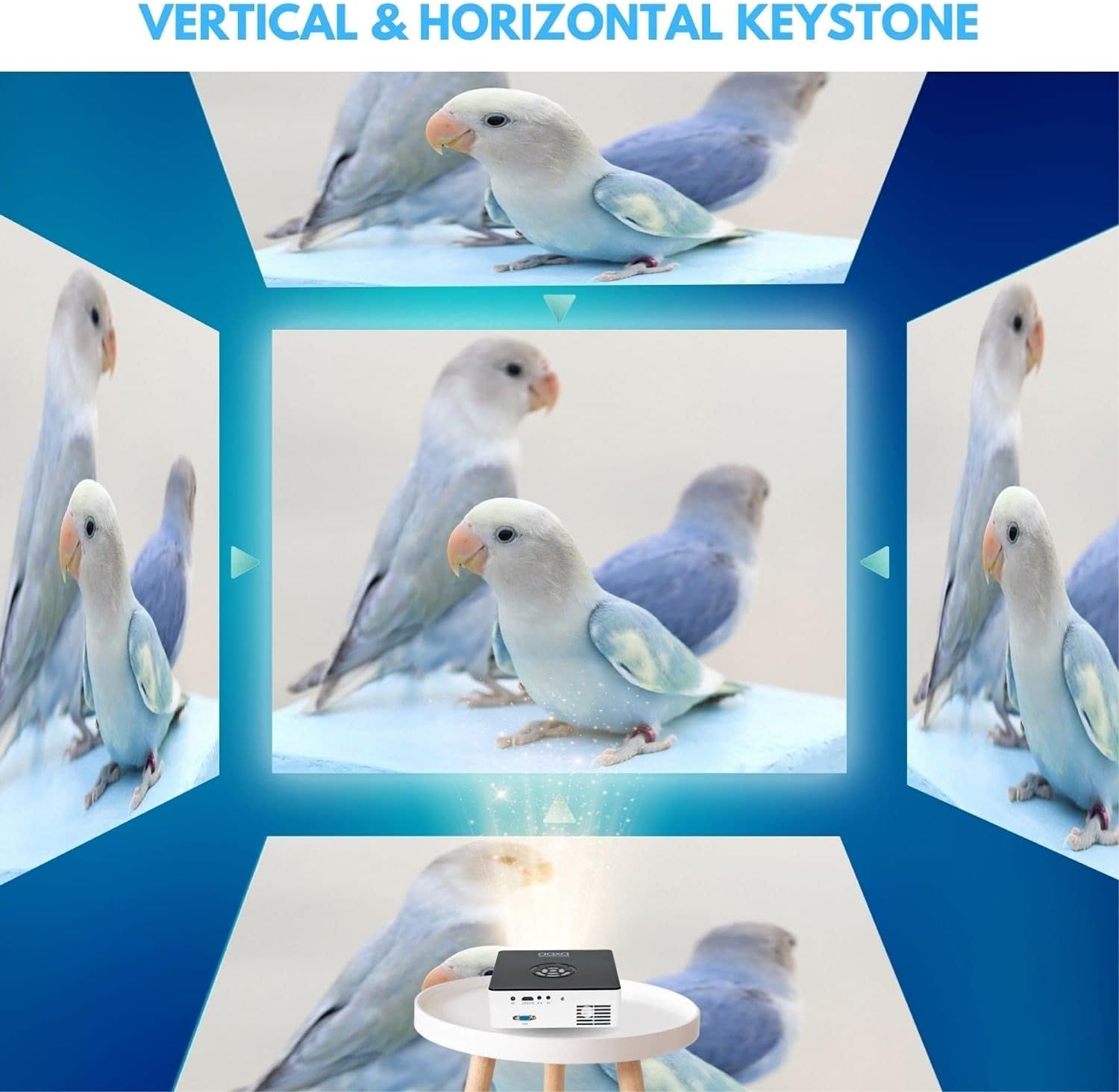
Figure 4: The remote control for the AAXA M6 projector, used for navigation and settings.
4. Obrachadh bataraidh
The M6 features a built-in rechargeable Lithium-Ion battery, providing up to 90 minutes of operation on a full charge. To charge the battery, connect the power adapter. The battery indicator will show charging status.
5. Modh Eco
For extended battery life and reduced fan noise, activate Eco Mode through the projector's settings menu. This mode slightly reduces brightness but can be sufficient in darker environments.
Video 1: Demonstration of the M6 projector's performance in a lower light environment, showcasing its 1080p Full HD native resolution.
Cumail suas
1. Glanadh an Lionsa
Cleachd clò bog, gun lint, a chaidh a dhealbhadh gu sònraichte airson lionsan optigeach, gus lionsa a’ phròiseictar a sguabadh gu socair. Seachain stuthan sgrìobach no ceimigean cruaidh a chleachdadh, oir faodaidh sin milleadh a dhèanamh air còmhdach na lionsa.
2. Cleaning Vents
Periodically inspect and clean the projector's ventilation openings to prevent dust buildup. Use a soft brush or compressed air to remove any obstructions, ensuring proper airflow and preventing overheating.
3. Stòradh
When not in use, store the projector in a cool, dry place, away from direct sunlight and extreme temperatures. If storing for an extended period, ensure the battery is partially charged (around 50%) to maintain battery health.
4. Stòr Solas LED
The M6 projector utilizes a durable LED light source with an estimated lifespan of 30,000 hours, eliminating the need for lamp ath-chur fo chumhachan cleachdaidh àbhaisteach.
Fuasgladh thrioblaidean
- Gun dealbh: Ensure the projector is powered on, the input source is correctly selected, and the connected device is outputting a signal. Check all cable connections.
- Ìomhaigh neo-shoilleir: Adjust the focus wheel until the image is sharp. Ensure the projection surface is flat and the projector is within the optimal throw distance.
- Gun fhuaim: Verify that the volume on both the projector and the connected device is turned up and not muted. Check audio cable connections if using external speakers.
- Fuaim fan: Some fan noise is normal during operation, especially in brighter modes. Activating Eco Mode can reduce fan speed and noise. Ensure vents are clear of obstructions.
- Image Distortion (Trapezoid Shape): Use the keystone adjustment feature to correct the image shape.
Ma thachras tu ri cùisean nach eil air an liostadh an seo no ma tha feum agad air tuilleadh cuideachaidh, thoir sùil air an earrann Taic.
Sònrachaidhean
| Feart | Mion-fhiosrachadh |
|---|---|
| Ainm Modail | M6 |
| Fuasgladh Taisbeanaidh | Native 1920 x 1080 (Full HD) |
| Gile | 1200 lumens LED |
| Co-mheas coimeas | 2000:1 |
| Beatha Stòr Solais | 30,000 Hours (LED) |
| Seòrsa Taisbeanaidh | DLP |
| Teicneòlas ceangail | HDMI, USB, microSD, AV, VGA |
| Meud ìomhaigh as àirde | 200 òirlich |
| An astar tilgeil as ìsle | 11.5 òirlich |
| Meudan nì (L x W x H) | 7" x 7" x 2.1" |
| Cuideam nì | 2.5 Punnd |
| Beatha bataraidh | Suas gu 90 mionaid |
| Seòrsa Rianadair | Smachd Iomallach |
Fiosrachadh Barantais
The AAXA Technologies M6 Projector is covered by a Barantas Dèanadair Earranta 1 Bliadhna bho cheann-latha a’ cheannaich. Tha am barantas seo a’ còmhdach lochdan ann an stuthan agus obair-ciùird fo chleachdadh àbhaisteach. Chan eil e a’ còmhdach milleadh air adhbhrachadh le droch chleachdadh, tubaistean, atharrachaidhean gun chead, no adhbharan bhon taobh a-muigh.
Feuch an glèidh thu an dearbhadh ceannach agad airson tagraidhean barantais.
Taic
For technical support, service, or additional information regarding your AAXA Technologies M6 Projector, please visit the official AAXA Technologies weblàrach-lìn no cuir fios chun roinn seirbheis teachdaiche aca.
- Weblàrach: www.aaxatech.com (example, please refer to actual product documentation for correct URL)
- Post-d: support@aaxatech.com (Example, please refer to actual product documentation for correct email)
- Fòn: 1-800-XXX-XXXX (Eisimpleir)ample, please refer to actual product documentation for correct phone number)
When contacting support, please have your product model (M6) and proof of purchase readily available.