
myTouchSmart 26745
Leabhar-stiùiridh airson Uaireadair-reic Bàr Didseatach myTouchSmart (Modail 26745)
Modail: 26745
Ro-ràdh
This manual provides instructions for the setup, operation, and maintenance of your myTouchSmart Digital Bar Outlet Timer, Model 26745. Please read these instructions carefully before use and retain them for future reference.
The myTouchSmart Digital Bar Outlet Timer is designed to automate the ON/OFF cycles of indoor lights, lamps, small appliances, and electronics. It features a space-saving design, a digital display, and two programmable custom ON/OFF times.
Stiùireadh sàbhailteachd cudromach
- Airson cleachdadh a-staigh a-mhàin.
- Do not exceed electrical ratings: 125V AC, 60Hz, 15A (1875W) General Purpose/Resistive, 5A (625W) Tungsten, 1/2 HP.
- Do not use with appliances that have heating elements, such as coffee makers, toasters, or heaters, as this may create a fire hazard.
- Ensure the timer is fully inserted into the outlet.
- Do not immerse in water or use in wet locations.
- Keep children away from the timer.
- Na cuir an aonad às a chèile. Chan eil pàirtean sam bith a-staigh a dh’ fhaodas an neach-cleachdaidh a chàradh.
Feartan toraidh
- Space-saving slim bar design.
- One (1) polarized outlet.
- Digital display for easy programming.
- Two custom daily ON/OFF times.
- Backup battery to save settings during power outagtha.
- Compatible with CFL, LED, incandescent, and halogen light sources.
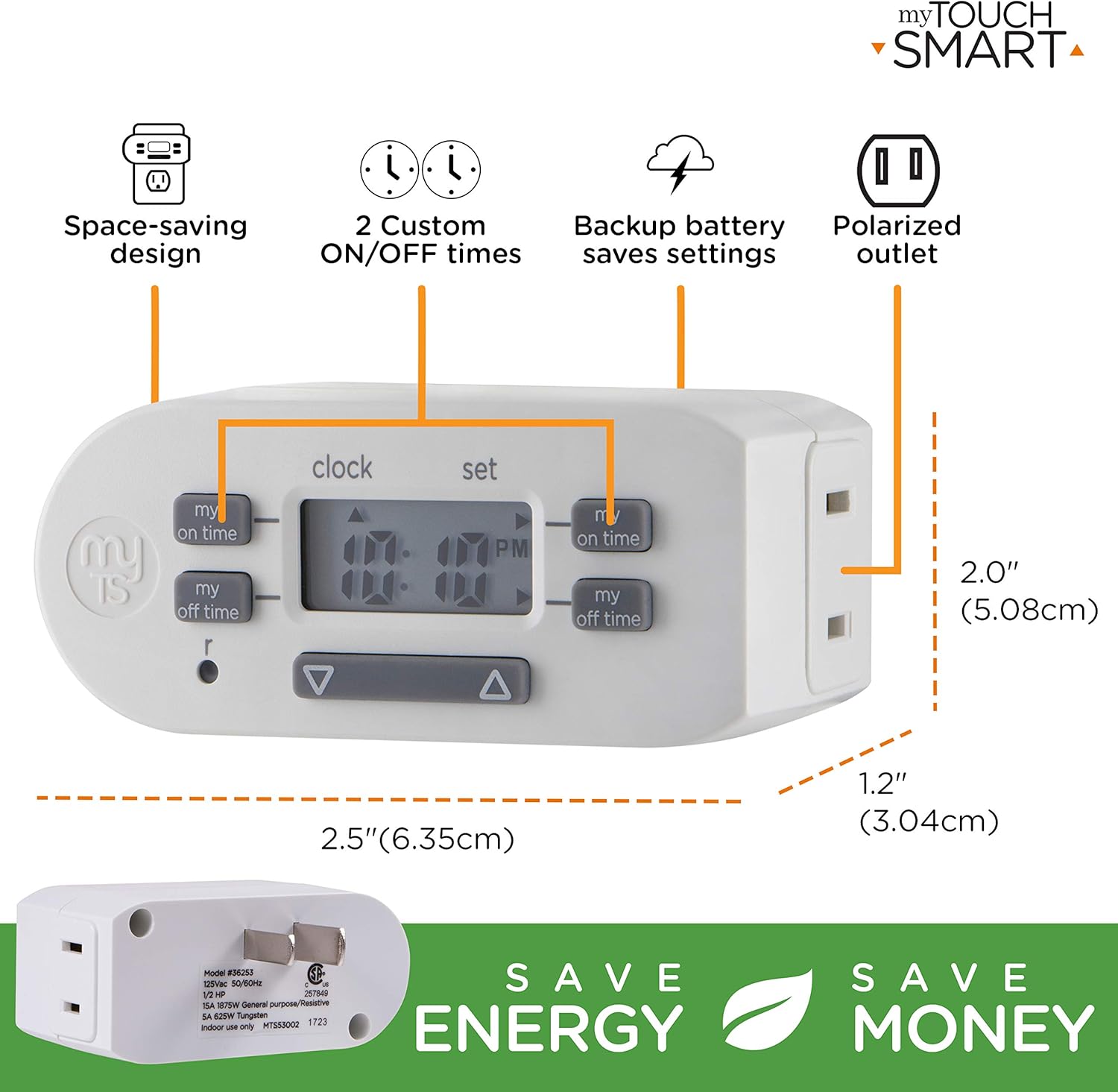
Tuairisgeul Ìomhaigh: A detailed diagram of the myTouchSmart Digital Bar Outlet Timer, highlighting its components such as the custom ON/OFF time buttons, clock/set mode indicator, active program indicator, AM/PM indicator, and scroll buttons. This image helps users identify the different parts of the timer for programming.
Suidheachadh agus Rèiteachadh Tùsail
1. Charging the Backup Battery
Before initial use, plug the timer into a live electrical outlet for at least 30 minutes to charge the internal backup battery. This battery retains your settings during power outagno nuair a thèid an timer a dhì-phlugadh.
2. A’ suidheachadh an Ùine Làithreach
- Brùth agus cùm an CLOC putan.
- Fhad 'sa tha e a' cumail CLOC, brùth an ▲ (suas) no ▼ (down) button to adjust the hour. The AM/PM indicator will change accordingly.
- Sgaoil an CLOC button when the correct hour is set.
- Brùth agus cùm an CLOC putan a-rithist.
- Fhad 'sa tha e a' cumail CLOC, brùth an ▲ (suas) no ▼ (down) button to adjust the minutes.
- Sgaoil an CLOC button when the correct minute is set.

Tuairisgeul Ìomhaigh: This image illustrates the "Simple Setup" process for the timer. It shows the digital display and buttons, with arrows pointing to the scroll buttons for setting the current time and the "my on time" and "my off time" buttons for custom programming. The image emphasizes the ease of setting up the device.
Stiùireadh Obrachaidh
Programming Custom ON/OFF Times
The timer allows for two custom daily ON/OFF programs. Follow these steps to set your desired schedules:
Prògram 1:
- Brùth an MY ON TIME button (left side) once. The display will show "1 ON".
- Brùth an ▲ (suas) no ▼ (down) button to adjust the desired ON hour for Program 1.
- Brùth an MY ON TIME putan a-rithist gus an uair a dhearbhadh agus gluasad gu mionaidean.
- Brùth an ▲ (suas) no ▼ (down) button to adjust the desired ON minutes for Program 1.
- Brùth an MY ON TIME button again to save the ON time.
- Brùth an MY OFF TIME button (left side) once. The display will show "1 OFF".
- Brùth an ▲ (suas) no ▼ (down) button to adjust the desired OFF hour for Program 1.
- Brùth an MY OFF TIME putan a-rithist gus an uair a dhearbhadh agus gluasad gu mionaidean.
- Brùth an ▲ (suas) no ▼ (down) button to adjust the desired OFF minutes for Program 1.
- Brùth an MY OFF TIME button again to save the OFF time.
Prògram 2:
Repeat the steps above using the MY ON TIME agus MY OFF TIME putanan air an taobh deas of the timer. The display will show "2 ON" and "2 OFF" respectively.
Tuairisgeul Ìomhaigh: This image displays two examples of how to program the timer. Program 1 is set to turn ON at 6:00 A.M. and OFF at 9:00 A.M. Program 2 is set to turn ON at 4:00 P.M. and OFF at 10:00 P.M. This visual guide helps users understand how to set their own custom schedules.
Connecting an Appliance
Once programmed, plug the appliance or light you wish to control into the polarized outlet on the side of the timer. Ensure the appliance's power switch is in the ON position for the timer to control its power cycle.

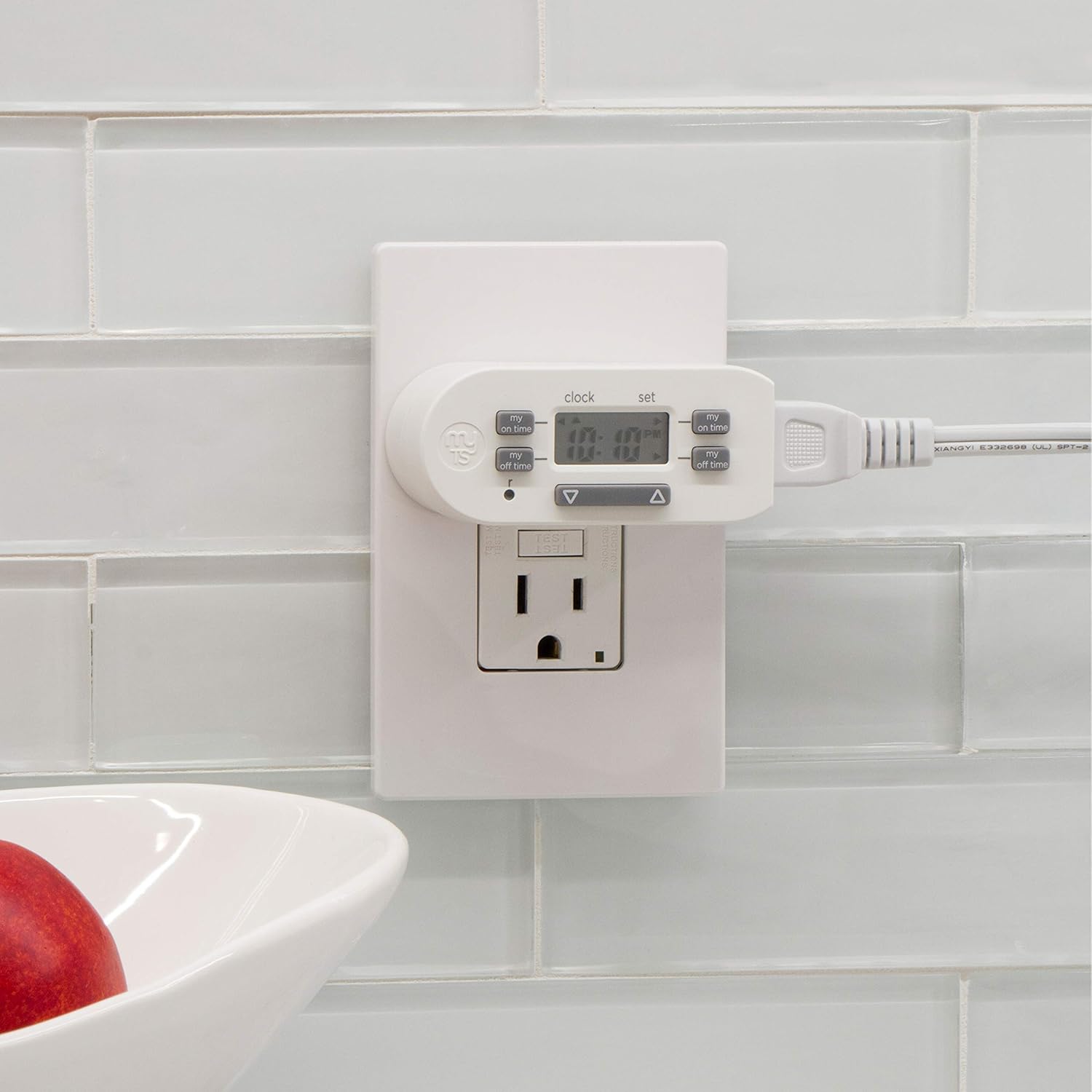
Tuairisgeul Ìomhaigh: The image shows the myTouchSmart Digital Bar Outlet Timer plugged into a standard wall outlet. A lamp's power cord is then plugged into the polarized outlet on the side of the timer, demonstrating how to connect a device for timed operation. The slim design of the timer is visible, not obstructing the second wall outlet.
Cumail suas
- Glanadh: Disconnect the timer from the power outlet before cleaning. Wipe with a dry, soft cloth. Do not use liquid or abrasive cleaners.
- Bataraidh: The internal backup battery is not user-replaceable. If the display becomes dim or settings are not retained after charging, the unit may need replacement.
- Stòradh: Glèidh an timer ann an àite fionnar, tioram nuair nach eilear ga chleachdadh.
Fuasgladh thrioblaidean
| Trioblaid | Adhbhar a dh’fhaodadh a bhith ann | Fuasgladh |
|---|---|---|
| Chan eil an inneal a’ tionndadh AIR/DHÙTH aig amannan prògramaichte. |
|
|
| Tha an taisbeanadh dorcha no bàn. |
|
|
| Settings are lost after power outage or unplugging. | Backup battery is not sufficiently charged or has reached end of life. | Plug the timer into a live outlet for at least 30 minutes. If the issue persists, the internal battery may need replacement (unit replacement). |
Sònrachaidhean
- Modail: 26745
- Rangachadh Dealain: 125V AC, 60Hz
- Luchdaich as àirde: 15A (1875W) General Purpose/Resistive
- Luchd Tungsten: 5A (625W)
- Luchdaich motair: 1 / 2 HP
- Stuthan a-muigh: 1 Polarized
- Meudan: Mu 2 x 2.5 x 1.25 òirleach
- Teisteanas: CSA
Barantas agus Taic
This product is backed by a one-year limited warranty. For warranty claims or technical support, please contact myTouchSmart customer service. Refer to the product packaging or the manufacturer's weblàrach-lìn airson fiosrachadh conaltraidh.
Dèanadair: Companaidh Jasco Products, LLC
Sgrìobhainnean co-cheangailte - 26745
 |
myTouchSmart SunSmart Plug-In Timer User Manual User manual for the myTouchSmart SunSmart Plug-In Timer, detailing setup, programming options, and specifications for indoor digital timing. Learn how to automate your indoor lighting and appliances. |
 |
Timer Didseatach Plug-in a-staigh myTouchSmart Seata Sìmplidh - Stiùireadh Cleachdaiche Ionnsaich mar a stèidhicheas tu agus a phrògramaicheas tu an timer didseatach plug-in a-staigh myTouchSmart agad airson smachd solais fèin-ghluasadach. Tha stiùireadh ann airson clàran-ama gnàthaichte, amannan ro-shuidhichte, agus feartan cunntaidh sìos. |
 |
Timer Plug-in myTouchSmart Simple Set: Stiùireadh Suidheachaidh is Prògramaidh Stiùireadh goirid airson an timer plug-in myTouchSmart Simple Set a stèidheachadh agus a phrògramadh airson smachd fèin-ghluasadach a chumail air solais is innealan. Ionnsaich mar a shuidhicheas tu amannan air/ dheth, tuigidh tu feartan, agus lean stiùiridhean sàbhailteachd. |
 |
Stiùiriche Cleachdaiche airson Timer Plug-in Set Simple myTouchSmart Instructions and specifications for the myTouchSmart Simple Set Plug-In Timer, an outdoor/indoor digital timer for automating lights and appliances. Learn how to mount, set the time, program on/off times, and understand safety warnings. |
 |
myTouchSmart In-Wall Digital Timer 26893 User Manual & Installation Guide Comprehensive user manual and installation guide for the myTouchSmart In-Wall Digital Timer (Model 26893). Learn how to safely install and use this programmable timer for indoor/outdoor lights and fans. |
 |
Innealan Smart Wi-Fi myTouchSmart: Stiùireadh Suidheachaidh agus Feartan Stiùireadh coileanta airson suidsichean, plugaichean agus socaidean snasail Wi-Fi myTouchSmart a stèidheachadh agus a chleachdadh. Ionnsaich mu smachd aplacaidean, amalachadh gutha le Alexa agus Neach-taic Google, agus fuasgladh dhuilgheadasan. |