
MICTUNING MIC-CDL-002-82
MICTUNING 2nd-Gen RGB LED Rock Lights User Manual
Model: MIC-CDL-002-82
1. Ro-ràdh
Thank you for choosing MICTUNING 2nd-Gen RGB LED Rock Lights. This kit provides vibrant, customizable lighting for your vehicle's exterior, enhancing visibility and aesthetics. Designed with high-brightness RGB 3-in-1 LEDs, a stable Bluetooth controller, and an IP68 waterproof rating, these lights are built for durability and performance in various conditions. This manual provides essential information for installation, operation, maintenance, and troubleshooting to ensure optimal use of your product.

Dealbh 1.1: Thairisview of the MICTUNING 2nd-Gen RGB LED Rock Lights kit, including the 8 LED pods, control box, and wiring.
2. Fiosrachadh Sàbhailteachd
Leugh agus tuig a h-uile stiùireadh sàbhailteachd mus stàlaich thu agus mus obraich thu e. Dh’ fhaodadh fàilligeadh ann a bhith a’ leantainn nan stiùiridhean seo clisgeadh dealain, teine no dochann dona adhbhrachadh.
- Dì-cheangail bataraidh a’ charbaid an-còmhnaidh mus tòisich thu air stàladh dealain sam bith.
- Dèan cinnteach gu bheil a h-uile ceangal uèiridh tèarainte agus air a insaladh gu ceart gus casg a chur air cuairtean goirid.
- Na atharraich an toradh ann an dòigh sam bith. Dh’fhaodadh atharrachaidhean gun chead am barantas a chur às a leth agus cunnartan sàbhailteachd adhbhrachadh.
- Keep the control box and wiring away from extreme heat, moving parts, and sharp edges.
- Bruidhinn ri proifeasanta ma tha thu mì-chinnteach mu phàirt sam bith den phròiseas stàlaidh.
3. Pasgan-susbaint
Dèan cinnteach gu bheil na pàirtean uile an làthair sa phacaid agad mus tòisich thu air an stàladh:
- 8 x RGB LED Rock Light Pods
- 1 x Bluetooth Control Box
- Uidheaman uèiridh
- Mounting Hardware (screws, nuts, rubber pads)
- Leabhar-làimhe cleachdaiche

Ìomhaigh 3.1: Mion-fhiosrachadh view of all items included in the package, such as the LED pods, control box, wiring, and various mounting accessories.
4. Setup agus Stàladh
Follow these steps for proper installation of your MICTUNING RGB LED Rock Lights:
- A’ dealbhadh an t-seallaidh: Determine the optimal placement for each of the 8 LED pods on your vehicle's undercarriage. Consider areas that will provide even illumination and are protected from direct impact.
- Mounting the Pods: Securely mount each LED pod using the provided screws and rubber pads. Ensure the mounting surface is clean and flat. The sturdy aluminum housing provides durability.
- Mounting the Control Box: Choose a dry, secure location for the Bluetooth control box, such as under the hood or inside the cabin. Ensure it is easily accessible for wiring and protected from water and excessive heat. The control box features a built-in automotive-grade chip for stable Bluetooth connection.
- Ceanglaichean uèiridh:
- Connect the wiring harnesses from each LED pod to the control box.
- Connect the main power and ground wires from the control box to your vehicle's 12V power source (e.g., battery). It is recommended to use an inline fuse (a safety protection fuse is included) for circuit protection.
- Dèan cinnteach gu bheil a h-uile ceangal teann agus air a insaladh gus casg a chur air creimeadh agus cuairtean goirid.
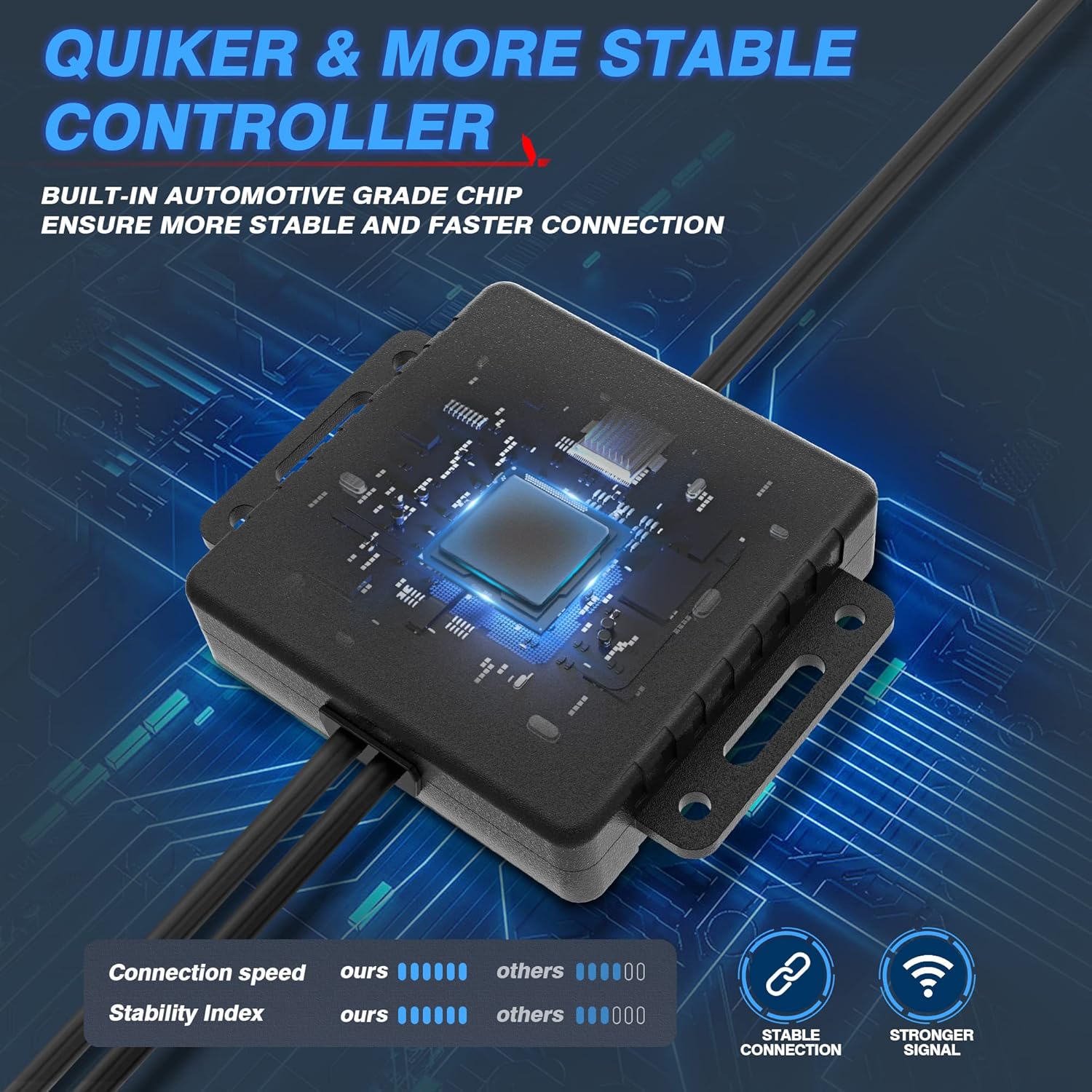
Image 4.1: The Bluetooth control box, highlighting its internal automotive-grade chip for stable and fast connection.

Image 4.2: A MICTUNING LED rock light submerged in water, demonstrating its IP68 waterproof rating and durable aluminum housing with an integrated safety fuse.
- Cumhachd air agus deuchainn: Reconnect the vehicle's battery. The lights should briefly illuminate.
- Luchdaich sìos an aplacaid: Scan the QR code on the control box or in the user manual to download the "Mictuning" app from your smartphone's app store.
5. Stiùireadh Obrachaidh
Your MICTUNING RGB LED Rock Lights are controlled via the exclusive MagicLink App. This app allows for comprehensive customization of your lighting experience.
- Dèan ceangal tro Bluetooth: Open the MagicLink App on your smartphone. Ensure Bluetooth is enabled. The app will automatically search for and connect to your MICTUNING control box.
- Tagh Modhan Solais: The app offers various lighting modes, including:
- Dathan Statach: Choose from a wide spectrum of colors using the color wheel.
- Modhan fiùghantach: Select from pre-programmed flashing, strobing, fading, and chasinbuaidhean g.
- Modh Ciùil: Synchronize the lights with music playing on your phone or through the app's microphone.
- Gnìomh ùine: Set schedules for the lights to turn on/off automatically.
- Atharrachadh soilleireachd: Adjust the brightness level to your preference within the app.
- Smachd ioma-inneal: The MagicLink App allows you to control multiple sets of MICTUNING lights of the same type (e.g., up to 6 sets of X2 CM Q1 RGB rock lights) from a single phone.
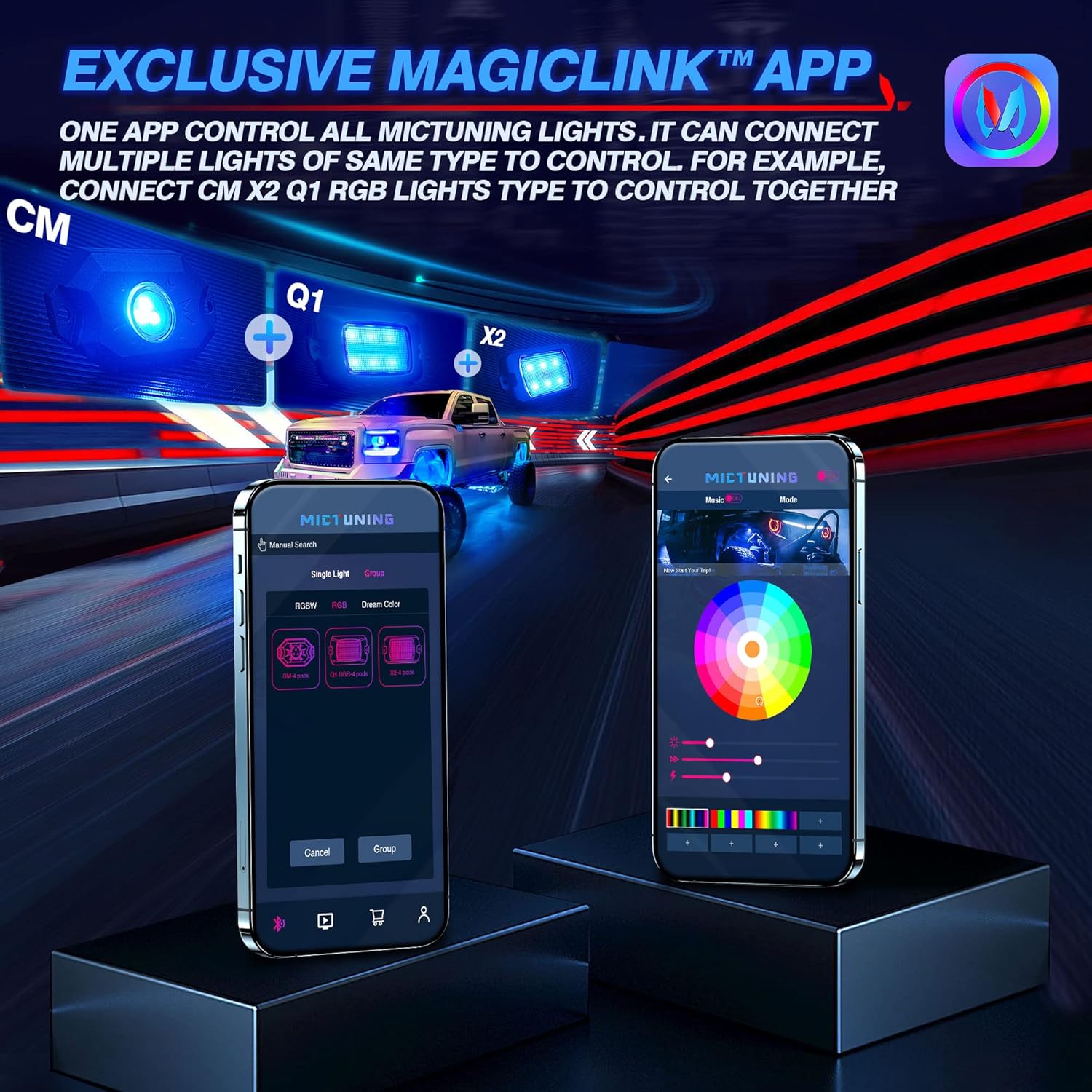
Image 5.1: The MagicLink App interface, showing options for single light or group control, and a color wheel for custom light selection.
6. Cumail suas
Regular maintenance will help prolong the lifespan and performance of your rock lights:
- Glanadh: Periodically clean the LED pods with a soft cloth and mild soap and water. Avoid abrasive cleaners or high-pressure washers directly on the lights.
- Sgrùdadh: Regularly inspect the wiring for any signs of wear, fraying, or damage. Check all connections to ensure they remain secure.
- Ionracas dìon-uisge: While the lights are IP68 waterproof, ensure that the connections to the control box remain dry and free from moisture buildup.
7. A ’dèanamh trioblaid
If you encounter issues with your MICTUNING RGB LED Rock Lights, refer to the following common problems and solutions:
| Trioblaid | Adhbhar a dh’fhaodadh a bhith ann | Fuasgladh |
|---|---|---|
| Chan eil solais a’ tionndadh air. | Gun chumhachd, ceangal sgaoilte, fiùs air a shèideadh. | Check power connections to the battery. Ensure all wiring is secure. Inspect the inline fuse and replace if blown. |
| Bluetooth connection is unstable or slow. | Interference, app issues, distance from control box. | Ensure your phone's Bluetooth is on. Restart the app and your phone. Move closer to the control box. Ensure the app has necessary permissions (e.g., location access). |
| Colors are inconsistent or mottled. | Individual LED pod issue, wiring problem. | Check the connections to the affected pod. Ensure the app is updated to the latest version. |
| Lights do not respond to app commands. | App not connected, control box issue. | Verify Bluetooth connection in the app. Restart the control box by disconnecting and reconnecting power. |
8. Sònrachaidhean
| Feart | Mion-fhiosrachadh |
|---|---|
| Modail Àireamh | MIC-CDL-002-82 |
| Dath | RGB |
| Stuth | Aluminium |
| Cuideam nì | 4.4 Punnd |
| Meudan toraidh | 7.87 x 5.12 x 5.71 òirleach |
| Ìre an aghaidh uisge | IP68 uisge-dhìonach |
| Teicneòlas ceangail | Bluetooth |
| Àireamh nam pìosan | 8 Podan |
| Fad-beatha | Suas ri 50,000+ uairean |
9. Barantas agus Taic
MICTUNING stands behind the quality of its products. Your MICTUNING 2nd-Gen RGB LED Rock Lights come with a barantas dà bhliadhna bhon cheann-latha ceannach.
If you encounter any issues or have questions regarding your product, please do not hesitate to contact MICTUNING customer support. Our responsive team is committed to assisting you within 24 hours to resolve any problems.
Fiosrachadh conaltraidh:
- Visit the official MICTUNING website for support resources and contact details: MICTUNING Store
- Refer to the user manual for additional contact methods.
Ask a question about this manual
Ask about setup, troubleshooting, compatibility, parts, safety, or missing instructions. Manuals+ will review the question and use this page’s manual context to help answer it.