
Ro-ràdh
The HyperGear Rave Wireless Stereo Speaker delivers high-fidelity sound with an interactive multi-colored LED light show. It features Bluetooth connectivity, a built-in speakerphone, and an FM radio, making it suitable for various audio needs.
Susbaint pacaid
- Rave Wireless Speaker
- 3.5mm Stereo Auxiliary Cable
- Càball cosgais meanbh-USB
- Leabhar-làimhe cleachdaiche (an sgrìobhainn seo)

Bathar seachadview
Dèan eòlas air smachdan agus puirt an neach-labhairt.

Putanan smachd
- Putan Cumhachd: Brùth is cum sìos gus an neach-labhairt a thionndadh air no dheth.
- Putan Modh (M): Brùth gus atharrachadh eadar modhan Bluetooth, Rèidio FM, agus AUX.
- Play/Pause Button (►/∕): Brùth gus claisneachd a chluich no stad a chuir air. Ann am modh gairm, brùth gus gairmean a fhreagairt/a chrìochnachadh.
- Volume Down / Previous Track (-/◀◀): Brùth gus an fhuaim a lùghdachadh. Brùth is cum sìos gus a dhol chun an trac roimhe.
- Volume Up / Next Track (+/►►): Brùth gus an fhuaim a mheudachadh. Brùth is cum sìos gus a dhol chun ath thrac.
- Light Mode Button (*): Press to cycle through different LED light patterns or turn off the light show.
Puirt
- Port Cìsean Micro USB: Airson bataraidh a-staigh an neach-labhairt a ghearradh.
- Cur a-steach AUX 3.5mm: For connecting external audio devices via the auxiliary cable.
Suidhich
A luchdadh a-nuas an neach-labhairt
Before first use, fully charge the speaker. Connect the Micro USB charging cable to the speaker's charging port and the other end to a USB power adapter (not included) or a computer's USB port. The charging indicator light will illuminate during charging and turn off when fully charged. A full charge takes approximately 3-4 hours and provides up to 8 hours of playback.
Cumhachd air / dheth
Brùth agus cùm an Putan Cumhachd airson timcheall air 3 diogan gus an neach-labhairt a thionndadh air no dheth. Seallaidh guth inbhe a’ chumhachd.
Stiùireadh Obrachaidh
Paidhir Bluetooth
- Dèan cinnteach gu bheil an neach-labhairt air agus ann am modh Bluetooth. Mura h-eil, brùth air a’ phutan Putan Modh (M) until you hear the Bluetooth pairing prompt. The LED indicator will flash, indicating it is ready to pair.
- Air an inneal gluasadach agad, leig le Bluetooth agus rannsaich na h-innealan a tha rim faighinn.
- Select "HyperGear Rave" from the list of devices.
- Once paired, the speaker will emit a confirmation tone, and the LED indicator will stop flashing.

A' cluich Ciùil
Modh Bluetooth
After successful pairing, you can play music from your connected device. Use the speaker's Cluich / Stad, Volume Up / Next Track, agus Volume Down / Rian roimhe buttons to control playback, or control directly from your device.
Modh AUX
Connect one end of the 3.5mm auxiliary cable to the speaker's AUX input and the other end to the audio output of your external device. Press the Putan Modh (M) to switch to AUX mode. Audio will play directly from your connected device.
Glaodh gun làmhan
When connected via Bluetooth, the speaker can be used as a speakerphone. When a call comes in, the music will pause. Press the Putan Cluich / Stad to answer an incoming call. Press it again to end the call. Press and hold the Putan Cluich / Stad diùltadh gairm a tha a ’tighinn a-steach.
Gnìomh rèidio FM
Brùth an Putan Modh (M) to switch to FM Radio mode. The speaker will automatically scan and save available stations. Use the Volume Up / Next Track agus Volume Down / Rian roimhe buttons to navigate between saved stations. Press and hold these buttons to fine-tune the frequency.
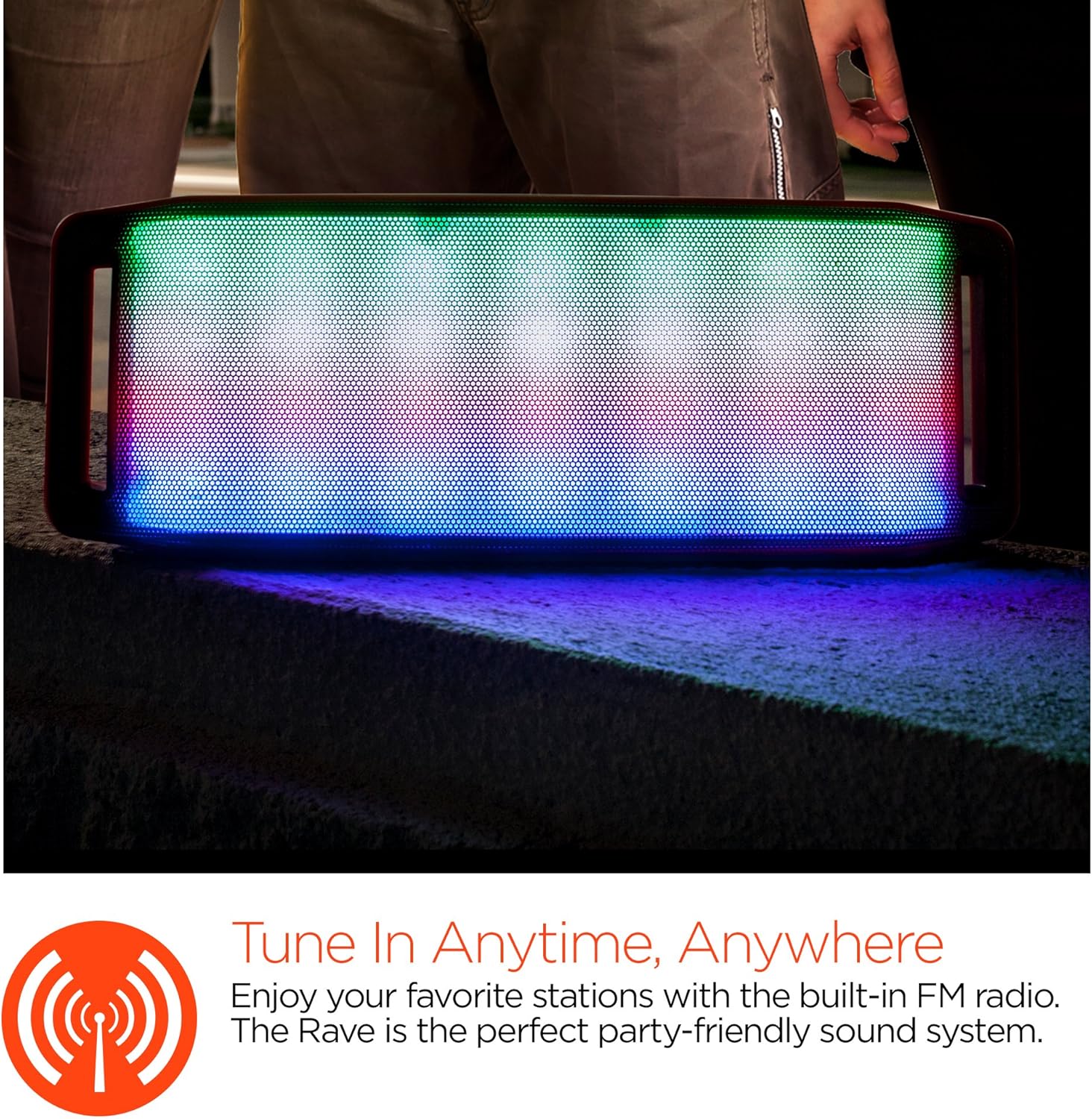
Taisbeanadh solais LED
The speaker features an interactive multi-colored LED light show. Press the Light Mode Button (*) to cycle through different light patterns or to turn the light show off.

Cumail suas
Glanadh
Wipe the speaker with a soft, dry cloth. Do not use abrasive cleaners or solvents. Avoid exposing the speaker to excessive moisture.
Stòradh
Stòraich an neach-labhairt ann an àite fionnar, tioram air falbh bho sholas dìreach na grèine agus teòthachd anabarrach. Ma bhios tu ga stòradh airson ùine mhòr, cuir cosgais air a’ bhataraidh bho àm gu àm gus a fad-beatha a chumail suas.
Cùram Bataraidh
To prolong battery life, avoid fully discharging the speaker frequently. Charge the speaker regularly, even if not in use, to prevent deep discharge.
Fuasgladh thrioblaidean
| Trioblaid | Adhbhar a dh’fhaodadh a bhith ann | Fuasgladh |
|---|---|---|
| Chan eil an neach-labhairt a’ tionndadh air. | Tha bataraidh air ìsleachadh. | Cuir cosgais air an neach-labhairt le bhith a’ cleachdadh a’ chàball Micro USB. |
| Chan urrainnear paidhir a dhèanamh tro Bluetooth. | Chan eil an neach-labhairt ann am modh càraideachaidh; tha Bluetooth dheth air an inneal; tha an inneal ro fhada air falbh. | Ensure speaker is in Bluetooth pairing mode (flashing LED). Turn on Bluetooth on your device. Move device closer to speaker (within 10 meters). |
| Gun fhuaim. | Volume is too low; incorrect mode selected; device not playing. | Increase volume on both speaker and connected device. Ensure correct mode (Bluetooth/AUX/FM) is selected. Verify audio is playing on the source device. |
| Distort fuaim. | Fuaim ro àrd; bataraidh ìosal; bacadh. | Lùghdaich an tomhas-lìonaidh. Cuir cosgais air an neach-labhairt. Gluais an neach-labhairt air falbh bho innealan dealanach eile. |
| Tha gabhail rèidio FM bochd. | Comharra lag; bacadh àrainneachdail. | Relocate the speaker to an area with better reception. Extend the charging cable (if connected) as it can act as an antenna. |
Sònrachaidhean
| Feart | Mion-fhiosrachadh |
|---|---|
| Modail Àireamh | 13604 |
| Tionndadh Bluetooth | 3.0 ± EDR |
| Cumhachd toraidh neach-labhairt | 2 x 5W (10W gu h-iomlan) |
| Co-mheas comharra-gu-fuaim (S/N) | 80dB |
| Comas Bataraidh | 1500 mAh |
| Uair Seinn | Suas gu 8 uairean |
| Raon Bluetooth | Suas gu 33 troigh / 10m |
| Teicneòlas ceangail | Bluetooth, Gun Uèir |
| Modh Toraidh Fuaim | Stereo |
| Modh smachd | Suathadh |
| Cuideam | 2.25 Punnd |
| Feartan sònraichte | Bass Boost, Display, Multi-colored LED Light Show, Built-in Speakerphone, FM Radio |
Barantas agus Taic
For warranty information or technical support, please refer to the contact details provided on the product packaging or visit the official HYPERGEAR weblàrach. Cùm do chuidhteas ceannach mar dhearbhadh ceannach.