
1. Ro-ràdh
This manual provides comprehensive instructions for the installation, operation, and maintenance of the Simplex 4099-9006 Double Action, Push Pull Down Fire Alarm Station. This device is designed to initiate a fire alarm signal when manually activated, contributing to the overall safety and security of a building's occupants.
The Simplex 4099-9006 is an IDNet addressable manual pull station with an integrated LED indicator, ensuring reliable communication within compatible fire alarm systems.
2. Fiosrachadh Sàbhailteachd
WARNING: Installation and servicing of this device must be performed by qualified personnel only, in accordance with all local and national electrical codes, and the National Fire Alarm and Signaling Code (NFPA 72).
- Always disconnect power to the fire alarm control panel before installing or servicing the pull station.
- Dèan cinnteach gu bheil bunait cheart ann gus casg a chuir air clisgeadh dealain.
- Do not paint over the pull station or obstruct its operation.
- Test the pull station regularly as part of a comprehensive fire alarm system testing schedule.
- This device is not intended for outdoor use unless specifically rated for such environments.
3. Toradh thallview
The Simplex 4099-9006 is a robust, red-colored manual fire alarm pull station featuring a double-action mechanism (push then pull). It includes an integrated LED indicator for status feedback.
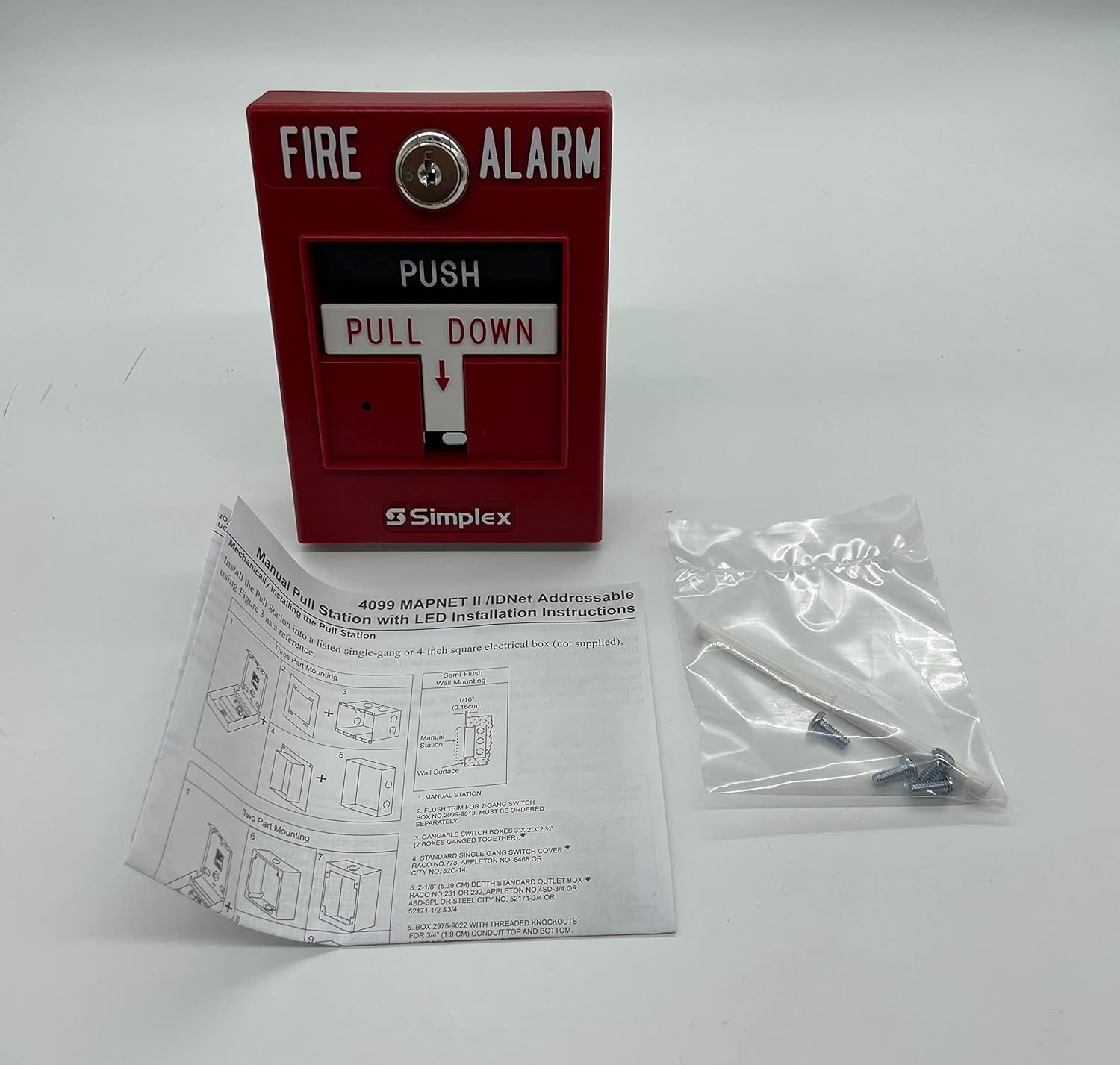
Figure 3.1: Simplex 4099-9006 Double Action Fire Alarm Pull Station. This image displays the front of the red pull station with "FIRE ALARM" and "PUSH PULL DOWN" labels, alongside a detailed instruction sheet for installation and mounting, and a small bag of mounting hardware.
Am measg nam prìomh phàirtean tha:
- Làimhseachadh Gnìomhachaidh: The "PUSH PULL DOWN" mechanism used to initiate an alarm.
- Comharra LED: Provides visual status of the device (e.g., normal, alarm, trouble).
- Bloc crìochnachaidh: For connecting to the fire alarm control panel's IDNet circuit.
- Mounting Plate/Housing: Secures the device to a standard electrical box or surface.
4. Suidheachadh & Stàladh
The Simplex 4099-9006 pull station can be installed using either single-gang or two-part mounting methods, typically on a standard 4-inch square electrical box (not supplied).
4.1 Sgrùdaidhean ro-stàlaidh
- Verify that the fire alarm control panel is powered off.
- Ensure the mounting location is clean, dry, and meets local code requirements for height and accessibility.
- Confirm all necessary tools and hardware are available (e.g., screwdriver, wire strippers, mounting screws).
4.2 Modhan-obrach Stàlaidh
Refer to the installation diagrams provided with the product and shown in Figure 3.1 for visual guidance.
4.2.1 Single-Gang Mounting
- Secure the pull station directly to a standard single-gang electrical box.
- Ensure the device is flush with the wall surface.
4.2.2 Two-Part Mounting
- Install the backbox or mounting plate first, typically a 4-inch square electrical box.
- Mount the pull station assembly onto the installed backbox.
- This method may be used for flush trim or surface mounting applications.
4.3 Uèir
The 4099-9006 is an IDNet addressable device. Connect the pull station to the IDNet circuit of the fire alarm control panel using appropriate gauge wiring, following the wiring diagram provided on the device or in its specific installation sheet. Ensure polarity is correct.
- Connect the incoming and outgoing IDNet circuit wires to the designated terminals.
- Dèan cinnteach gu bheil a h-uile ceangal tèarainte agus saor bho ghiorrachaidhean.
4.4 Às dèidh an Stàlaidh
- Once installed and wired, restore power to the fire alarm control panel.
- Verify the LED indicator on the pull station shows a normal operating status (typically a slow flash).
- Perform a functional test of the pull station as described in the "Operating Instructions" section.
5. Stiùireadh Obrachaidh
The Simplex 4099-9006 features a double-action activation mechanism to prevent accidental alarms.
5.1 A’ cur an inneal-rabhaidh an gnìomh
- PUSH: Firmly push the "PUSH" bar located at the top of the activation handle.
- PULL DOWN: Once the "PUSH" bar is depressed, pull the handle "PULL DOWN" until it latches in the alarm position.
- Upon activation, the pull station will send an alarm signal to the fire alarm control panel, and the integrated LED will illuminate steadily (or change to a rapid flash, depending on system programming) to indicate an alarm state.
5.2 Ath-shuidheachadh an Stèisein Tarraing
To reset the pull station after an alarm, a special key (not included with this specific model, as indicated by "No Key" in the product title, implying a different reset mechanism or system-level reset) or tool is typically required to return the handle to its normal, non-alarm position. For the 4099-9006, the reset mechanism is internal and does not require a key. Simply push the handle back into its original position. The fire alarm control panel must also be reset to clear the alarm condition from the system.
6. Cumail suas
Regular maintenance ensures the reliable operation of your Simplex 4099-9006 pull station. All maintenance should be performed by qualified personnel.
6.1 Sgrùdaidhean Cunbhalach
- Sgrùdadh Lèirsinneach (Gach Mìos): Check for any physical damage, obstructions, or signs of tampering. Ensure the pull station is clean and clearly visible.
- LED Status (Monthly): Verify the LED indicator is showing a normal operating status (e.g., slow flash).
6.2 Functional Testing (Annually or as per local codes)
Functional testing should be conducted by a certified fire alarm technician.
- Notify building occupants and the monitoring station before testing.
- Activate the pull station as described in "Operating Instructions".
- Verify that the fire alarm control panel receives the alarm signal and initiates appropriate responses (e.g., sounding alarms, notifying monitoring station).
- Reset the pull station and the fire alarm control panel.
- Confirm the pull station returns to a normal operating state.
6.3 Glanadh
Glan taobh a-muigh an stèisein tarraing le clò bog, damp clò. Na cleachd innealan-glanaidh sgrìobach no fuasglaidhean, oir faodaidh iad sin milleadh a dhèanamh air a’ chrìochnachadh no air na pàirtean a-staigh.
7. A ’dèanamh trioblaid
This section addresses common issues you might encounter with the Simplex 4099-9006 pull station. For complex issues, contact a qualified fire alarm technician.
| Trioblaid | Adhbhar a dh’fhaodadh a bhith ann | Fuasgladh |
|---|---|---|
| Pull Station does not activate alarm. | Incorrect activation procedure; wiring issue; device fault; control panel issue. | Ensure proper push-then-pull action. Check wiring connections. Verify control panel status. Contact technician if problem persists. |
| LED indicator is off or shows trouble. | No power; wiring fault; device fault; control panel trouble. | Check power to the control panel. Inspect wiring for breaks or shorts. Consult control panel manual for trouble codes. Contact technician. |
| Inneal-rabhaidh meallta. | Accidental activation; faulty device; wiring issue. | Reset the pull station and control panel. Inspect for physical damage or obstructions. If recurring, contact technician. |
| Pull station handle does not reset. | Internal mechanism issue; debris. | Ensure no debris is obstructing the mechanism. Gently attempt to push the handle back. If it remains stuck, the unit may need replacement. |
8. Sònrachaidhean
| Feart | Mion-fhiosrachadh |
|---|---|
| Modail Àireamh | S4099-9006 |
| Seòrsa Bathar | Double Action Manual Fire Alarm Pull Station |
| Brand | Simplex |
| Dèanadair | SIMPLEX Grinnell |
| Dath | Dearg |
| Modh gnìomhachaidh | Push then Pull Down |
| Key Requirement for Reset | No Key Required (Internal Reset) |
| Ceangalachd | IDNet Addressable |
| Feartan aonaichte | Comharra LED |
| Cuideam nì | 0.5 not (timcheall air 8 unnsa) |
| Meudan toraidh | 6 x 6 x 4 òirleach (tuairmse) |
| UPC | 643485653004 |
| Ceann-latha Ri fhaighinn an-toiseach | Dùbhlachd 21, 2015 |
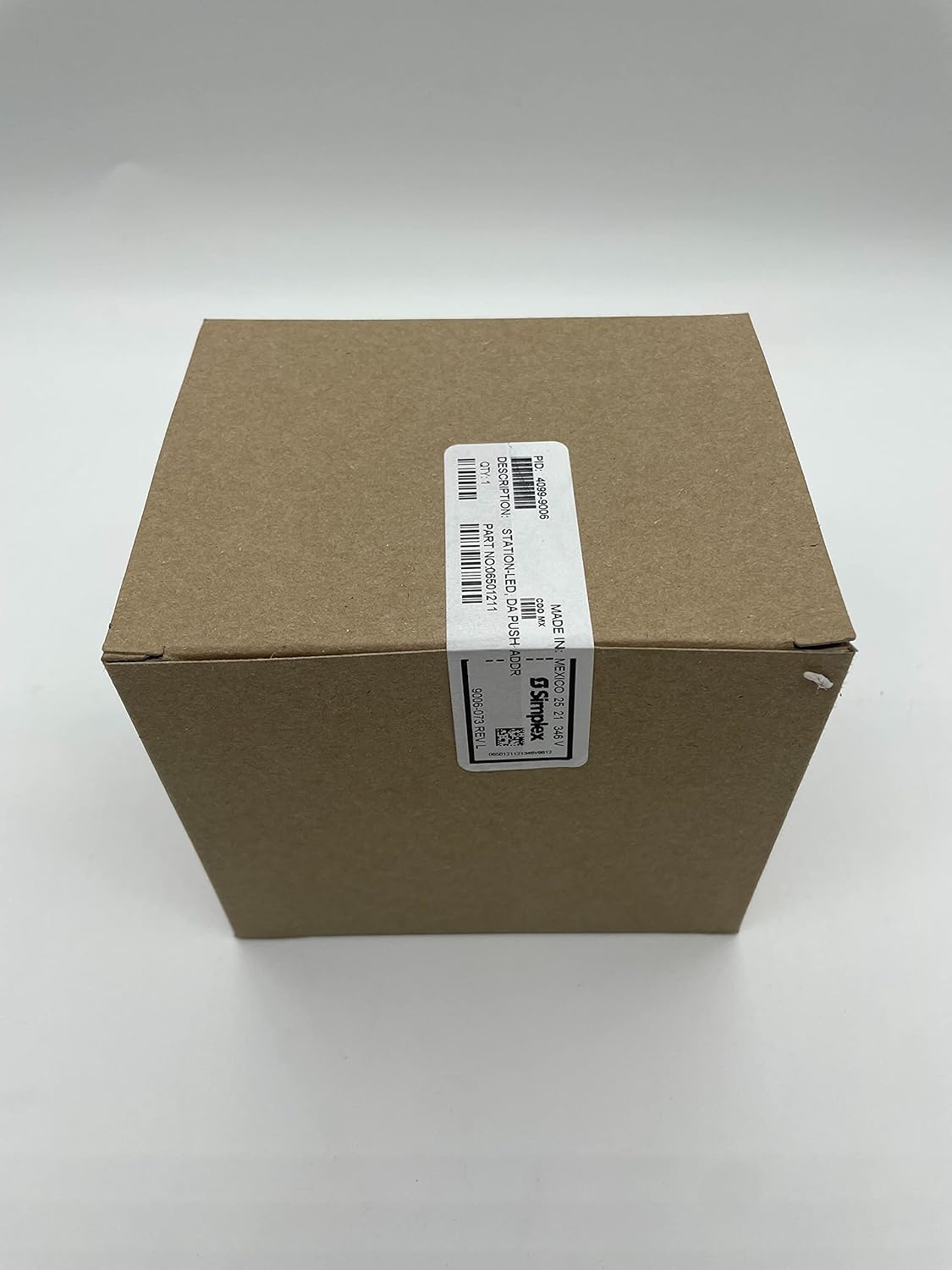

Figure 8.1: Product packaging for the Simplex 4099-9006, showing the brown cardboard box with product identification labels. The labels confirm PID 4099-9006 and Part No. 06501211.
9. Barantas & Taic
9.1 Fiosrachadh Barantais
This Simplex product is typically covered by a manufacturer's warranty against defects in materials and workmanship. Specific warranty terms and duration may vary. Please refer to the original purchase documentation or contact Simplex customer service for detailed warranty information.
Note: The product listing mentions "12 months warranty" and "30 days return if not satisfied". This information is from a third-party seller and may not reflect the official manufacturer's warranty. Always verify with the manufacturer.
9.2 Taic Teicnigeach
For technical assistance, installation guidance, or troubleshooting beyond the scope of this manual, please contact a certified fire alarm technician or the manufacturer directly.
Simplex Customer Support: Please visit the official SimplexGrinnell weblàrach-lìn no thoir sùil air pasgan an toraidh agad airson fiosrachadh conaltraidh.
Airson ceistean coitcheann, faodaidh tu cuideachd iomradh a thoirt air an Simplex brand page on Amazon.