
Ro-ràdh
Thank you for choosing the Technoline WT 745 Radio Controlled Alarm Clock. This digital alarm clock features precise timekeeping, dual alarms with snooze, date and weekday display, and indoor temperature monitoring. Please read this manual carefully to ensure proper setup and operation.
Susbaint pacaid
- Technoline WT 745 Radio Controlled Alarm Clock
- Leabhar-làimhe cleachdaiche
Note: 2x AAA batteries are required and not included.
Bathar seachadview
Familiarize yourself with the main components of your WT 745 alarm clock.
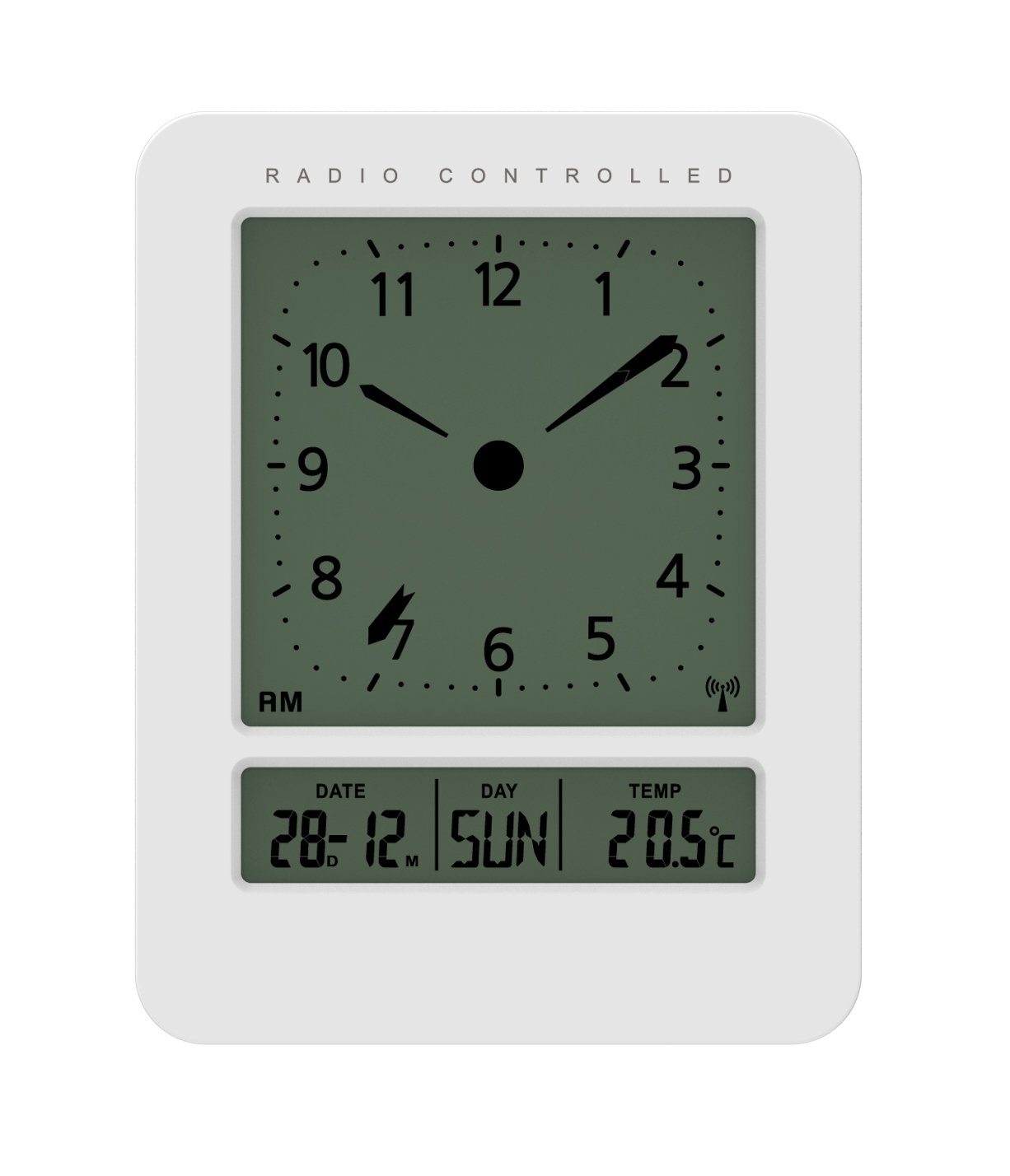
Ìomhaigh: Aghaidh agus taobh view of the Technoline WT 745 Radio Controlled Alarm Clock, showing the digital display with time, date, day, and temperature, and the analog clock face. The clock is white with a light grey display.
- Analog Clock Face: Displays current time with hour, minute, and second hands.
- Taisbeanadh didseatach: Shows date, day of the week, and indoor temperature.
- Radio Controlled Indicator: Symbol indicating successful radio signal reception.
- Putanan smachd: Buttons for setting time, alarm, and other functions, typically located on the back or side.
- Roinn Bataraidh: Located on the back for 2x AAA batteries.
Suidhich
1. Cuir a-steach Bataraidhean
- Open the battery compartment cover on the back of the alarm clock.
- Insert 2 new AAA batteries, observing the correct polarity (+/-).
- Dùin an còmhdach roinn bataraidh gu tèarainte.
Note: The clock will automatically start searching for the radio time signal after battery insertion. This process may take several minutes.
2. Initial Radio Signal Reception
- Cuir a’ ghleoc faisg air uinneig airson an glacadh comharran as fheàrr.
- Avoid placing it near electronic devices that may cause interference.
- Once the signal is received, the time, date, and day will be automatically set. The radio controlled indicator will appear on the display.
If the signal is not received within 10 minutes, try repositioning the clock or manually setting the time (see "Manual Time Setting").
Stiùireadh Obrachaidh
A 'suidheachadh an Alarm
- Brùth an SET ALARM button (location not specified, assume standard placement). The alarm time will flash.
- Cleachd an UP or DOWN putanan gus an uair a rèiteachadh.
- Brùth SET ALARM a-rithist gus an uair a dhearbhadh agus gluasad gu mionaidean.
- Cleachd an UP or DOWN putanan gus na geàrr-chunntasan atharrachadh.
- Brùth SET ALARM gus an ùine rabhaidh a shàbhaladh.
- Gus an inneal-rabhaidh a ghnìomhachadh/a dhì-ghnìomhachadh, brùth air a’ phutan ALARM AIR / OFF putan. Nochdaidh/falaichidh ìomhaigh rabhaidh air an taisbeanadh.
The WT 745 supports two independent alarms. Repeat the steps above to set the second alarm.
Gnìomh Snooze
- Nuair a chluinneas an inneal-rabhaidh, brùth air an SNOZE button (usually a large button on top). The alarm will pause for approximately 5 minutes and then sound again.
- To stop the alarm completely, press any other button (e.g., ALARM ON/OFF) or let it ring for its full duration.
Gnìomhachadh cùl-sholais
- Brùth an LAOIDH or SNOZE button to temporarily illuminate the display for easy viewing ann an suidheachaidhean aotrom ìosal.
Viewing Date, Day, and Temperature
- The digital display continuously shows the current date, day of the week, and indoor temperature. No specific action is required to view iad seo.
Suidheachadh Ùine Làimhe (mura h-eil comharra rèidio ri fhaighinn)
- Brùth agus cùm an SEANN TIOMNAIDH button for a few seconds until the hour digits flash.
- Cleachd an UP or DOWN putanan gus an uair a rèiteachadh.
- Brùth SEANN TIOMNAIDH a-rithist gus an uair a dhearbhadh agus gluasad gu mionaidean.
- Cleachd an UP or DOWN putanan gus na geàrr-chunntasan atharrachadh.
- Lean air adhart a 'bruthadh SEANN TIOMNAIDH to cycle through and adjust year, month, and day as needed.
- Brùth SEANN TIOMNAIDH one last time to exit manual setting mode.
Cumail suas
- Glanadh: Sguab an gleoc le clò bog, tioram. Na cleachd innealan-glanaidh sgrìobach no fuasglaidhean.
- Ath-nuadhachadh bataraidh: Replace batteries when the display dims or functions become erratic. Always replace both batteries simultaneously with new ones.
- Stòradh: Ma bhios tu a’ stòradh a’ ghleoc airson ùine mhòr, thoir a-mach na bataraidhean gus casg a chur air aodion.
- Àrainneachd: Cùm a’ chloc air falbh bho sholas dìreach na grèine, teòthachd anabarrach, agus taiseachd àrd.
Fuasgladh thrioblaidean
| Trioblaid | Adhbhar a dh’fhaodadh a bhith ann | Fuasgladh |
|---|---|---|
| Tha an taisbeanadh bàn no dorcha. | Tha bataraidhean ìosal no air an cur a-steach gu ceàrr. | Cuir bataraidhean AAA ùra nan àite, a’ dèanamh cinnteach gu bheil am polarachd cheart. |
| Clock does not receive radio signal. | Interference, poor location, or signal too weak. | Move the clock closer to a window, away from electronic devices. Try manual time setting. |
| Chan eil an inneal-rabhaidh a’ fuaimeachadh. | Chan eil an inneal-rabhaidh air a ghnìomhachadh no air a shuidheachadh gu ceàrr. | Ensure the alarm icon is visible on the display. Recheck alarm time settings. |
| Ùine ceàrr air a thaisbeanadh. | Radio signal lost or manual time set incorrectly. | Allow the clock to resynchronize with the radio signal. If persistent, manually set the time. |
Sònrachaidhean
- Modail: WT 745
- Brand: Teicneòlas-loidhne
- Meudan: 7.1 x 4.5 x 9.2 cm (L x W x H)
- Cuideam: 150 g
- Stuth: Plastaig
- Seòrsa taisbeanaidh: Digital with Analog Clock Face
- Stòr cumhachd: 2 x Bataraidh AAA (gun a thoirt a-steach)
- Feartan sònraichte: Radio Controlled Time, Dual Alarms, Snooze Function, Date Display, Day of Week Display, Indoor Temperature Display, Backlight.
- Cleachdadh: A-staigh
Barantas agus Taic
For warranty information or technical support, please refer to the warranty card included with your product or visit the official Technoline weblàrach. Cùm do chuidhteas ceannach mar dhearbhadh ceannach.
Oifigeil Weblàrach: www.technoline.eu