
1. Toradh thallview
The Cisco 4000 series Integrated Services Routers (ISR) are designed to provide advanced network, compute, and WAN services for modern business environments. The ISR4351/K9 model facilitates the extension of cloud services to remote sites and supports a transition to a hybrid WAN architecture. It integrates chassis, modules, and WAN services within a robust management framework, offering a flexible platform adaptable to evolving application landscapes.
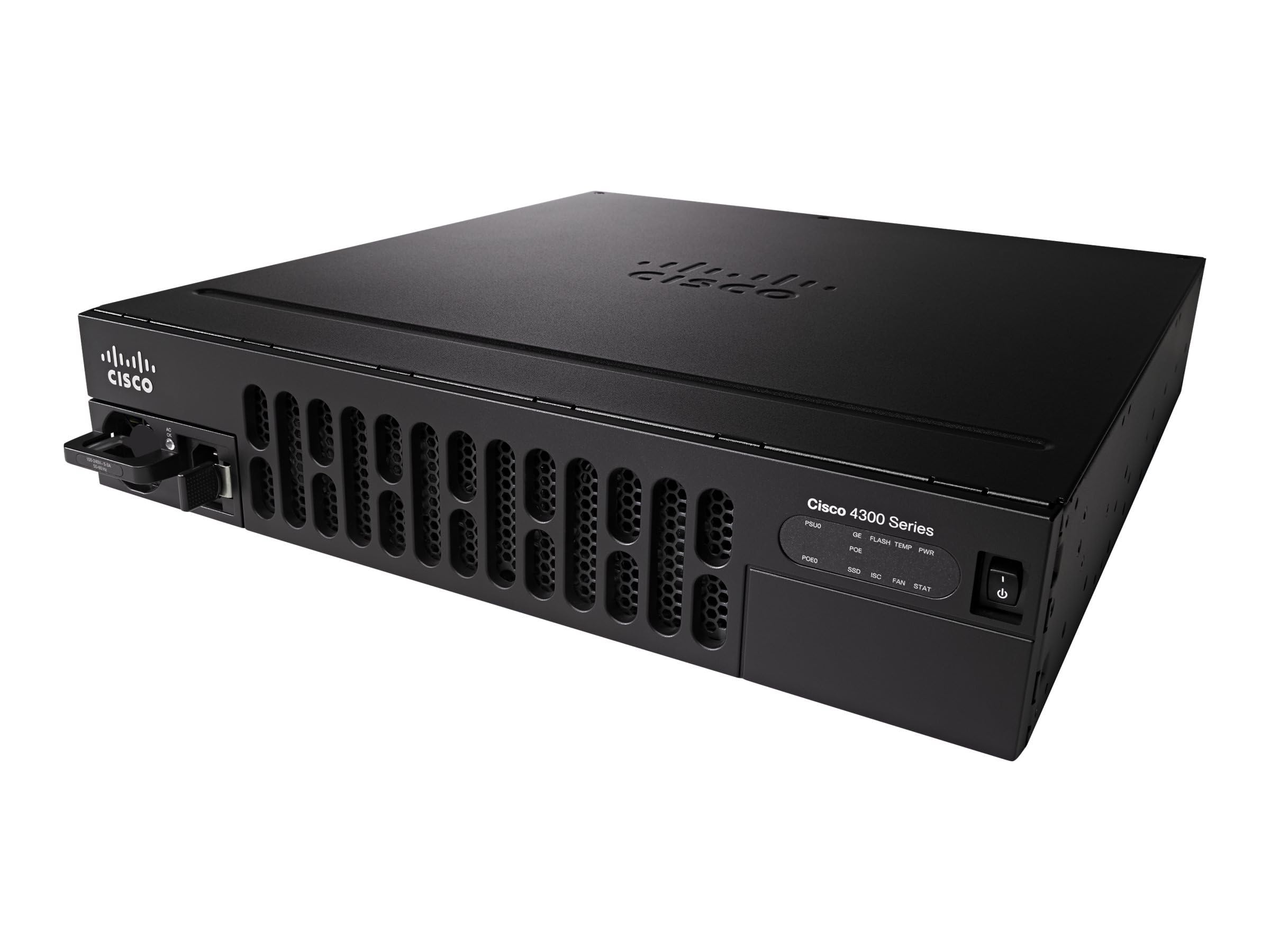
Image showing the front panel of the Cisco ISR4351/K9 Router, highlighting its rack-mountable design and port layout.
2. Pasgan-susbaint
Dèan cinnteach gu bheil a h-uile nì anns a’ phacaid mus lean thu air adhart leis an stàladh.
- Cisco ISR4351/K9 Router
- Kit sreap raca
3. Suidhich
Follow these steps for initial setup of your Cisco ISR4351/K9 Router:
- A' dì-phapadh: Carefully remove the router and all components from the packaging. Inspect for any visible damage.
- Stàladh raca: Use the provided rack mounting kit to securely install the router into a standard equipment rack. Ensure adequate ventilation around the unit.
- Ceangal cumhachd: Ceangail an càball cumhachd ri cuir-a-steach cumhachd an router agus an uair sin ri socaid dealain le talamh. Na cuir an inneal air fhathast.
- Ceanglaichean lìonra: Connect your WAN and LAN cables to the appropriate Ethernet ports on the router. Refer to the port labels for correct connections.
- Console Access (Optional): For initial configuration or troubleshooting, connect a console cable from your computer to the router's console port.
- Cumhachd air: Once all connections are secure, connect the power cable to the electrical outlet. The router will begin its boot sequence.
4. Stiùireadh Obrachaidh
The Cisco ISR4351/K9 Router operates on Cisco IOS, providing a comprehensive command-line interface (CLI) for configuration and management. Basic operation involves configuring network interfaces, routing protocols, and security features.
- An rèiteachadh tùsail: Access the router via the console port or a network connection (if pre-configured) using a terminal emulator. Follow Cisco IOS configuration guides for initial setup, including IP addressing, user accounts, and basic security.
- WAN Services: Configure WAN interfaces to connect to your internet service provider or private networks. The router supports various WAN technologies for flexible connectivity.
- Application Visibility: Utilize built-in features for visibility into application traffic, enabling effective capacity planning and prioritization of critical applications.
- Intelligent Path Selection: Implement intelligent path selection to optimize traffic flow, balance loads, and potentially reduce operational costs.
- Tèarainteachd: Configure firewalls, VPNs, and other security protocols (such as WPS for wireless if applicable) to protect your network infrastructure.
5. Cumail suas
Regular maintenance ensures optimal performance and longevity of your Cisco ISR4351/K9 Router.
- Ùrachaidhean firmware: Thoir sùil bho àm gu àm air taic Cisco website for the latest IOS software updates. Applying updates can improve performance, add features, and address security vulnerabilities.
- Suidheachaidhean Àrainneachdail: Ensure the router operates within recommended temperature and humidity ranges. Maintain clear airflow around the device to prevent overheating.
- Sgrùdadh corporra: Regularly inspect cables and connections for wear or damage. Keep the router's exterior clean and free of dust.
- Cùl-taic rèiteachaidh: Regularly back up your router's configuration to an external storage device or network location.
6. A ’dèanamh trioblaid
If you encounter issues with your Cisco ISR4351/K9 Router, consider the following troubleshooting steps:
- Gun chumhachd: Verify that the power cable is securely connected to both the router and a working electrical outlet. Check the power indicator lights on the router.
- Cùisean Ceangail Lìonra: Check all Ethernet cable connections. Verify interface status using Cisco IOS commands (e.g.,
show ip interface brief). Ensure correct IP addressing and routing configurations. - Coileanadh slaodach: Monitor CPU and memory utilization (
show processes cpu,show memory). Check for high traffic loads or potential network bottlenecks. - Duilgheadasan Ruigsinneachd: If you cannot access the router via SSH/Telnet, try using the console port for direct access. Verify user credentials and access control lists (ACLs).
- Co-chomhairleachadh air Sgrìobhainnean: Refer to the comprehensive Cisco IOS documentation and support resources available on the official Cisco website for detailed troubleshooting guides and command references.
7. Sònrachaidhean
Key technical specifications for the Cisco ISR4351/K9 Router:
| Feart | Sònrachadh |
|---|---|
| Ainm Modail | ISR4351/K9 |
| Brand | Cisco |
| Siostam-obrachaidh | Cisco IOS |
| Cuimhne RAM air a stàladh | 4 GB |
| Àireamh de phuirt | 8 |
| Teicneòlas ceangail | Ethernet |
| Leud-bann Port LAN | 1000 Mbps |
| Ìre gluasad dàta | 200 Megabits gach diog |
| An ìre as àirde de ghluasad dàta suas an abhainn | 450 Megabits gach diog |
| Inbhe conaltraidh gun uèir | 802.11n |
| Clas Còmhlan Tricead | Dà-chòmhlan |
| Pròtacal Tèarainteachd | WPS |
| Voltage | 240 Volt |
| Cuideam nì | 28.9 Punnd |
8. Barantas agus Taic
Barantas: This Cisco ISR4351/K9 Router comes with a 30-day warranty from the date of purchase. Please retain your proof of purchase for warranty claims.
Taic Teicnigeach: For technical assistance, additional documentation, or to report issues, please visit the official Cisco support website. You can find extensive resources, including knowledge bases, downloads, and contact information for support services.
Taic Cisco Weblàrach: https://www.cisco.com/c/en/us/support/index.html