
Ro-ràdh
This manual provides comprehensive instructions for the HCDZ Replacement Remote Control, model HCDZ-X12042. This remote is designed to function as a direct replacement for various LG LCD, LED, and Plasma HDTV TV models, including 42LG50-UA, 42LG50-UG, and 42LG61-UA. No programming is required; simply insert batteries, and the remote will be ready for use.
Fiosrachadh Sàbhailteachd Cudromach
- Do not expose the remote control to extremely hot or humid environments.
- Avoid mixing new and old batteries. Always replace all batteries with new ones simultaneously.
- Do not expose the remote control's infrared (IR) sensor to direct sunlight or strong lighting apparatuses, as this may cause malfunction.
- If the remote control will not be used for an extended period, remove the batteries to prevent potential damage from leakage and corrosion.
Susbaint pacaid
Tha am pasgan a’ toirt a-steach:
- 1 x HCDZ Replacement Remote Control (Model HCDZ-X12042)
Nota: Chan eil bataraidhean agus stiùireadh a bharrachd air an toirt a-steach sa phacaid.
Suidhich
1. Stàladh bataraidh
- Lorg an roinn bataraidh air cùl an smachd iomallach.
- Sleamhnachadh fosgail còmhdach cuibhreann a ’bhataraidh.
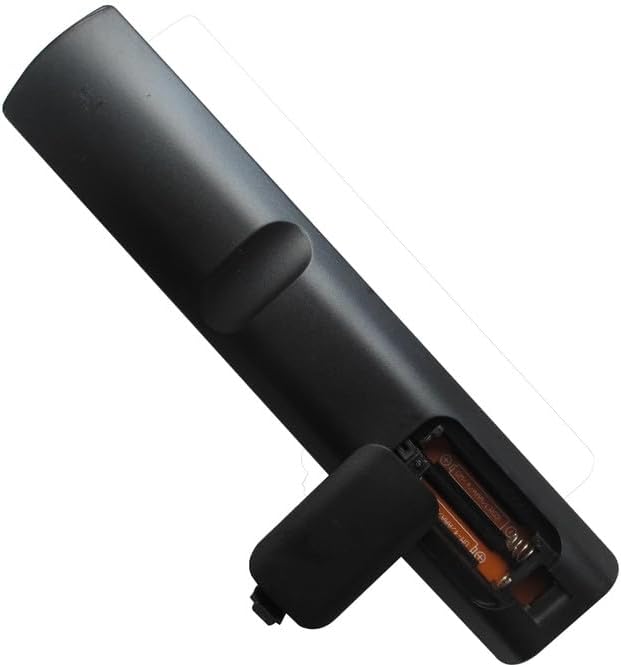
- Cuir a-steach dà (2) bataraidh AAA, a’ dèanamh cinnteach gu bheil na cinn-uidhe adhartach (+) agus àicheil (-) a’ freagairt gu ceart ris na comharran taobh a-staigh an roinn.
- Dùin an còmhdach roinn bataraidh gu tèarainte.
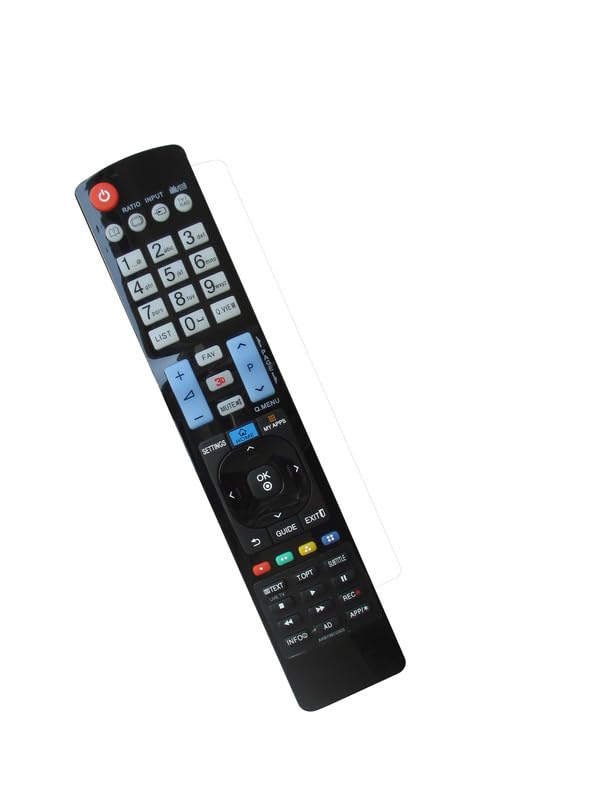
Image: Back of the HCDZ remote control with the battery compartment open, illustrating the correct insertion of two AAA batteries.
The remote control is designed to work immediately after fresh batteries are inserted, with no programming required.
Stiùireadh Obrachaidh
Obrachadh Bunaiteach
- Point the remote control directly towards the infrared (IR) sensor on your LG TV.
- Press the desired function button (e.g., Power, Volume Up/Down, Channel Up/Down, Input, Menu) to control your television.
Ìomhaigh: Aghaidh view of the HCDZ replacement remote control, displaying its button layout for various TV functions.
Raon Obrachaidh
The remote control has a maximum operating range of approximately 8 meters (26 feet). Ensure there are no obstructions between the remote control and the TV's IR sensor for optimal performance.
Cumail suas
Cùram Bataraidh
- Replace batteries when the remote control's responsiveness decreases.
- Always replace both AAA batteries at the same time.
- Remove batteries if the remote is stored for extended periods to prevent leakage.
Glanadh
Sguab an smachd iomallach le clò bog, tioram. Na cleachd innealan-glanaidh leaghaidh no stuthan sgrìobach, oir faodaidh iad sin milleadh a dhèanamh air an uachdar no air na pàirtean a-staigh.
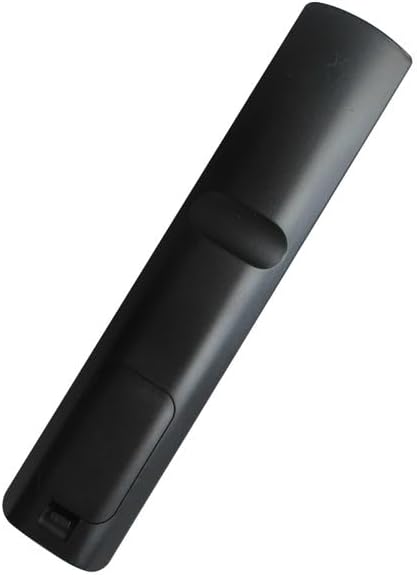
Ìomhaigh: Cùl view of the HCDZ replacement remote control, showing the closed battery compartment.
Fuasgladh thrioblaidean
- Chan eil an smachd iomallach a’ freagairt:
- Cuir feadhainn ùra an àite na bataraidhean smachd iomallach.
- Check the battery terminals inside the compartment to ensure they are clean and making proper contact.
- Remote control range issues:
- Move closer to the television.
- Remove any physical obstructions between the remote control and the TV's IR sensor.
- TV not powering on/responding:
- Ensure the power cord to your television is securely plugged in and the TV is turned on.
Sònrachaidhean
| Brand | HCDZ |
| Modail Àireamh | HCDZ-X12042 |
| Innealan co-fhreagarrach | LG Televisions (e.g., 42LG50-UA, 42LG50-UG, 42LG61-UA) |
| Teicneòlas ceangail | In-dhearg (IR) |
| Seòrsa Rianadair | Smachd putan |
| Raon as àirde | 8 Meatair |
| Bataraidhean a dhìth | 2 x bataraidh AAA |
| Feart sònraichte | No programming needed, works out of package |
Barantas agus Taic
For information regarding warranty coverage or technical support, please refer to the retailer's policy or contact HCDZ customer service directly. Specific warranty details are not provided with this replacement remote control.