
1. Ro-ràdh
This manual provides comprehensive instructions for the safe and effective use, assembly, maintenance, and troubleshooting of your MAXXUS RunMaxx 4.2i Treadmill. Please read this manual thoroughly before operating the device and retain it for future reference.
The MAXXUS RunMaxx 4.2i is a compact and foldable electric treadmill designed for home fitness, offering a robust training experience with features like adjustable incline, a powerful motor, and Bluetooth connectivity for app integration.
2. Stiùireadh Sàbhailteachd Cudromach
To reduce the risk of serious injury, always follow basic precautions when using this treadmill, including the following:
- Leugh a h-uile stiùireadh san leabhar-làimhe seo mus cleachd thu an treadmill.
- Cùm clann agus peataichean air falbh bhon mhuileann-treabhaidh fhad 'sa tha iad ag obair.
- Cuir an treidhmill air uachdar còmhnard, seasmhach le àite gu leòr timcheall air.
- Ensure the safety key is properly attached before starting the treadmill.
- Na bi nas àirde na an cuideam cleachdaiche as àirde de 110 kg.
- Bruidhinn ri dotair mus tòisich thu air prògram eacarsaich sam bith.
- Tarraing am pluga bhon treidhmill nuair nach eilear ga chleachdadh no mus tèid a ghlanadh/a chumail suas.
- Na obraich an treidhmill ma tha corda no pluga millte ann, no mura h-eil e ag obair ceart.
3. Seanadh
The MAXXUS RunMaxx 4.2i treadmill is designed for easy assembly. It comes largely pre-assembled. Follow these steps for final setup:
- A' dì-phapadh: Thoir a h-uile pàirt a-mach às a’ phacaid gu faiceallach. Dèan cinnteach gu bheil a h-uile pàirt a tha air an liostadh air an liosta pacaidh an làthair.
- Bun-stèidh seasmhach: Place the main frame on a level surface.
- Stàladh dìreach: Securely attach the uprights to the main frame using the provided hardware.
- Console Attachment: Mount the control console onto the uprights, ensuring all cables are connected correctly.
- Suidheachadh bàr-làimhe: Attach the handlebars to the console or uprights as per the diagram.
- Sgrùdaidhean deireannach: Verify all bolts and screws are tightened. Ensure the treadmill is stable before plugging it in.

Figure 3.1: Fully assembled MAXXUS RunMaxx 4.2i Treadmill.
4. Stiùireadh Obrachaidh
4.1. Pannal Smachd Tharview

Figear 4.1: Mionaideach view of the LCD control panel.
The LCD display provides real-time feedback on your workout, including: Heart Rate, Time, Distance, Speed, and Calories Burned. The console also features controls for speed, incline, program selection, and a safety key slot.
4.2. Starting a Workout
- Cuir am muileann-ruith a-steach do shoitheach dealain le talamh.
- Attach the safety key to your clothing and insert the other end into the designated slot on the console. The treadmill will not operate without the safety key.
- Ceum air rèilichean taobh an treadmill.
- Press the "START" button to begin. The belt will start moving at a low speed.
- Adjust the speed using the "+" and "-" buttons. The treadmill supports speeds from 1 gu 16 km / h.
- Adjust the incline using the incline buttons.
4.3. Workout Programs
The MAXXUS RunMaxx 4.2i offers 36 prògraman eacarsaich ro-shuidhichte to diversify your training. Select a program using the "PROGRAM" button and confirm your selection. Each program automatically adjusts speed and incline over time.
4.4. Bluetooth Connectivity (iC+ Training App)
The treadmill is equipped with a Bluetooth receiver for compatibility with the iC+ Training App. Download the app on your smartphone or tablet, enable Bluetooth, and connect to your treadmill to access additional workout options and track your progress.
4.5. Measuring Heart Rate
The treadmill features manual pulse sensors on the handlebars. Grip these sensors firmly during your workout to display your heart rate on the LCD screen. An integrated receiver for an optional radio pulse belt is also available for continuous heart rate monitoring.
5. Cumail suas
Nì cumail suas cunbhalach cinnteach gum mair an treadmill agad fad-beatha agus gum bi e ag obair gu math.
- Glanadh: Sguab sìos uachdar an treidhmill le sanasamp clò às dèidh gach cleachdaidh. Seachain innealan-glanaidh sgrìobach.
- Lubrication Belt: Periodically lubricate the running belt according to the manufacturer's recommendations (typically every 3-6 months depending on usage). This prevents friction and extends belt life.
- Teannas agus Co-thaobhadh Crios: Check the running belt tension and alignment regularly. Adjust if the belt slips or drifts to one side. Refer to the detailed instructions in the full manual for adjustment procedures.
- Roinn motair: Keep the motor compartment clean and free of dust. Unplug the treadmill before opening the motor cover.
6. Storage and Portability
The MAXXUS RunMaxx 4.2i is designed to be foldable for space-saving storage and features integrated transport wheels for easy relocation.
6.1. Folding the Treadmill
- Dèan cinnteach gu bheil an treadmill air a thionndadh dheth agus gun a bhith air a phlug.
- Lift the running deck until it locks into the upright position.
- The folded dimensions are approximately L 112 x W 74 x H 130 cm.

Figure 6.1: Treadmill in folded position, showing compact storage.
6.2. Transporting the Treadmill
Once folded, tilt the treadmill slightly and use the integrated transport wheels to move it to your desired storage location. Exercise caution when moving the unit due to its weight (approximately 65 kg).
7. A ’dèanamh trioblaid
| Trioblaid | Adhbhar a dh’fhaodadh a bhith ann | Fuasgladh |
|---|---|---|
| Chan eil an treadmill a’ tòiseachadh. | Power cord unplugged; Safety key not inserted; Circuit breaker tripped. | Dèan cinnteach gu bheil an càball cumhachd air a phlugaigeadh a-steach gu tèarainte; Cuir an iuchair sàbhailteachd a-steach gu tur; Ath-shuidhich am briseadair cuairte. |
| Sleamhnachadh crios ruith. | Belt tension too loose; Belt worn out. | Adjust belt tension (refer to manual); Contact customer service for belt replacement. |
| Fuaim neo-àbhaisteach rè obrachadh. | Loose components; Lack of lubrication; Motor issue. | Check and tighten all visible bolts; Lubricate running belt; Contact customer service. |
| Taisbeanadh nach eil ag obair. | Ceangal càball sgaoilte; Cùis cumhachd. | Check console cable connections; Verify power supply. |
For issues not listed here or if solutions do not resolve the problem, please contact MAXXUS customer support.
8. Sònrachaidhean Teicnigeach
- Modail: MAXXUS RunMaxx 4.2i
- Àireamh Modail: 600005-00019-0001
- Meudan (gun fhosgladh): L 165 x W 74 x H 130 cm
- Meudan (air am pasgadh): L 112 x W 74 x H 130 cm
- Surface ruith: 125 x 44 cm
- Cuideam toraidh: 63 kg
- Cuideam cleachdaiche as àirde: 110 kg
- Motor: 1.75 HP DC Motor
- Raon astair: 1 - 16 cilemeatair san uair
- Atharrachadh incline: Tha (Atharrachail)
- Seòrsa taisbeanaidh: LCD
- Displayed Metrics: Heart Rate, Time, Distance, Speed, Calories Burned
- Prògraman Eacarsaich: 36 Prògraman ro-shuidhichte
- Ceangal: Bluetooth (for iC+ Training App)
- Ion-ghabhail clisgeadh: Cushion-Flex System
- Stuth frèam: Alloy Steel
- Stòr cumhachd: Adaptor AC
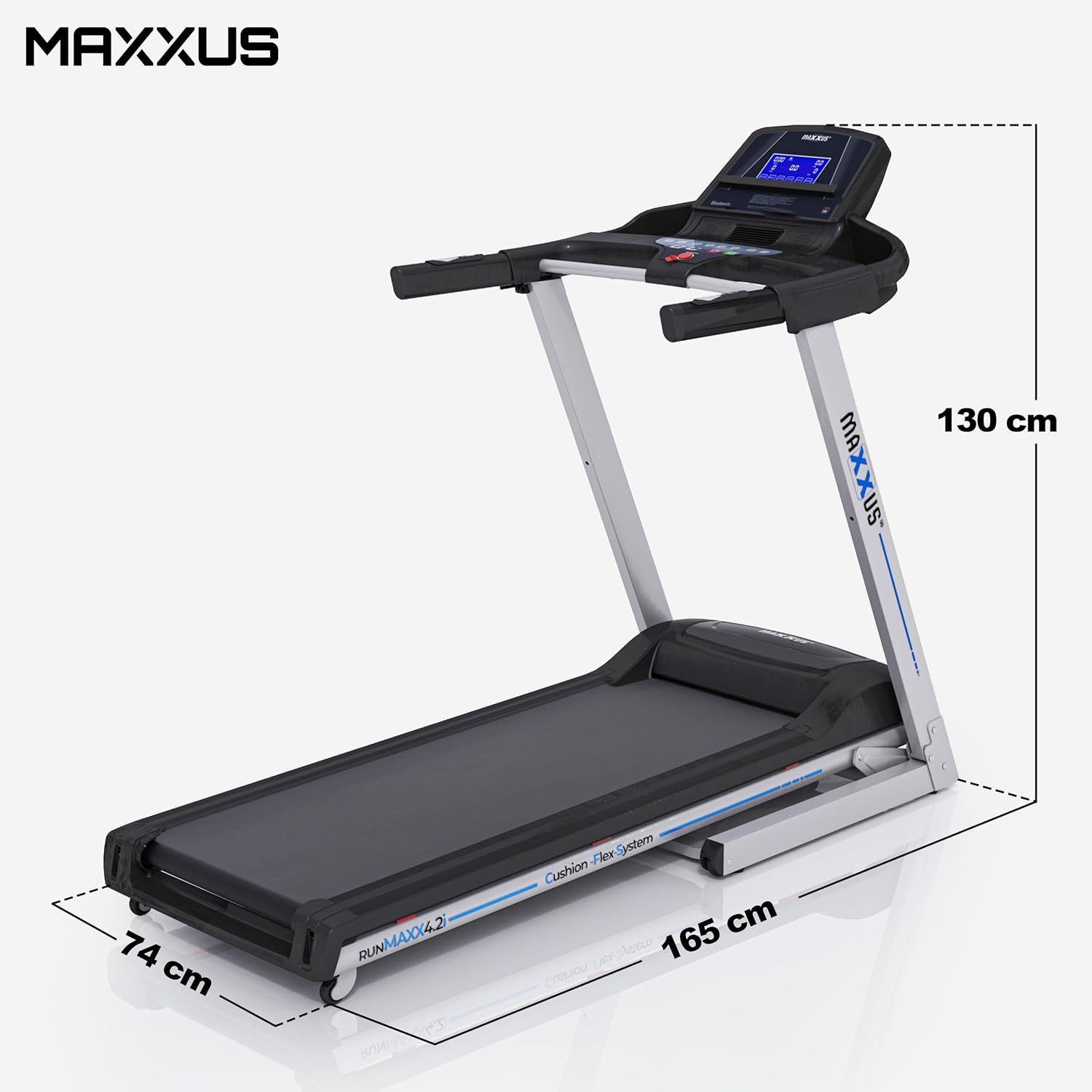
Figure 8.1: Treadmill dimensions (unfolded).

Figure 8.2: Running surface dimensions.
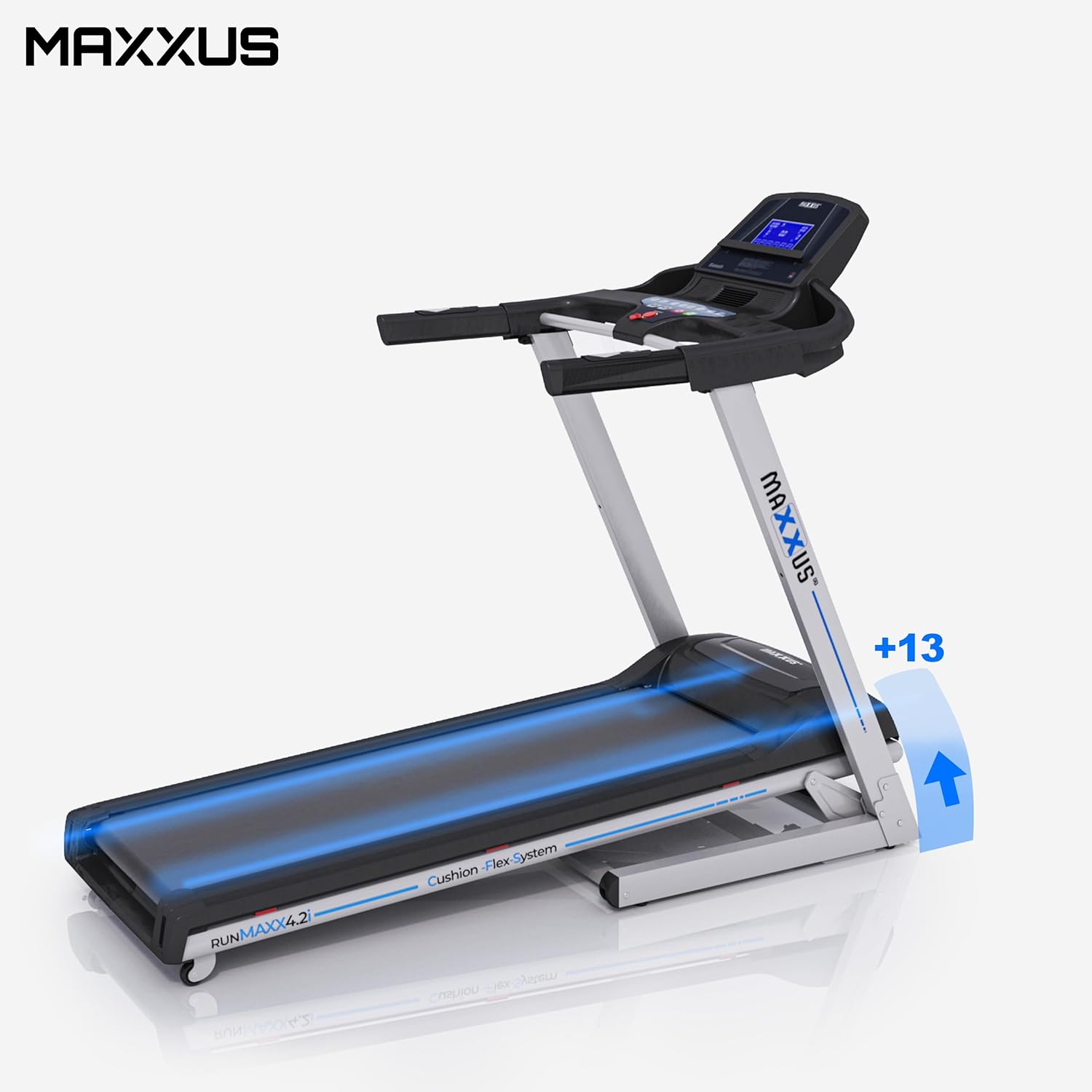
Figure 8.3: Treadmill showing incline capability.
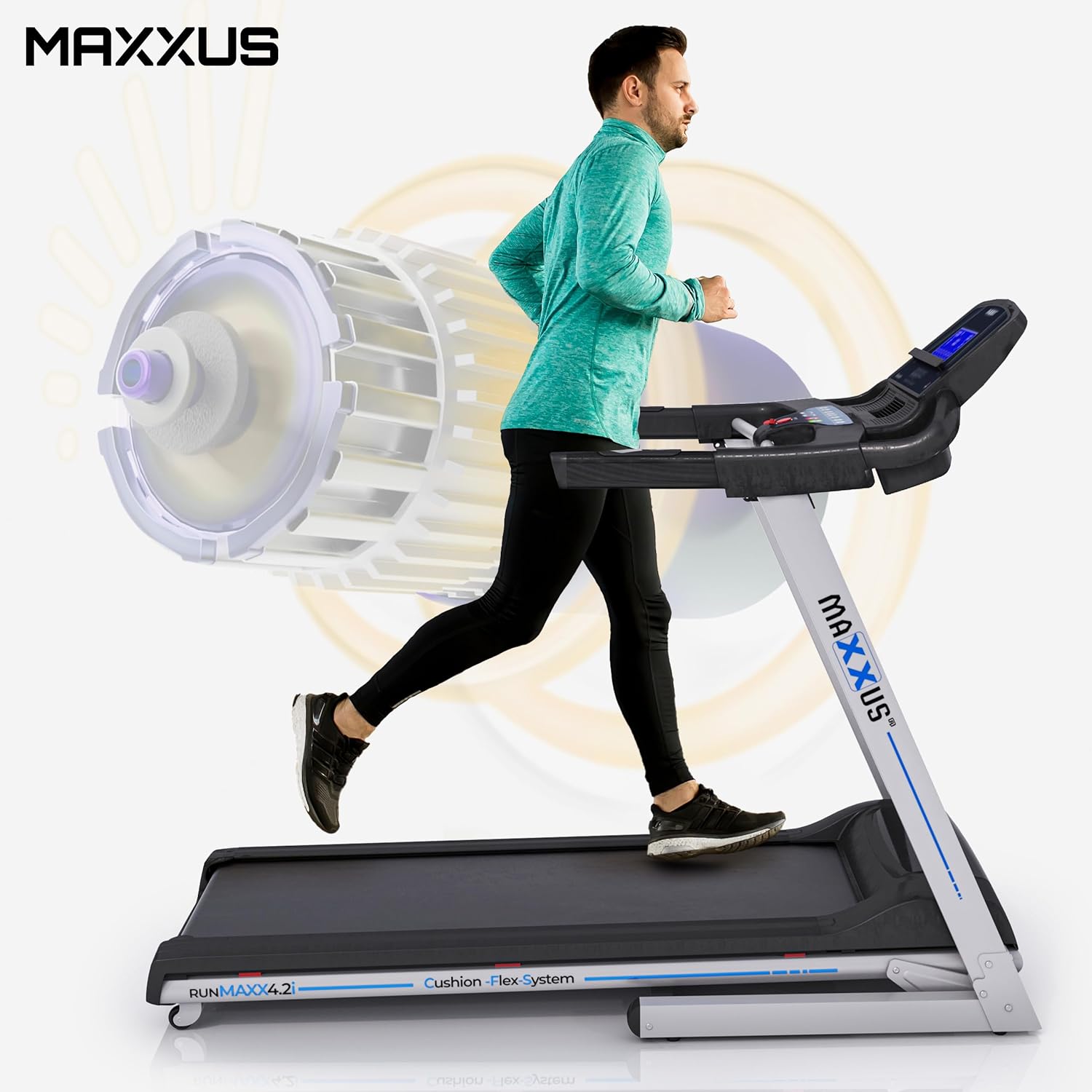
Figure 8.4: Illustration of the powerful motor and user in motion.
9. Barantas agus Taic
MAXXUS products are known for their quality and durability. For warranty information, service requests, or technical support, please refer to the warranty card included with your product or visit the official MAXXUS weblàrach. Cùm do chuidhteas ceannach mar dhearbhadh ceannach airson tagraidhean barantais.
Dèanadair: MAXXUS
A’ chiad cheann-latha ri fhaighinn: 23/2015/XNUMX