
1. Ro-ràdh
This manual provides essential information for the safe and efficient operation of your Sharp KC-A50EU-W Air Purifier. This device is designed to improve indoor air quality by filtering dust, pollen, mold spores, and odors, while also offering humidification using Plasmacluster ion technology. Please read these instructions thoroughly before use and retain them for future reference.
Fiosrachadh Sàbhailteachd Cudromach
- Dèan cinnteach an-còmhnaidh gu bheil an aonad air a chur air uachdar seasmhach, rèidh.
- Do not block air intake or exhaust vents.
- Cùm an aonad air falbh bho uisge agus taiseachd.
- Thoir a-mach am pluga bhon aonad mus glan thu e no mus dèan thu obair-chàraidh sam bith.
- Na feuch ri an aonad a chàradh thu fhèin. Cuir fios gu luchd-obrach seirbheis teisteanasach.
2. Toradh thallview
The Sharp KC-A50EU-W is an advanced air purifier and humidifier designed for rooms up to 38 m². It features Plasmacluster ion technology to neutralize airborne pollutants and a multi-stage siostam sìolaidh.

Figear 2.1: Aghaidh view of the Sharp KC-A50EU-W Air Purifier, showing the main body and air outlet.
Prìomh fheartan:
- Plasmacluster Ion Technology: Releases positive and negative ions to clean the air.
- Humidification Function: Adds moisture to the air for improved comfort.
- High Air Circulation: Efficiently processes air in rooms up to 38 m².
- Ioma-stage sìoladh: Includes a HEPA filter for fine particles and an odor filter.
- Obrachadh sàmhach: Air a dhealbhadh airson toradh fuaim as ìsle.
3. Suidhich
3.1 A’ dì-phapadh
- Thoir an inneal-glanaidh adhair a-mach às a phacaid gu faiceallach.
- Remove all protective materials and plastic bags.
- Check for any damage during transit. If damaged, do not operate and contact your retailer.
3.2 Suidheachadh
For optimal performance, place the air purifier in a location where air can circulate freely. Avoid placing it directly against walls or furniture. Ensure it is on a flat, stable surface. The unit is suitable for floor areas up to 24 square meters (as per specifications, though product description states 38m², use the more conservative spec for placement advice).

Figear 3.1: Taobh view of the air purifier, showing the air intake grille. Ensure this area is unobstructed.
3.3 Stàladh Filter
Before first use, ensure all filters are correctly installed and any protective plastic packaging has been removed from them. Refer to the maintenance section for detailed filter handling.
4. Stiùireadh Obrachaidh
The control panel allows you to manage the various functions of your air purifier.

Figear 4.1: Close-up of the control panel, showing buttons for power, fan speed, Plasmacluster, and humidification.
4.1 Cumhachd air / dheth
- Cuir an càball cumhachd a-steach do shoitheach dealain freagarrach (220V).
- Brùth an AIR/DHETH button to turn the unit on. The unit will start in a default mode.
- Brùth an AIR/DHETH putan a-rithist gus an aonad a thionndadh dheth.
4.2 Atharrachadh Astar an Luchd-leantainn
Cleachd an LAOIDH FAN button to cycle through different fan settings (e.g., Low, Medium, High, Auto). The current setting will be indicated on the display or by indicator lights.
4.3 Plasmacluster Ion Operation
Brùth an CLEAN ION SHOWER ON button to activate the Plasmacluster ion generator. This function helps to remove airborne viruses, bacteria, and odors. An indicator light will confirm activation.
4.4 Gnìomh Taiseachaidh
- Dèan cinnteach gu bheil an tanca uisge air a lìonadh le uisge glan.
- Brùth an CLEAN AIR & HUMIDIFY ON button to activate the humidification function.
- The unit will automatically maintain a comfortable humidity level.
- The humidity level may be displayed on the control panel.
4.5 Glasadh Cloinne
To prevent accidental operation, press and hold the LAOIDH GHAIDHEAL button for 3 seconds to activate or deactivate the child lock function.
5. Cumail suas
Regular maintenance ensures optimal performance and extends the life of your air purifier. Always unplug the unit before cleaning or performing maintenance.
5.1 Glanadh is Ath-chur Criathrag
The Sharp KC-A50EU-W uses multiple filters that require periodic cleaning or replacement.
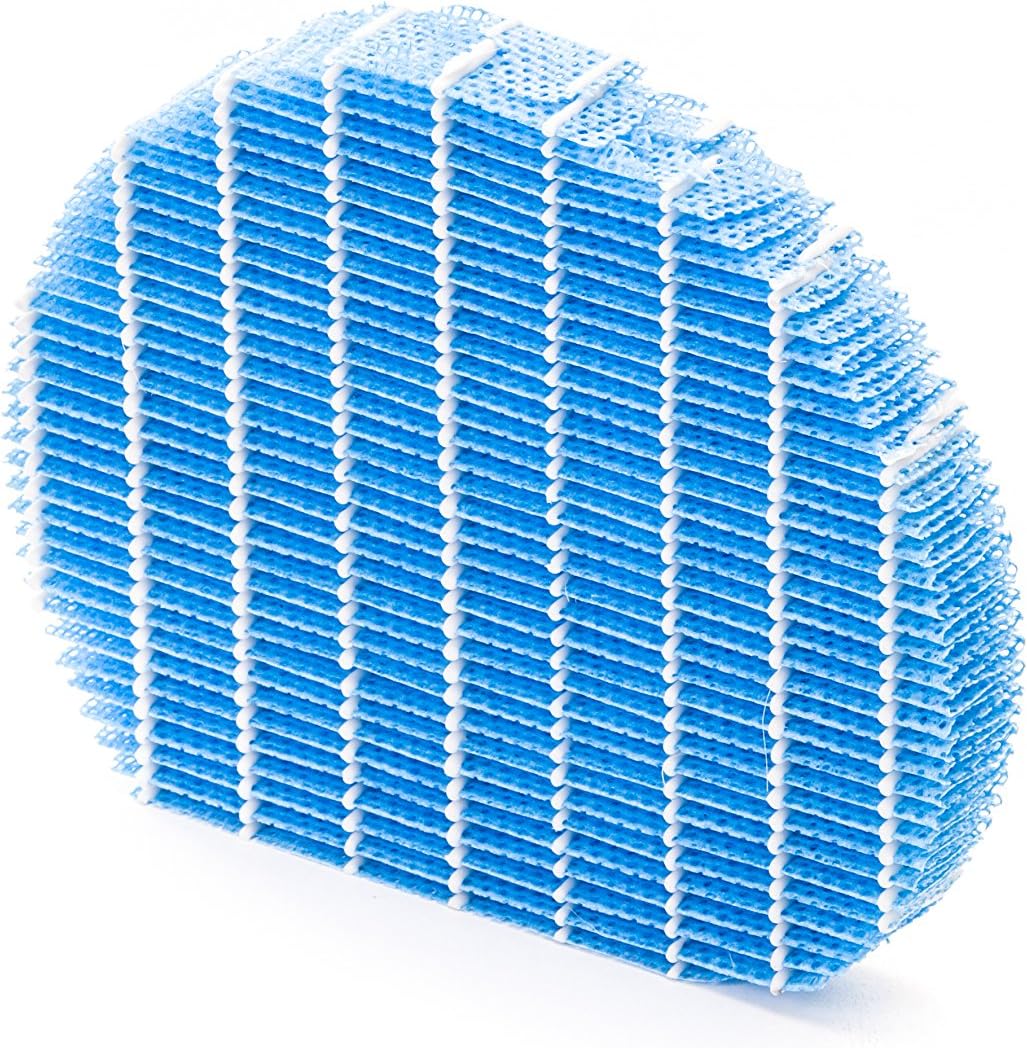
Figear 5.1: Example of a humidifying filter component, which requires regular cleaning.
- Ro-shìoladh: Clean regularly (e.g., monthly) by vacuuming or washing with water. Allow to dry completely before reinstallation.
- Filter HEPA: This filter captures fine dust and allergens. It cannot be washed and must be replaced. The replacement interval can vary, but typically ranges from 2 to 5 years depending on usage and air quality. Monitor the filter's condition; if it appears significantly discolored (e.g., black instead of white), replace it immediately.
- Deodorizing Filter (Activated Carbon): This filter removes odors. It can often be washed periodically (e.g., every few months) to refresh its effectiveness. Allow to dry completely. Replace when odors persist after cleaning.
- Criathrag Taiseachaidh: If using the humidification function, clean the humidifying filter and its tray at least every 4 weeks to prevent mold and bacteria growth. Use a mild detergent and rinse thoroughly.
5.2 Glanadh tanca uisge
For units with humidification, clean the water tank regularly (e.g., weekly) to prevent mineral buildup and bacterial growth. Use a soft brush and mild detergent, then rinse thoroughly with clean water.
5.3 Glanadh a-muigh
Sguab taobh a-muigh an aonaid le bog, damp aodach. Na cleachd luchd-glanaidh sgudail no solventan.
6. A ’dèanamh trioblaid
If you encounter issues with your Sharp KC-A50EU-W, refer to the following common problems and solutions.
| Trioblaid | Adhbhar a dh’fhaodadh a bhith ann | Fuasgladh |
|---|---|---|
| Chan eil aonad a ’tionndadh air. | Corda cumhachd gun cheangal ceart; chan eil cumhachd aig an t-socaid. | Ensure power cord is securely plugged in. Check the power outlet with another device. |
| Droch choileanadh glanaidh adhair. | Filters are dirty or clogged; filters incorrectly installed. | Clean or replace filters as per maintenance instructions. Ensure filters are installed correctly. |
| Humidification not working or low output. | Water tank is empty; humidifying filter is dirty or clogged. | Refill the water tank. Clean the humidifying filter and tray. |
| Fuaim neo-àbhaisteach bhon aonad. | Obstruction in fan; unit not on a level surface. | Check for any foreign objects near the fan. Place the unit on a stable, level surface. |
| Fàilidhean maireannach. | Deodorizing filter is saturated or needs cleaning/replacement. | Clean or replace the deodorizing filter. |
Ma mhaireas an duilgheadas às dèidh dhut na fuasglaidhean seo fheuchainn, cuir fios gu taic luchd-cleachdaidh.
7. Sònrachaidhean
- Àireamh Modail: KC-A50EU-W
- Dèanadair: biorach
- Dath: Geal
- Meudan toraidh (L x W x H): 24 x 69 x 2.5 cm
- Cuideam nì: 9.2 kg (9200 gram)
- Stòr cumhachd: 220V
- Seòrsa sìoltachain: HEPA
- Raon ùrlair air a mholadh: 24 meatairean ceàrnagach
- Ìre fuaim: 49 Deicibeil
- Stuth: Plastaig
- Dùthaich Tùs: Iapan
8. Barantas agus Taic
For warranty information and customer support, please refer to the warranty card included with your product or visit the official Sharp weblàrach airson do roinn. Cùm do chuidhteas ceannach mar dhearbhadh ceannach.