
Ro-ràdh
Tapadh leibh airson ceannachasing the iCES IBT-1 Portable Bluetooth Speaker. This manual provides essential information for setting up, operating, and maintaining your device. Please read it carefully before use to ensure optimal performance and longevity.
Susbaint pacaid
Dèan cinnteach gu bheil a h-uile nì anns a’ phacaid:
- iCES IBT-1 Portable Bluetooth Speaker
- Mini USB Charging Cable
- Leabhar-làimhe cleachdaiche (an sgrìobhainn seo)
Bathar seachadview
The iCES IBT-1 is a compact and versatile portable speaker designed for wireless audio playback via Bluetooth. It also supports audio playback from Micro SD cards and external devices via its AUX input.

Image: Two iCES IBT-1 speakers, one red and one silver, highlighting the product's design and portability.
Comharrachadh co-phàirt
Familiarize yourself with the speaker's various ports and controls:
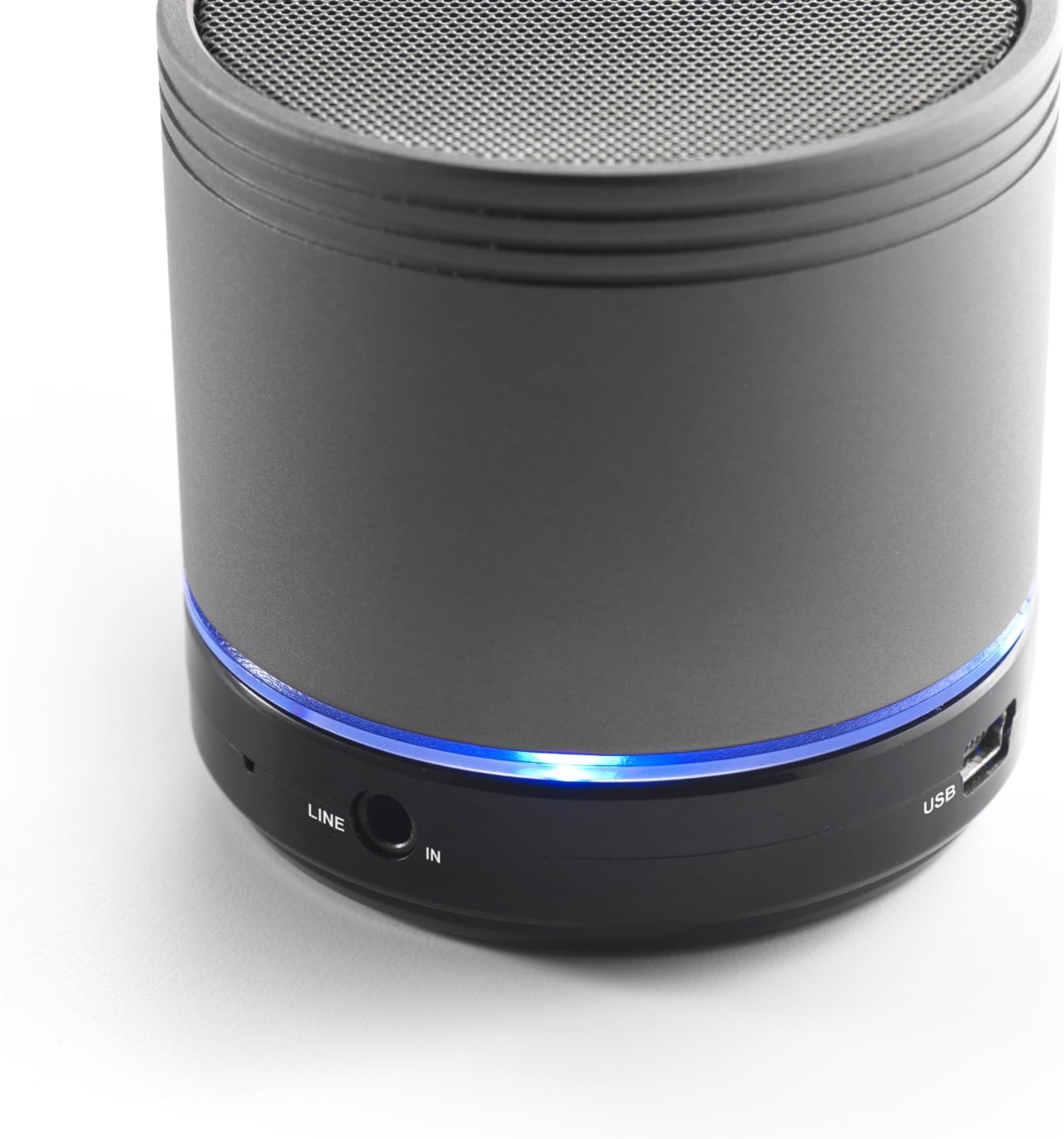
Image: Bottom section of the iCES IBT-1 speaker, displaying the LINE IN and USB ports, along with a glowing blue LED indicator.
- Port USB: Airson a’ bhataraidh a-staigh a ghearradh.
- Port LINE IN (AUX): For connecting external audio devices using a 3.5mm audio cable.
- Slot cairt Micro SD: Airson claisneachd a chluich filegu dìreach bho chairt Micro SD.
- Switch cumhachd: ON/OFF control for the speaker.
- Putanan smachd: Play/Pause, Volume Up/Next Track, Volume Down/Previous Track.
- Comharra LED: A’ sealltainn inbhe cumhachd, inbhe cosgais, agus inbhe paidhreachaidh Bluetooth.
Suidhich
A 'cur cosgais air a' bhataraidh
Before first use, fully charge the speaker's internal battery. Use the provided Mini USB cable.
- Connect the Mini USB end of the cable to the USB port on the speaker.
- Ceangail ceann USB àbhaisteach a’ chàball ri inneal-atharrachaidh cumhachd USB (nach eil air a ghabhail a-steach) no ri port USB coimpiutair.
- The LED indicator will illuminate to show charging status. It will change or turn off once fully charged.
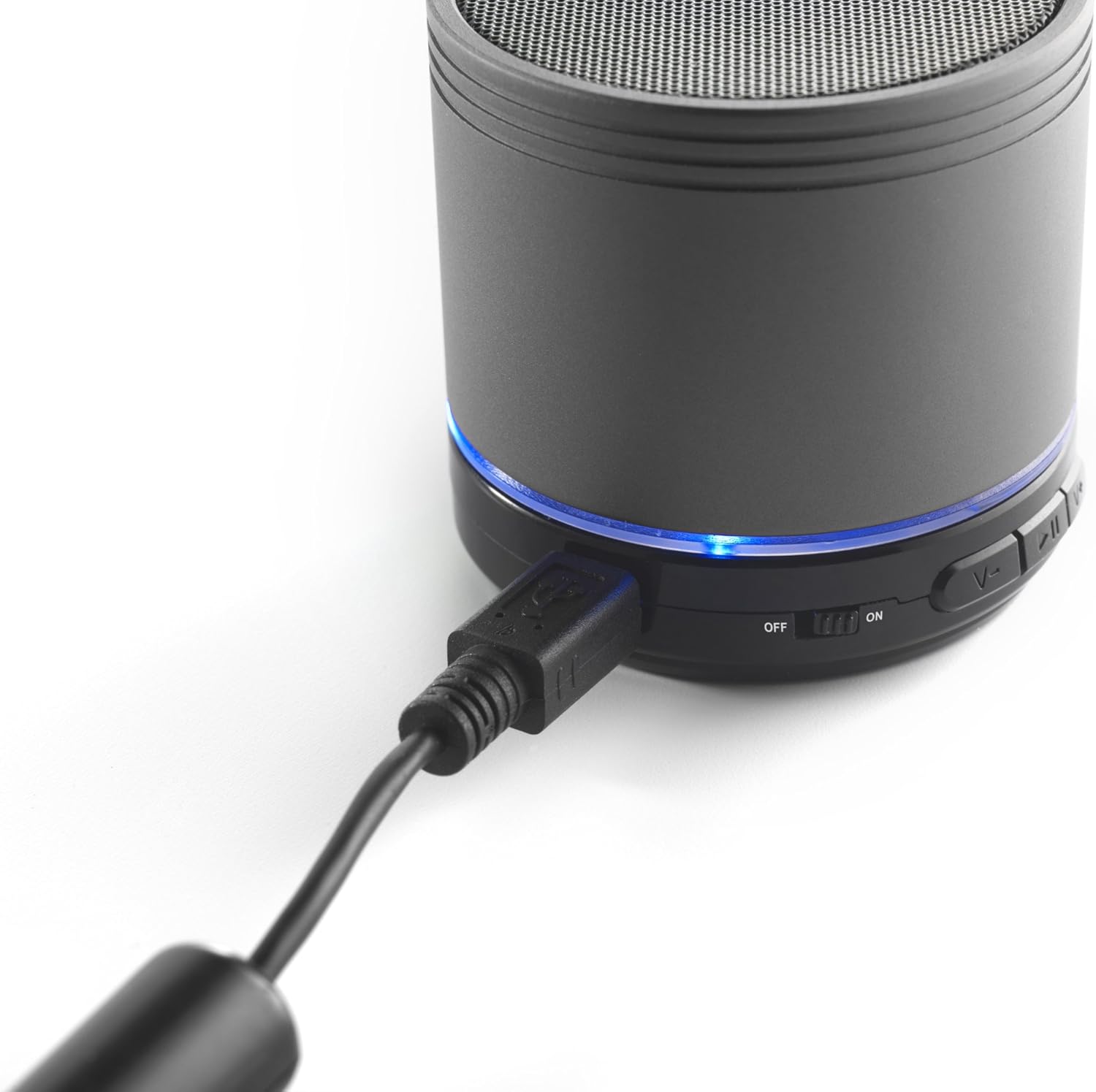
Image: The iCES IBT-1 speaker with the mini USB charging cable connected, illustrating the charging process.
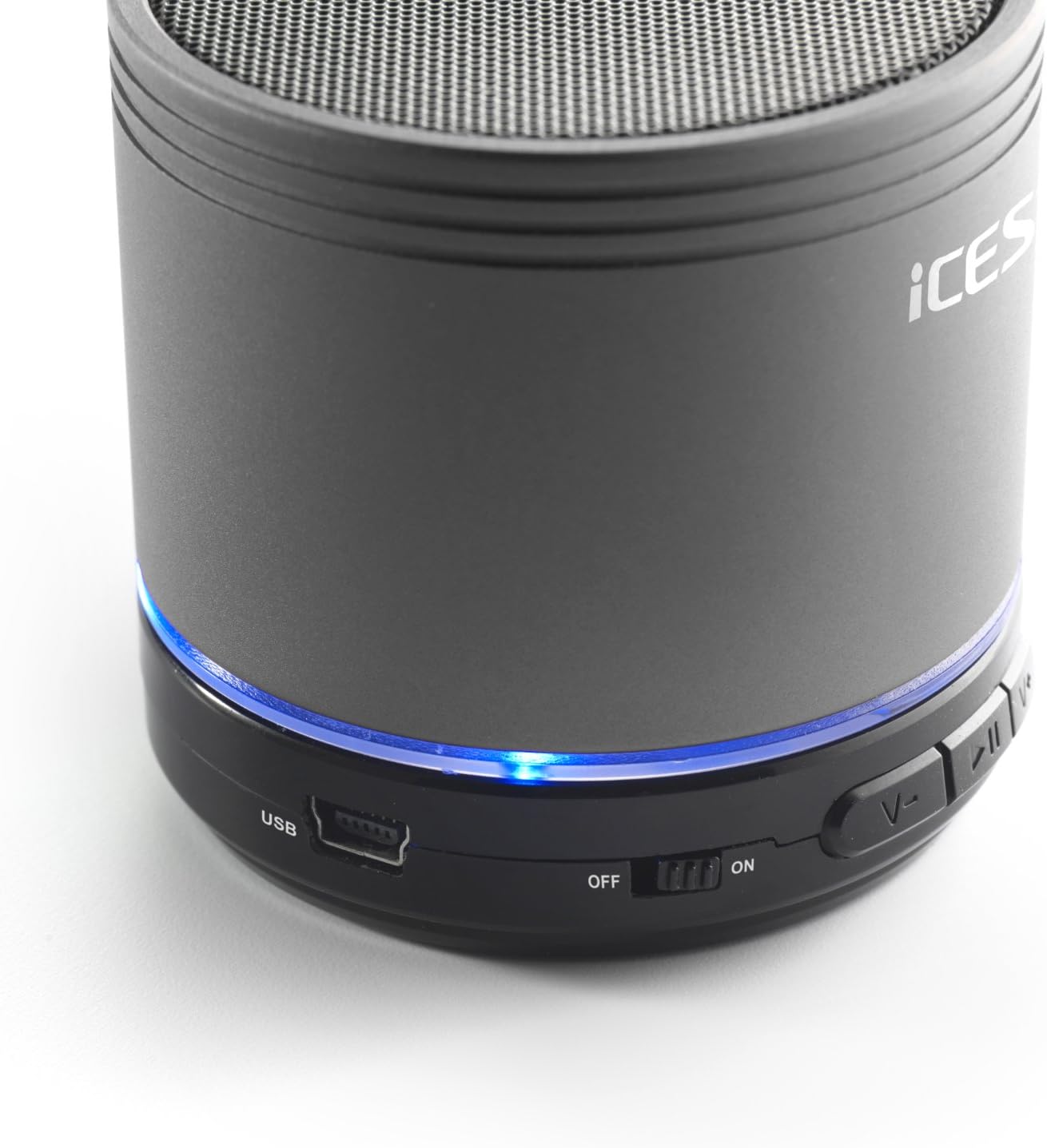
Image: The iCES IBT-1 speaker's base, highlighting the USB port and the power switch in the 'ON' position.
Stiùireadh Obrachaidh
Cumhachd air / dheth
- To power on, slide the power switch to the "ON" position. The LED indicator will light up.
- To power off, slide the power switch to the "OFF" position. The LED indicator will turn off.
Ceangal Bluetooth
- Dèan cinnteach gu bheil an neach-labhairt air. Bidh an comharra LED a’ priobadh, a’ comharrachadh gu bheil e ann am modh càraideachaidh.
- Air an inneal agad le comas Bluetooth (fòn cliste, tablet, msaa.), rach gu na roghainnean Bluetooth.
- Lorg airson available devices. You should see "IBT-1" in the list.
- Select "IBT-1" to pair. Once connected, the LED indicator will stop flashing and remain solid.
- You can now play audio from your device through the iCES IBT-1 speaker.
Ath-chluich Cairt Micro SD
The speaker supports Micro SD cards up to 32 GB.
- Cuir a-steach cairt Micro SD (le claisneachd files) a-steach don t-slot cairt Micro SD air an neach-labhairt.
- The speaker will automatically switch to Micro SD card mode and begin playing audio.
- Use the control buttons on the speaker to play/pause, skip tracks, or adjust volume.

Image: The iCES IBT-1 speaker's base, illustrating the Micro SD card slot and the LINE IN port.
Ath-chluich Cuir-a-steach AUX
Connect external audio devices without Bluetooth capability.
- Connect one end of a 3.5mm audio cable (not included) to the LINE IN port on the speaker.
- Connect the other end of the 3.5mm audio cable to the headphone jack or audio output of your external device (e.g., MP3 player).
- Bidh an neach-labhairt ag atharrachadh gu modh AUX gu fèin-ghluasadach.
- Smachd air ath-chluich agus meud bhon inneal taobh a-muigh agad.
Putanan smachd
- Putan Cluich/Pause: Brùth aon uair gus claisneachd a chluich no stad.
- Putan Meud-thomhais / An ath-òran:
- Brùthadh goirid: Meudaich an tomhas-lìonaidh.
- Long press: Skip to the next track.
- Putan Lùghdachadh Meud / An Trac Roimhe:
- Brùthadh goirid: Lùghdaich an tomhas-lìonaidh.
- Long press: Go to the previous track.
Cumail suas
- Cùm an neach-labhairt tioram. Na cuir e fo uisge no cus taiseachd.
- Glan an neach-labhairt le clò bog, tioram. Na cleachd innealan-glanaidh sgrìobach no fuasglaidhean.
- Seachain teòthachd anabarrach. Stòraich an neach-labhairt ann an àite fionnar, tioram.
- Na feuch ri an neach-labhairt a thoirt às a chèile no a chàradh thu fhèin. Cuiridh seo am barantas às aonais buaidh.
- Cuir cosgais air a’ bhataraidh gu cunbhalach, fiù mura h-eil i ga cleachdadh, gus slàinte a’ bhataraidh a chumail suas.
Fuasgladh thrioblaidean
| Trioblaid | Fuasgladh |
|---|---|
| Chan eil an neach-labhairt a’ tionndadh air. | Dèan cinnteach gu bheil am bataraidh air a luchdadh. Ceangail an neach-labhairt ri stòr cumhachd leis a’ chàball USB. |
| Chan urrainnear paidhir a dhèanamh tro Bluetooth. |
|
| Gun fhuaim bhon neach-labhairt. |
|
| Tha càileachd claisneachd dona. |
|
Sònrachaidhean
| Modail | IBT-1 |
| Ceangalachd | Bluetooth, Micro SD Card, AUX Input (3.5mm) |
| Cumhachd Toraidh | 3 watt (RMS) |
| Seòrsa bataraidh | Integrated Lithium-Polymer |
| Comas Bataraidh | 500 mAh |
| Solar cumhachd | 5V / 1A (via Mini USB) |
| Meudan (L x W x H) | 60 x 60 x 58 mm |
| Cuideam | 180 g |
| Supported Micro SD Card Size | Suas gu 32 GB |
Barantas agus Taic
For warranty information and technical support, please refer to the documentation provided at the time of purchase or visit the official iCES weblàrach. Na feuch ri an inneal a chàradh thu fhèin, oir dh’ fhaodadh seo do bharantas a dhèanamh neo-dhligheach.