
RRMCGA535WJSA geur
Sharp Aquos LCD TV Remote Control Instruction Manual
Modail: RRMCGA535WJSA
Brand: Sharp
Ro-ràdh
This manual provides comprehensive instructions for the operation and maintenance of your new Sharp Aquos LCD TV Remote Control, model RRMCGA535WJSA. This genuine Sharp remote transmitter is designed to provide seamless control over your compatible Sharp Aquos LCD TV models. Please read this manual thoroughly before use to ensure proper functionality and to maximize your viewann an eòlas.
Fiosrachadh Sàbhailteachd
Feuch an cùm thu ris na ceumannan sàbhailteachd a leanas:
- Do not expose the remote control to direct sunlight, high humidity, or extreme temperatures.
- Seachain an smachd iomallach a leigeil sìos no a chur fo bhuaidhean làidir.
- Na feuch ri smachd iomallach a thoirt às a chèile no atharrachadh. Dh’fhaodadh seo am barantas a dhèanamh neo-dhligheach agus milleadh adhbhrachadh.
- Cùm bataraidhean a-mach à ruigsinn chloinne. Ma thèid a shlugadh, iarr aire mheidigeach sa bhad.
- Tilg air falbh bataraidhean cleachdte a rèir riaghailtean ionadail. Na loisg iad.
Susbaint pacaid
Dèan cinnteach gu bheil a h-uile nì anns a’ phacaid:
- Sharp Aquos LCD TV Remote Control (Model: RRMCGA535WJSA)
- Leabhar-stiùiridh (an sgrìobhainn seo)
Nota: Mar as trice chan eil bataraidhean air an toirt a-steach agus feumar an ceannach air leth.
Bathar seachadview
Familiarize yourself with the buttons and features of your remote control.

Figear 1: Aghaidh View de smachd iomallach
This image displays the front of the Sharp Aquos remote control, showing all primary buttons including power, input selection, channel, volume, numeric keypad, and navigation controls. The Sharp and Aquos logos are visible at the bottom.
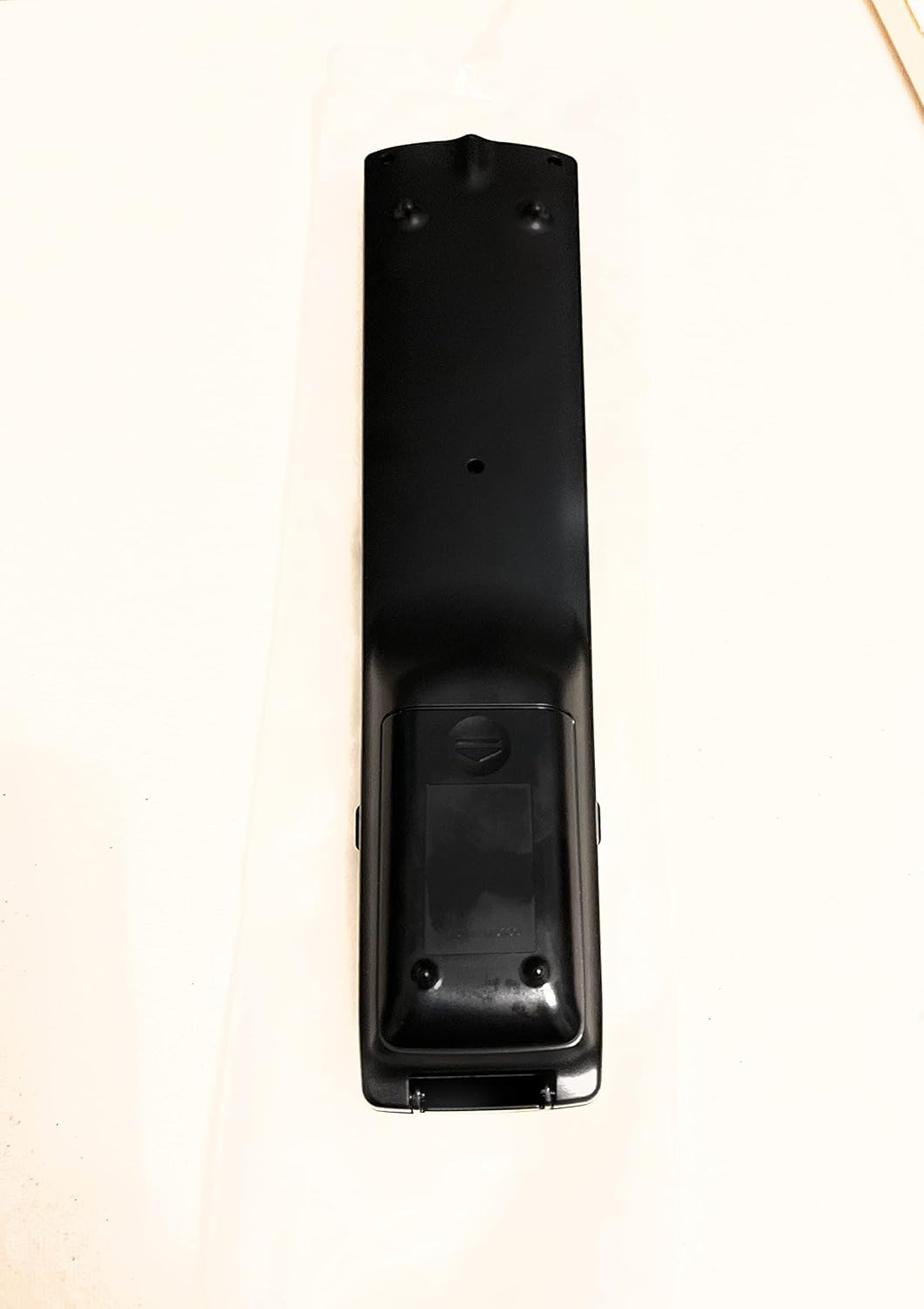
Figear 2: Air ais View de smachd iomallach
This image shows the rear side of the Sharp Aquos remote control, highlighting the smooth, ergonomic design and the battery compartment cover.

Figure 3: Remote Control with Battery Compartment Open
This image illustrates the Sharp Aquos remote control with its battery compartment cover slid open, revealing the space for battery insertion.

Figure 4: Close-up of Hidden Panel
This close-up image shows the lower section of the Sharp Aquos remote control with its hinged panel opened, revealing additional function buttons such as SLEEP, AUDIO, AV MODE, and CC (Closed Caption).
Gnìomhan putan:
| Putan | Gnìomh |
|---|---|
| CUMHACHD | Tionndaidh an telebhisean air no dheth. |
| INPUT / SOURCE | Selects the input source (e.g., HDMI, AV, Component). |
| CH +/- | Atharraichidh seo an sianal Tbh suas no sìos. |
| VOL +/- | Atharraich an ìre fuaim. |
| Mute | Cuiridh seo fuaim an telebhisean air no cuiridh e dheth e. |
| MENU | Opens the TV's on-screen menu. |
| A steach | A’ dearbhadh taghaidhean taobh a-staigh a’ chlàr-taice. |
| Navigation Arrows (Up/Down/Left/Right) | A’ seòladh tro roghainnean clàr-taice. |
| EXIT / RETURN | Fàgaidh e an clàr-taice làithreach no tillidh e chun sgrion roimhe. |
| Meur-chlàr àireamhach (0-9) | A’ cur a-steach àireamhan seanail gu dìreach. |
| LAOIDH (under hidden panel) | Sets the TV to turn off automatically after a set period. |
| FUAIM (under hidden panel) | A’ taghadh modhan claisneachd no slighean. |
| MODE AV (under hidden panel) | Adjusts picture and sound settings for different content types. |
| CC (Fo-thiotalan Dùinte) (under hidden panel) | Turns closed captions on or off. |
Suidhich
Stàladh bataraidh:
- Lorg roinn a’ bhataraidh air cùl an smachd iomallach (faic Figear 2).
- Slide the battery compartment cover downwards to open it (refer to Figure 3).
- Cuir a-steach dà (2) bataraidh AAA (nach eil air an toirt a-steach), a’ dèanamh cinnteach gu bheil na cinn-uidhe adhartach (+) agus àicheil (-) a’ freagairt gu ceart ris na comharran taobh a-staigh a’ bhataraidh.
- Sleamhnaich còmhdach roinn a’ bhataraidh air ais na àite gus an cliog e gu tèarainte.
Nota: Cleachd bataraidhean ùra den aon seòrsa an-còmhnaidh. Na measgaich bataraidhean sean is ùr, no diofar sheòrsaichean bataraidhean.
Stiùireadh Obrachaidh
Gnìomh bunaiteach:
- Cumhachd air / dheth: Brùth an CUMHACHD button to turn your Sharp Aquos TV on or off.
- Smachd tomhas-lìonaidh: Brùth an VOL+ putan gus an tomhas-lìonaidh a mheudachadh agus LEABHAR - gus an tomhas-lìonaidh a lughdachadh.
- Taghadh seanail: Cleachd an CH+ or CH- buttons to change channels sequentially. Alternatively, use the numeric keypad to directly enter a channel number.
- Taghadh stòr a-steach: Brùth an IOMPACHADH or STÒR button to cycle through available input sources (e.g., HDMI 1, HDMI 2, AV, Component).
- Balbh: Brùth an Mute button to temporarily silence the TV audio. Press again to restore sound.
Seòladh clàr-taice:
- Brùth an MENU button to display the TV's on-screen menu.
- Cleachd an Saigheadan seòlaidh (Up, Down, Left, Right) to move through menu options.
- Brùth an A steach putan gus roghainn a chaidh a chomharrachadh a thaghadh no gus suidheachadh a dhearbhadh.
- Brùth an Exit or TAISBEANADH button to close the menu or go back to the previous menu level.
Advanced Functions (Hidden Panel):
Some advanced functions are located under a hinged panel at the bottom of the remote control (refer to Figure 4). Gently open this panel to access buttons such as:
- SALEP: Suidhichidh seo timer airson an telebhisean a chuir dheth gu fèin-ghluasadach.
- FUAIM: Adjusts audio settings or selects audio tracks.
- MÒD AV: Cycles through preset picture and sound modes (e.g., Standard, Movie, Game).
- CC (Fo-thiotalan Dùinte): Cuiridh seo fo-thiotalan dùinte air no dheth.
Cumail suas
Glanadh:
Gus an smachd iomallach a ghlanadh, sguab e gu socair le clò bog, tioram. Na cleachd innealan-glanaidh leaghaidh, innealan-glanaidh sgrìobach, no fuasglaidhean ceimigeach, oir dh’ fhaodadh iad sin milleadh a dhèanamh air an uachdar no air na pàirtean a-staigh.
Ath-nuadhachadh bataraidh:
Replace batteries when the remote control's response becomes sluggish or stops working. Follow the battery installation steps outlined in the "Setup" section. Always replace both batteries at the same time.
Fuasgladh thrioblaidean
| Trioblaid | Adhbhar a dh’fhaodadh a bhith ann | Fuasgladh |
|---|---|---|
| Smachd iomallach gun a bhith ag obair. | Bataraidhean marbh no air an cur a-steach gu ceàrr. | Cuir bataraidhean ùra an àite a chèile, a’ dèanamh cinnteach gu bheil am polarachd cheart (+/-). |
| Tha raon an smachd iomallach bochd. | Weak batteries; obstruction between remote and TV; infrared sensor on TV is blocked. | Replace batteries. Ensure no objects are blocking the line of sight between the remote and the TV's IR sensor. |
| Putanan sònraichte gun fhreagairt. | Dirt or debris under the button; internal malfunction. | Clean the remote control. If the issue persists, the remote may require replacement. |
| TV not responding to any remote commands. | TV is unplugged or turned off; TV's IR sensor is faulty. | Ensure the TV is powered on and plugged in. Test with another remote if available. Consult TV's manual for IR sensor location. |
Sònrachaidhean
| Feart | Mion-fhiosrachadh |
|---|---|
| Modail Àireamh | RRMCGA535WJSA |
| Brand | biorach |
| Innealan co-fhreagarrach | Sharp Aquos LCD Televisions (various models, see product title for list) |
| Teicneòlas ceangail | In-dhearg (IR) |
| Stòr cumhachd | 2 x Bataraidh AAA (gun a thoirt a-steach) |
| Meudan (Mu thuairmse) | 8.8 x 2.4 x 0.9 òirleach (tomhasan pacaid) |
| Cuideam (timcheall air.) | 4 unnsa |
| Feart sònraichte | Ergonomic design, Hidden function panel |
Barantas agus Taic
Àicheadh laghail:
This item is provided in new condition. Please note that this item is offered "as is" as it is past its original manufacturer's warranty period. Any implied warranties are disclaimed to the fullest extent permitted by law.
Taic teachdaiche:
For further assistance or inquiries regarding your Sharp Aquos LCD TV, please refer to your television's original instruction manual or visit the official Sharp support website. For issues specifically with this replacement remote control, please contact the seller from whom it was purchased.
Ask a question about this manual
Ask about setup, troubleshooting, compatibility, parts, safety, or missing instructions. Manuals+ will review the question and use this page’s manual context to help answer it.