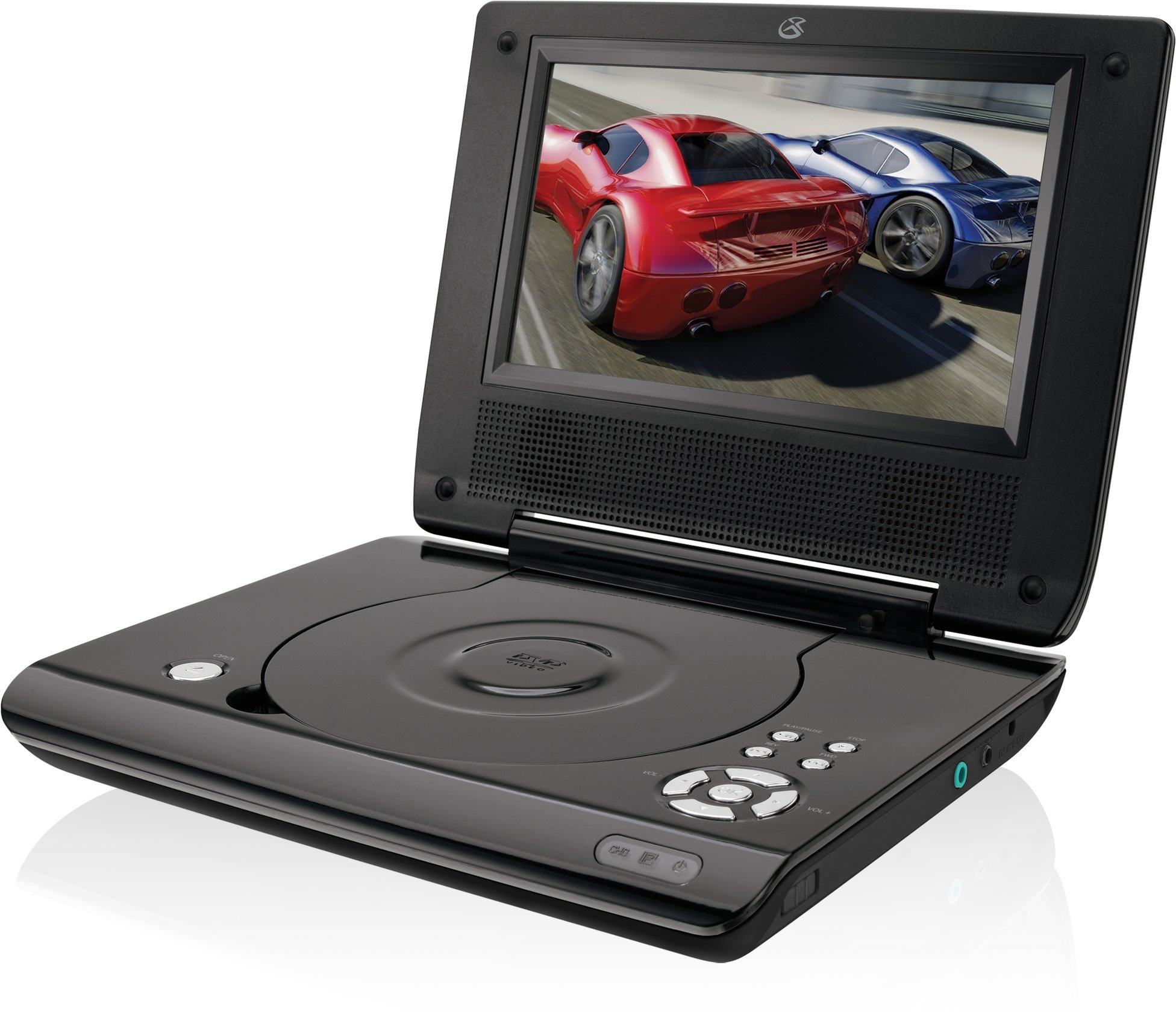
This manual provides essential instructions for the safe and efficient operation of your GPX PD730B 7-inch Portable DVD Player. Please read this manual thoroughly before using the device and retain it for future reference. The GPX PD730B is designed for portable entertainment, allowing you to enjoy DVDs, CDs, and JPEG files on its 7-inch TFT LCD screen.
Susbaint pacaid
Dèan cinnteach gu bheil na nithean gu lèir a tha air an liostadh gu h-ìosal air an toirt a-steach don phacaid agad:
GPX PD730B Portable DVD Player
Adaptor Cumhachd AC / DC
DC Car Adapter (12V)
Earbuds stereo
Smachd Iomallach (le 2 bataraidh AAA)
Leabhar-làimhe cleachdaiche (an sgrìobhainn seo)
Bathar seachadview
Figure 1: GPX PD730B Portable DVD Player (Closed)
This image shows the GPX PD730B portable DVD player in its closed position, highlighting its compact and sleek design. The top surface is smooth and black, with control buttons visible on the right edge.
Smachdan agus Ceanglaichean
Familiarize yourself with the various controls and connection ports on your portable DVD player.
Putan Cumhachd: Tionndaidh an aonad air no dheth.
Putan Cluich/Pause: A ’tòiseachadh no a’ stad ath-chluich.
Cuir stad air a ’phutan: A 'cur stad air ath-chluich.
Putanan Leum/Lorg: Navigates tracks or chapters, or fast-forwards/rewinds.
Smachd tomhas-lìonaidh: Atharraichidh seo ìre toraidh claisneachd.
Seabhag Jack: For private listening with stereo earbuds or headphones.
Port DC a-steach: Connects to the AC/DC or car power adapter for charging and power.
Suidhich
1. A 'cur cosgais air a' Bhataraidh
Before initial use, fully charge the built-in rechargeable battery. A full charge provides approximately 2 hours of playback time.
Connect the AC/DC power adapter to the DC In port on the DVD player.
Cuir a-steach an inneal-atharrachaidh cumhachd AC/DC a-steach do raon balla àbhaisteach.
The charging indicator light (if present) will illuminate. Charging is complete when the light changes color or turns off (refer to device for specific indicator behavior).
Alternatively, use the 12V DC car adapter to charge the player in a vehicle.
2. A ’toirt cumhachd air / dheth
Brùth agus cùm an Cumhachd button on the unit to turn the player on or off. The screen will illuminate when powered on.
Stiùireadh Obrachaidh
1. Inserting and Removing Discs
Gently open the disc compartment lid.
Place a DVD or CD onto the spindle with the label side facing up. Press down gently on the center of the disc until it clicks into place.
Close the disc compartment lid firmly.
To remove a disc, open the lid, gently press the spindle button (if present) or lift the disc from the edges, avoiding touching the data surface.
2. Ath-chluich Bunasach
After inserting a disc, the player will typically begin playback automatically.
Cleachd an Cluich / Stad putan gus stad no ath-chluich ath-thòiseachadh.
Brùth an Stad putan gus stad a chur air ath-chluich.
Cleachd an Leum buttons (usually labeled with arrows) to navigate between chapters or tracks.
Cleachd an Rannsachadh buttons (often combined with Skip) to fast-forward or rewind.
3. A 'cleachdadh an Remote Control
The included remote control provides convenient access to all player functions from a distance. Ensure the 2 AAA batteries are correctly installed. Point the remote control directly at the player's remote sensor.
4. A 'ceangal Fòn-cluaise
For private listening, plug the stereo earbuds (or your own headphones) into the Jack headphone on the side of the player. The built-in speakers will automatically mute when headphones are connected.
Figure 2: Portable DVD Player in use (Bedroom)
This image illustrates the portable DVD player being used by a girl in a bedroom setting, demonstrating its suitability for personal entertainment at home.
Figure 3: Portable DVD Player in use (Vehicle)
This image shows a boy watching the portable DVD player in the back seat of a car, highlighting its utility for entertainment during travel.
Figure 4: Portable DVD Player in use (Airplane)
This image depicts a woman using the portable DVD player with headphones on an airplane, showcasing its versatility for quiet, personal entertainment during flights.
Cumail suas
Cleaning the Player
Disconnect the player from all power sources before cleaning.
Cleachd clò bog, tioram airson na h-uachdaran a-muigh a sguabadh. Na cleachd innealan-glanaidh sgrìobach, cèir no fuasglaidhean.
For the screen, use a soft, lint-free cloth specifically designed for LCD screens. Avoid excessive pressure.
Cùm roinn an diosc saor bho dhuslach is sprùilleach.
Cùram Bataraidh
Gus beatha bataraidh a leudachadh, seachain a bhith ga leigeil ma sgaoil gu tur gu tric.
If the player will not be used for an extended period, charge the battery to about 50% before storing.
Store the player in a cool, dry place.
Fuasgladh thrioblaidean
If you encounter issues with your GPX PD730B, refer to the following common problems and solutions:
Trioblaid
Adhbhar a dh’fhaodadh a bhith ann
Fuasgladh
Chan eil an cluicheadair a’ tionndadh air.
Battery is discharged; Power adapter not connected properly.
Charge the battery; Ensure power adapter is securely connected to both the player and power source.
No disc playback.
Disc inserted incorrectly; Disc is dirty or scratched; Incorrect disc format.
Reinsert disc correctly (label side up); Clean disc with a soft cloth; Ensure disc is DVD, CD, or JPEG CD format.
Gun fhuaim bho luchd-labhairt/cluais-fònaichean.
Volume too low; Headphones not fully plugged in; Mute function active.
Increase volume; Ensure headphones are fully inserted; Check if mute is active on remote or player.
Smachd iomallach gun a bhith ag obair.
Tha bataraidhean marbh no air an cur a-steach gu ceàrr; Bacadh eadar an smachd iomallach agus an cluicheadair.
Replace remote batteries; Ensure correct polarity; Remove any obstructions and point remote directly at sensor.
Sònrachaidhean
Modail Àireamh
PD730B
Meud sgrion
7 òirlich
Seòrsa Taisbeanaidh
TFT LCD
Fuasgladh Dùthchasach
480x234
Co-mheas taobh
16:9
Meadhanan co-fhreagarrach
DVD, DVD+R/RW, CD, CD-R/RW, JPEG CD
Beatha Bataraidh (Cuibheasach)
2 Uairean
Cuir a-steach cumhachd
AC/DC Adapter, 12V DC Car Adapter
Ceangalachd
Ceanglaiche Taiceil (Seacaid Fòn-cluaise)
Cuideam nì
1.72 Punnd
UPC
047323007309
Barantas agus Taic
For warranty information, technical support, or service inquiries, please refer to the warranty card included with your product or visit the official GPX weblàrach. Cùm do chuidhteas ceannach mar dhearbhadh ceannach airson tagraidhean barantais.
Ask about setup, troubleshooting, compatibility, parts, safety, or missing instructions. Manuals+ will review the question and use this page’s manual context to help answer it.