
1. Ro-ràdh
This manual provides essential information for the proper installation, operation, and maintenance of your Intel Xeon E5-2690 processor. Designed for high-performance computing environments, this 8-core processor offers robust capabilities for demanding applications. Please read these instructions carefully before proceeding with installation.
2. Toradh thallview
The Intel Xeon E5-2690 is an 8-core processor operating at 2.9 GHz, featuring a 20MB L3 Cache and a 135W Thermal Design Power (TDP). It supports DDR3 memory up to 1600 MHz and is designed for the LGA 2011 socket.
- Processor Cores: 8
- Astar a' Chloca Bhunaiteach: 2.9 GHz
- Cache L3: 20MB
- Cumhachd Dealbhadh Teirmeach (TDP): 135W
- Taic Cuimhne: DDR3 suas gu 1600 MHz
- Seòrsa Socket: LGA 2011
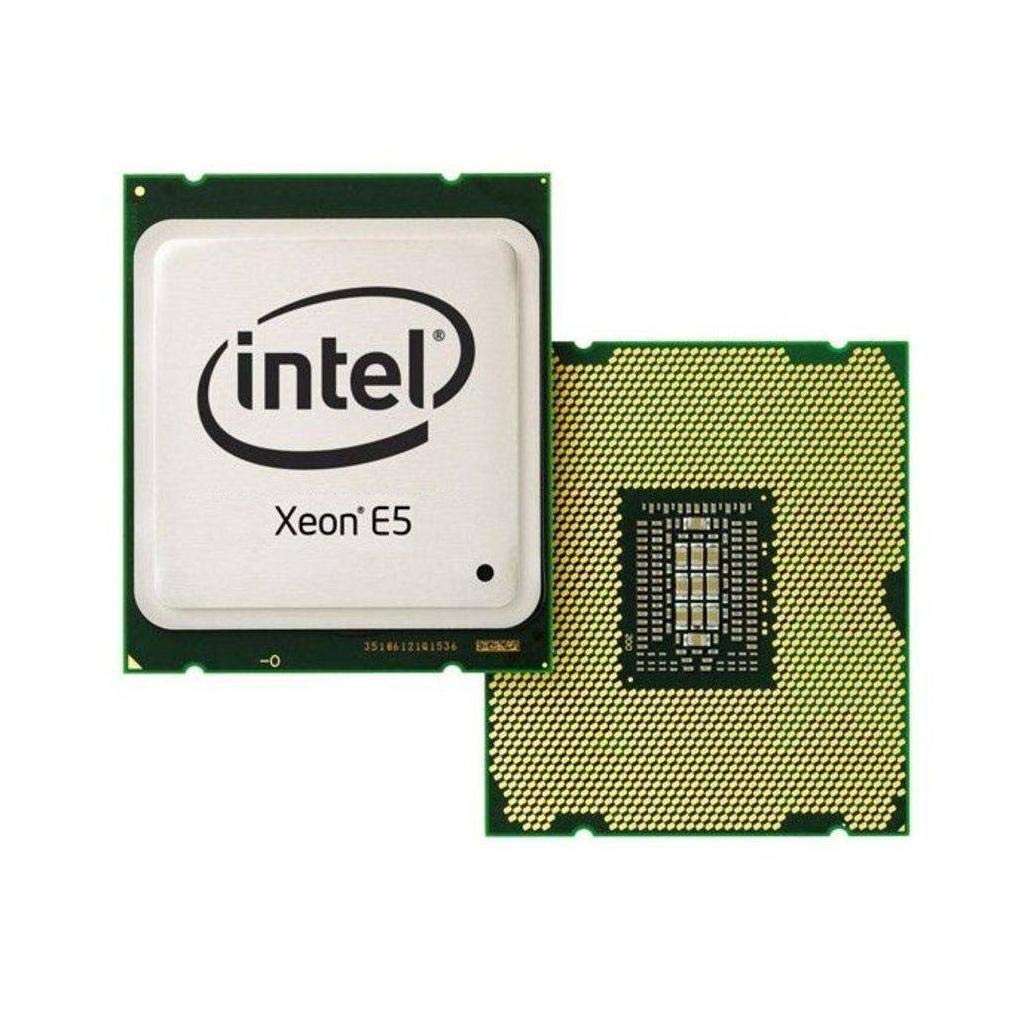
Figure 2.1: Intel Xeon E5-2690 Processor. This image displays the top view of the processor, showing the integrated heat spreader (IHS) and Intel branding.
3. Setup agus Stàladh
Proper installation is crucial for the stability and performance of your system. Ensure your motherboard supports the LGA 2011 socket and the Intel Xeon E5-2690 processor.
3.1. Mus tòisich thu
- Co-chòrdalachd: Verify your motherboard's compatibility with the Intel Xeon E5-2690 (LGA 2011 socket). Refer to your motherboard's manual.
- Dealan Statach: Take anti-static precautions (e.g., use an anti-static wrist strap) to prevent damage to components.
- Innealan: Gather necessary tools, including a Phillips head screwdriver and thermal paste.
- Fuasgladh Fuarachaidh: Ensure you have a compatible CPU cooler for the LGA 2011 socket, capable of dissipating 135W TDP.
3.2. Ceumannan Stàladh
- Ullaich Motherboard: Open the CPU socket retention mechanism on your LGA 2011 motherboard. This typically involves releasing two levers.
- Orient Processor: Carefully align the processor with the socket. The processor has notches that correspond to keys on the socket. Do not force the processor into place.
- Pròiseasar suidheachain: Leig am pròiseasar sìos gu socair dhan t-socaid. Bu chòir dha suidhe gun strì.
- Pròiseasar Tèarainte: Close the socket retention mechanism by pushing down the levers until they lock into place.
- Cuir a-steach paste teirmeach: Apply a small amount of high-quality thermal paste to the center of the processor's Integrated Heat Spreader (IHS). Consult the thermal paste manufacturer's instructions for the recommended application method.
- Stàlaich fuaradair CPU: Mount your compatible CPU cooler according to its manufacturer's instructions. Ensure it makes firm, even contact with the processor's IHS.
- Ceangal Fan: Ceangail càball fan an fhuaradair CPU ris a’ cheann CPU_FAN ainmichte air do bhòrd-màthar.

Figure 3.1: Intel Xeon E5-2690 Processor (bottom view). This image shows the pin array on the underside of the processor, which interfaces with the LGA 2011 socket.
4. Stiùireadh Obrachaidh
Once the processor is installed and the system is assembled, you can power on your computer. The operating system will detect the new hardware. Ensure all necessary drivers are installed for optimal performance.
4.1. Riatanasan an t-siostaim
- Motherboard: LGA 2011 socket compatible.
- RAM: DDR3 ECC or non-ECC memory, up to 1600 MHz, as supported by your motherboard.
- Solar cumhachd: A power supply unit (PSU) with sufficient wattage to power all system components, including the 135W TDP processor.
- Siostam-obrachaidh: Compatible with Intel Xeon processors (e.g., Windows Server, Linux distributions, Windows Pro editions).
4.2. Typical Usage
The Intel Xeon E5-2690 processor is ideal for:
- Workstations requiring high multi-core performance for tasks like video editing, 3D rendering, and scientific simulations.
- Servers handling virtualization, databases, and other demanding server applications.
- High-performance computing (HPC) clusters.
5. Cumail suas
Regular maintenance helps ensure the longevity and stable operation of your processor and system.
- Riaghladh teirmeach: Periodically check CPU temperatures using monitoring software. Ensure your CPU cooler is free of dust and debris. Clean fan blades and heatsink fins as needed with compressed air.
- Sruth-adhair: Maintain good airflow within your computer case. Ensure case fans are functioning correctly and cables are managed to avoid obstructing airflow.
- Ùrachaidhean BIOS/UEFI: Keep your motherboard's BIOS/UEFI firmware updated to ensure optimal compatibility and performance with your processor. Refer to your motherboard manufacturer's website for updates and instructions.
- Ùraich na draibhearan: Ensure all system drivers, especially chipset drivers, are up to date.
6. A ’dèanamh trioblaid
Ma thachras tu ri duilgheadasan, smaoinich air na ceumannan bunaiteach fuasgladh-cheistean a leanas:
- Gun chumhachd/Gun tòiseachadh:
- Verify all power cables are securely connected (24-pin ATX, 8-pin EPS/CPU power).
- Ensure the CPU is correctly seated in its socket.
- Check for bent pins on the CPU or in the socket (only if CPU was removed).
- Overheating:
- Confirm the CPU cooler is properly installed and making good contact with the processor.
- Thoir sùil a bheil am pasgan teirmeach air a chur an sàs gu ceart.
- Ensure CPU cooler fan is spinning and heatsink is clean.
- Dèan cinnteach gu bheil sruth-adhair iomchaidh sa chùis.
- Neo-sheasmhachd/Tubaistean an t-siostaim:
- Check RAM modules for proper seating and compatibility.
- Update motherboard BIOS/UEFI and chipset drivers.
- Run diagnostic tools to check for hardware errors.
- BIOS/UEFI Not Detecting CPU:
- Ensure your motherboard's BIOS/UEFI version supports the E5-2690 processor. An update may be required (often needs a compatible CPU to perform).
For more advanced diagnostics, consult your motherboard's manual for specific POST codes or diagnostic LEDs.
7. Sònrachaidhean
| Feart | Mion-fhiosrachadh |
|---|---|
| Modail pròiseasar | Intel Xeon E5-2690 |
| Àireamh Modail Nì | BX80621E52690 |
| Cores CPU | 8 |
| Astar a' Chloc Bhunaiteach | 2.9 GHz |
| L3 tasgadan | 20 MB |
| Cumhachd Dealbhadh Teirmeach (TDP) | 135 W |
| Socaid CPU | LGA 2011 |
| Taic Cuimhne | DDR3 suas gu 1600 MHz |
| Cuideam nì | 4 unnsa |
| Meudan toraidh (LxWxH) | 4.9 x 2 x 1.8 òirleach |
| Dèanadair | Intel |
8. Barantas agus Taic
For warranty information and technical support regarding your Intel Xeon E5-2690 processor, please refer to the official Intel weblàrach-lìn no cuir fios gu seirbheis luchd-cleachdaidh Intel.
Nota Cudromach: Specific purchase terms, such as "No refunds, no returns, no exchanges. FINAL SALE," may apply depending on your retailer. These terms are separate from Intel's official product warranty. Always review the terms and conditions provided by your point of purchase.
You can find comprehensive support resources, including drivers, software, and troubleshooting guides, on the official Intel support portal: