
Bathar seachadview
The iSound Twist Portable Bluetooth Wireless Speaker offers a unique design combined with superior sound quality. Its compact form factor allows for portability, while its advanced features enable wireless music streaming and hands-free calling. The speaker features full stereo sound with 6 watts total output from two 40mm drivers and a passive radiator for enhanced bass.
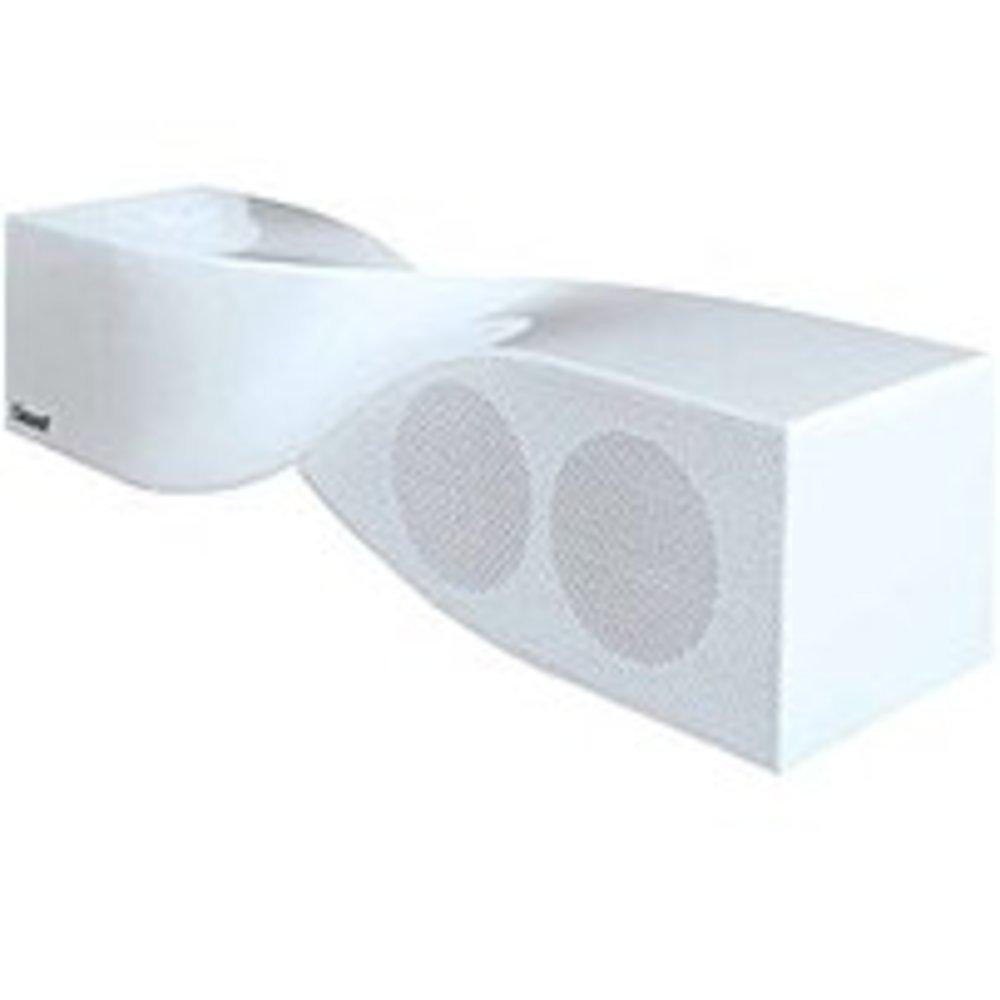
Image: The iSound Twist Portable Bluetooth Wireless Speaker in white, showcasing its unique twisted design.
Susbaint pacaid
- iSound Twist Portable Bluetooth Wireless Speaker
- Càball cosgais USB
- Càball Cuir-a-steach AUX 3.5mm
- Leabhar-làimhe cleachdaiche (an sgrìobhainn seo)
Suidhich
1. A ’cur cosgais air an Labhraiche
Before initial use, fully charge the iSound Twist speaker. Connect the provided USB charging cable to the speaker's USB charging port and the other end to a powered USB source (e.g., computer, USB wall adapter). The charging indicator light will illuminate during charging and turn off when fully charged. A full charge provides up to 5 hours of continuous play.

Image: Rear panel of the speaker, highlighting the USB charging port, ON/OFF switch, and AUX IN port.
2. A ’toirt cumhachd air / dheth
Locate the ON/OFF switch on the rear panel of the speaker. Slide the switch to the "ON" position to power on the device. Slide it to the "OFF" position to power off.
3. Càraid Bluetooth
- Ensure the speaker is powered on and within close proximity to your Bluetooth-enabled device (e.g., smartphone, tablet, laptop).
- The speaker will automatically enter Bluetooth pairing mode. A blue indicator light will flash, indicating it is discoverable.
- On your device, navigate to the Bluetooth settings and enable Bluetooth.
- Lorg airson available devices. The iSound Twist speaker should appear in the list, typically named "iSound Twist" or similar.
- Select the speaker from the list to initiate pairing. If prompted for a password, enter "0000".
- Once successfully paired, the blue indicator light on the speaker will stop flashing and remain solid. You will hear an audible confirmation.
- Your device is now connected, and you can stream audio wirelessly.
4. Ceangal Cuir-a-steach AUX
For devices without Bluetooth capability, or if you prefer a wired connection, use the provided 3.5mm AUX cable.
- Connect one end of the 3.5mm AUX cable to the AUX IN port on the rear of the speaker.
- Connect the other end of the cable to the headphone jack or audio output port of your audio device.
- Bidh an neach-labhairt ag atharrachadh gu modh cuir a-steach AUX gu fèin-ghluasadach.
Stiùireadh Obrachaidh
Gnìomhan Pannal Smachd
The speaker features onboard controls located on its top surface for convenient operation.
- Putan Cumhachd / Modh: Press and hold to power on/off. Short press to switch between Bluetooth and AUX modes.
- Putan Cluich/Stad/Gairm: Short press to play or pause music. During an incoming call, short press to answer or end the call. Press and hold to reject an incoming call.
- Putan Àrdachadh Meud/An Ath-òran: Short press to increase volume. Press and hold to skip to the next track.
- Putan Lùghdachadh Meud/Trac Roimhe: Brùth goirid gus an fhuaim a lùghdachadh. Brùth is cum sìos gus a dhol chun an trac roimhe.
Glaodh gun làmhan
When connected via Bluetooth, the iSound Twist speaker's built-in microphone allows for hands-free phone calls.
- A ’freagairt gairm: When a call comes in, the music will pause. Press the Play/Pause/Call button once to answer.
- Cuir crìoch air Call: During a call, press the Play/Pause/Call button once to end the call.
- A ’diùltadh gairm: Press and hold the Play/Pause/Call button to reject an incoming call.
Cumail suas
- Cùm an neach-labhairt air falbh bho uisge, taiseachd, agus teòthachd anabarrach.
- Glan an neach-labhairt le clò bog, tioram. Na cleachd innealan-glanaidh sgrìobach no fuasglaidhean.
- Seachain a bhith a’ leigeil às no a’ toirt buaidh làidir air an neach-labhairt.
- Nuair nach eilear ga chleachdadh airson ùine mhòr, stòraich an neach-labhairt ann an àite fionnar, tioram agus cuir cosgais air bho àm gu àm gus slàinte a’ bhataraidh a chumail suas.
Fuasgladh thrioblaidean
| Trioblaid | Fuasgladh |
|---|---|
| Chan eil an neach-labhairt a’ dol air. | Dèan cinnteach gu bheil am bataraidh air a luchdadh. Ceangail an neach-labhairt ri stòr cumhachd leis a’ chàball USB agus feuch ris a-rithist. |
| Chan urrainnear paidhir a dhèanamh tro Bluetooth. |
|
| Gun fhuaim no meud ìosal. |
|
| Tha càileachd a’ ghairm bochd. |
|
Sònrachaidhean
| Feart | Mion-fhiosrachadh |
|---|---|
| Ainm Modail | ISAIN-1691 |
| Brand | iFuaim |
| Seòrsa neach-labhairt | Tùr |
| Feart sònraichte | Micreofon air a thogail a-steach |
| Cleachdaidhean Molta | For Smartphones or Tablets, Music Players |
| Innealan co-fhreagarrach | Deasg, Laptop, Cluicheadair MP3, Proiseactair, Fòn-làimhe, Clàr, Telebhisean |
| Rèiteachadh Sianal Fuaim timcheall | 2.0 |
| Dath | Geal |
| Cuideam nì | 13.6 unnsa |
| A bheil uisge-dhìonach | FAILTE |
| Teicneòlas conaltraidh gun uèir | Bluetooth |
| Meud neach-labhairt | 0.75 òirlich |
| Stòr cumhachd | Cumhachd bataraidh |
| Àireamh de bataraidhean | Tha feum air 1 bataraidh lithium-ion. (air a ghabhail a-steach) |
| Seòrsa fuaim driver | Dràibhear Dynamic |
| Meud driver fuaim | 40 millimeters |
| Meudan toraidh | 5 x 4 x 11.75 òirleach |
| Neach-labhairt cumhachd toraidh as àirde | 6 watt |
| Teicneòlas ceangail | Uèirleas |
| Modh Toraidh Fuaim | Stereo |
| Seòrsa stàladh | Sliabh clàr-bùird |
Bhidio Oifigeil Bathar
Video: Official product video for the iSound Twist Bluetooth Speaker, demonstrating its features and design. This video showcases the speaker's ability to stream audio from various devices and handle calls.
Barantas agus Taic
The iSound Twist Portable Bluetooth Wireless Speaker comes with a Barantas cuibhrichte. For specific warranty terms, conditions, and support inquiries, please refer to the warranty card included in your product packaging or visit the official iSound weblàrach.
For further assistance, please contact iSound customer support.